Many of my posts are based on applying research to personal or classroom practice. I am retired, so I am no longer involved in experiments myself, but I now spend time reading both new and older published studies on a topic that interests me.
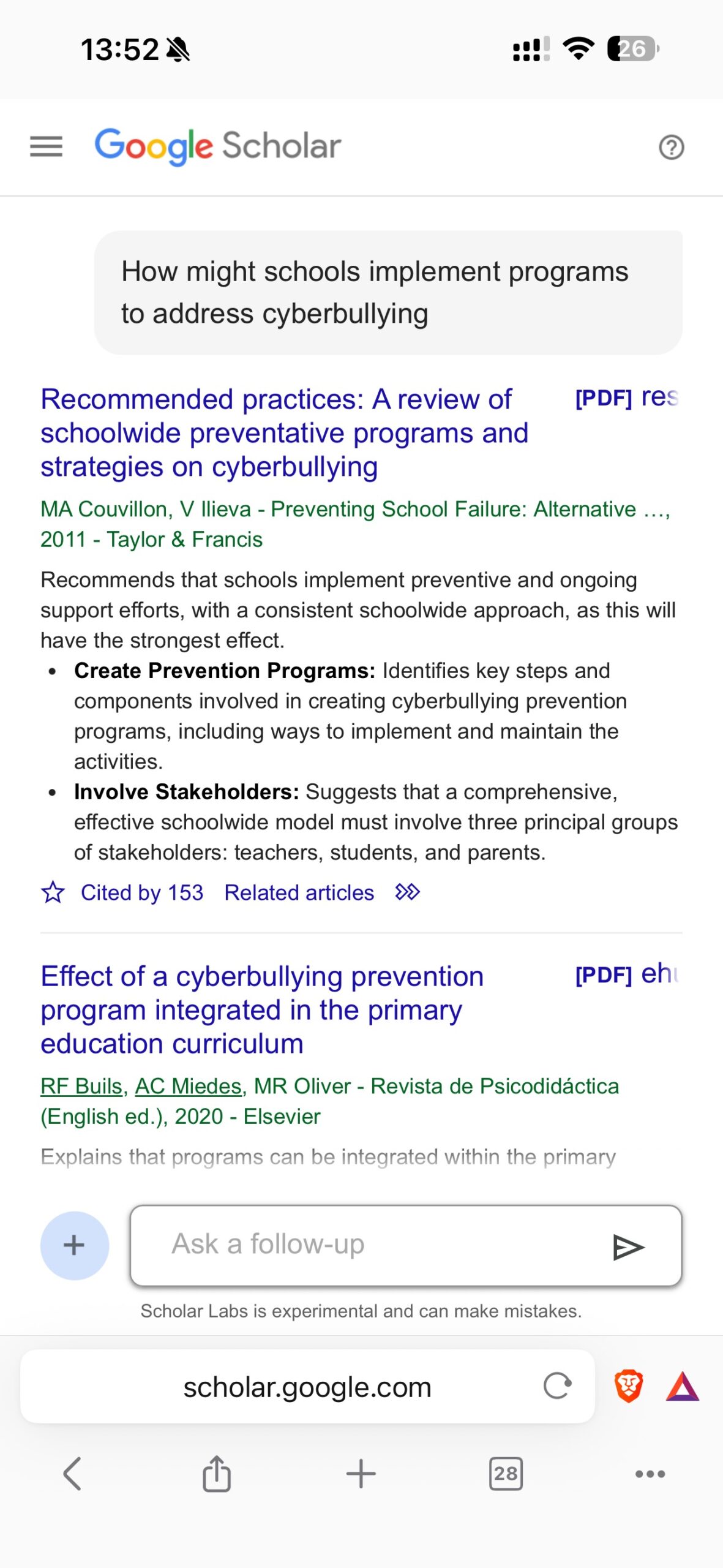
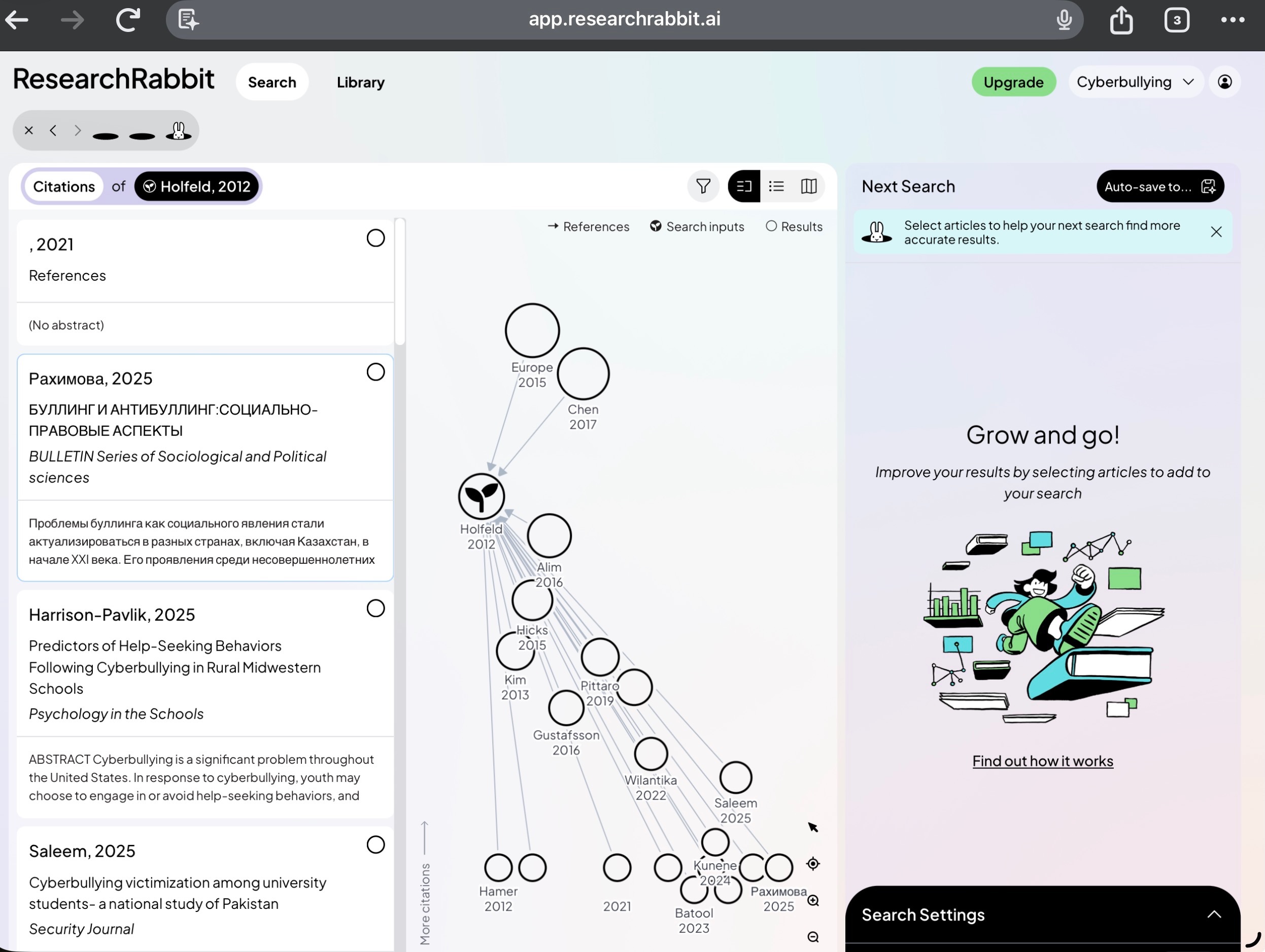
My change in location and social circles has led to some adjustments. I can’t walk across the street to a university library, though I still have access to online resources. Without students and colleagues, my interests are now far more self-driven and self-perpetuated. I have used Google Scholar since it was around, but the emergence of newer AI-supported tools for investigating the literature has been of great personal value.
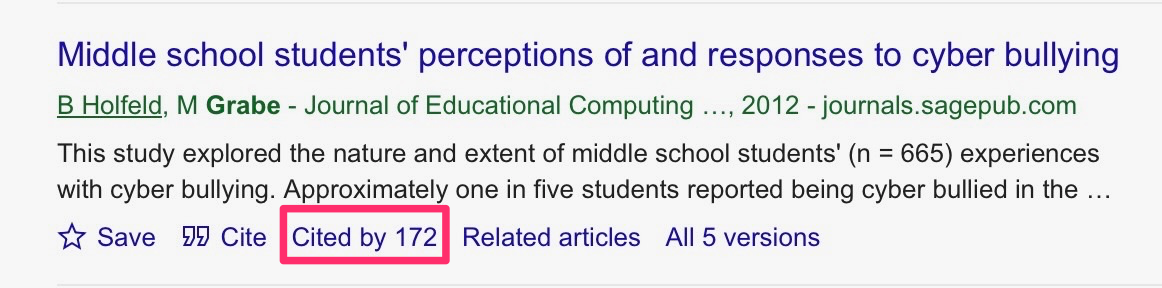
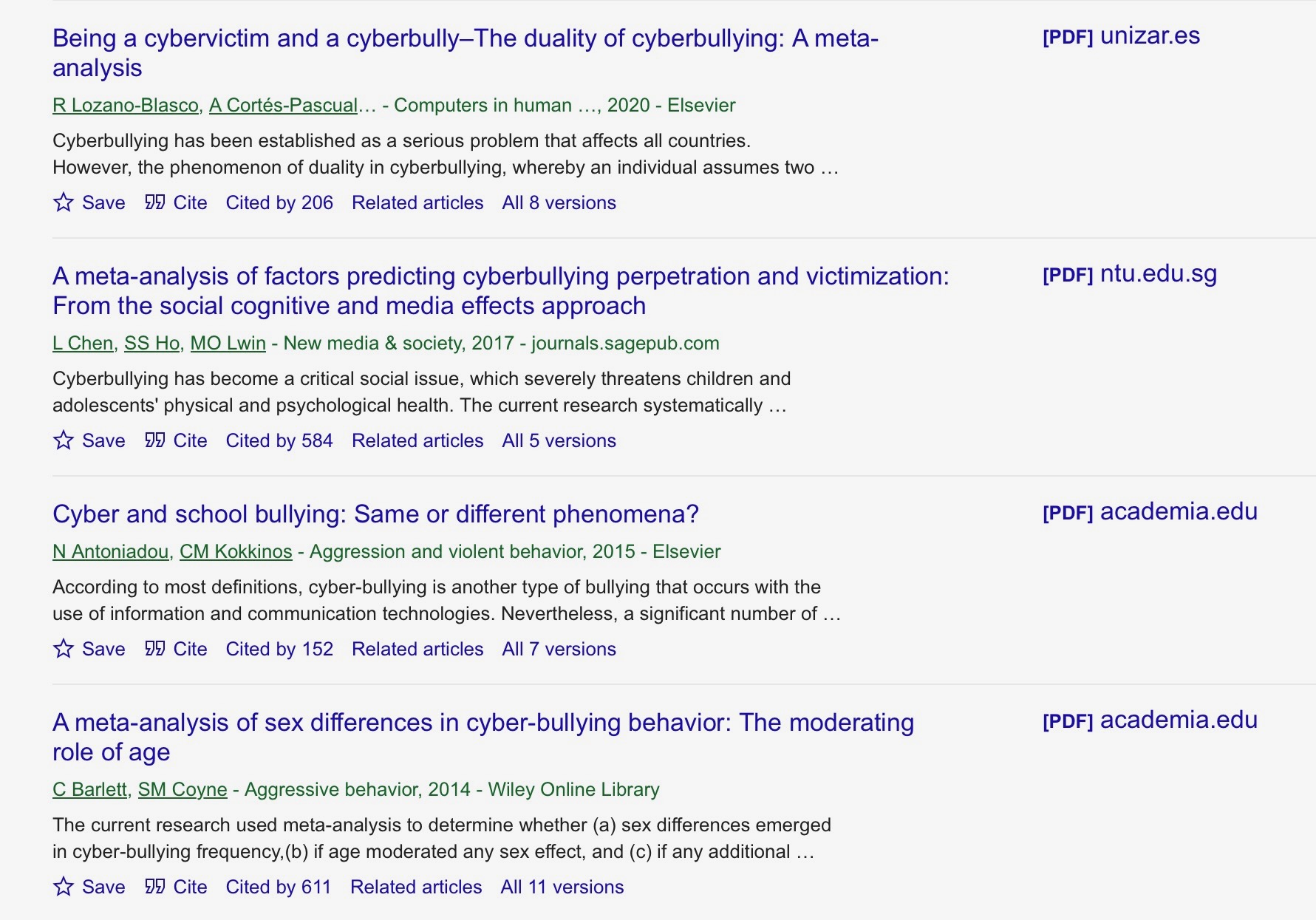
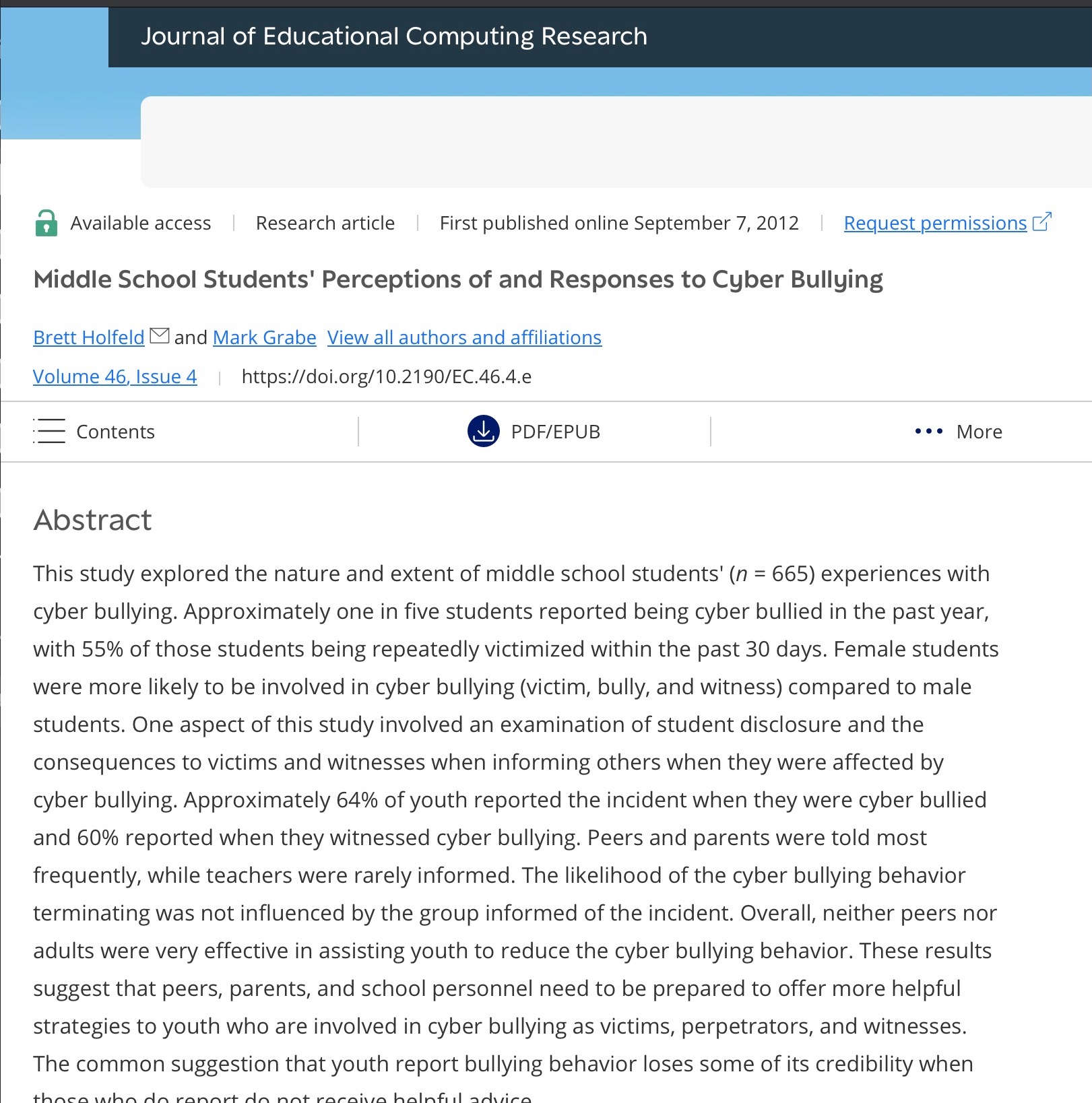
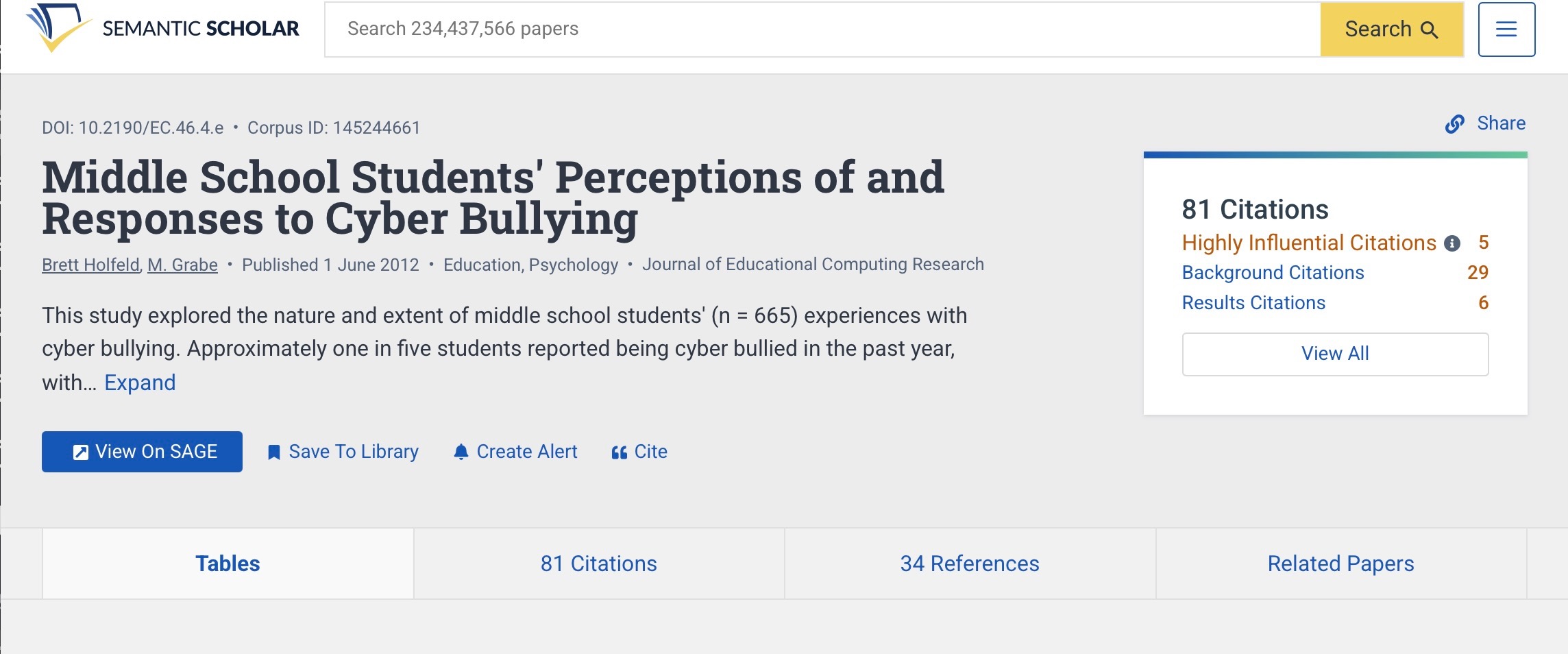
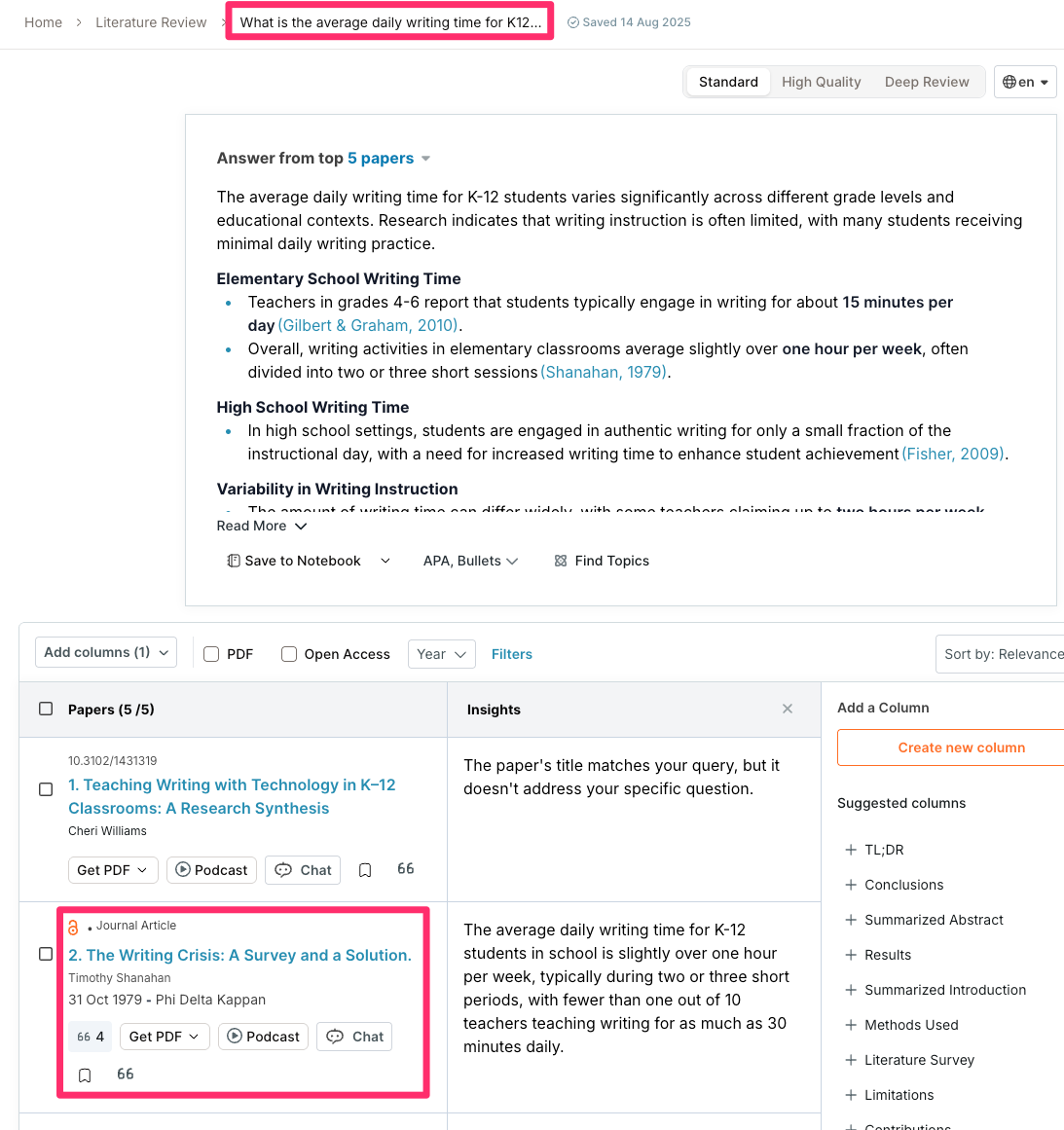
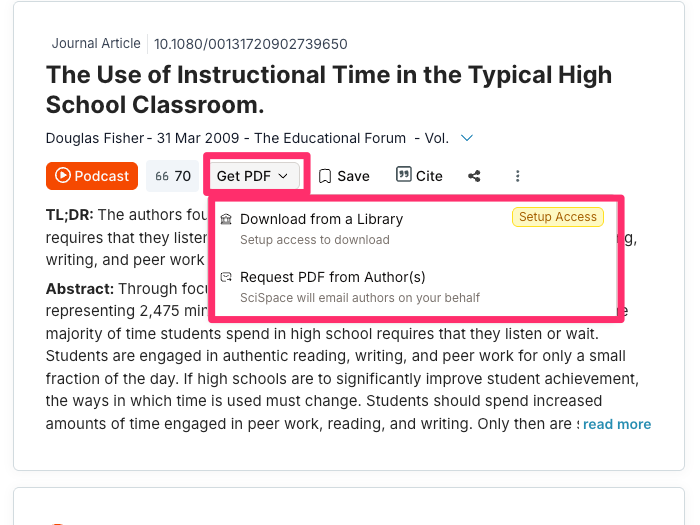
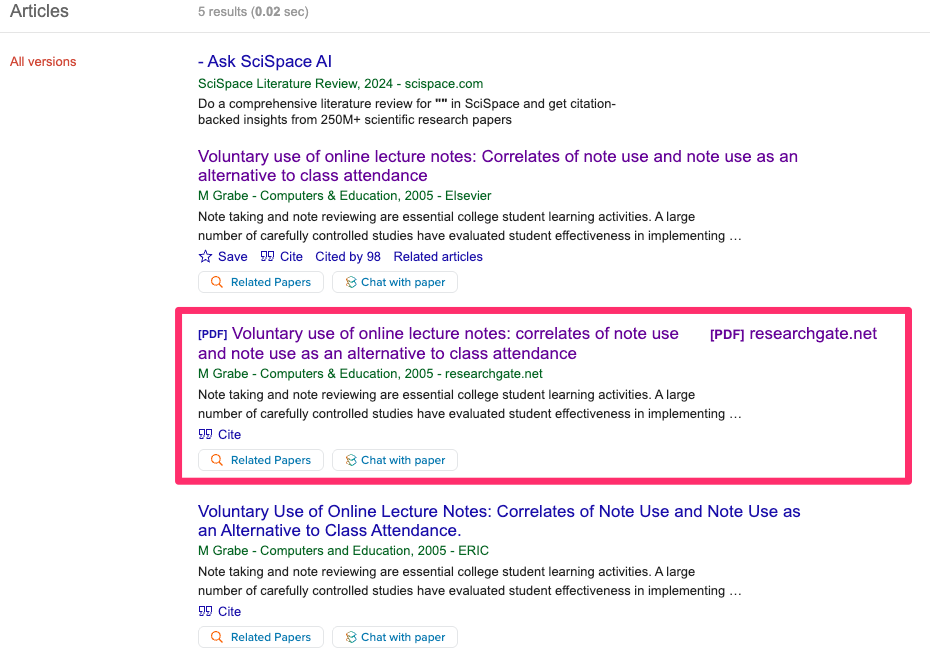
This shift in how I locate the articles I read has exposed me to a strange phenomenon. I get excited when I find a reference relevant to a topic I have missed, particularly when it comes from an influential, productive researcher I follow. The title of this discovery sounds perfect and seems to promise just the type of evidence I have been looking for. I access my library’s online resources, call up the appropriate journal, and enter the title from the citation. The article isn’t there. Maybe the volume or the year of publication isn’t correct. I enter the title in Google Scholar to do a search and related articles appear, but there is no match for the specific paper I want. The citation that generated my excitement is very likely an AI hallucination.
I first wrote about this issue several years ago when AI was itself less sophisticated and this problem was probably more common. I include the link to this previous post because it contains multiple examples of what such hallucinations look like. I decided to revisit the topic after reading a recent Nature article examining this issue. The recent article did a good job of explaining why such hallucinations seem so real, but also raised questions related to how such hallucinations could appear in newly published research and how and why scholars might end up citing and developing arguments in their own papers related to some literature that does not exist.
The structure of a citation and why it results in hallucinations
The Nature study included a visual representation of a citation that I found helpful. I did not want to just cut and paste their examples so I had an AI tool develop something similar.
Think of a citation as consisting of several elements and understand that AI is not itself cutting and pasting what it offers in response to a prompt, but generates content. When this happens, some of the possibilities can result in fake outcomes.
Author may have published in this general area
Authors may have published together but not this paper
Words in the title are consistent with some of the work the author has done so are used to create the title
Pages fit with the date for this journal but are not appropriate
DOI (digital object identifier) – does not point to anything, but is similar to other DOIs for this journal
Ironically, trying to have an AI tool generate a plausible citation and identify its components also resulted in hallucinations (compare the image below with the one above). I tried multiple iterations to get what I wanted, but finally, I just had the tool generate the figure without lines, then used a different app to manually add them myself.
What are the responsibilities of an author?
How hallucinated citations appear in published work raises other serious issues. Possibly, the author who submitted the paper used a tool to build the reference list, but did not then check the final product. More seriously, the author used AI to write sections of a paper complete with citations and did not actually read the original papers.
Check your references
In my own efforts to explore relevant courses of action, I learned that many publications now rely on services that verify citation authenticity. I checked on the services and did not find anything that would be financially feasible for individuals. I did find that there are tools, some free, that will check a reference list.
CiteTrue is a free online tool that accepts a list of citations and checks each component for accuracy. The following image shows what this looks like. I used part of the list of hallucinated citations I included in the previous post on this topic I describe above, and pasted these into the input box. The output indicated all were inaccurate and speculated about what was incorrect.
Screenshot
Personal Comment
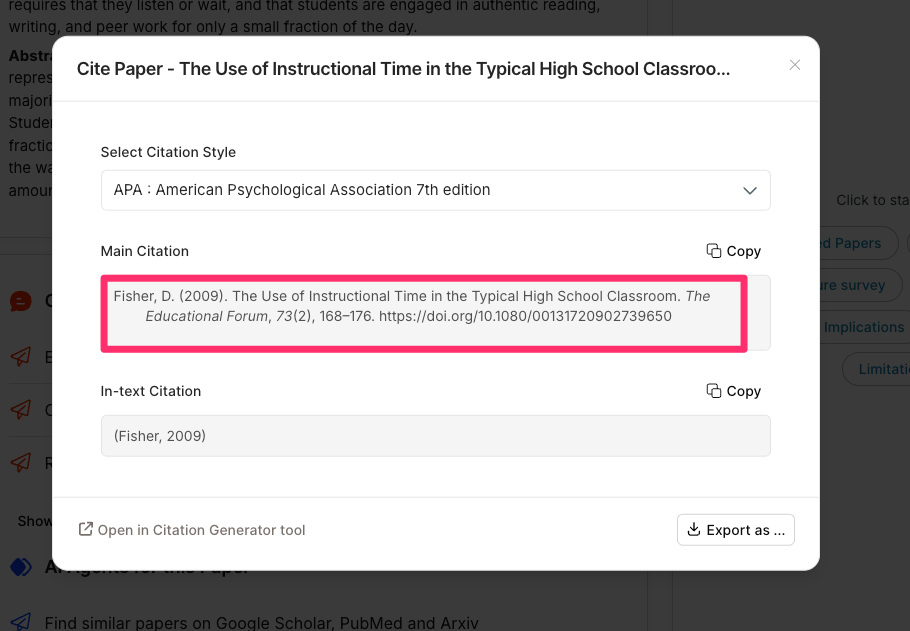
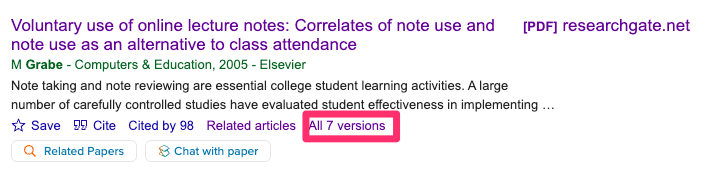
This is not an issue I personally worry about, as I am no longer an active researcher. I do cite sources in some of my posts when a reader cannot follow a link to the source. I admit that not all of my sources follow the APA (American Psychological Association) format. This is due to my laziness. I do read all of the papers I cite, but putting together a citation is sometimes a manual process of accurately pulling together different pieces of information from the pdf for that source. I often copy the title from the pdf and paste it into Google Scholar and then use the citation for that source provided by Google. I am unclear how Google assembles citations in its systems, but they do not always follow the most recent APA guidelines. For example, many do not include a DOI or list the authors in different ways. I know the titles work because that is how I find the citations.
My interest in lifelong learners as a category of learners or as an expected focus of research activity has been frustrating. I have spent considerable time proposing that the research on note-taking and other study strategies can be translated, especially when applied to learners functioning independently outside of classrooms or in response to classroom-based assignments. When reading efforts to encourage strategies associated with concepts such as “personal knowledge management” (PKM) or “second brain”, I was surprised to be unable to find research associated with these proposals and often not even references to the literature I studied and tried to contribute to throughout my academic career. While at some level “learning is learning”, efforts to propose strategies for practice must consider differences in learning contexts and evaluate specific translations of controlled research as operationalized for these contexts.
Much of this post is based on the book “Make it Stick” (Brown, Roediger & McDaniel). I’ll explain why this book, rather than other sources, is used later. The following list of learning activities, which have been found to improve learning outcomes, is paraphrased from this source.
Purposeful learning should require:
Finding and retrieving information from memory (retrieval practice)
Spacing learning activities (spaced practice)
Mixing the focus of learning activities (interleaving)
Building personal knowledge – use existing knowledge structures to integrate new information, use new information to modify or extend existing structures
Testing understanding – recognizes failures of understanding
If you are unfamiliar with this terminology or the cognitive processes that are argued to be influenced by them, I offer the following set of links to extended posts I have written.
When I think about useful learning activities, I do so from a different perspective. I focus on generative tasks. I define a generative task as an external task that increases the probability of productive internal (cognitive) activities. The recommendations proposed by Brown and colleagues would fit this more general category.
Brown and colleagues (Make it stick) define generation as an attempt to answer a question or solve a problem before being shown the answer or solution, and note that it makes the mind more receptive to new learning. This is a very different and I think less common use of how cognitive types use the phrase. See Fiorella and Mayers (see sources at the end) for a list of generative activities that have some overlap with those Brown and colleagues provide. The way I describe a generative activity makes sense to me. It is like asking a teacher what she has assigned a classroom activity. The teacher might use phrases such as “it gets my students to think” or “it requires my students to use”, but these are just different ways of saying internal (cognitive) behaviors are required.
Differences in the classroom and lifelong learning contexts
When the authors of Making it Stick argue that similar learning strategies can be applied by both students and lifelong learners, they note that the contexts in which these strategies are used differ and that the strategies are adjusted accordingly. What are some of these differences?
Structure
Classroom learning is typically more structured, with teachers deliberately designing activities that encourage generative activities. Teachers mostly select the goals and related tasks – lectures, syllabi, and tests. The time course of learning is driven by external decisions informed by the needs of the group and not individual learners.
Lifelong learning is personally structured and depends on the challenges of daily life or personal interests. Task selection and the continuation of the effort of learning is based on individual insights, accomplishments or motivation.
Most consistent source of motivation
With classroom learning, the educators shaping the tasks build in base-level, external sources of motivation (grades, evaluations).
Lifelong learners rely on personal challenges and goals to motivate their effort.
Task Initiation
In classrooms, the teacher often presents or assigns material first, then asks students to act on this material in some way.
In lifelong learning, it often begins with “learning from experience” – you face a problem, try to solve it, and only then seek answers. Learning as part of daily life is often referred to as experiential learning. Learning activities may also be driven by personal goals and interests.
Feedback
In classrooms, feedback is typically immediate and provided by the teacher (graded quizzes, comments).
In lifelong learning, the consequences of responding to life challenges are a source of feedback. Personal goals are typically evaluated based on reflection or in some cases the reaction of others if the goal is to produce a public product. Tasks that result in feedback can also be self-initiated.
Time Frame
The time frame for classroom learning is short and predictable. Exams and assignments have clear performance rate and these evaluations tend to be a couple of weeks or at most a couple of months.
When lifelong learners commit to a learning goal they may or may know when any knowledge or skill will be applied. In many situations, there is no guarantee a learning accomplishment will ever be applied.
The Insight from Make It Stick
The benefits to me of reading Make It Stick were in making the connection between the efforts to identify and evaluate learning strategies and both classroom and lifelong learners. As my own interests from shifted from classroom to self-directed learning I tried to find other educational writers who addressed this relevance and made some effort to explore how the same core of strategies might apply in each learning environment. My efforts to use search tools focused on scholarly research yielded close to nothing that I would label research focused on adults learning on their own. To bridge this gap I followed the speculation about the best approaches to personal knowledge management and second brain creation and use and translated research focused on classroom learning to interpret the underlying bases for the ideas being developed to guide personal knowledge management and learning.
Brown and colleagues were of interest because they argued that the same principles are key to all learning with emphasis and tactic of implementation varying with structural differences. The assumption of a commonality seems reasonable and not surprising, but the identification of lifelong learners and the recognition of structural differences in their learning tasks was unique.
This brings me to an effort to identify structural differences and how these differences alter strategy implementation.
Interaction with structural differences
In school, students rarely practice these strategies spontaneously; those who do “will need more than encouragement if they are to practice them effectively”. Teachers must build retrieval, spacing, etc. into the course design (cumulative quizzing, peer instruction, daily summarizations, etc.). Secondary students can be taught to take some responsibility for these skills using tactics such as flashcards, peer quizzing, and note-reworking techniques, such as those encouraged by the Cornell note-taking system.
Lifelong learners typically don’t have external structure, but they do have autonomy and clearer intrinsic goals. Application becomes designing their own schedules and systems, e.g., setting spaced reviews, using self-testing, and writing brief reflective summaries. Digitally based note systems often have tools encouraging random reviews and embedded AI allows the generation and evaluation of content-related questions.
Students’ metacognition and self-regulation are still developing, so these learners are more likely to misjudge what works and gravitate to easier illusions of learning like rereading. Imposed strategies and purposeful skill instruction are important. Adults often have stronger self-regulation, but must deliberately create constraints and routines or the strategies don’t happen.
Existing knowledge and life experiences
Students tend to have less developed background knowledge, so adding complex strategies can create working memory overload when they’re already struggling. So in K–12/undergrad, teachers often need to scaffold: start with simpler retrieval (short low-stakes quizzes, guided questioning) and gradually move toward more independent study behavior.
Lifelong learners usually work from richer life experiences and probably more formal education, so elaboration, self-questioning, and application can be more generative right away, and spacing can be stretched further because there is more prior knowledge to attach to. Goals are also based on a longer time frame for potential application.
Why: The same strategy (e.g., self-testing) places different cognitive demands depending on knowledge and fluency; novice students need more support and tighter feedback loops.
Motivation and time span
For students, motivation is often extrinsic (grades, exams). This external focus is based on a predetermined curriculum and external expectations for what must be learned. This can make the challenges of learning feel like unfair obstacles, so teachers must explain why they’re spacing, mixing, and testing—making assessment “a positive learning experience” rather than just judgment. I have a long-term interest in what is often called “mastery learning” which is a competency-based system that allows multiple opportunities to demonstrate competence. This approach would fit well with promoting the benefit of feedback, but unfortunately is not a common approach.
Lifelong learners are generally motivated by relevance (job, hobby, citizenship). This aligns well with an emphasis on generative activities such as write-to-learn activities and linking and adding to original notes.
Why: With adults, you can lean hard on immediate application and self-explanation because the “why this matters” is obvious; with students, you often must cultivate that connection. The lifelong learner accepts that what they learn may not have immediate value and that skills and knowledge often find an application, impact motivation, and create a focus on improving the retrievability of notes and on linking, reviewing, and reworking notes over time as interests change and goals become evident.
Summary
This post builds on a short section of “Make it stick” that recognized that lifelong learners and students in formal educational settings likely apply similar learning strategies adapted to unique characteristics of their settings. To me, just the mention of lifelong learners and students in the same publication seemed unique. Certainly, the brief effort to analyze a few interactions of learning strategies with these different settings is very uncommon. I admit that research of the same quality would be very difficult to evaluate the effectiveness of proposed strategies for lifelong learners, but at least the effort to speculate about how techniques of proven value in classrooms apply elsewhere seems useful.
Sources
Brown, P. C., Roediger III, H. L., & McDaniel, M. A. (2014). Make it stick: The science of successful learning. Harvard University Press.
Fiorella, L., & Mayer, R. E. (2016). Eight ways to promote generative learning. Educational Psychology Review, 28(4), 717-741.
I have been an Apple in education guy since the 1980s. The potential of the new NEO for that market immediately caught my attention. So many podcasts have speculated about the potential of the Neo in the marketplace and one of the participants on Macbreak Weekly changed my mind concerning the Neo as a Chromebook killer. She argued that the price point of the Neo or lower-end iPads is only part of what the school-based tech people consider. Apple or Microsoft has no viable alternative to Google Classroom and the structure and security issues addressed are worth a lot to school tech decision makers.
How popular are different tech products in K12?
You might think providing data on the recent history of school purchases of Apple, Windows, and Chromebook devices would be simple. Some source must have found this topic to be of interest. I have tough expectations for what this would look like with Chromebooks showing a sharp rise in recent years. What I was less certain I understood was the comparative tracks of Apple and Windows equipment. I have been retired now for about a decade so I have spent only a little time in schools. I expected popularity comparisons would show Apple somewhere between Chromebook and Windows machines.
There are no “official statistics,” and some of the most carefully acquired have value to businesses interested in the education market, and require you to purchase the reports (e.g., Futuresource). Data I could locate was inconsistent and no source fit my expectations. After multiple searches, I asked Perplexity to generate a graph for the 20 year period I wanted and that graph appears below. I did find similar general descriptions elsewhere to my surprise and the issue here is whether the new and less expensive Apple computer will change this trend.
Why Chromebooks will likely continue the tech of choice?
So, Google’s Chromebooks have maintained a stranglehold on K-12 classrooms. While the Neo is a device that brings the prestige and power of macOS to a price point that schools can actually afford, the decisions those who make purchases depend on more than the cost of the equipment.
The real reason Chromebooks will likely still be preferred isn’t just the lower price tag; it is the infrastructure of Google Classroom and the Google Workspace for Education ecosystem. Until Apple builds a direct, functional competitor to Google Classroom, the Neo is just a nice laptop in a room where everyone is already tied into a different system.
When a school district buys a large number of devices, often in the thousands, they are looking beyond a reasonable price point and hardware sophistication. Organizations also consider manageability and deployability – how to oversee how devices are used and how to set them up quickly and efficiently. Apple has always focused on individual users. When the machine assigned to an individual has an issue or selects one from a classroom card, each student simply signs in to the new machine, it is personalized, tabs, documents, and settings like the last time they connected. The design of Apple equipment maintains an individual’s priorities and content on that individual’s machine.
The Google Classroom
Google Classroom was designed with an understanding of the school day and classroom tasks. It connects to Google’s online services – Google Drive, Calendar, and Meet and gives the teacher some level of immediate access to student accounts. Teachers have a way to distribute and grade assignments. Google Classroom allows a teacher to “make a copy for each student” with one click, see real-time progress on an essay, and provide instant feedback. The system works great because Google owns both the productivity suite (Docs/Sheets) and the management layer (Classroom).
Built for Collaboration
Google Docs was built for the web and for collaboration; it was built for twenty students to be in the same document at the same time without the system crashing or creating “conflicted copies.” Students can peer-edit, work on group slides, and share data in real-time. These capabilities can be accessed on the devices from other companies, but if classroom tasks are heavily dominated by tasks Google makes easy why add the complications of equipment that is not as easily integrated?
The Cost Issue at the Level of the System
As I understand it, Google Classroom itself is generally provided at no additional cost to schools as part of Google Workspace for Education. The cost of Google Workspace depends on what schools want. There is a free tier for eligible institutions that provides the core tools such as Docs, Drive, Gmail, and Meet. Schools can also pay for other features that meet common needs, such as advanced security, analytics, admin controls, and additional teacher tools. I couldn’t find pricing details as the charge to the schools depends on the number of classrooms and teachers.
Additional Comments
Teachers don’t choose platforms; districts do. Procurement decisions happen at the IT/admin level, not the classroom level. In considering Apple versus Microsoft in the business environment, the same issue seems to apply. In schools. Google won those relationships early and aggressively in the 2010s, and switching costs are now enormous — not technically, but now in terms of retraining staff and migrating years of curriculum materials. It seems to me Windows and Apple equipment will continue to have value in specific school applications but overcoming the inertia of a device and services suited to the most common tasks would be a massive challenge. If we get to AI on devices, perhaps things will change.
Other companies have attempted to develop competing services. For example, Microsoft has Teams for Education. This product is regarded as capable, but teachers reportedly find Google Classroom much easier to use.
Summary
Understanding why schools adopt a given type of tech hardware may not be as apparent as some may assume. This post argues that even given a similar price point other factors are important and Google has a lead when it comes to the basics of common classroom practice.
If you’ve spent any time reading about study strategies, you’ve probably encountered some version of this claim: writing notes by hand is better than typing them on a laptop. There seems to be or at least there is reported to be research to back it up. I am normally a “what does the research suggest” guy, but in this case, I am skeptical and find my own experience leads me to a different conclusion.
I try to be careful in thinking through whether any research study matches well with learner behavior in applied settings. To do this, you need to do more than read the abstract or even the discussion section from published studies. You certainly need to do more than read the analyses from “thought leaders” who have only read this content or asked AI to offer an opinion. Here is why. Researchers are free to speculate a bit in pushing an interpretation in these parts of a journal article. Readers should know this and take this into account. The section of the article, expected to be objective and descriptive, is the Methods section. Think of your role as a research consumer like this: here is exactly what he/she did and the results that these experiences produced. Now interpret them yourself given what you know about existing research and knowledge of the Methods and Results in this study. What conclusions do you reach?
Here are some issues I think are important to consider when researching keyboard versus handwritten note-taking. I have ordered this list from most to least influential based on my perception of what matters most when considering what a given study offers for applied note-taking. Don’t take this ranking too seriously, but think about the impact the issues I identify might have.
Look for this issue in the Methods section.
Does the study focus on taking notes from a live lecture? The experience of taking notes from written material or a recorded source is different. You can pause and do not have to experience the working memory overload argued to trigger the more generative processing required to counter the slower process of handwriting? I include this item because so many adults have become interested in Personal Knowledge Management (PKM) strategies and are exposed to summaries of the research on notetaking. The PKM people seem more likely to take notes in response to what they read than students.
Does the study allow a reasonable amount of time to review notes? Does the experiment allow note review or does it focus on learning during the lecture only? What you learn during the input experience is not the entire learning opportunity.
Does the study involve a significant delay between exposure to content and before the collection of the dependent variable? Is the performance data collected as part of the same research session as the input experience?
Is intermediate processing of notes allowed or encouraged? Looking over notes immediately after taking them is a good strategy for students.
Is the digital experience limited to the original input of information? I encourage lecture focused note takers to use an app that records audio while taking notes. Such apps link notes with the audio. This allows gaps or vague notes to be remediated from the time-linked audio in a very efficient manner. Missing something doesn’t have to be permanent and technology allows an easy way to address this issue.
An example of how I analyze a screen/paper study
I have read a large proportion of the published studies comparing keyboard and pen notetaking and have frequently written about my opinions on this matter. I decided to create this post after encountering an oft-cited study I had missed and in reading this study found some of the issues I have just mentioned. Comments related to this specific study may offer additional insights into what I think is being missed.
A 2018 study by Luo, Kiewra, Flanigan, and Peteranetz compared laptop and longhand note-taking and arrived at conclusions that many educators have taken as gospel. Laptop note takers, the study found, tend to transcribe lectures verbatim. They capture more words and paraphrase less. The researchers argue that longhand note takers, constrained by writing speed, are forced to be selective – to summarize and to impose structure. When students later reviewed their notes, the longhand group outperformed the laptop group on achievement measures. The takeaway seemed clear: put down the laptop and take your notes on paper.
But here’s the problem. The study, like many in this line of research, created conditions that almost no student would actually encounter in a real academic setting. And in doing so, the researchers may have reached conclusions that say more about experimental design than about how learning actually works.
What Happens After You Take Notes?
Think about your own experience as a student. Did you ever just take notes during a lecture and then re-read them once before a test? Maybe. But more likely, you did something with those notes afterward. You reorganized them. You filled in gaps possibly be asked to look at a friend’s notes. You rewrote messy sections. You looked up concepts you didn’t understand and added explanations. You highlighted key ideas, drew connections between topics, or created study guides.
These processes – note modification and active review – are where much of the real learning happens. And it’s precisely the step that the Luo et al. study skipped nearly entirely.
In the study, the review condition gave students just 15 minutes to passively reread their notes. No editing. No reorganizing. No supplementing. Just reading what they had already written. Under those conditions, of course longhand notes performed better as a review product – they already contained generative features like paraphrasing and images baked in from the encoding phase. Laptop notes, full of verbatim transcription, offered little additional cognitive benefit from a simple reread. Also, both the learning and the study phases happened back to back. There may be a few situations in which students are tested immediately following exposure to new information but such situations are not where the major portion of student grades are determined.
But this isn’t how students use notes in practice. The laptop note taker’s comprehensive, transcription-heavy notes aren’t a finished product – they’re a first draft intended to be a first draft revisited over time. First drafts are meant to be revised and complete notes allow both further exploration and are more likely to be meaningful after a delay of days and weeks.
The Laptop’s Advantage
Here’s what’s ironic about the study’s findings: the very feature it criticizes – the completeness of laptop notes – is actually a significant advantage when students are allowed to modify their notes and revist them after multi-day delays.
Research on note modification consistently shows that students who revise, reorganize, and elaborate on their notes achieve more than students who simply review them passively. And the richer the initial record, the more material students have to work with during revision. Laptop note-takers, with their more complete capture of lecture content, have a larger, more detailed foundation for generative processing after the fact.
Moreover, laptops offer affordances for modification that longhand simply cannot match. Affordances is a term researchers like to use to refer to possibilities a system makes available. When you have a more complete body of content to work with and this content can easily be reorganized and extended. The generative activity can occur when the learner is less challenged with a rapid input of information and has time to reflect and maybe recall other bits and pieces (a reason reviewing your notes after class is useful).
This study did note that laptop note takers recorded far fewer images than longhand note takers, and this contributed to lower achievement on image-related test items. But this deficit is entirely addressable. Students can take screenshots of lecture slides, paste in diagrams, or create their own visual representations during a modification phase. I acquired this approach while attending conference sessions, and I was surprised when my own students seemed unaware that it was allowed. After being frequently asked to wait so students could draw something from one of my PowerPoint slides into their notes, I offered this advice. I also just made my slides available in our course management system, but that is an entirely separate issue regarding the consequences this practice has. Maybe in another post. The fact that they didn’t capture images in real time doesn’t mean those images are lost forever.
It’s Not About the Medium—It’s About the Strategy
Perhaps the most important insight from note-modification research is this: the debate between laptop and longhand is entirely the wrong debate. What matters isn’t the tool students use to take notes – it’s the strategy they employ before, during, and after note-taking.
The Luo et al. study captured students using their default, untrained behaviors. Laptop users defaulted to transcription because they could. Longhand users defaulted to selectivity and paraphrasing because they had to. Neither group was taught how to take notes strategically, and neither group was given the opportunity to do anything meaningful with their notes afterward.
When students are trained in effective note-taking and modification strategies, the medium effect largely disappears. A laptop user who transcribes during the lecture and then spends time paraphrasing, reorganizing, and adding visual representations is engaging in just as much – if not more – generative processing as a longhand user who paraphrased during encoding but never revisits the notes.
What This Means for Students and Educators
The research isn’t wrong about what it measured. But what it measured isn’t what students actually experience. Any study that freezes the note-taking process at the moment of initial recording and calls it complete is telling only half the story. And in education, half the story can lead to entirely the wrong conclusions. Read the Methods section or follow education bloggers who do.
Reference
Luo, L., Kiewra, K., Flanigan, A., and Peteranetz, M. (2018). Laptop versus longhand note taking: Effects on lecture notes and achievement. Instructional Science 46(6), 947-971.
The combination of recent acquisitions of major news outlets by extremely rich individuals in combinations these owners are have made some efforts to influence the tenor of programming and the topics covered is causing me some concern. I admit that it is difficult to operationalize story selection, objectivity, and even the target of humorists has become a topic of public discussion. I occasionally take a look at the data collected by organizations that attempt to measure political orientation (e.g., AllSides) and I see that recent news stories CBS, NBC, and the Washington Post are still listed as “leans left”. Part of the challenge here is that the companies making such determinations make use of public ratings rather than some more objective approach and public perception may influenced by accusations rather than facts.
Wealthy owners have almost by necessity controlled news organizations.
The Ochs-Sulzberger family, who own The New York Times.
The Murdoch family, owners of Fox News, The Wall Street Journal, and The New York Post
Newer wealthy owners largely come from the tech sector and are far more diversified in their financial interests.
Elon Musk, owner of X (formerly Twitter).
Mark Zuckerberg, whose platforms—Facebook, Instagram, WhatsApp—reach billions.
Larry Page & Sergey Brin, whose Google and YouTube dominate search and video.
Jeff Bezos, owner of The Washington Post and Amazon MGM Studios.
Larry Ellison, whose companies are expanding into CBS, Paramount, and potentially CNN and TikTok.
Much of my own understanding of major news outlets has been come from reading books focused on the history of the New York Times and Washington Post. For example, my most recent read was Marty Baron’s recent book describing his personal history with the Washington Post (Collision of Power: Trump, Bezos and the Washington Post). I think it fair to suggest that journalism as an ideal is about accurately presenting the facts and there is a constant tension within the professional between this goal and pressures to interpret and motivate.
Recent analyses of online news traffic, ownership structures, and platform consolidation reveal a trend that should concern anyone who cares about democracy, transparency, and the free flow of information. So, are billionaires taking over the news media? The evidence increasingly points toward “yes,” though the story is more nuanced than simple takeover headlines suggest. How objective is the news that we consume and have the few who control what we consume biased what is available to the public?
Why Are Billionaires Buying Up Media?
The motivations vary and are speculative, but here are several of the proposals:
1. Influence, Not Journalism
Owning a media outlet means controlling—not just influencing—the agenda. Which issues get amplified, which voices get sidelined, and which perspectives become “mainstream” can all shift at the whim of ownership.
This happens both subtly, through editorial pressure, and overtly, through firings, policy changes, and platform algorithms.
2. Protecting Business Interests
Billionaires with vast non-media empires benefit from shaping political and public opinion.
A critical news investigation can spark antitrust scrutiny, regulatory action, labor pressure, or public backlash. Owning the outlet that might publish such investigations can conveniently soften that blow.
3. Political Leverage
When politics and media ownership mix, journalism suffers. Several media owners have cultivated close ties to political leaders—particularly U.S. presidents. This relationship can lead to:
favorable regulatory rulings,
advantageous business deals,
less oversight,
and more power.
The public rarely sees this influence—but journalists inside the newsrooms often do.
4. Prestige and Legacy
Historically, newspapers have been considered markers of influence and intellectual status. For many billionaires, buying a publication is as much about image and legacy as profit.
Journalism’s core purpose – to hold the powerful accountable – cannot thrive in an environment where the powerful own the press.
Who is at fault?
The unsettling part is that present trends are probably not as devious as might be assumed and are a result of the following:
failing local news revenues,
the collapse of newspapers,
tech giants becoming gateways to information,
and billionaires filling the vacuum because they could.
The result is the same: a public sphere increasingly shaped by private interests.
We all bear some responsibility if we rely on “free” social media for news and have given up our subscriptions to newspaper (even digital) and magazines. The combination of free in terms of money and less demanding in terms of the effort to read longer form content is a bad combination. Of course free isn’t really free. We offer our time and attention to those who provide information and we open ourselves up to the manipulation associated with displaying more ads and attention grabbing content fed to us by algorithms designed to attract our attention. Our personal biases and motivations are fed by these algorithms rather than objective journalism.
Of course, we are told to purchase national and local newspapers and read in general, but maybe this is too idealistic.
Try RSS Again
RSS (Really Simple Syndication) was popular in the early 2000s as a way for individuals to keep an eye on multiple sources such as blogs and news sites to see if those sites contained any new material. Instead of taking the time to go to each site to check, a news reader kept track for you and offered a way to scroll through a list of updates to select sites you wanted to revisit. You were in control of both the sites you followed and the updated material you took the time to view.
RSS became less popular when Facebook, Twitter, and other social sites with feeds made it easier to find new content in their feeds, which featured what others found interesting and useful. However, it wasn’t really everything. Algorithms selected what appeared in our feeds and what appeared at the top. In a way, self-selection was replaced by algorithms.
RSS readers still exist – e.g., Feedly, Inoreader, Reeder. I use a new service called Current. The issue is how such services are used.
My Proposal
If the goal is to spend more time exposed to unbiased content, here is what I think makes sense. Identify sources based on solid journalism committed to a fact-first approach. I wondered if there was a way to avoid what might be my own biases or at least add solid sources to my personal biases. I decided to involve AI and I suggest others with goals similar to my own might want to take a similar approach.
Step 1: Prompt AI to identify the type of resource
My Prompt: What are the best unbiased news services for national news in the U.S?
*********
The AI response
A practical way to get “unbiased” U.S. national news
No outlet is perfectly unbiased, so the most reliable approach is to combine:
a straight-wire source (fact-first reporting), and
a bias-comparison / aggregation tool (to see how different outlets frame the same story).
Best “least-biased / straight reporting” services (great for national U.S. news)
Reuters — another global wire service known for restrained, fact-forward reporting (excellent for politics, courts, and especially business/economy coverage). (Reuters is commonly paired with AP in “least biased” recommendations; see also aggregator lists like PureVPN’s list for how it’s often categorized.)
Best “see multiple perspectives” services (reduces single-outlet framing)
AllSides — shows coverage “from the Left / Center / Right” and provides bias ratings; helpful for avoiding echo chambers. Source: AllSides Balanced News
Ground News — compares how outlets across the spectrum cover the same story; useful for spotting omissions and framing differences. Source: Ground News
Best “public-service style” national news (generally lower heat, more context)
PBS NewsHour — often recommended for measured tone and interviews/context (not a wire, but typically less sensational). Mentioned in “least-biased” style lists like: PureVPN’s list
NPR — strong reporting and corrections culture; perceptions of lean vary by topic, but many people use it as a core national source alongside a wire. (Also commonly listed in “low-bias” roundups: PureVPN’s list; and discussed in evaluation guides like UAA/APU library guide)
If you want a “single app/site” that tries to be neutral
Straight Arrow News (SAN) — positions itself as “unbiased / straight facts” and includes meta-coverage tools. Source: Straight Arrow News
Quick starter stack (simple and effective)
AP or Reuters for your default daily read
AllSides or Ground News when something feels politically charged or confusing
If you tell me whether you prefer (a) fastest headlines, (b) deeper explainers, or (c) video, I can narrow this to the best 3–4 for your routine.
*****
Step 2: Create a convenient way to import these sources into the RSS Reader
It would be easy enough to take the list from Step 1, adding each recommendation manually. There is an easier way I thought might work given the coding capabilities of AI.
My Prompt: Create an opml file to access these sources
AI response
I have created the unbiased_news_feeds.opml file for you. It includes the “Top Stories” and “National” feeds for the sources we discussed: AP News, Reuters, NPR, PBS NewsHour, AllSides, and Straight Arrow News.
You can download the file directly from the interface and import it into any RSS reader (like Feedly, Inoreader, or NetNewsWire) to have a single, organized feed of U.S. national news.
How to use this file:
Download the .opml file from the chat.
Open your RSS reader of choice.
Look for “Import” or “Import OPML” in the settings or sidebar.
Upload the file, and your reader will automatically subscribe to all these sources at once.
If you’d like to add or remove any specific sources, just let me know!
*******
Here is the content of the OPML file.
<?xml version=”1.0″ encoding=”UTF-8″?>
<opml version=”2.0″>
<head>
<title>Unbiased U.S. National News Feeds</title>
<dateCreated>Fri, 06 Mar 2026 12:00:00 GMT</dateCreated>
If you want, you can copy and paste the OPML content that appears here. Save it as a text file ending in .opml – e.g., balancednews.opml. If you are already an RSS reader user or want to try one of the tools I listed above, all you need to do is import this source, and you will be following the news sites I follow.
To complete the process, here is what I would do with my reader.
Current offers several ways to add sources. In the image above, my existing sources appear (all education blogs). At the bottom, there is an Import OPML button that allows the AI-created OPML file to be uploaded.
Summary
It seems reasonable given the politicization of news to exercise greater control of the content each of us consumes. News organizations seem less independent. The RSS reader approach allows this control if the sources identified by AI meet the requirements I specified. Hopefully, the description offered here are sufficient to give others what is needed to duplicate my approach.
When a technology offers advantages and disadvantages, the decision-making process can be quite complicated, especially when oversight cannot be guaranteed. For example, many states now ban cell phones, making a use such as telling parents when the schedule for after-school activities has changed difficult. The advantages and disadvantages vary with the field of application and my interests have mainly been focused on education. Just to be clear, by this I mean learning in general, not just the type of learning that occurs under supervision or is associated with educational institutions.
The generic educational situation that raises concern involves tasks undertaken to encourage both skill development and knowledge, and includes a requirement that demonstrates that the task has been attempted by the existence of some product. In educational settings, such products might result from homework or class activities, or simply by visible demonstrations of activity. The issue with AI is that in many cases, such as problem sets or documents of various types, these same products could be generated by AI, avoiding the cognitive activity of the learners. The phrase “cognitive offloading” has been used to describe this alternative form of product creation. Teachers might simply call it cheating. Cognitive offloading itself can be a desirable or undesirable option, requiring decisions regarding when it is appropriate and efficient, and when it is a detriment.
While cognitive offloading to avoid learning tasks seems an obvious problem, little actual research exists to demonstrate the damage done. Some would argue that if technology can replace an activity and that technology is readily available, why bother to “learn” the skill in the first place? Why learn information if your cellphone can allow you to search for information when it is needed? Why learn basic calculation skills when you cellphone can also serve to do mathematical operations? There are responses to these challenges, sometimes offered by students or parents, but this analysis would take this post in a direction I did not intend.
Here, I want to focus on learning to write and writing to learn by discussing a different learning task. This may sound unnecessary, but at present, there is a reason to take this approach. The justification for being indirect is that writing is a complex skill consisting of multiple subskills, and we learn to become competent at even a basic level over years and not weeks or hours. We are investigating an alternative to the traditional methods of instruction that can be subverted now, and we cannot rely on experience to help us evaluate and tease apart how the development of subskills are impacted. The insights and evidence of the potential damage done would take to long to emerge. As one perspective, consider the lingering impact of COVID on learning. What about the move to online learning did we not anticipate and what consequences are we still trying to mitigate?
AI in Learning to Code
Shen and Tamkin had an opportunity to investigate the impact of AI with adult programmers learning to make use of a new library. Think of a library as a collection of functions (tools to perform specific and commonly used tasks). Instead of having to write code to accomplish common tasks each time a programmer encounters a need, libraries allow programmers to call prewritten code snippets. It takes some work to make use of a library – what functions are available, how do you call the function you want, what inputs and outputs are involved and how are these integrated with the code you write yourself? The researchers recognized that the learning coders had to do to make use of a new library provided an opportunity to study how AI could help and hinder learning a complex process.
Shen and Tamkin studied actual programmers as they worked to learn a new library. They suggested that the process be viewed as a tutorial including both background information and simple programming tasks. Programmers were assigned to a control and a treatment group, with the treatment group having access to AI. The learning phase concluded with an assessment evaluating multiple concepts and skills. Video of treatment group participants was collected to document how each individual used AI and worked on the programming exercises.
The researchers found that the treatment groups did not differ significantly in the time spent learning, which they found surprising. On the post-test, the largest group differences were in debugging skills. Smaller skill differences were found for code reading and conceptual understanding. Those without access to AI made more coding errors on the practice tasks, spent more time practicing debugging, and ended up with better skills on the outcome evaluation. How AI was used differed greatly with some simply asking AI to solve the coding challenges and others who only asked higher-level questions of the AI tool. Some users had the AI tool solve the coding challenges and then retyped the solutions themselves (rather than copying and pasting). This was not an effective strategy.
Generalizing from the coding study
I have spent considerable time both coding and writing and I have always found the processes to have similarities. While others may find this a strange observation, I have always said that coding and writing were the two professional tasks I learned I could not perform later in the evening if I wanted to get a good night’s sleep. Reading was fine. Grading was fine. Something about both coding and writing was cognitively stimulating, making it difficult to sleep.
The application of AI to complex skills is interesting, but difficult to study. Clearly, a single skill would seem very unlikely to be developed if a learner could completely substitute AI for practicing the skill. However, it seems possible that learning a multiple-component skill such as reading or coding might benefit from replacing specific components with AI under certain circumstances. We have limited cognitive capacity and substitution for some components of a complex task could allow the remaining components to receive more attention until well learned.
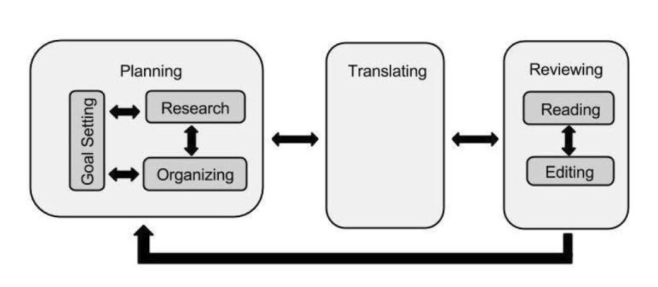
Learning to write might represent an example. I have often referred to Flower and Hayes’ writing process model when describing the components of writing and writing to learn. The use of AI to offer content to provide the basis for a writing task and perhaps even to offer a structure to guide the organization of a writing product could free up capacity to focus on lower-level skills such as spelling, grammar, and coherent paragraphs. In contrast, I typically use Grammarly while I write to allow to move more quickly while relying on this AI tool to alert me to possible spelling and grammatical improvements.
Part of what Shen and Tamkin observed in their qualitative observations of the different learner-imposed focus of AI and the relationship of differences to what was learned or not learned offers a related perspective. Debugging is an important lower level coding skill and having AI debug code appeared to limit a coder’s ability to debug when working without AI.
Suggestions for Learning to Write and Writing to Learn
AI can support both “learning to write” (developing writing skill) and “writing to learn” (using writing to deepen understanding), but depending on which writing skills are the goal best practices should differ.
Learning to write: skill development
Here AI should be thought of as a coach, not a ghostwriter.
Emphasize feedback: Tools like Grammarly give immediate feedback on grammar, syntax, cohesion, and organization, helping students revise iteratively while concepts are still fresh.
Structure and separate subprocesses: Generative tools can help students brainstorm ideas, outline structures, or identify expectations for different types of writing (e.g., sample introductions, transitions).
Process?first policies: “Writing first, AI second” approaches ask students to draft independently, then use AI for critique and revision. When coders used AI in the Shen and Tamkin, this is the general theme that seemed most successful.
Writing to learn: thinking with text
When the goal is conceptual understanding of content knowledge, AI is best used to amplify reflection, not replace it.
Clarifying concepts for the writer: Students can ask AI to reexplain readings, generate examples, or pose practice questions, then respond in their own words, using writing as a space to consolidate understanding.
Challenge personal understanding: AI can generate counterarguments, alternative explanations, or “what if” scenarios that students must address in writing, pushing them beyond summary toward analysis. Why do others disagree with the summary I am creating? What can I offer to support my position and what are the limitations of the alternative?
Shared design principles
There are some guidelines these goals for writing. Across both purposes, similar design choices matter.
Make process visible: Require artifacts – notes, outlines, draft histories, and brief process memos about when and how AI was used. Document the transition from any use of AI to products student has generated.
Align AI roles with goals: For skills (learning to write), let AI focus on feedback, exemplars, and mechanics; for content learning (writing to learn), keep generative help outside the main composing space and treat it as a prompt.
For over a decade, the hashtag #Edchat allowed educators using Twitter to gather, share, and commiserate. However, as the platform formerly known as Twitter transitioned into X, the landscape of this digital discussion site shifted dramatically. Drawing from recent research, this post explores how educators have used #Edchat over time, the stressors inherent in this social media use, and the history of a community in transition. Researchers understand that for a variety of reasons, Twitter and Twitter chats are far less influential than they were a few years ago. They argue that studying the edchat phenomenon historically may have value for other social media platforms generally and specifically, should they hope to involve educators.
The Golden Era of #Edchat: Purpose and Participation
In its prime, #Edchat provided a means for informal professional development. Research by Willet (2019) and later Willet and colleagues analyzed hundreds of thousands of tweets to understand exactly how and why educators were using the platform. The study identified several key types of engagement:
Resource Sharing: The most common use case, where teachers curated and distributed lesson plans, EdTech tools, links, and articles.
Pedagogical Debate: Scheduled weekly chats allowed for deep dives into specific topics, from classroom management to the integration of AI.
Social Support: Perhaps most importantly, it provided a space for “digital social support,” helping teachers feel less isolated in their professional struggles.
This era was defined by a sense of “augmented intelligence,” in which the collective knowledge of the network enhanced individual teachers’ expertise.
2008–2014: The Golden Era of Synchronous Twitter Connection
The #Edchat phenomenon began in October 2008. This early era was defined by the weekly Tuesday night chat, a highly structured synchronous event that became a must for thousands of educators. An agreement on Tuesday night did not result from any official declaration, but once started, Tuesday night became the default for those wanting to participate in a common chat.
I encourage anyone interested in the topic of teacher use of social media to read the two references to Willet and colleagues I provide here. These researchers had access to what I have heard described as the Twitter firehose, which was available until 2023, and downloaded over 15 million tweets for analysis using the #edchat hashtag as used over 15 years. Unlike researchers who implemented projects of a much smaller scale and made use of human raters to classify and quantify characteristics of such chats, Willet and colleagues used data analysis tools that quantified specific characteristics (questions, responses, links, secondary tags, retweets) and even tools that attempted to identify themes based on terms appearing in the tweets. These characteristics were mapped against years to identify trends.
This approach allowed certain questions that could only be addressed by this massive scale. What trends could be observed over the history of the edchat phenomenon, but may have been overlooked in the data? For example, the way in which edchats evolved interacted with the capabilities of the Twitter platform. Tags were a user-applied innovation that was later integrated into the tool as a capability. Tuesday night became the impromptu time for edchats, which took on a formalized approach. A chat leader would provide a series of prompts identified as Q1, Q2, Q… and participants would respond using R1,R2, R… . Other tweets could be added within the rough synchronous time frame defined by the prompts. Because chats were stored, others might review the session at their leisure and add their own contributions.
Just to be clear for those unfamiliar with the reason for this format, this experience was based on a kludge of sorts. By searching for #edchat, you could follow the sequence of questions, responses, and related comments in real time, separate from other Twitter chatter. The hashtag functions as a sort of portal, focusing Twitter use on the chat content and turning Twitter from an asynchronous to a synchronous tool. Tools other than Twitter, such as Tweetdeck (no longer available), even allowed users to create a multi-column display, with individual columns focused on specific tags and updated automatically. Only the #echat contributions would then be displayed within one column. These tools became popular as an easy way to turn the Twitter feed into a synchronous experience unique to those using the #edchat hashtag.
Research shows that between 2009 and 2014, these Tuesday sessions saw significantly higher engagement than other days, characterized by genuine dialogue and a high volume of questions and replies. Teachers weren’t just “knowledge telling”; they were building communities of practice and exploring new pedagogical ideas in real-time.
The researchers had a special interest in the frequency of questions and replies, and the ratio between the two, assuming these variables would be a good way to assess interaction. In addition, how did these variables differ between Tuesday and other days, assuming this would be related to the higher likelihood of synchronous interaction on Tuesdays? Replies made up a higher proportion on Tuesdays and were significantly higher in the earlier years. My interpretation differs from the researchers’. They argued that there was a decrease in interaction in later years. My interpretation is that the chats drifted away from the formal structure of questions interspersed with participants’ answers. Relying on the massive scale and automated methods employed rather than human raters following the give and take of individual sessions may have led to different interpretations.
2014–2018: The Shift from Dialogue to Broadcasting
At its peak in 2017–2018, #Edchat was a massive digital footprint, averaging 120,000 tweets per month and involving roughly 200,000 different users. However, beneath these impressive numbers, the nature of the interaction was shifting. Starting around 2014, Willet and other researchers observed a transition from authentic conversation toward broadcast-style communication.
Several key trends marked this transformation:
• The Rise of the Link: While early chats focused on natural discussion, later years saw a sharp increase in posts containing hyperlinks to external content, suggesting the platform was becoming a repository for resource sharing rather than deep discussion.
• Retweet Dominance: Retweets began to outnumber original posts, and the percentage of questions receiving replies dropped significantly. Retweets could be used by individuals to bring those who followed these individuals but were not chat participants to experience the content.
• Exploitation: As the hashtag grew in popularity, it became a target for spam and self-promotion. By 2018, the community faced a spike in problematic content and a decline in “authenticity scores” as commercial interests exploited the tag for marketing.
The transition to less interaction and greater influencer dominance may also be related to the active/passive distinction that researchers have begun to study in social media activity. A focus on Twitter chats as a source of resources is consistent with this research topic.
You can still find the use of #edchat on X, Bluesky, and Mastodon instances. The tag is typically used now to indicate educational content and is seldom used in the same way within a chat sequence. A few chats can still be found, often now, using more idiosyncratic tags.
The Paradox of Digital Support
I wrote a series of posts beginning in 2013, focused on edchats, mostly questioning the information value of the process. I appreciated the camaraderie the chats offered, but the limit on the number of characters Twitter allowed, along with my reaction to the content included in such chats, led me to believe the experience was very inefficient, and I thus proposed tactics I thought would increase the professional development value of the experiences.
Edchats were often included as one experience within the grad course on technology class I taught, and I proposed, without success, that students might analyze the content of such chats as a potential thesis project. My suggestion at that time was that video-based systems (e.g., Skype, Zoom) would allow a much more productive approach.
2018–2023: Volatility, X, and Fragmentation
The decline of #Edchat accelerated after 2018, driven by platform volatility and the eventual transition of Twitter into X. Changes in leadership and algorithm priorities disrupted the organic reach of educational hashtags. As the environment became more polarized, many educators began to migrate to other platforms like Instagram, Mastodon, or niche, specialized communities that better served their specific needs.
By 2023, the once-unified #Edchat community had largely fragmented. This decline highlights a critical vulnerability: digital spaces on commercial platforms often lack the stability and continuity of traditional professional development. When profit extraction and algorithmic shifts override user experience, the community suffers.
Lessons for the Future
The history of #Edchat is a reminder that while platforms change, the human need for collaboration remains constant. The legacy of this 15-year experiment suggests that for future digital communities to succeed, they must:
1. Prioritize Active Participation: Moving beyond passive consumption is essential to avoid the stress of social comparison.
2. Foster Authentic Dialogue: Successful communities require mechanisms that encourage genuine interaction over simple content broadcasting.
3. Shift to Knowledge Building: The goal of any digital faculty lounge should be to move from merely “telling” knowledge to collaboratively building it.
Perhaps online interaction among educators isn’t gone; it is simply evolving. As educators move toward new tools, the story of #Edchat serves as both a testament to the power of digital connection and a cautionary tale about the challenges of sustaining authentic community in commercial environments.
I have tried to identify where those educators interested in online interaction with peers went. I could not find the type of quantified data provided by Willett, but other researchers (Greenhow and colleagues) have suggested that Facebook groups and Instagram have become favorite sites for interaction.
Sources:
Greenhow, C., Galvin, S. M., Brandon, D. L., & Askari, E. (2020). A decade of research on K–12 teaching and teacher learning with social media: Insights on the state of the field. Teachers College Record, 122(6), 1-72.
Willet, K. (2019). Revisiting how and why educators use Twitter: Tweet types and purposes in# Edchat. Journal of Research on Technology in Education, 51(3), 273-289.
Willet, K., Carpenter, J., & Na, H. (2025). Ex-Edchat: Historic retrospective of X/Twitter# Edchat. Computers & Education, 241, 1-18.
Manage Consent
To provide the best experiences, we use technologies like cookies to store and/or access device information. Consenting to these technologies will allow us to process data such as browsing behavior or unique IDs on this site. Not consenting or withdrawing consent, may adversely affect certain features and functions.
Functional
Always active
The technical storage or access is strictly necessary for the legitimate purpose of enabling the use of a specific service explicitly requested by the subscriber or user, or for the sole purpose of carrying out the transmission of a communication over an electronic communications network.
Preferences
The technical storage or access is necessary for the legitimate purpose of storing preferences that are not requested by the subscriber or user.
Statistics
The technical storage or access that is used exclusively for statistical purposes.The technical storage or access that is used exclusively for anonymous statistical purposes. Without a subpoena, voluntary compliance on the part of your Internet Service Provider, or additional records from a third party, information stored or retrieved for this purpose alone cannot usually be used to identify you.
Marketing
The technical storage or access is required to create user profiles to send advertising, or to track the user on a website or across several websites for similar marketing purposes.
You must be logged in to post a comment.