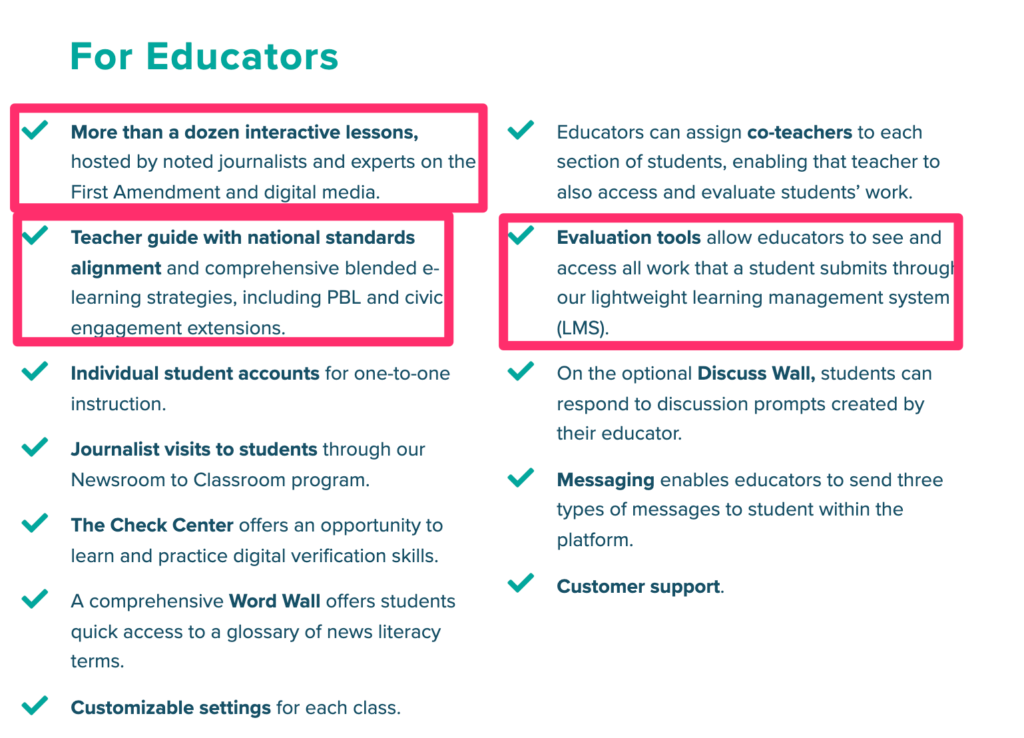
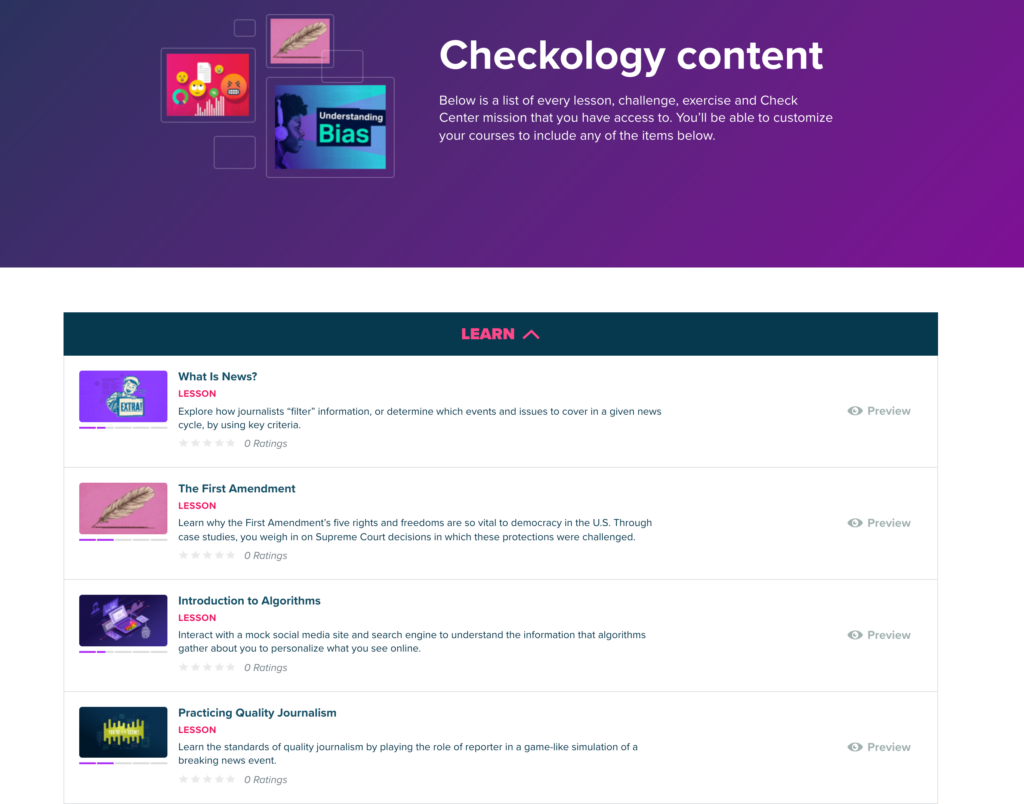
Checkology is a great resource for educators or any individual interested in developing the skills of news literacy. It is a free and complete instructional resource – lms for creating classes and making assignments, instructional content, skill evaluation tasks, and open-ended resources for further exploration.
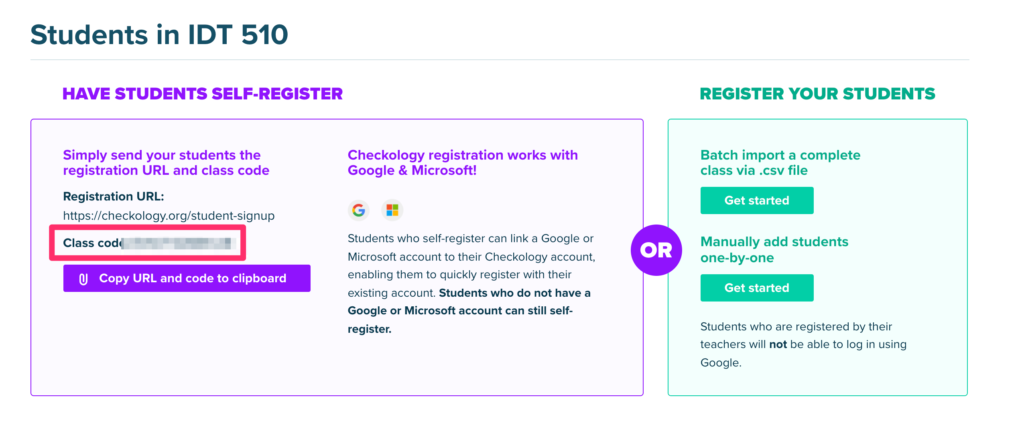
Educators can designate a class, select content, and invite students into the learning environment.
Google has released an app for taking handwritten notes named Cursive. Cursive can be obtained from https://cursive.apps.chrome rather than the Play Store. The app works by progressive download so it works a little differently than other apps.
I have explored Cursive and will offer some basic comments below. I would not personally use Cursive, but I would not rely on handwritten notes on paper or any digital device because of the quality of my handwriting and because I can simply take notes more effectively from a keyboard. Cursive is not unique in allowing handwritten notes, but it is free and intended for Chromebook users.
Some observations. I have a Chromebook Pixel, but cannot see using this device because while it has a touch screen it is designed in the form facter of a typical laptop and extended writing on the screen does not make ergonomic sense. I explored Cursive with my Acer Tab 10 tablet which is a native Chrome device. It is several years old and probably underpowered by today’s standards. My assumption is that Cursive was designed for a Chromebook convertible or flip device.
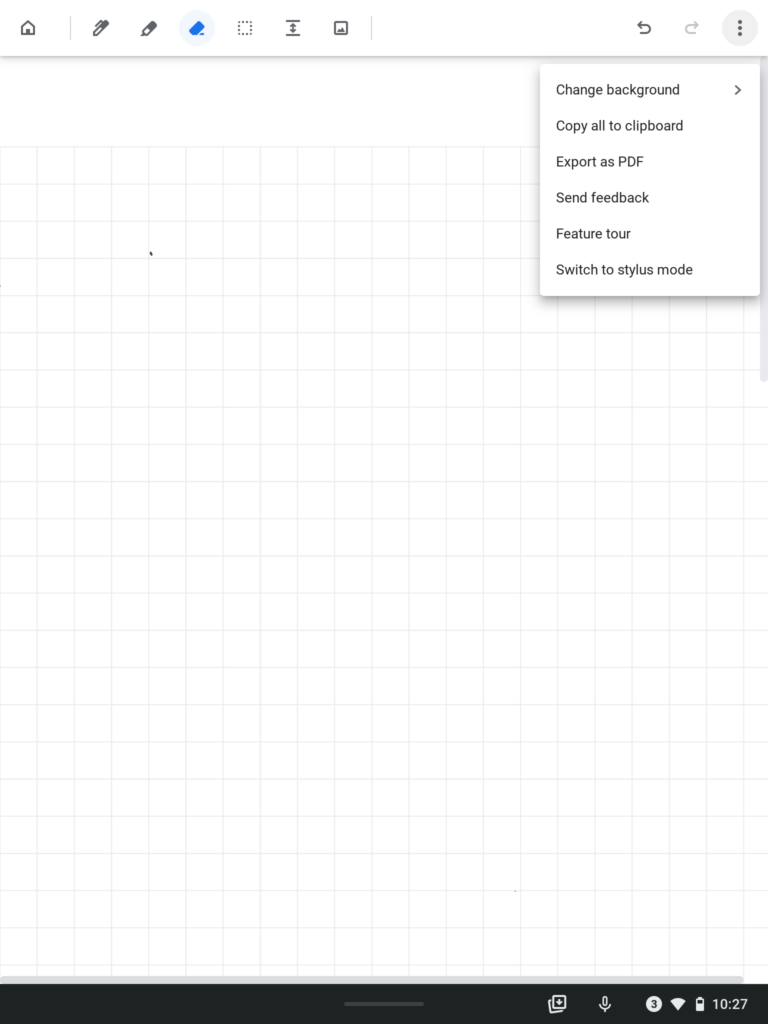
The following is the Cursive interface with the tool options across the top of the screen and other options (e.g., copy to clipboard, export as pdf) available from a dropdown menu. The tools include a pen or brush, an eraser, a way to extend the keyboard, and to import images.
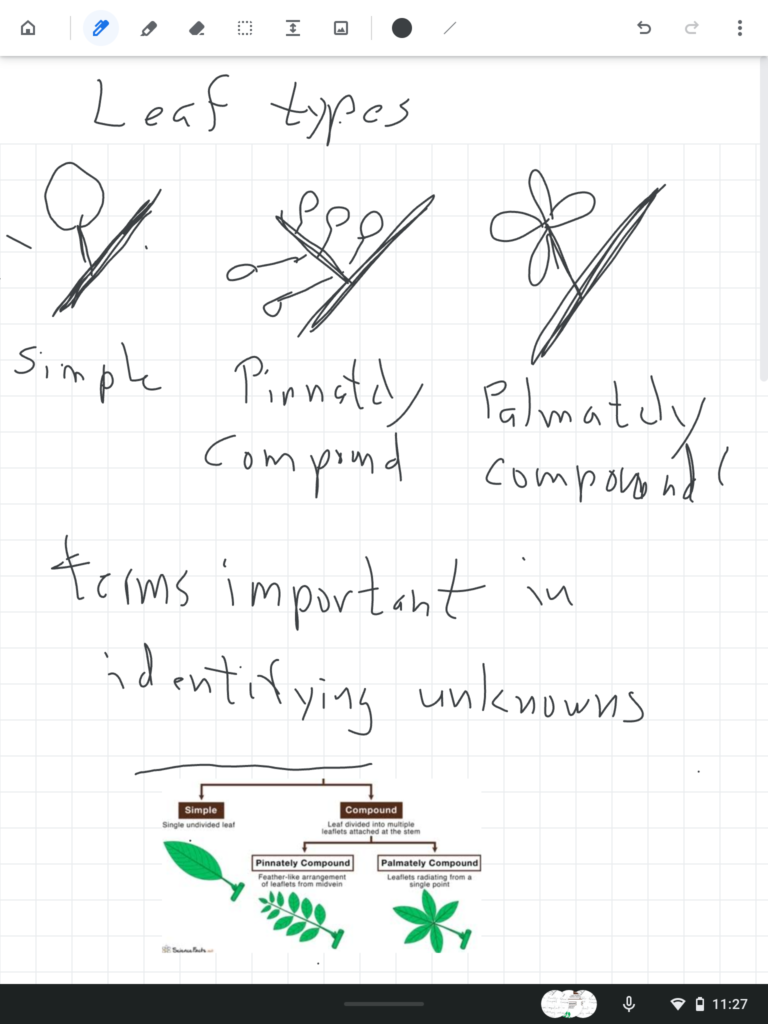
Here is what my effort to hand write notes generated.
I tried to generate notes at a rate I think might be necessary to record notes in a class. My handwriting is this bad. I also was using a short stylus (I call it golf pencil length) – my Apple pencil does not work with other touchscreens. Even with an older tablet, I found the lag (time between a movement and consequence appearing on the screen) to exist, but not present a serious problem. The issue that did frustrate me was the requirement that I not touch any part of the screen (e.g. my palm) while trying to write or draw. This creates a strained writing posture that has to limit the quality of what is put down and would become tiring when taking notes during a long presentation. Apple has found a way around this issue, but I cannot speak to whether solutions have been found on other chrome devices.
My recommendation – if you have a Chrome device that you would like to use to take cursive notes, I would suggest you give Cursive a try. It is easy enough to add to your device and learn to use and it costs you nothing to give it a try.
I had always assumed I had to add something to allow me to make screen recordings on my Chromebook. However, recent improvements in the OS offer a built-in video recording capability.
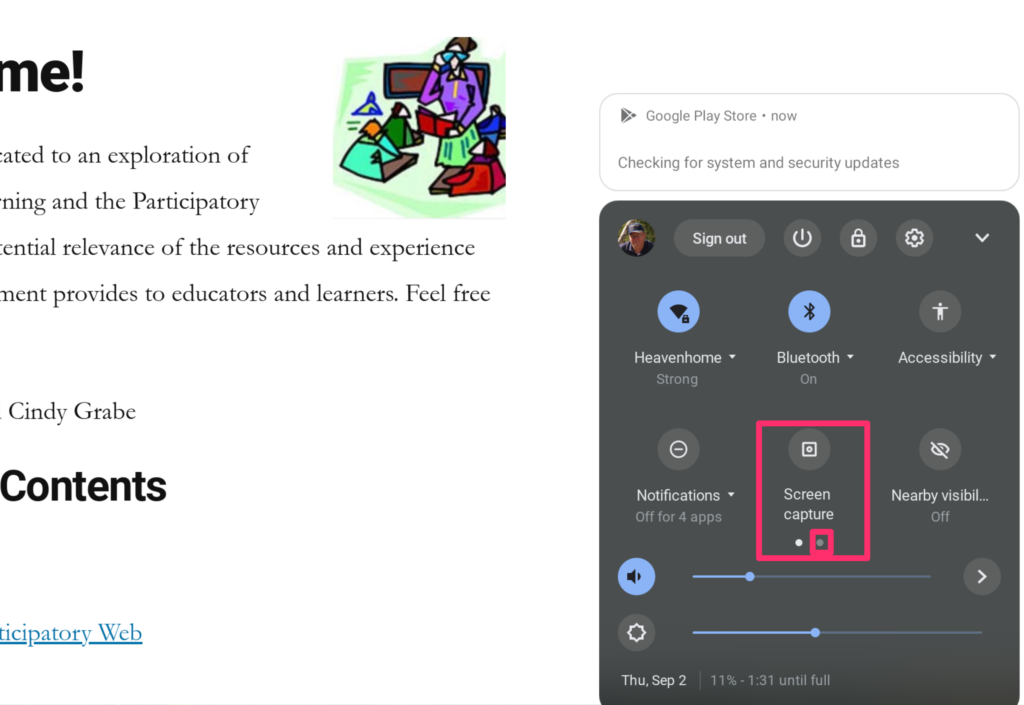
You activate screen recording from the popup that reveals such information as your clock, wifi strength, and internet strength at the bottom right of your screen (shift+CTRL+show windows icon for those who prefer to rely on keyboard shortcuts). The screen capture icons is then used to access the features to control screen capture and screen recording (make certain your OS is up to date).
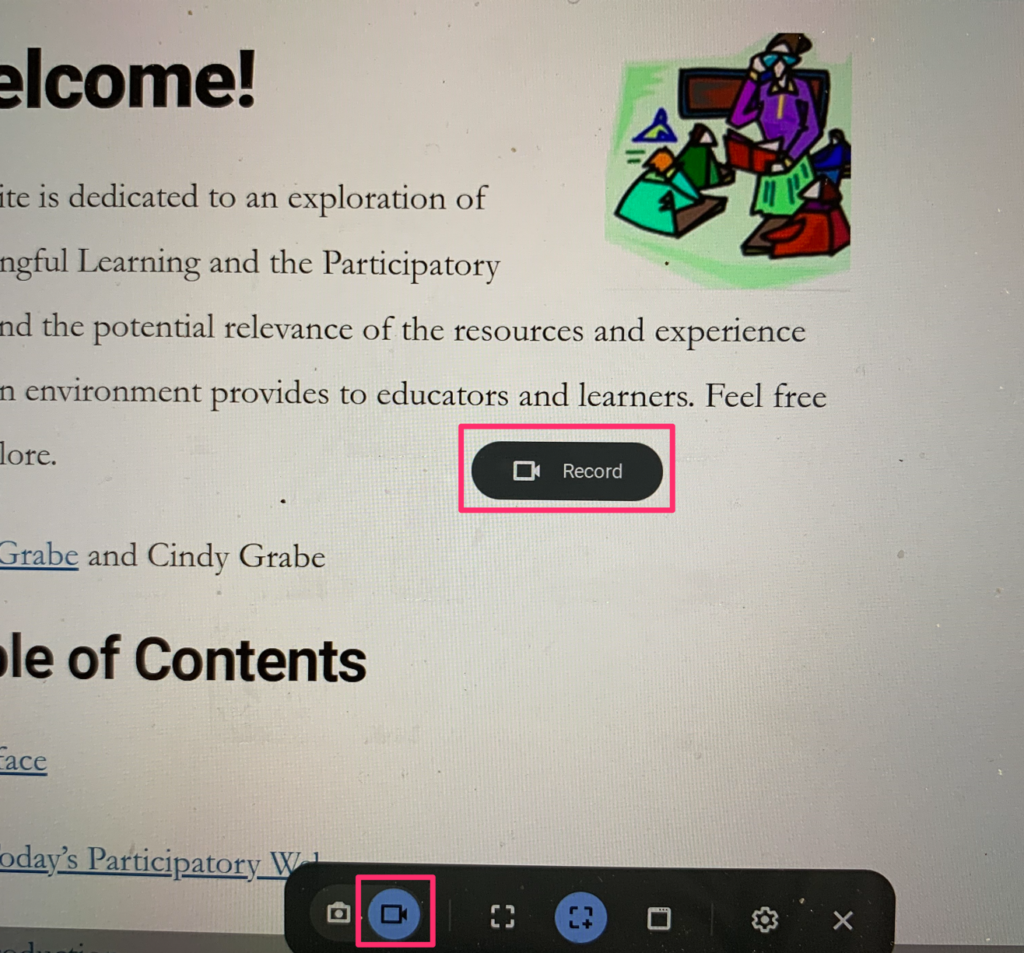
I could not figure out how to take a screen capture of the active screen capture controls so I had to use my digital camera. Controls will appear at the bottom of the window allowing recording to be activated and to set the size of the window to be recorded. A record button will appear to start the recording. A red button appearing at the bottom of the screen is used to stop the recording.
I generate most of the recordings I create on a Mac and have typically relied on Apple’s Quicktime to do so. I know that many educators have used Screencastify to record video from their Chromebooks. Screencastify has one great feature not available in the Chrome builtin or Apple’s Quicktime, it allows an insert recorded from the computer’s camera to appear on top of the screen being recorded. This “see my teacher view” seems more appealing to me. There is a free version of ScreenCastify limited to five-minute videos. The unlimited version (for educators) is $29 (for a limited time).
The following is a repost of something I wrote in 2011. I have been reading about memory and the value of revisiting memories you find difficult to recall without cuing. There is a connection here. I decided my own writing would be interesting to re-examine as it reflects thinking I was doing at a given point of time and how the possible relevance may have been forgotten. The post concerned my reflection on expertise and how it is accepted or rejected. Thinking about what I was thinking about.
From 2011
A recent interview by Steve Hargadon (Future of Education) featured Douglas Rushkoff (Program or Be Programmed) (also see this etsy post). The simple version of the message, I think, is that we should participate now to shape how our digital tools are used because these tools will end up defining our future. I admit to not having this book on my reading list at this point, but some of the ideas did seem interesting.
The author’s response to a particular question caught my attention. The question directed at Rushkoff pretty much amounted to “Why do some who produce content deserve to be paid for their efforts and others do not?” So, the questions are being asked of a multi-book author who is compensated for his writing activities. And, the question is related to the premis offered by that author that we need to understand the technologies we are creating because our experiences and our assumptions end up being shaped by these creations. Part of the background for the question was related to participatory culture (e.g., bloggers) and the opportunity for so many to offer their opinions and how such opinions may influence others.
The author’s response focused on journalism and argued that journalists should be compensated while bloggers possibly should not because of the preparation, evaluation, and integration that went into the products generated by journalists, but not necessarily the products generated by bloggers.
This got me thinking about the topic of “what are we willing to pay for?” I agree with Rushkoff that we may fail to appreciate expertise when a technology system offers no apparent way to differentiate the process that went into the generation of an information product. On the surface Rushkoff’s position makes some sense, but it occurred to me that while one might conclude that the processes of preparation, evaluation, and integration warrant compensation should one necessarily conclude that those who are paid have engaged in these processes?
We typically pay someone else for services we are either unable or would rather not perform for ourselves. A journalist potentially has access to information sources the rest of us do not have and has the time to carefully evaluate these sources in order to provide a more concise and accurate account for us to consider.
However, the confabulation of payment with a title can lead to other problems Rushkoff did not identify. Perhaps we are now at the point where definitions of “the press” and “journalism” are somewhat ambiguous and assumptions associated with these terms problematic. “Gets paid” seems an agreed upon characteristic of both the official “press” and the occupation of “journalist”. What about characteristics such as “objective” or “critical”? How about “entertaining” and “agenda supporting”?
I completely agree with Rushkoff’s argument that we need to pay attention as technologies evolve because our technologies end up shaping us. Blogs are the least of our problems. We should have been more aware as cable television allowed the creation of “channels with a perspective”. We now think we are being informed by paid professionals who remain employed by a broadcasting company because they can take a given event and interpret it to conform to the philosophy or bias of the channel that employs them.
I think we need some kind of rating system that better defines the basis for the analysis that goes into the preparation of the content we consume. The disclaimer “the views expressed here do not necessarily reflect the position of this station” needs to be reworked for certain programming. Perhaps the statement should read “the views expressed here reflect the predictable bias of this station”. Keeping the spin going in the same direction may take considerable talent.
I have been writing about and conducting research on mastery learning since the late 1970s. I always thought some of the core concepts (learners develop knowledge and skills at different rates, ignoring such differences leads to failed understanding and learner frustration) were recognized by educators, but largely accepted as the way things have to be because of practical demands of group instruction.
Since I began working with technology in the late 80s and even more so when the Internet allowed wide access to designated resources, I thought technology might overcome some of the practical challenges. There have been hints that others have recently come to the same conclusion. Kahn of Kahn Academy fame described one potential application of the tools he and colleagues were creating as offering a mastery approach (One World Schoolhouse).
Even more recently, a group labeling itself the Modern Classroom Project has proposed an instructional approach that sounded very much like mastery learning to me. You have to work at finding references to mastery learning in the description of their approach, but I was pleased to read this post from the Cult of Pedagogy blog which is based on an interview with Kareem Farah of the Modern Classroom group entitled “How to setup mastery grading in your classroom”. I don’t like the emphasis on “grading” in the description, but the content provided is quite useful.
I was exploring for new resources for my Fall grad class and I came across this McKinsey and Company. The pdf contained a number of findings based on an analysis of the 2015 PISA data. Educators will recognize PISA as the Programme for International Student Assessment an internal assessment of student achievement often used to question the effectiveness of U.S. K12 education. That perspective aside, PISA does more than compare the achievement nation to nation because it also collects questionnaire data from students and educators allowing researchers to relate these data to the achievement data.
The researchers from McKinsey had used these data to identify multiple “drivers” of achievement outcomes. I was particularly interested in their conclusions regarding relationhips between science achievement and whether student classroom experiences had emphasized teacher-directed or inquiry-based experiences. Because the focus of the work was on science achievement and I imagined science to be a subject matter often supported by laboratory experiences, I thought the results relating these learning experiences to achievement would be particularly interesting.
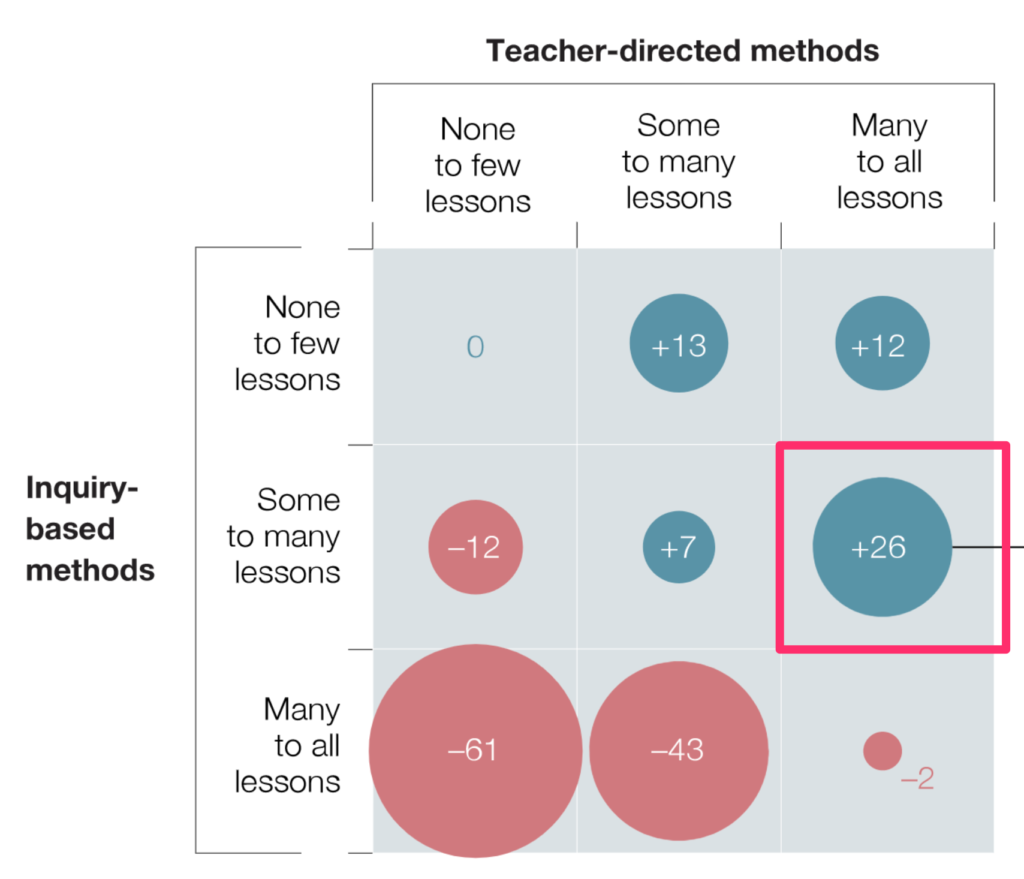
Without getting too far into the methodological or statistical weeds, the conclusions were explained in the following chart. The various survey questions allowed the categorization of the classroom experiences students had experienced into levels of teacher-directed or inquiry-based experiences (few, some, many) with direct instruction showing a more positive relationship to achievement overall. The researchers concluded there was a sweet spot with some inquiry-based experiences combined with mostly teacher-directed experiences when it came to the best outcomes.
These findings likely frustrated the many constructivists who constantly berate the textbook and presentation-based approaches that limit student-centered activities, but the findings are consistent with the major reviews I have read. The researchers used individual items (e.g., students design their own experiments, students are asked to argue about investigations) to suggest that when inquiry activities are used structured tasks are likely to be most effective. One hypothesis proposed by the researchers was that students don’t have sufficient background in many cases to benefit from inquiry activities.
The specifics of the survey questions used by PISA interested me because I always find the methods section of research students to be helpful and I could not find the specifics I was looking for in the McKinsey study. I also tend to value research studies in journals over “think tank” analyses so I did some searches for PISA 2015 research. I came across a study (Cairns, 2019) more to my liking.
Cairns focused specifically on the inquiry tasks and what differentiated effective from ineffective experiences. If you looked at the individual items making up the multiple survey items what could you discover? The author noted that the term “inquiry task” is not clearly conceptualized in the literature making this approach of potential value. Cairns also noted that more experimental investigations of inquiry tasks have been more successful in supporting inquiry methods than correlational methods (the PISA study would be considered correlational as it evaluated existing instructional conditions and the relationship to achievement rather than controlling the research setting). The results resembled the findings of the McKinsey study and emphasized the importance of scaffolded experimentation (not student-designed experiments) with instructors explaining the implications of the core principles demonstrated by the experiments.
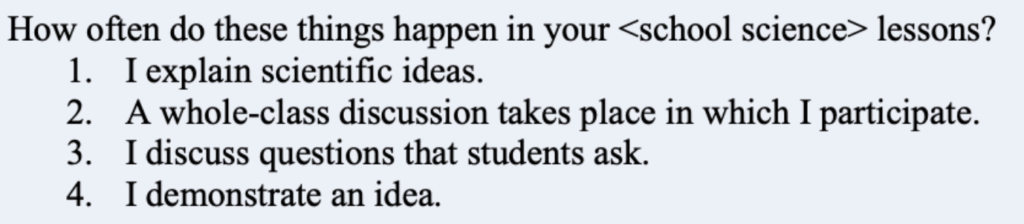
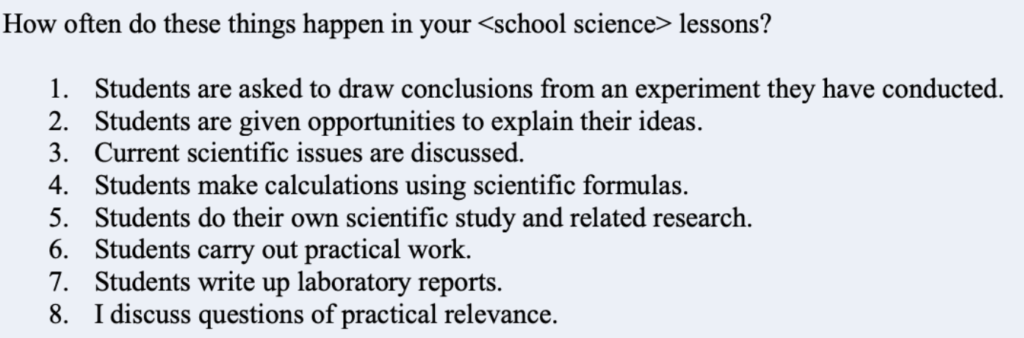
I was able to find examples from the survey questions elsewhere.
Teacher-directed items.
Inquiry items
Bryant, J., Dorn, E., Krawitz, M., Kihn, P., Mourshed, M., & Sarakatsannis, J. (2017). Drivers of student performance: Insights from North America. New York: McKinsey & Company.
Cairns, D (2019) Investigating the relationship between instructional practices and science achievement in an inquiry-based learning environment, International Journal of Science Education, 41:15, 2113-2135
Question stems offer guidance educators and learners can use to guide thinking about content. Becoming aware of prepared question stems can diversify the types of questions teachers ask of students and guide students in asking questions of themselves. Questions offer an external mechanism to encourage productive thinking.

You must be logged in to post a comment.