This blog offers the opportunity for comments. This allows readers to respond to what I say – agree, disagree, or extend. Until a week or so ago, such responses have been very uncommon. I wish this was not the case, but few people react to my posts. Please feel free.
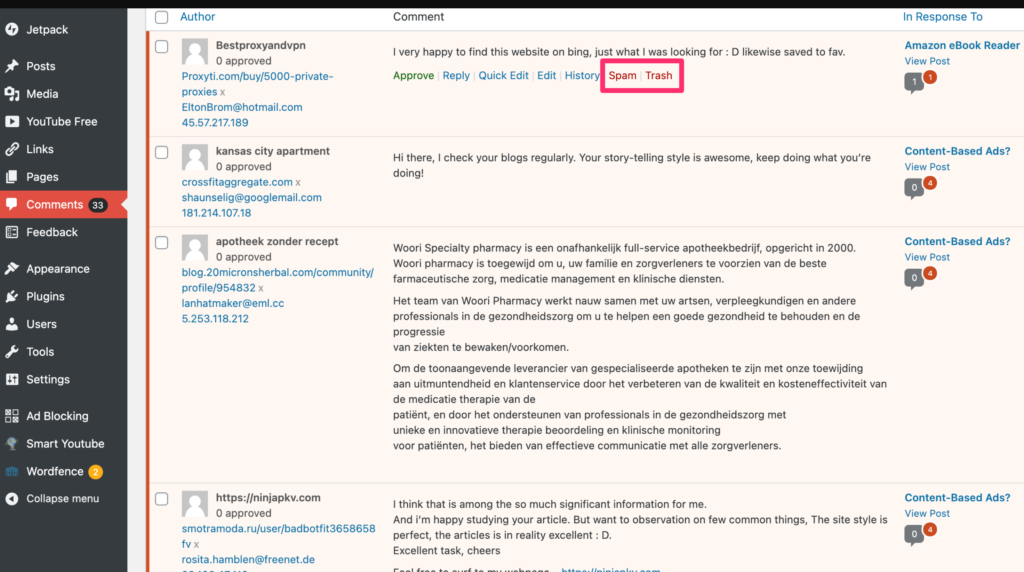
Like I was saying, a week or so ago I began receiving comments to various posts every few hours. Somehow, I have become the target of comment spam. The messages vary from promoting products that have nothing to do with the posts to which these promotions are attached to strange stuff in other languages. This blog must have somehow been added to a list.
I have been trying to figure out the motivation for these comments. I moderate the comments to this blog. This translates as nothing appears to the general public until I approve the comment. I would approve most comments should they have any level of relevance, but the comment spam that has been appearing lately is just irrelevant stuff. Unless I am missing something or there is a motive here I don’t understand, I can’t figure out why these comments keep coming.
BTW – if there is a goal here I am missing, please feel free to comment.
I have discovered the source of the spam. I was using an extension from Akismet to block spam. Akismet decided this blog was commercial in nature because it contains ads and deleted my account. The challenge is that the least expensive service for a commercial site from Akismet costs more than the ad revenue I make in a year so my only solution is to discontinue comments. Sorry to anyone wanting to add a comment.
I have generated multiple posts explaining and offering examples of the online services I describe as allowing educators to design educational resources by layering elements on top of existing online web pages and online videos. This interest also generated a short book on the same topic. A book (Annotation) by Remi Kalir and Antero Garcia has recently been made available and offers a related, but more general perspective and may be of interest to those who have read my content on layering. Both make useful contributions (my opinion) for anyone interested in this topic with my book better suited to K12 educators and Annotations for researchers and anyone wanted a more comprehensive view of the history and potential application of annotation.
As someone who writes about this relatively novel topic, I find it interesting how different individuals came to explore and write about this topic. One immediate commonality is obvious – we both explored the same tool for annotating and sharing comments on online text – Hypothes.is. My own perspective stems from a career long interest in highlighting, notetaking, and adjunct (inserted) questions in assisting students of all ages in learning from text. A second, but indirect, perspective emerged from my reaction to how research on learning from text read from the screen and a traditional book was being presented to educators. I have relied almost exclusively on digital content for many years now and was troubled by the argument that comprehension was superior from traditional books. As I considered the research, I decided both sides may have a valid perspective. I would describe my interest as studying rather than reading (any extended use of text content after the initial reading) and reading on a device offered obvious advantages (storage, search, efficient review, etc.) for anything beyond the initial exposure to content.
I have been thinking about annotation and my perspective of layering and how best to explain these differences. While it seems possible to reach the same end from either perspective, here are some thoughts on efficiency.
The authors of Annotation do mention the potential uses of what they describe as “multimodality”, but seem strongly influenced by hypothes.is and the focus of this tool on text. What can be done with a text-first tool limits perspective – text first heavily focused on the annotation of text with text. Tools that allow layering on video or audio may end up being more important with increasing interest in presenting in this fashion saving class time for other activities.
Layering emphasizes the clarity of a physical separation between content creator and secondary contributors and also the control of visibility of multiple sources. The opportunity of an end user to turn on and off the added elements can be important in satisfying individual differences and in allowing strategic roles that may differ over time.
A focus on hypothes.is limits the clarity in understanding that multiple tools that can be applied by the one adding elements and the intended person targeted for these additions. Depending on service, multiple tools may be available – e.g., text, highlighting, questions, discussion, audio/video. My own writing is focused on the use of such elements to encourage productive processing of the information (text or video) to which the elements have attached. A perspective I like is that existing online content has not necessarily been created as what an educator might describe as a learning resource.
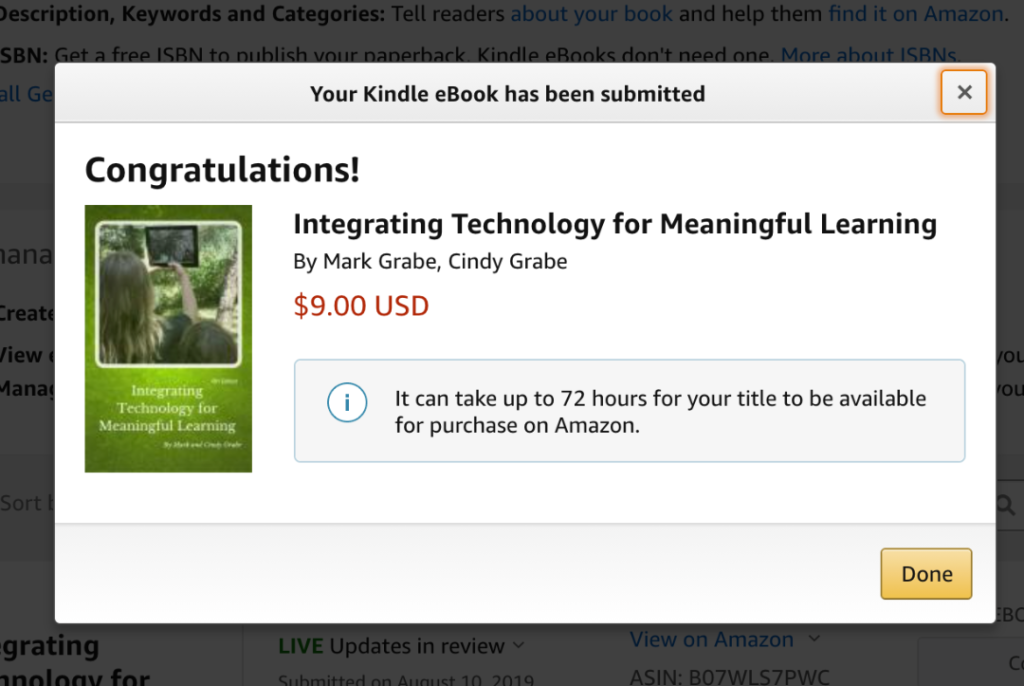
I have generated few posts lately because I have been updating our textbook to make it available for the Fall semester. I have written about our involvement in writing textbooks several times before (use the book tag at the end of this post if you are interested in reading earlier posts). We have had a book used in the preparation of inservice teachers and the continued development of practicing teachers since 1996. We worked with a commercial publisher (Houghton-Mifflin and then Cengage) through 5 editions and when we wanted to offer a different approach (a Primer selling for $29 augmented with online resources) we could not reach an agreement and then decided to continue with our experiment by selling our Primer through Amazon ($9). Much of this adventure and our rationale is explained in previous posts.
One of our core ideas was that proven authors should write continuously rather than rush every three years to produce the next edition. The combination of a Primer and online resources allows this approach. We reasoned that in a field that moves as fast as the application of technology this makes a lot of sense. What I have been working on for the past few months was the update to the Primer.
I found that my update was more challenging than past updates. It was time to do the update, but the pandemic and how K12 education was forced to change as a consequence left me uncertain how best to position our view of technology integration for the future. Online experiences will undoubtedly play a larger role despite the negative reaction of many educators to their experiences during the past year. The core principles of how learning happens and how educators must provide external experiences to optimize the internal cognitive work of students have not changed. Our best guess is that we better appreciate how to use technology to better individualize learner experiences and part of how this will happen will require educators to function more often as instructional designers rather than rely on commercial instructional content.
I guess we will see as we try to get educators to take a look at our update and make decisions about how best to develop the skills of future and practicing teachers.
I learned a couple of things that may be of value to others who like to work in Google docs. I write almost exclusively in docs and this has been the case for a while. I like working online because I work using many different devices in many locations. I also like the way I can organize the many resources I use in one place. Anyway, here are the issues.
First, I learned that large documents (i.e., a book) cannot be saved as a pdf from docs. I was totally confused by this at the end of work as I needed a pdf to load into Kindle Create. I could download in other formats, but not pdf and I could swear I have never had this difficulty before. Anyway, there is evidently some issue with file size. The solution was simple – print to pdf. This is an old hack, but evidently it works on your own computer and does not stress Google.
Second, I needed to create a Table of Contents that links to the beginning of individual chapters. I have encountered this challenge before and I know I solved the problem in a different way before. Unfortunately, when I am working under a deadline, I frequently solve a problem and then don’t keep an account of how I did it. A few years later and I can’t remember. This time I used the capacity to add internal links in Docs. You add a bookmark at the beginning of each chapter (see bookmark under the Insert dropdown menu), list chapter titles on a TOC page, and then link from each item on the list to the appropriate bookmark. You should see the bookmarks you have created when you select text and then the same link icon you use for external links.
Finally, the last challenge I am trying to resolve is to get Amazon to identify the newer version of our book as an update. This is supposed to work when you upload a new version in place of an older version, but I have not been successful in accomplishing this change. When you update an existing work, the folks who purchased your original work are supposed to be given the opportunity to update their copy at no cost. I know this works because I see the “update” option from time to time in my own Kindle library. This also means any link you have used to reference your book in the Amazon store still works. The downside is that Amazon will continue to list your book by the original publication date which is misleading to new potential buyers. I am waiting a few days to see if the “update” link appears for the old version I have in my Kindle library and then I will have to decide what to do.
Oregon Trail was the example of an educational game we described in the first edition of Integrating Technology for Meaningful Learning and it is included in the latest update. Other educational games might make better current examples, but the game was so ubiquitous and part of the K12 experience of so many that the familiarity of the game represents a touchstone we can rely on to make a connection between what we describe as attributes of educational games and a personal experience. The game continues to exist (the point of this post) and also provides the opportunity for a hands-on experience we can direct interested parties to explore.
In case the game was not part of your elementary school experience, the game asks players to take on the role of the leader of a wagon train making the journey from Independence, Missouri, to Oregon. The wagon master makes decisions along the way involving issues such as what supplies to purchase, when to hunt for food, when to stop and when to push on. Hunting for deer is what I remember as the only skill-based action component of the game. The focus was mostly on decision making and how such decisions were successful in dealing with random events one might encounter – e.g., disease, storms, breakdowns. In my opinion as a nongamer, the information provided was minimal and the repetitive process of moving through the game was tedious. As an educational activity (see book), I have always recommended that gameplay be supplemented with other reading and writing activities. Still, a history of Oregon Trail available on Wikipedia indicates that through 2011 sixty-five million copies of some version of the game had been sold. The game was inducted into the video game hall of fame in 2016 and is considered among the most influential early examples of serious games.
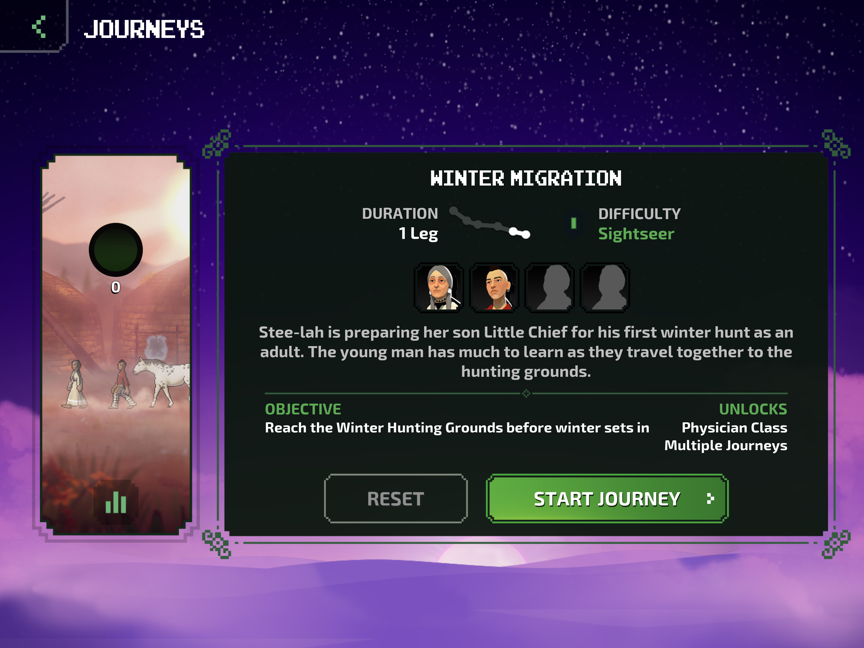
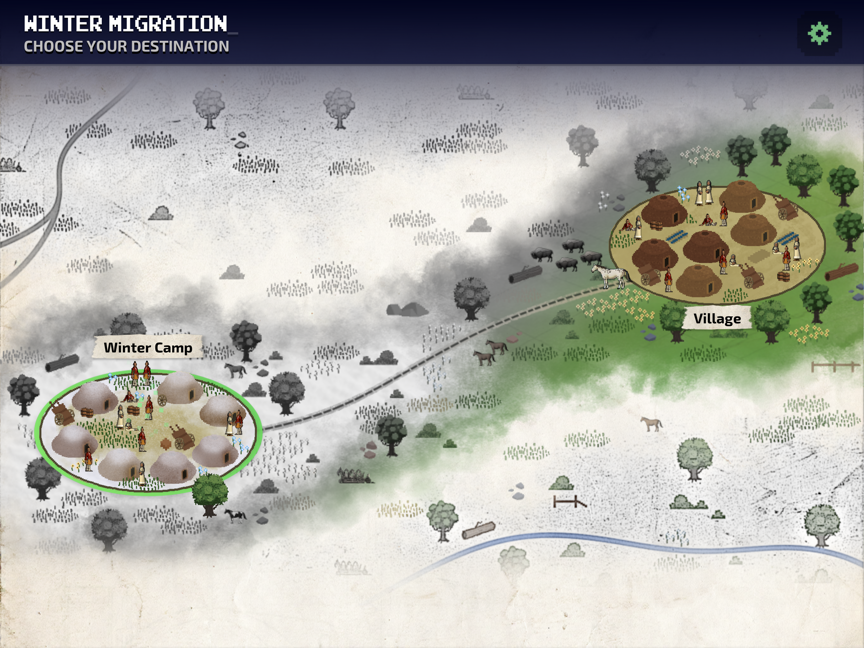
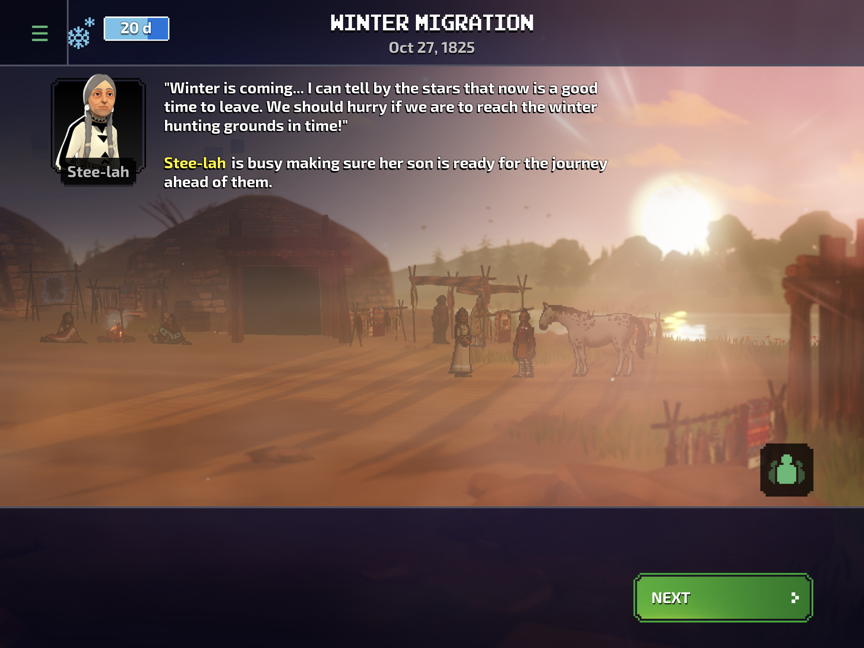
Versions of Oregon Trail have been developed by different companies and this continues. A recent offering from GameLoft available through Apple’s Arcade game subscription service represents a good example. The game is more sophisticated with more options and more challenges, but perhaps the most interesting feature is the attempt to be more sensitive to the true history of westward expansion and the impact on Indigenous inhabitants of the lands through which the wagon trains of the game traveled. This NPR story describes the efforts of Gameloft to more accurately represent Indigenous people in its representation of the Oregon Trail. The company brought in three Indigenous histories to offer advice on the way Native people were represented.
The new version of Oregon Trail is designed to be played repeatedly and the opportunity to fashion different groups making a trip changes the experience depending on the members of the group. Each segment of the trip involves multiple choice points that route the party through different locations with different experiences. The perspective of Native Americans is presented in alternate “journeys” using similar game components.
I have spent a few hours with the new game and my assessment of the educational impact remains pretty much the same. I also don’t see this game gaining traction in classrooms because of the Apple game subscription system used to make the game available. The efforts to improve the historical accuracy of the game are certainly to be appreciated.
This is a continuation of my previous post explaining how data generated by the Ambient Weather station can be exported and used in data literacy projects.
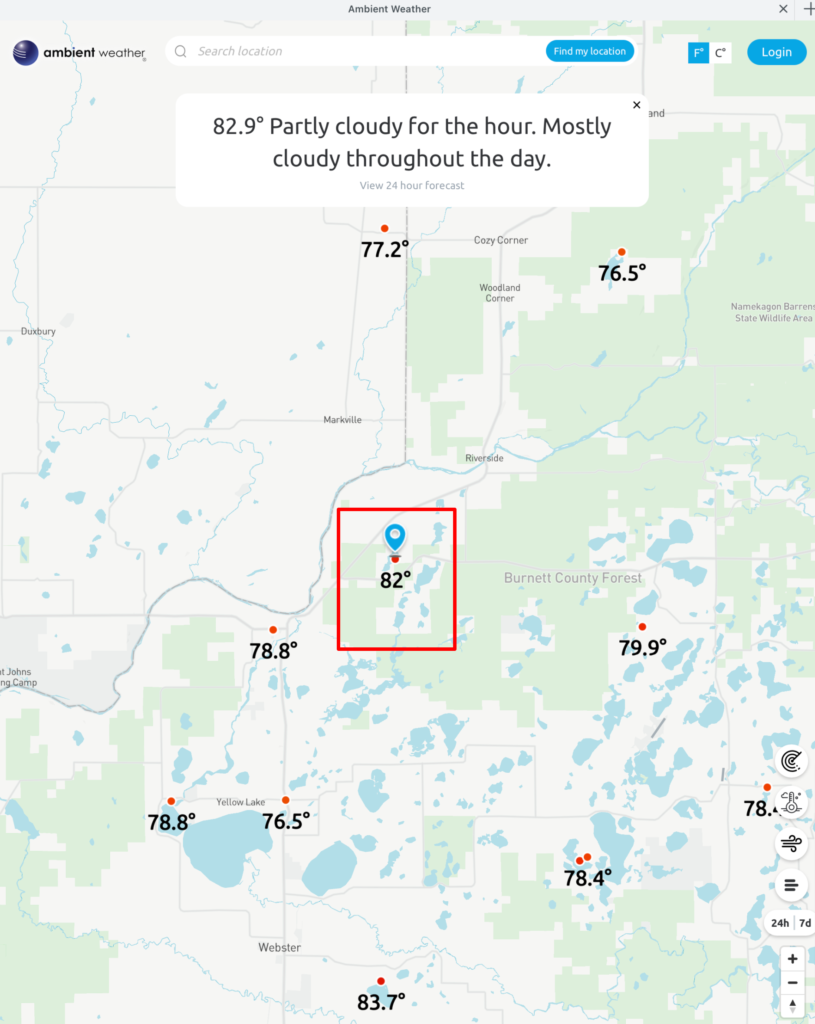
If the owner of the personal weather station I describe in my previous post is interested, you can add the feed from your station into multiple weather aggregation sites – see the following image (our site is identified by the red box).
Clicking on any of the comparable weather stations identified in this map allows access to the data collected by that station. I am proposing that installing such a station and becoming part of this network would provide the possibility for various data literacy projects for schools AND be a way to study the science of weather.
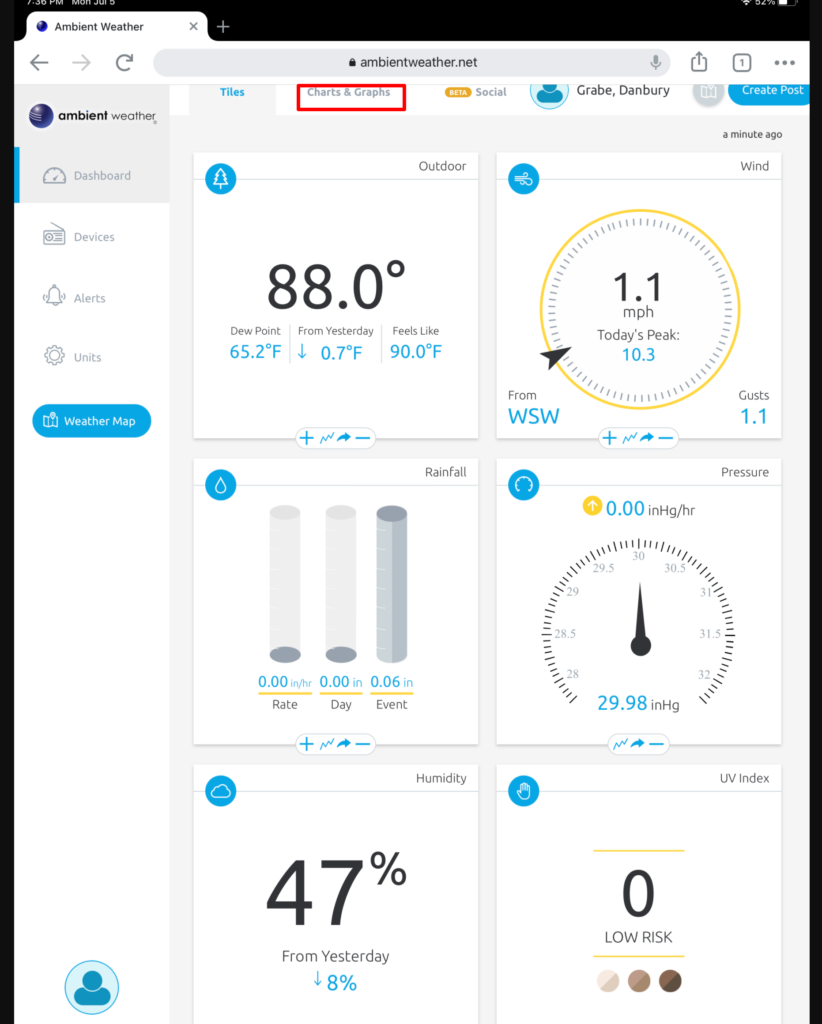
The Charts and Graphs link from this display (see red box) allows access to the data.
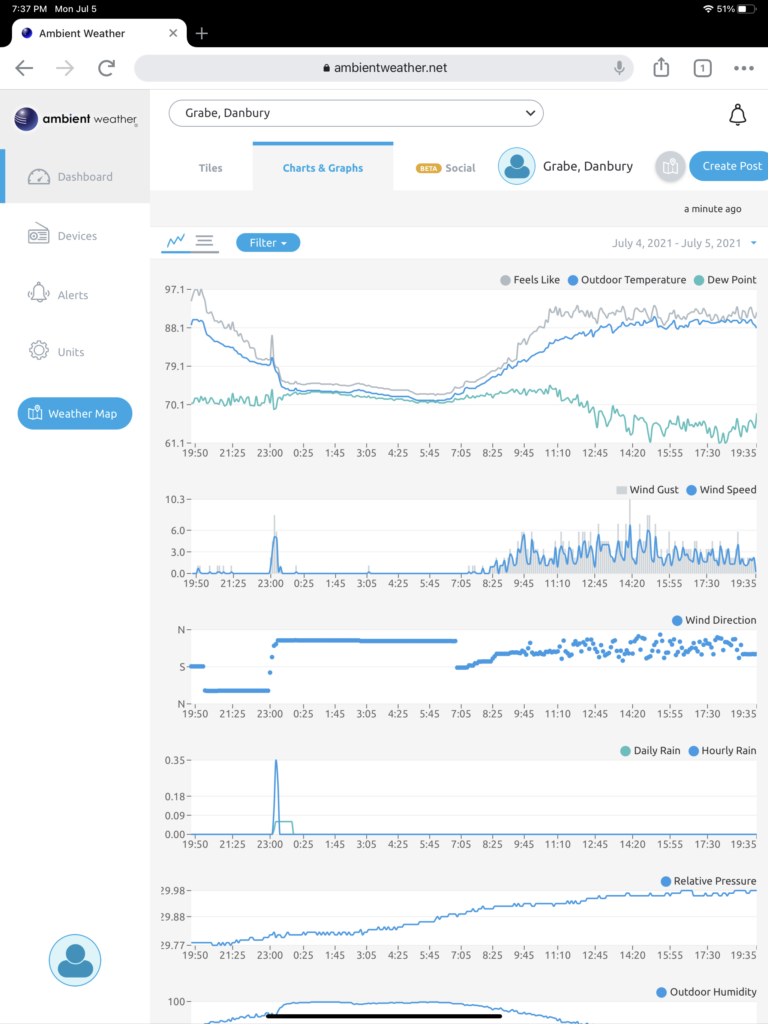
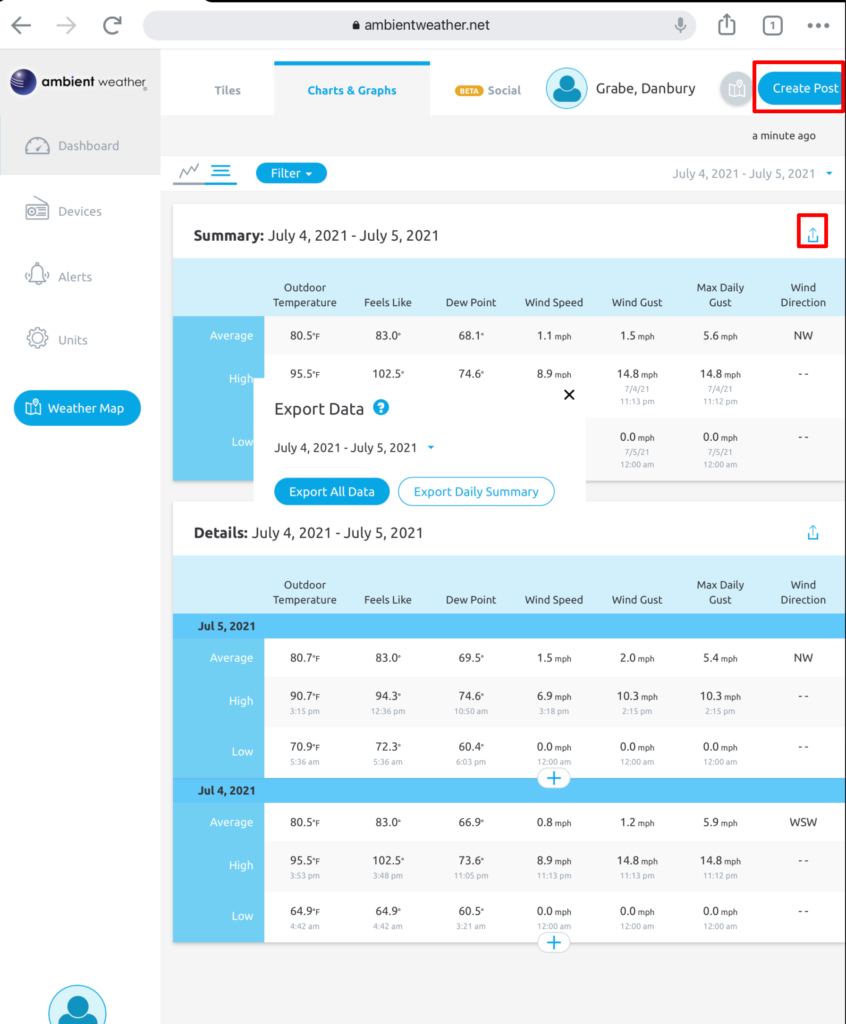
The data generating these graphs can be exported. Two features are identified in the following image – the download button and the opportunity to offer a post to the network (images, descriptions of weather events, etc.)
The data comes to your computer as a CSV file that can be opened in any spreadsheet for manipulation or integration with other data sources.
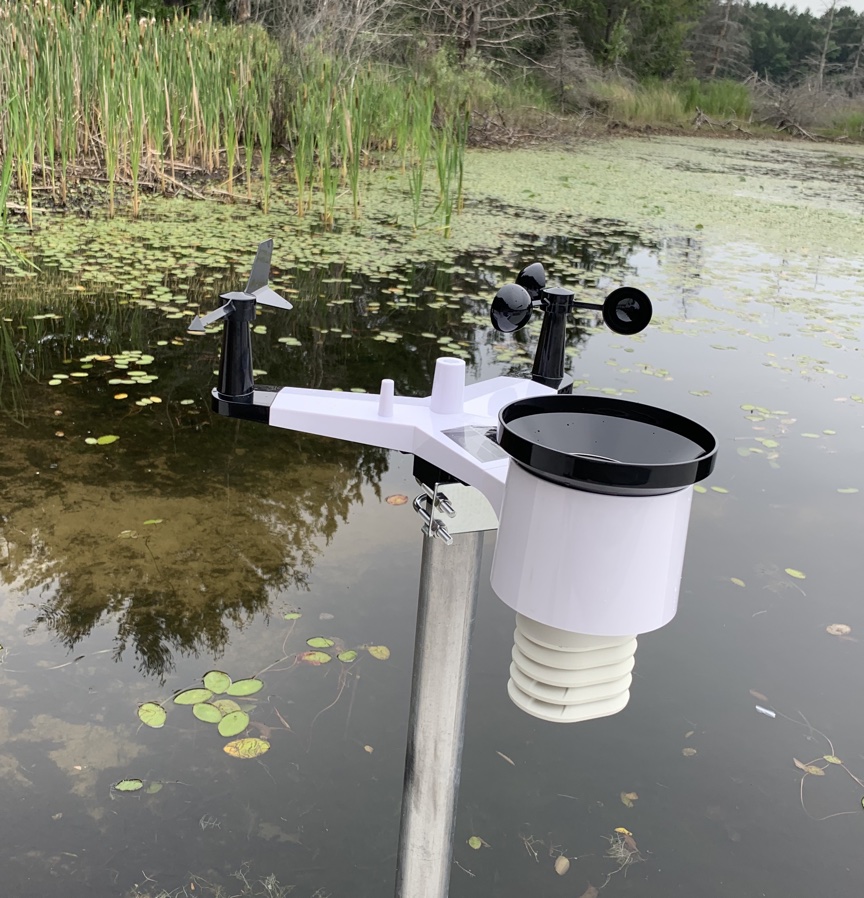
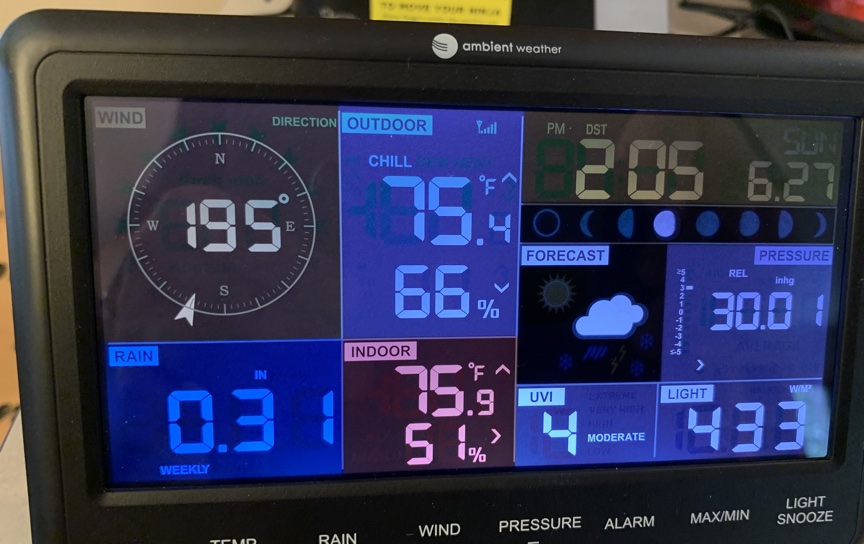
Amazon Prime Day got me again. I found this weather station (Ambient Weather WS-2902C WiFi Smart Weather Station) for $10 off (I think). What attracted me about this device was not so much the capacity to collect multiple weather variables that would appear on a local display, but the wifi connection available with this model. Owners of certain weather stations are part of a network of devices that allows the integration of data – kind of a citizen science concept (Ambientweather.net). I sometimes write about data literacy and the types of projects K12 educators might implement to collect and analyze data and this device at a reasonable price would work great for such projects.
I have encountered one challenge. I successfully assembled the weather station (not that difficult) and established a connection between the station and the local monitor. However, I did not read the product description carefully and missed the part about the 2.4GHz wifi router. My router operates at 5GHz and should be modifiable to also activate a 2.4 radio, but the online instructions for the model we have said this should be possible. However, the online product description doesn’t match what appears when I connect to the router. We have a web extender that offers both 2.4 and 5 channels, but mesh networks are not accepted by the Ambient product. I will have to discuss this inconsistency with technical support. The router is part of the modem we rent from our DSL provider so some additional research will be required.
I did get the feed working. Here is access to the data from my device as it is being collected.
Google has made free tools and storage available for education. It appears with the newly named Google Workspace for Education program totally free storage has come to an end for many. Google now offers a four-tier model with one tier still free (Workspace for Education).
For those of us who used Google resources as individuals, free storage also has come to an end. We are allowed 15 GB of storage, but that has to cover what we store in Gmail, Drive, and Photos. Again, some will be able to function within this amount of storage, but if you are like me and have used Google services for many years you likely have enough content in Drive and Photos that you will have to pay for some tier of Google One storage.
I write frequently about Google use in educational settings, but I was not part of a Google for GSuite group. I could describe the tiers for you, but this has already been done by others who have studied the new tiered model. Even a great description of the tiers will not necessarily be all educators need to know when investing in one tier or another. The challenge for someone like me offering advice is that what should be recommended would depend on knowing the data storage history of a given school and how many student/teachers are involved. This type of information is needed in making a good choice. Smaller schools not asking educators and students to save a lot of content (remember that saving content over several years might be desirable) could probably still use the free tier.
I thought this podcast from the Chromebook Classroom did a great job of describing some guidelines that could serve as a starting point for district decisions.



You must be logged in to post a comment.