Loom is a free Chrome extension that allows the recording of the content appearing in chrome as a video AND superimposes a smaller video of you on what is captured from the Chrome screen. I see it as a great way to create tutorials, but it has many possible applications.
Here is a video describing the use of Loom. I am proud of the technique I came up with to generate this video. I am using Quicktime to record the section of the screen within which I am using Loom to simultaneously record a video of what appears within Chrome.
Here is the video generated by Loom. You can match it to the “how to do it” video that appears above.
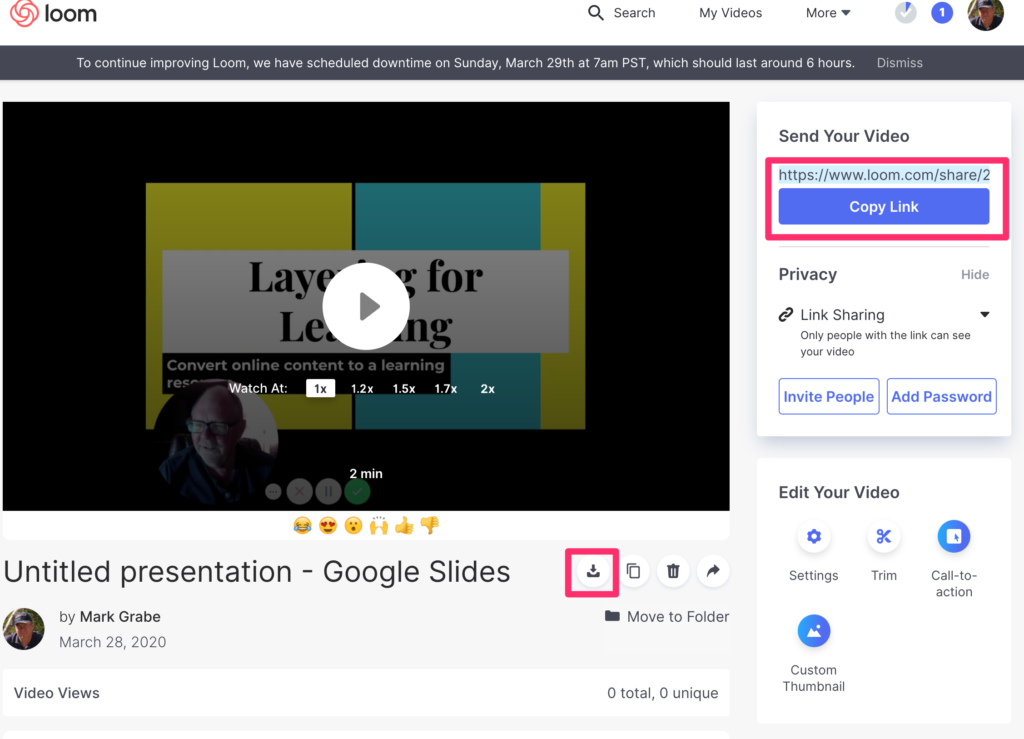
One important demonstration from the Loom processes is not well explained in the first video. At the end of the video, you will see a few seconds of the screen that appears when you end recording in Loom. This screen shows two options for sharing what has been recorded. One is the Link for the content stored by Loom. If you want to do something with this video yourself (for example, put it on Facebook), the download button offers to opportunity to save the video to your computer.
I created the following video to explain how educators can take advantage of InsertLearning lessons that have been made publicly available. If you are looking for online educational content, you might search this library.
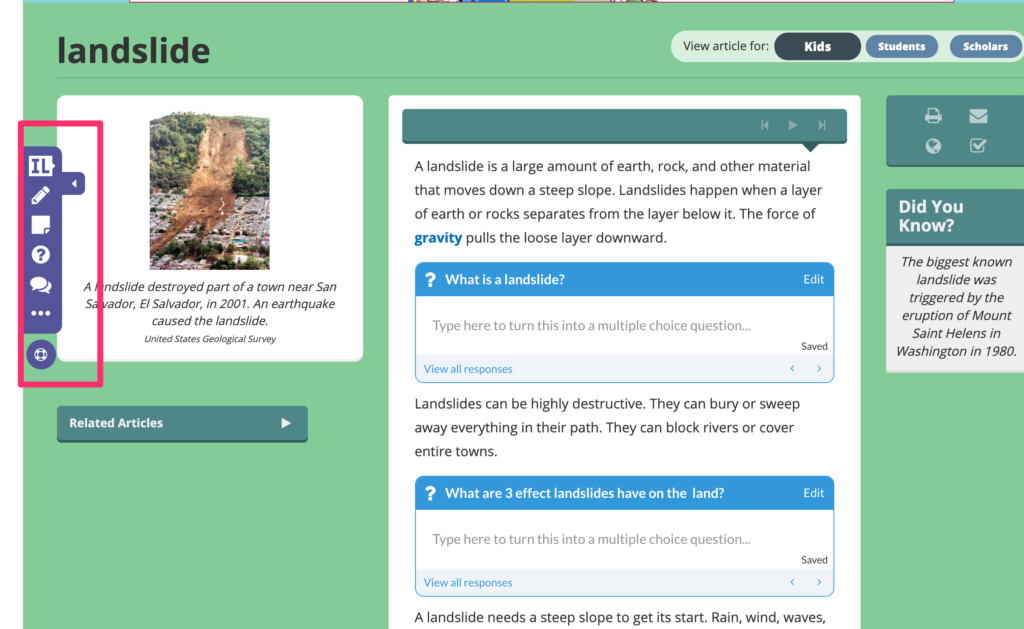
For those unfamiliar with InsertLearning and wanting to use these resources, the following image may provide a quick way to see what is provided. The questions appearing in the following image were added to an existing web page using InsertLearning and the combination can then be shared with students. The red rectangle at the lefthand edge of the image shows the InsertLearning tools as they appear when using the service.
Social bookmarking may be a novel phrase to you. I use the phrase to describe any method for a group to organize and share bookmarks (links) to online resources. I want to explain how this can be done with the online service Diigo. This tutorial will consist of several components that describe: a) Diigo, b) Diigo account options, c) establishing a group, d) sending bookmarks to this group, and e) sharing access to the group.
Diigo is an online bookmarking service with social capabilities. Bookmarking involves saving a link to online resources you have identified. You may do this within your browser for the sites you visit frequently. An online bookmarking system allows you to share these bookmarks across devices even devices that you do not own. Bookmarking services typically allow many additional features such as attaching notes, tags, and perhaps even a “snapshot” of the bookmarked sites. This link takes you to a previous discussion of such services.
Diigo offers everything from a free to organization level subscription services. Knowing about these various service levels matters as the features available vary with the level. The free level allows only private group bookmarking. This may be just what a teacher wants. The Diigo group creator then has to share access to the bookmark group with individuals. I pay for the least expensive paid level ($40 a year). This allows me to establish one public group. A public group can be located and joined by others without the group originator having to contact each user. The group I established for this tutorial is such a group and I have membership access set to require that I approve someone wanting to join the group.
Create a Diigo Group.
The top of your Diigo browser window will contain these options. Use “My Groups” to add a new group.
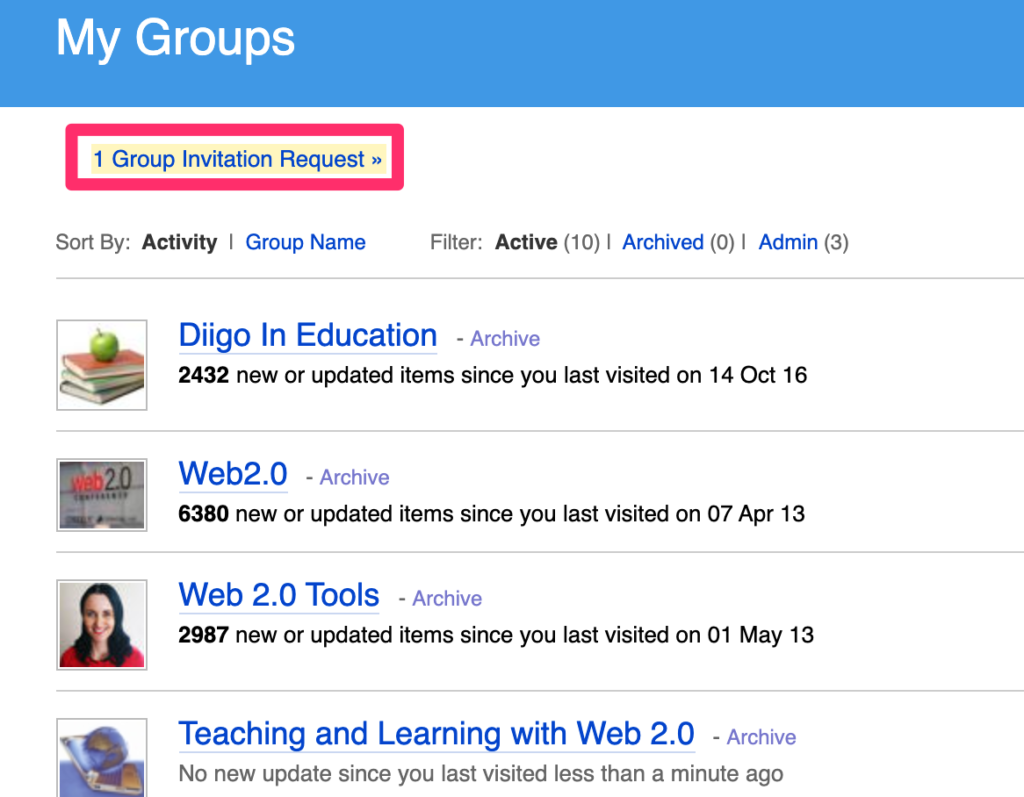
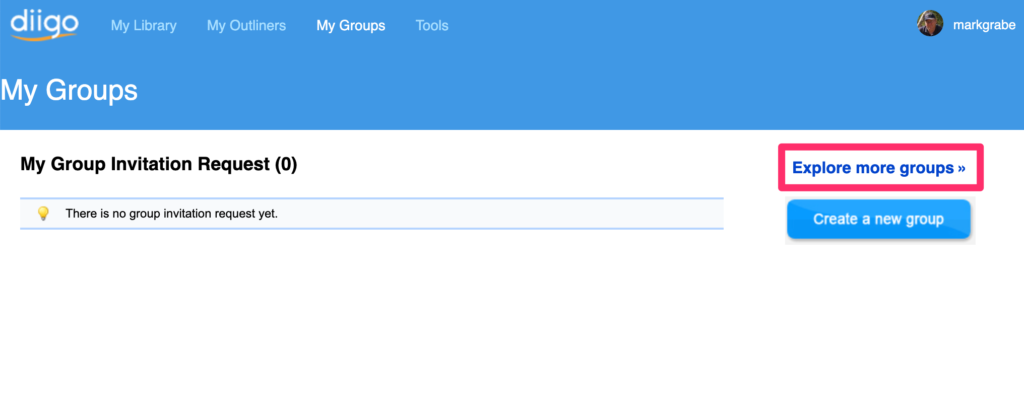
This display will indicate the groups I have already joined. To create a new group, use the “Group Invitation Request”. It is not obvious that this is the way to create a group, but this is the way I do it.
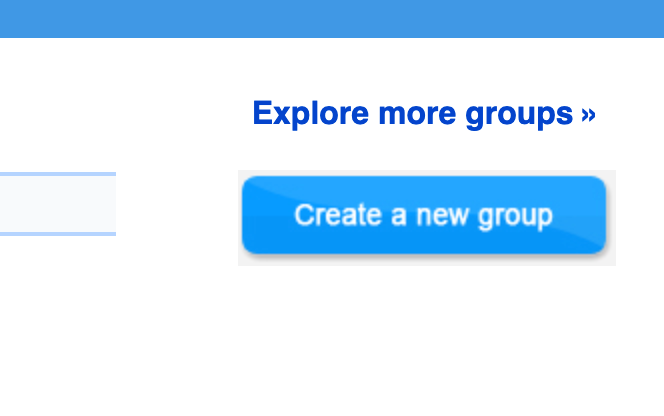
One of the options that should then appear is the button for creating a new group.
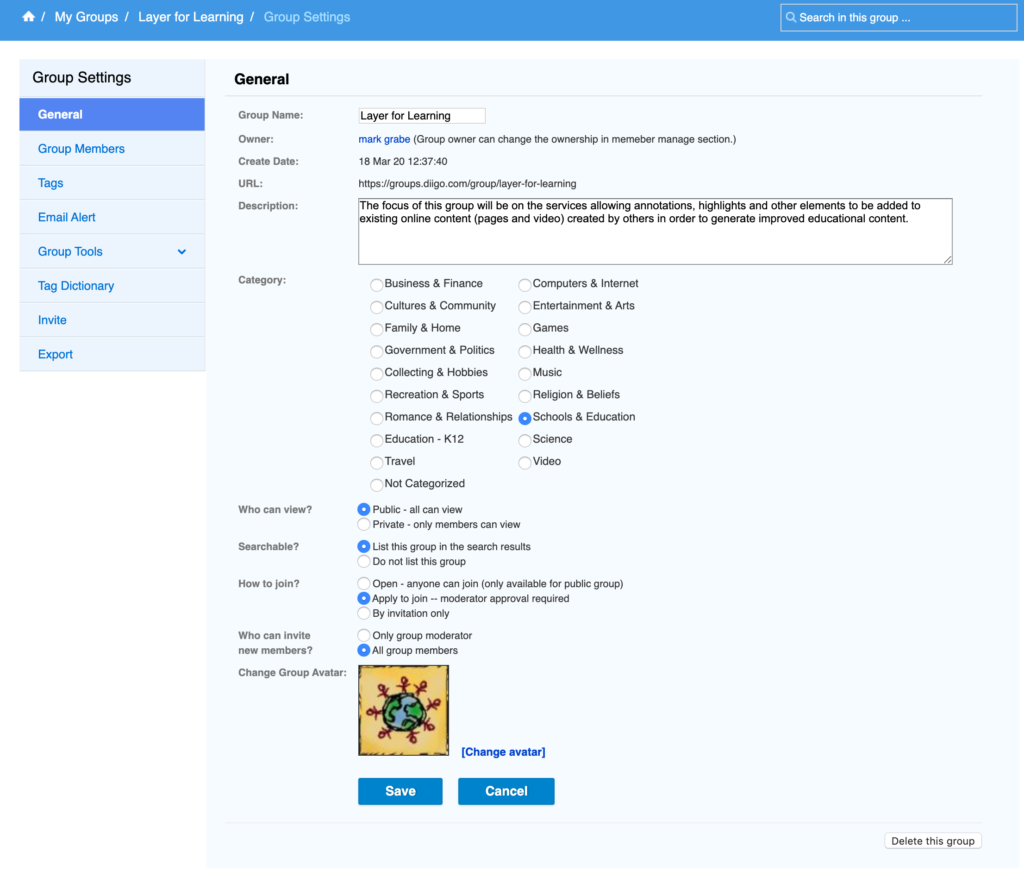
This button will bring up a form for labeling and describing the group you want to create. Note that some of the options are not available to someone with a free account. My example describes creating a group I label as “Layer for learning”.
Adding existing bookmarks to a group
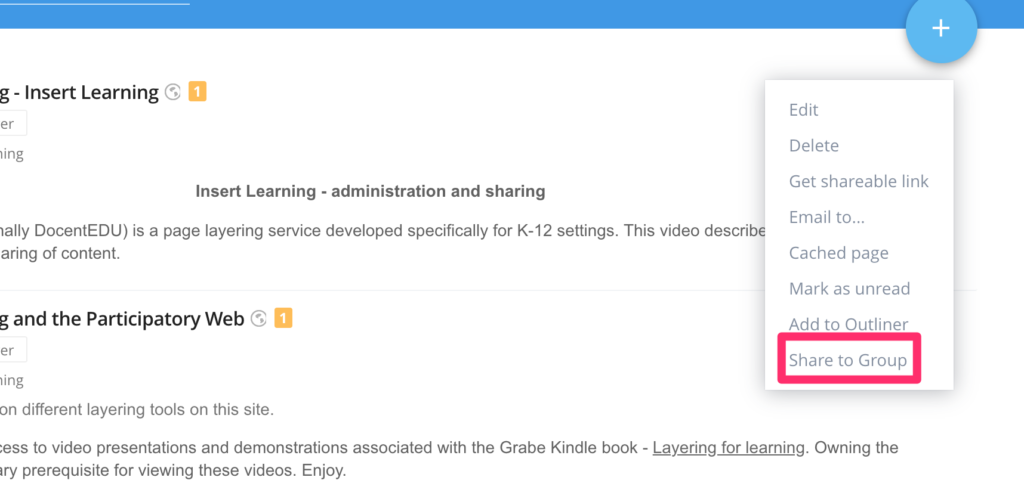
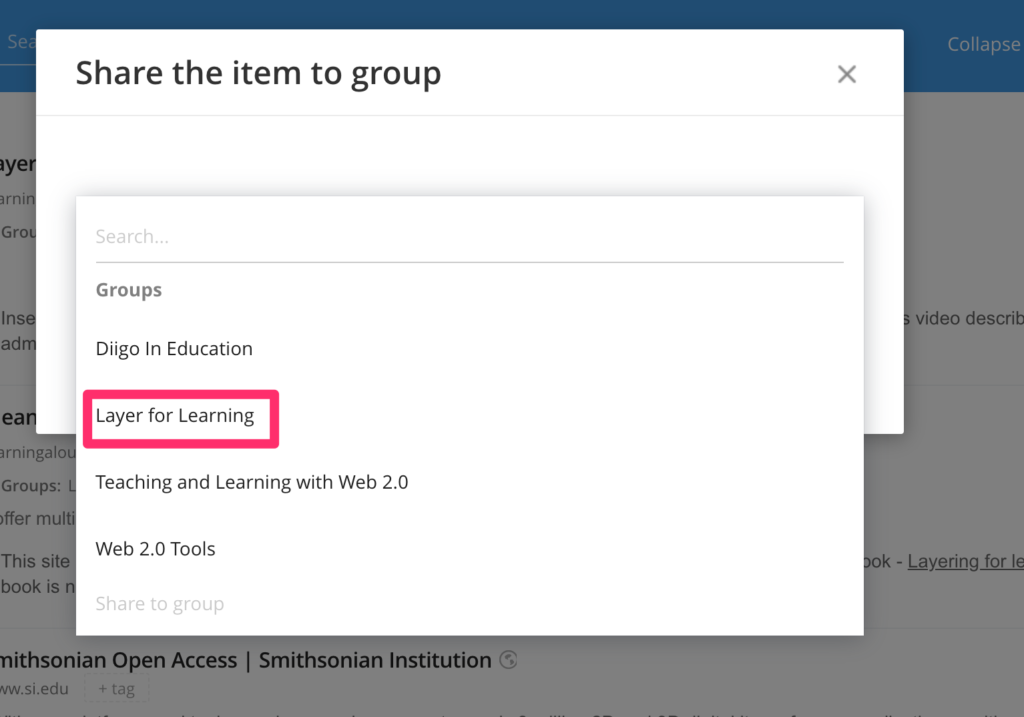
It is possible to create a group without contributing bookmarks, but it makes the most sense that to get a group started that you add some of your own bookmarks. To do this, you locate appropriate bookmarks in your personal collection. In the upper right-hand corner of each bookmark will be three dots. Clicking on these dots reveals options and among them is the share to group option. Select the group and members of the group will be able to view the bookmark you have shared.
Sharing access to the group collection
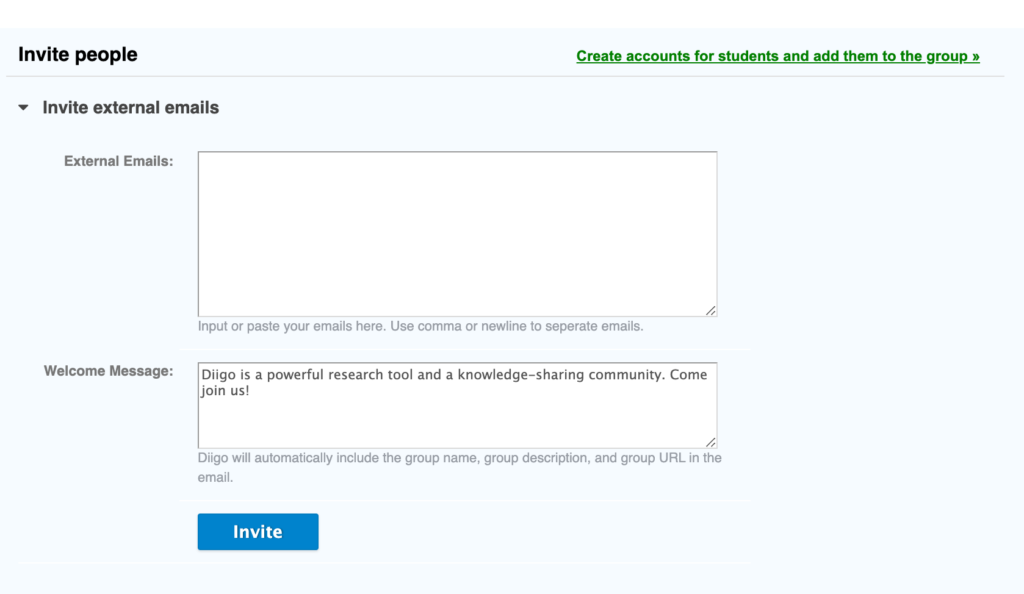
You may want or have to designate group members through invitation. As I mentioned at an earlier point, this is necessary if you are using a free account.
If you have a public group, you can share group access by providing others with the address. For example, I have created a group I will maintain if others find it interesting and add their own bookmarks. The group was created to explore what I describe as layering services. A layering service is a service that allows the annotation, highlighting, and addition of other elements to existing online content (web pages and videos) created by others. Layering offers a way for educators to take advantage of existing resources and add elements that improve the effectiveness of these resources for instructional purposes. Try https://groups.diigo.com/group/layer-for-learning.
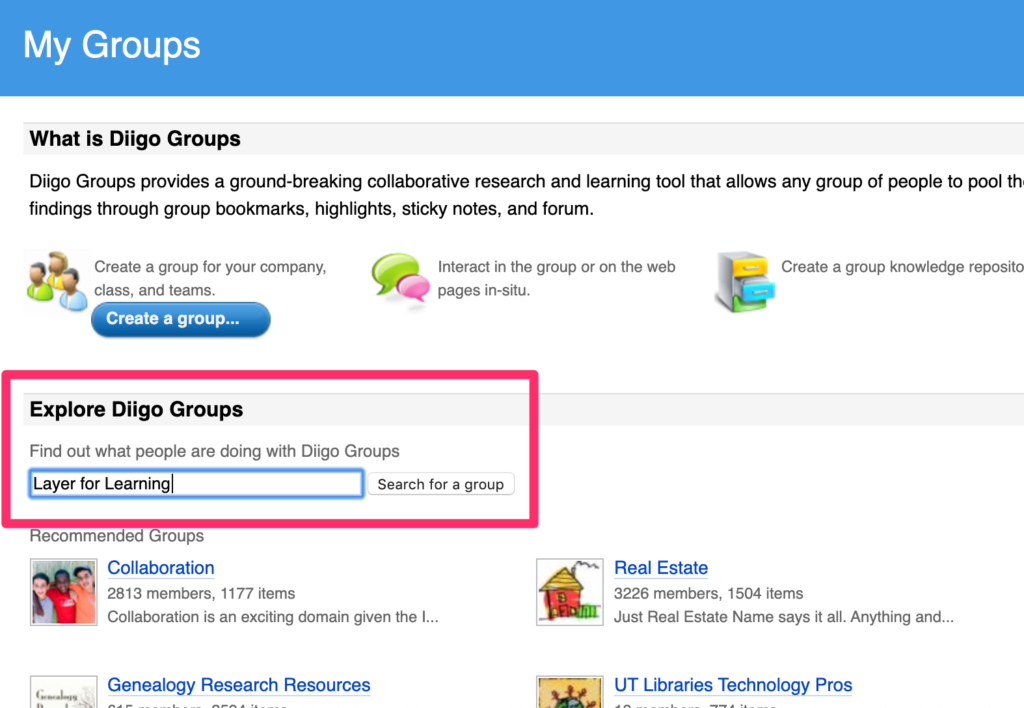
As a Diigo user, you can also search for existing public groups that may interest you. These groups may require the group manager to approve your access or may just let you explore.
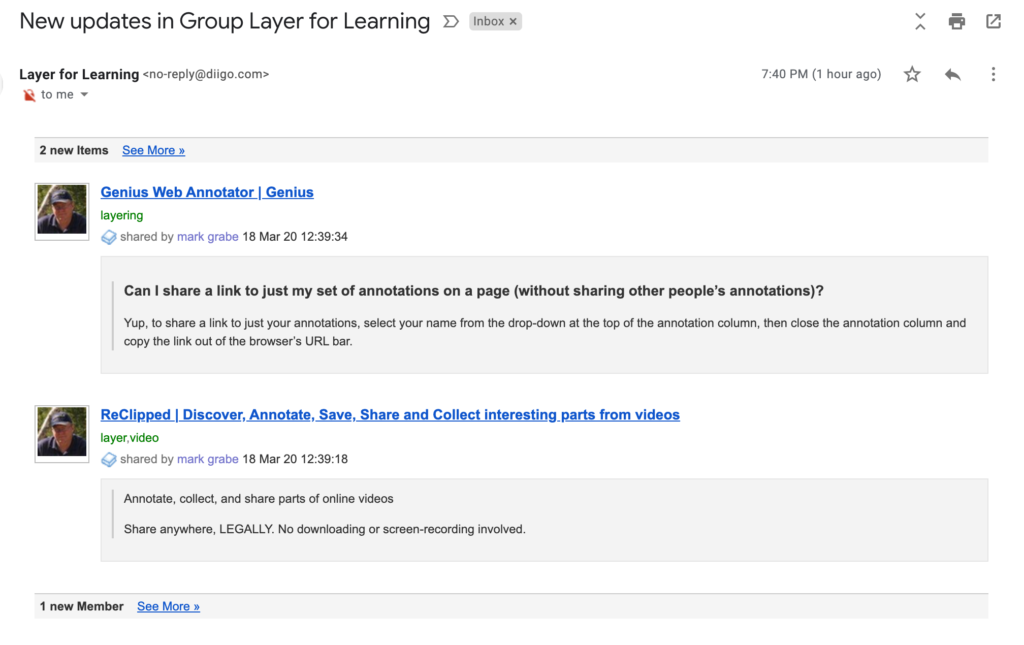
Membership in a group may include a weekly email identifying new contributions for that week.
Most tech folks have created a Zoom tutorial for teachers who might need to learn the Zoom basics in case or because they must transition to distance learning. Tech companies are really stepping up to offer free services to educators and this is the case with Zoom.
Use this link as an educator for access to the full capabilities of Zoom.
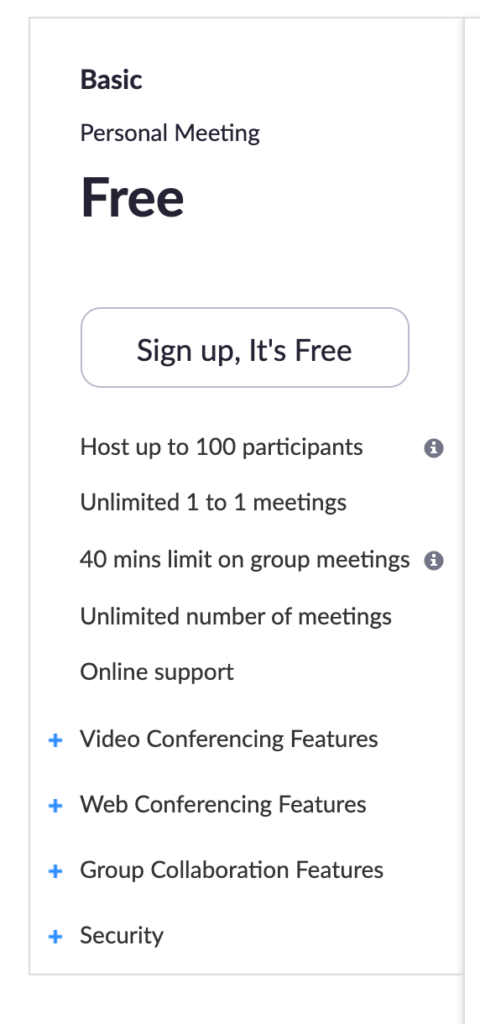
The free basic plan is enough for many applications.
We are obviously living in unique and challenging times. The Coronavirus threatens our health and at least for the near future what we regard as normal life. Educators, educational institutions, and learners have been forced into unknown territory which is dominated by uncertainty about what the right thing to do is. Here are a few of my thoughts on this situation.
I was a faculty member at the University of North Dakota in 1997. At about this time of year, the Red River flooded causing the communities of East Grand Forks and Grand Forks to be completely evacuated. The University and schools shut down and we all went somewhere else. By shut down, I mean the semester/school year ended. Grades were awarded based on performance to date. The Internet existed, but was in the early years and there was no thought to using it to provide online education.
I have no idea what the long term consequences of the closing of the university and schools were, but in thinking about my personal experiences I think it fair to say what I learned from that experience and the aftermath taught me and my students things that were more useful than what we would have learned in those extra two months of time in the classroom. I even learned a great deal about technology which was and still is my personal expertise. My wife and I immediately had to use technology in different ways because of our situation. Lesson 1: all learning does not happen in classrooms and anyone open to learning will benefit from unique life experiences.
So, we now have computers and the Internet. We have a way to extend the formal learning situation when circumstances require. We are not all equally experienced in using this technology in the situation we have now encountered. Is our lack of experience a crisis? Well, I do believe there are better and poorer ways to use technology. My background requires that I say this. I don’t pretend to be an expert in online learning although I have taught many online classes. I have taught a specific type of class and when I honest I would admit I would have limited insight into how to teach even other types of courses I taught face to face. What would I do with my 200 student Introduction to Psychology class? What would the experts suggest? I am not sure.
Here is what I think about learning in general. It is important to remember that learning is done by the learners. As an educator, you facilitate and support and for some practical reasons evaluate. Motivated learners with access to information (life experiences to analyze, books to read, videos to watch) and the willing to think about this information will learn. Educators can encourage thinking experiences in various ways to improve the odds, but to become overly concerned about what these experiences should or might be creates unnecessary anxiety. I am not saying what teachers do is irrelevant. Of course, we do important work. However, it is the work of the learner that is most important.
Some related ideas: a) be honest with students. If you are unsure of how best to go about online instruction, just say so. Explain the situation as a way for both you and your students to explore the challenge of learning together. B) Be available even if it is only through email. How you connect is probably less important than your commitment to using something. If you check your email once in the morning and once at the end of the day, this will not be nearly enough. C) If the situation you are now in is not the situation you probably will be in next year, don’t make things too complicated now? Don’t try too many things that you lack experiences applying. It is always important to push yourself and your learners a bit, but don’t create a situation that could completely break down should you encounter unforeseen consequences. D) Experts will want to help. I have plenty of content to offer. Don’t be offended and don’t feel pressured. Under normal circumstances, educators who are unwilling to adopt the opportunities offered by technology irritate me. However, a short term and a long term issue are different. E) Be understanding. Present situations introduce demands and threats that will be new and frankly more important than what happens throughout the rest of the semester. You can return to being hard core next semester.
The Smithsonian is offering open access to millions of online resources from its collections. Here is a quick tutorial on accessing these resources.
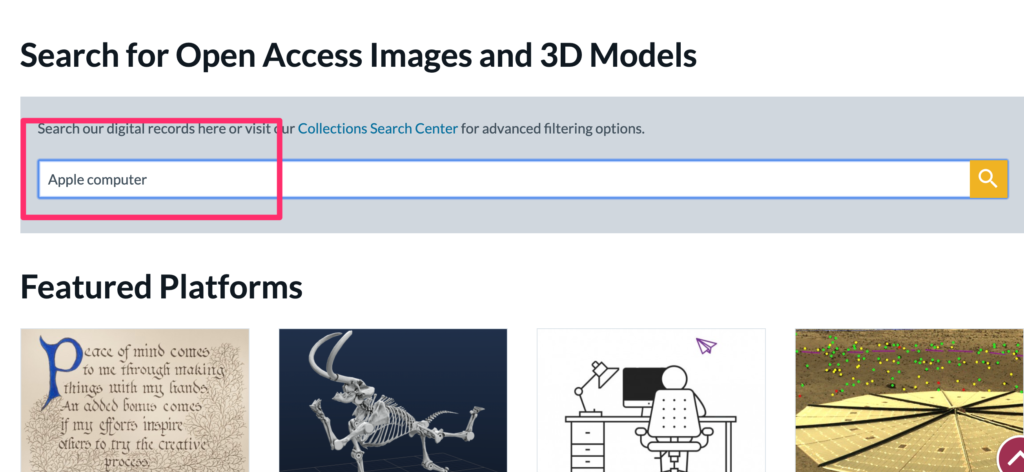
The opening screen offers several opportunities to explore the site. If you just scroll down on this opening page, you should find a search box you can use to begin an exploration.
I needed a demo topic so I decided to search for information about Apple computers. Apple and I go back to the Apple II and I wanted to see what they had.
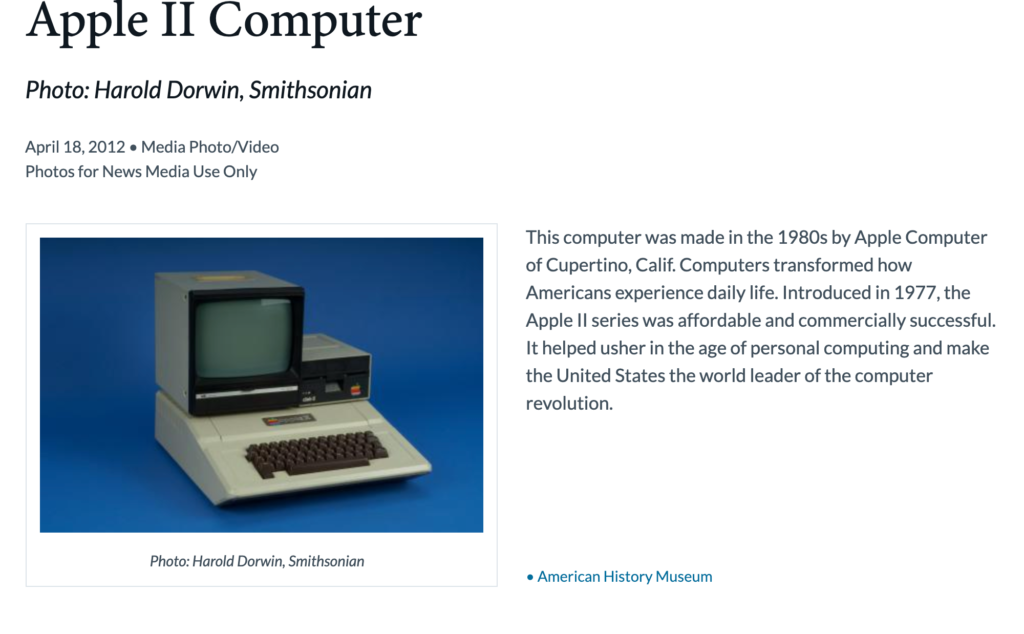
So, the search turned up 40 hits on Apple computer and then lists the options underneath. I was most interested in the computer I first used so I selected the link to Apple II.
Looks just like my first Apple II. No lower case type and this small monitor.
This is an unusual recommendation for this site. There are obviously many apps that allow the manipulation of selfies and photos to add effects of one type or another. I don’t have a use for most, but I do find opportunities for those that turn a photo into a cartoon. I like these when a service requests a photo/avatar.
Cartoona has many options for photo manipulation, It is free with a one price (pretty steep) for an additional pack of more “filters”. I found the free version satisfactory for my interests. Here are a couple of examples of what I mean by creating a cartoon image that could be used when a site requests an avatar.







You must be logged in to post a comment.