Use Diigo to share bookmarks to a group

Social bookmarking may be a novel phrase to you. I use the phrase to describe any method for a group to organize and share bookmarks (links) to online resources. I want to explain how this can be done with the online service Diigo. This tutorial will consist of several components that describe: a) Diigo, b) Diigo account options, c) establishing a group, d) sending bookmarks to this group, and e) sharing access to the group.

Diigo is an online bookmarking service with social capabilities. Bookmarking involves saving a link to online resources you have identified. You may do this within your browser for the sites you visit frequently. An online bookmarking system allows you to share these bookmarks across devices even devices that you do not own. Bookmarking services typically allow many additional features such as attaching notes, tags, and perhaps even a “snapshot” of the bookmarked sites. This link takes you to a previous discussion of such services.

Diigo offers everything from a free to organization level subscription services. Knowing about these various service levels matters as the features available vary with the level. The free level allows only private group bookmarking. This may be just what a teacher wants. The Diigo group creator then has to share access to the bookmark group with individuals. I pay for the least expensive paid level ($40 a year). This allows me to establish one public group. A public group can be located and joined by others without the group originator having to contact each user. The group I established for this tutorial is such a group and I have membership access set to require that I approve someone wanting to join the group.

Create a Diigo Group.

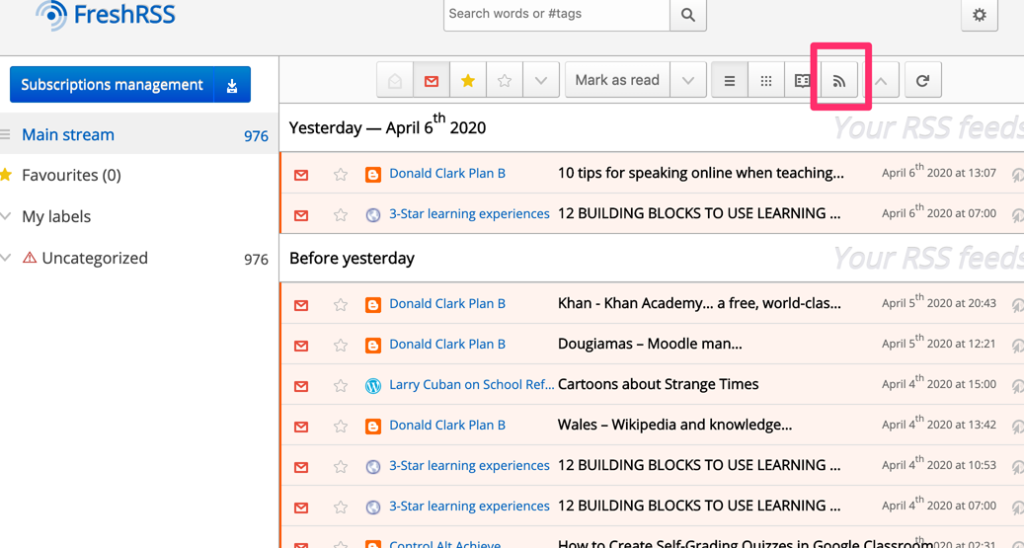
The top of your Diigo browser window will contain these options. Use “My Groups” to add a new group.

This display will indicate the groups I have already joined. To create a new group, use the “Group Invitation Request”. It is not obvious that this is the way to create a group, but this is the way I do it.

One of the options that should then appear is the button for creating a new group.

This button will bring up a form for labeling and describing the group you want to create. Note that some of the options are not available to someone with a free account. My example describes creating a group I label as “Layer for learning”.

Adding existing bookmarks to a group

It is possible to create a group without contributing bookmarks, but it makes the most sense that to get a group started that you add some of your own bookmarks. To do this, you locate appropriate bookmarks in your personal collection. In the upper right-hand corner of each bookmark will be three dots. Clicking on these dots reveals options and among them is the share to group option. Select the group and members of the group will be able to view the bookmark you have shared.

Sharing access to the group collection

You may want or have to designate group members through invitation. As I mentioned at an earlier point, this is necessary if you are using a free account.

If you have a public group, you can share group access by providing others with the address. For example, I have created a group I will maintain if others find it interesting and add their own bookmarks. The group was created to explore what I describe as layering services. A layering service is a service that allows the annotation, highlighting, and addition of other elements to existing online content (web pages and videos) created by others. Layering offers a way for educators to take advantage of existing resources and add elements that improve the effectiveness of these resources for instructional purposes. Try https://groups.diigo.com/group/layer-for-learning.

As a Diigo user, you can also search for existing public groups that may interest you. These groups may require the group manager to approve your access or may just let you explore.

Membership in a group may include a weekly email identifying new contributions for that week.

Loading

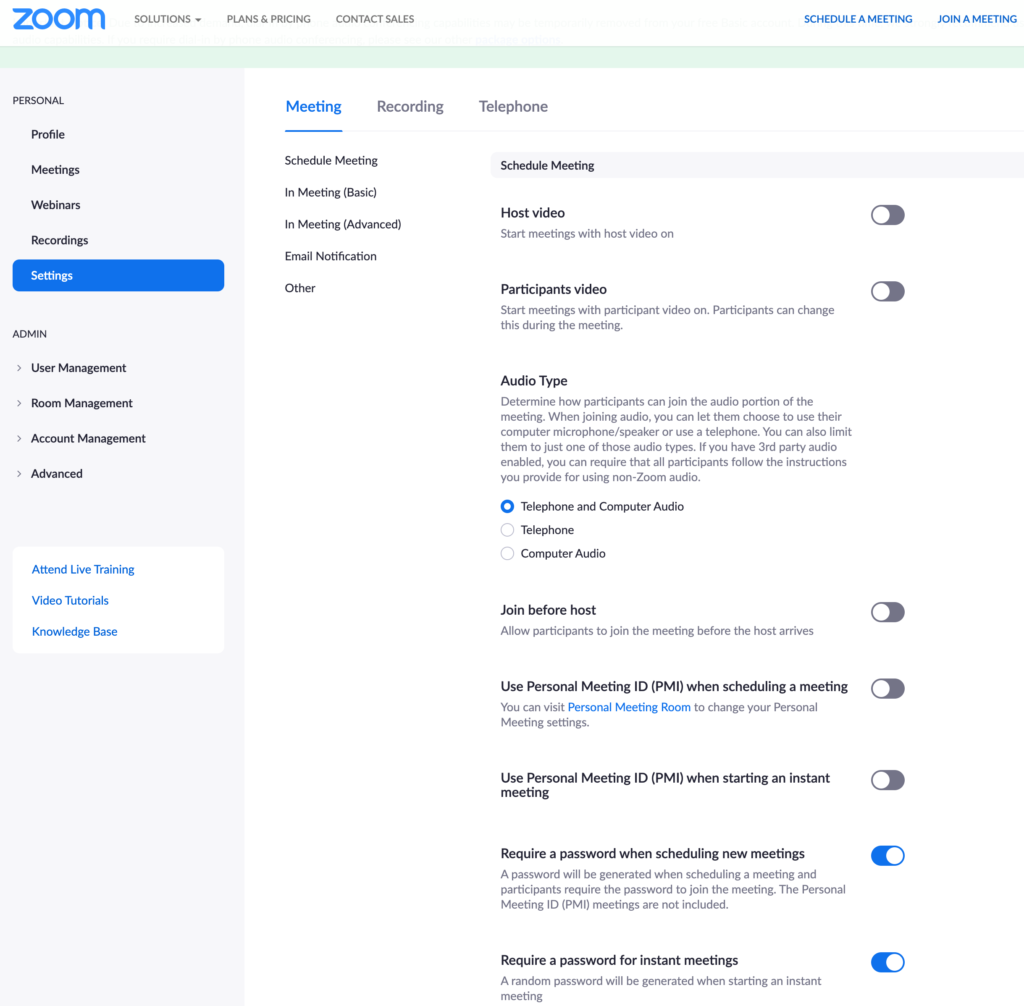
My Zoom Tutorial

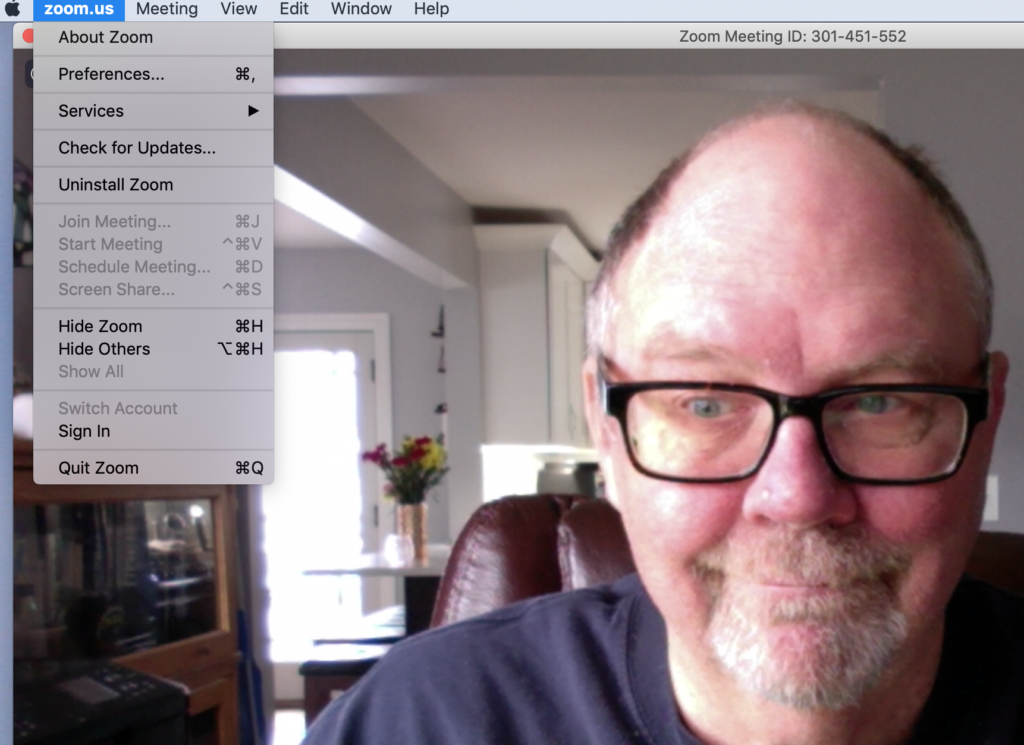
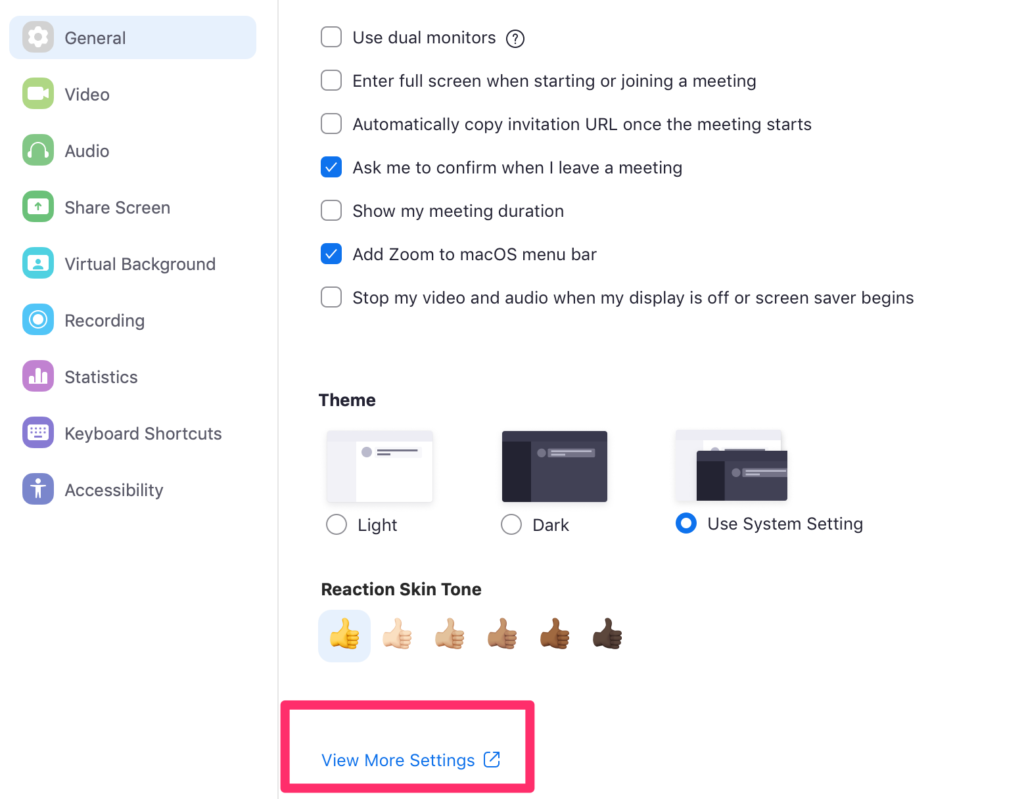
Most tech folks have created a Zoom tutorial for teachers who might need to learn the Zoom basics in case or because they must transition to distance learning. Tech companies are really stepping up to offer free services to educators and this is the case with Zoom.

Use this link as an educator for access to the full capabilities of Zoom.

The free basic plan is enough for many applications.

Loading

Do the best you can

We are obviously living in unique and challenging times. The Coronavirus threatens our health and at least for the near future what we regard as normal life. Educators, educational institutions, and learners have been forced into unknown territory which is dominated by uncertainty about what the right thing to do is. Here are a few of my thoughts on this situation.

I was a faculty member at the University of North Dakota in 1997. At about this time of year, the Red River flooded causing the communities of East Grand Forks and Grand Forks to be completely evacuated. The University and schools shut down and we all went somewhere else. By shut down, I mean the semester/school year ended. Grades were awarded based on performance to date. The Internet existed, but was in the early years and there was no thought to using it to provide online education.

I have no idea what the long term consequences of the closing of the university and schools were, but in thinking about my personal experiences I think it fair to say what I learned from that experience and the aftermath taught me and my students things that were more useful than what we would have learned in those extra two months of time in the classroom. I even learned a great deal about technology which was and still is my personal expertise. My wife and I immediately had to use technology in different ways because of our situation. Lesson 1: all learning does not happen in classrooms and anyone open to learning will benefit from unique life experiences.

So, we now have computers and the Internet. We have a way to extend the formal learning situation when circumstances require. We are not all equally experienced in using this technology in the situation we have now encountered. Is our lack of experience a crisis? Well, I do believe there are better and poorer ways to use technology. My background requires that I say this. I don’t pretend to be an expert in online learning although I have taught many online classes. I have taught a specific type of class and when I honest I would admit I would have limited insight into how to teach even other types of courses I taught face to face. What would I do with my 200 student Introduction to Psychology class? What would the experts suggest? I am not sure.

Here is what I think about learning in general. It is important to remember that learning is done by the learners. As an educator, you facilitate and support and for some practical reasons evaluate. Motivated learners with access to information (life experiences to analyze, books to read, videos to watch) and the willing to think about this information will learn. Educators can encourage thinking experiences in various ways to improve the odds, but to become overly concerned about what these experiences should or might be creates unnecessary anxiety. I am not saying what teachers do is irrelevant. Of course, we do important work. However, it is the work of the learner that is most important.

Some related ideas: a) be honest with students. If you are unsure of how best to go about online instruction, just say so. Explain the situation as a way for both you and your students to explore the challenge of learning together. B) Be available even if it is only through email. How you connect is probably less important than your commitment to using something. If you check your email once in the morning and once at the end of the day, this will not be nearly enough. C) If the situation you are now in is not the situation you probably will be in next year, don’t make things too complicated now? Don’t try too many things that you lack experiences applying. It is always important to push yourself and your learners a bit, but don’t create a situation that could completely break down should you encounter unforeseen consequences. D) Experts will want to help. I have plenty of content to offer. Don’t be offended and don’t feel pressured. Under normal circumstances, educators who are unwilling to adopt the opportunities offered by technology irritate me. However, a short term and a long term issue are different. E) Be understanding. Present situations introduce demands and threats that will be new and frankly more important than what happens throughout the rest of the semester. You can return to being hard core next semester.

Loading

Smithsonian Open Access

The Smithsonian is offering open access to millions of online resources from its collections. Here is a quick tutorial on accessing these resources.

The opening screen offers several opportunities to explore the site. If you just scroll down on this opening page, you should find a search box you can use to begin an exploration.

I needed a demo topic so I decided to search for information about Apple computers. Apple and I go back to the Apple II and I wanted to see what they had.

So, the search turned up 40 hits on Apple computer and then lists the options underneath. I was most interested in the computer I first used so I selected the link to Apple II.

Looks just like my first Apple II. No lower case type and this small monitor.

Educators are directed to a special site for resources.

Loading

Cartoona

This is an unusual recommendation for this site. There are obviously many apps that allow the manipulation of selfies and photos to add effects of one type or another. I don’t have a use for most, but I do find opportunities for those that turn a photo into a cartoon. I like these when a service requests a photo/avatar.

Cartoona has many options for photo manipulation, It is free with a one price (pretty steep) for an additional pack of more “filters”. I found the free version satisfactory for my interests. Here are a couple of examples of what I mean by creating a cartoon image that could be used when a site requests an avatar.

Loading

Missing in action

I apologize for the long delay since my last post. We are spending a couple of months in Hawaii avoiding the cold of a Minnesota/Wisconsin winter. I am writing. I try to take on a major writing project while I am here. I also keep a travel blog when we are on the road. My project this year is an update of an online resource for educators called The Participatory Web and Meaningful Learning. I started this resource when online authoring became practical and have updated it as new developments have become available. It needed another revision. In addition to assuring the content is current, I thought it important to write a new section devoted to the now apparent downside of social media and other common Internet services. I have included the first section of this addition below.

Title: Can the potential of the participatory web be salvaged

I wrote the first draft of this site quite a few years ago. My wife and I had been publishing a textbook for future educators entitled “Integrating Technology for Meaningful Learning”. We continue to update this text. Some of the core ideas of our textbook were based on a book by David Jonassen entitled “Computers in the classroom: Mindtools for critical thinking”. Jonassen made the argument that instead of K12 educators focusing on helping students learn to use computers and computer applications, educators could apply popular computer applications (e.g., word processing, databases, spreadsheets) to tasks that would encourage thinking and learning. Our effort took this idea and embellished it a bit by expanding the theoretical background as an application of generative learning and project based learning and adding to the list of tools Jonassen had first identified. 

To put our books in a historical context, these ideas were being promoted to future teachers at a time before schools had much Internet access. As the Internet became more ubiquitous, we began writing about potential classroom applications. Our first effort was a separate textbook (Integrating the Internet for Meaningful Learning, 1996). I see Amazon still has a few copies if you have a couple of bucks (yes, 2-3). We soon combined our efforts into a single book and the maturation of the Internet that encouraged this integration was popularly described as Web 2.0 (https://en.wikipedia.org/wiki/Web_2.0). 

The idea of Web 2.0 can be understood from some of the alternate labels applied at this time – Read/Write web, Participatory Web. The core idea was that the Internet had advanced beyond an opportunity to consume information, but the Internet was now an opportunity for those connected to generate content as well. The word “generate” is crucial. Here was a way for authentic production of content of varying types. By our way of using the adjective authentic, we argued for the value of communicating, discussing, and arguing with a real audience and not just producing artifacts for the teacher to evaluate.

This was kind of an update of what composition educators had imagined as writing to learn, but not limited to the production of text. We began writing about authoring to learn and teaching to learn. 

These were heady times for the Internet and we definitely had the fever. The promise of everyone who was interested becoming involved seemed to have great promise for education, politics, and commerce. The Internet offered meaningful opportunities for participation that simply had not existed previously. The title of the resource we continue to offer with this emphasis remains described as “Meaningful learning and the participatory web” [https://www.learningaloud.com/participate/]. 

We wrote books that were sold, but the call of an open, participatory option was difficult to resist. I first wrote the “Participatory web” book as a wiki because I was writing about classroom use of wikis in our traditional textbook and wanted to experience taking on a substantial wiki project as a way to acquire credibility for what I knew about wikis. There are some challenging security issues in hosting your own wiki and I have moved and modified the content several times until it is now hosted as a WordPress application. Again, you learn from these challenges and what I have now is more secure and still easy for me to update resource when I have the time.

I am writing this lengthy introduction as a sort of apology. The participatory web has not developed as the force for good we had anticipated. Since I spent so much time in the decade of the development of the social potential of the web as an advocate, I must accept some responsibility. This section of my participatory web resource is newly written as an analysis of the present state of affairs and what we collectively might do about it. The content is based in my style of trying to make academic writing friendly and still trying to be true to the research I have consumed to inform my content. I provide references you can examine if you want to see where my ideas come from. In truth, I am now a retired academic so I no longer am an active researcher and what I offer is based on a review and integration of the literature. At this point, I can actively explore the tools of the online world (I still operate a server), but not study how students use these tools. 

Internet Utopian

I am probably most accurately described as an Internet utopian. This is a descriptive phrase assigned to those of us who were heavily involved online and before we took some time to discover that not all applications of the social web were making a positive contribution to society. 

When the Internet matured to the point that most folks who were online could not only consume, but also contribute to online discussions, I thought what was called Web 2.0 or the participatory web would engage folks in important issues because they would now have a voice. What occurred was unanticipated and to this point disappointing or at least this is where things seem according to many. Online activity is argued to be secluded in echo chambers and limited by filter bubbles. Rather than expand discussion, present online experiences are described as both more rancorous and narrow. 

  • –  – –  – – –  – – – –  – – – – –  – – – – – –  – – – – – – – 

Echo chamber – an environment in which a person encounters only beliefs or opinions that coincide with their own, so that their existing views are reinforced and alternative ideas are not considered.

Filter bubble – a situation in which an Internet user encounters only information and opinions that conform to and reinforce their own beliefs, caused by algorithms that personalize an individual’s online experience.

  • –  – –  – – –  – – – –  – – – – –  – – – – – –  – – – – – – –

The utopian view of the Internet seemed to end with the election of 2016. This for many was the first awareness of targeted advertising, third-party cookies, fake news, and the collection of personal information by online companies they trusted. When this actually started is not the point, this for many was the beginning of the end of naïveté and an openness to being concerned with how they and those around them were being made angry with and resentful of others because they all shared information and interacted on Facebook, Twitter, and Instagram and searched with Google.

The present state of the Internet can be examined in many different ways and multiple books and research studies have addressed the interconnected issues. To make my offering manageable, I want to organize it using three themes. These three themes are not independent, but I will only briefly identify ways in which they interact to produce what we experience. 

  1. What seems free isn’t
  1. What generates attention is not necessarily the truth
  2. You and I sometimes just want to believe what we want to believe

Loading

New Literacies

A recent post on the Langwitches blog prompted my own extension. The Langwitches post identifies multiple past posts by the author focused on new literacy skills.

Are there really new literacies or is an attempt to generate interest by relabeling? Yes, educational “thought leaders” are not above relabeling to attract attention. I like Leu’s way of making the case for being open to a perspective arguing for the development of different competencies. There is no doubt we spend a great deal of time online and a significant amount of this time is dedicated to finding, processing, and sharing information to learn.

I have spent considerable time over the years writing about learning with technology and how it is different from reading to learn.

Of the research I have read and assigned to my students, Donald Leu has done the best job of identifying and making the case for the skills that differentiate online literacy from more traditional ways of thinking about literacies. I provide several references to Leu and colleagues at the conclusion of this post.

Leu’s model reminds me of the structure for information problem-solving librarians described as the Big-6. I don’t find many educators who have heard of this stage model that identifies stage linked skills, but I use it in the way I describe the multiple proficiencies important in learning from Internet resources. If you take the time to explore both Leu’s list of new literacy skills and the Big-6, I think you see the similarities.

Among the issues that Leu and colleagues identify as making online, self-directed learning unique are the following (I am interpreting here so my summarization may not be exactly what the original authors had in mind):
– We typically go to the Internet with a goal in mind rather than working with content designed to identify goals for us.
– To meet our self-defined goal, we must know how to find relevant information.
– The information we encounter in our search may require the integration of ideas across sources and the elimination of flawed or erroneous ideas.
– Not all information will be presented as text so we must be capable of mixing information encountered in different formats.
– We often are working with others or perhaps to counter the arguments of others to make use of the information we are collecting so sharing and integration of our own work others is necessary.

One of the interesting directions that Leu’s work has taken his group to investigate has been to demonstrate that the implementation of these skills at present varies as a function of income differences. The 2016 article I cite focused on this issue and demonstrated that income gaps exist after accounting for income gaps in traditional reading comprehension. Aside from arguing that education has not closed this gap, the independence of the skills indicates that present literacy development practices are not sufficient to assure online learning competency.

Leu, D. J., Zawilinski, L., Forzani, E., & Timbrell, N. (2014). Best practices in teaching the new literacies of online research and comprehension. Best practices in literacy instruction, 343-364.

Click to access Leu-D.J.-Zawilinski-L.-Forzani-E.-Timbrell-N.-in-press.pdf

Leu, D. J., Forzani, E., Rhoads, C., Maykel, C., Kennedy, C., & Timbrell, N. (2015). The new literacies of online research and comprehension: Rethinking the reading achievement gap. Reading Research Quarterly, 50(1), 37-59.

Loading