Topics and resources for argumentation

A task I have promoted multiple times for middle school and high school classrooms is argumentation. If you use the hashtag for this post, you will find the previous posts in which I describe what argumentation is (think debate) and explain the content area and high thinking skill development opportunities providing students opportunities to engage in formal argumentation offers. 

One of the challenges for implementing class argumentation is the identification of issues that lend themselves to debate and the efficient access to the reasoning and evidence providing the background for such interactions. I have previously recommended the work of Kuhn (see the link above) because her book and the proven topics she offers as examples are one concrete way to get started with tested topics. However, you may want to find different topics that are better suited to integration with the topics you prioritize. 

One point of departure could be some consideration of what your purpose is. How much do you want to emphasize finding factual information to emphasize positions students take (search and content evaluation), how much are you emphasizing respectful argumentation and the development of higher order skills, or are both important goals. Related to this consideration is the amount of time you want to spend. An argumentation exercise that begins or incorporates online search will simply require more time.

Here are two sources one of which I would suggest is heavily weighted toward a focus on argumentation and the other more weighted toward information evaluation related to argument reasoning and position.

ProCon

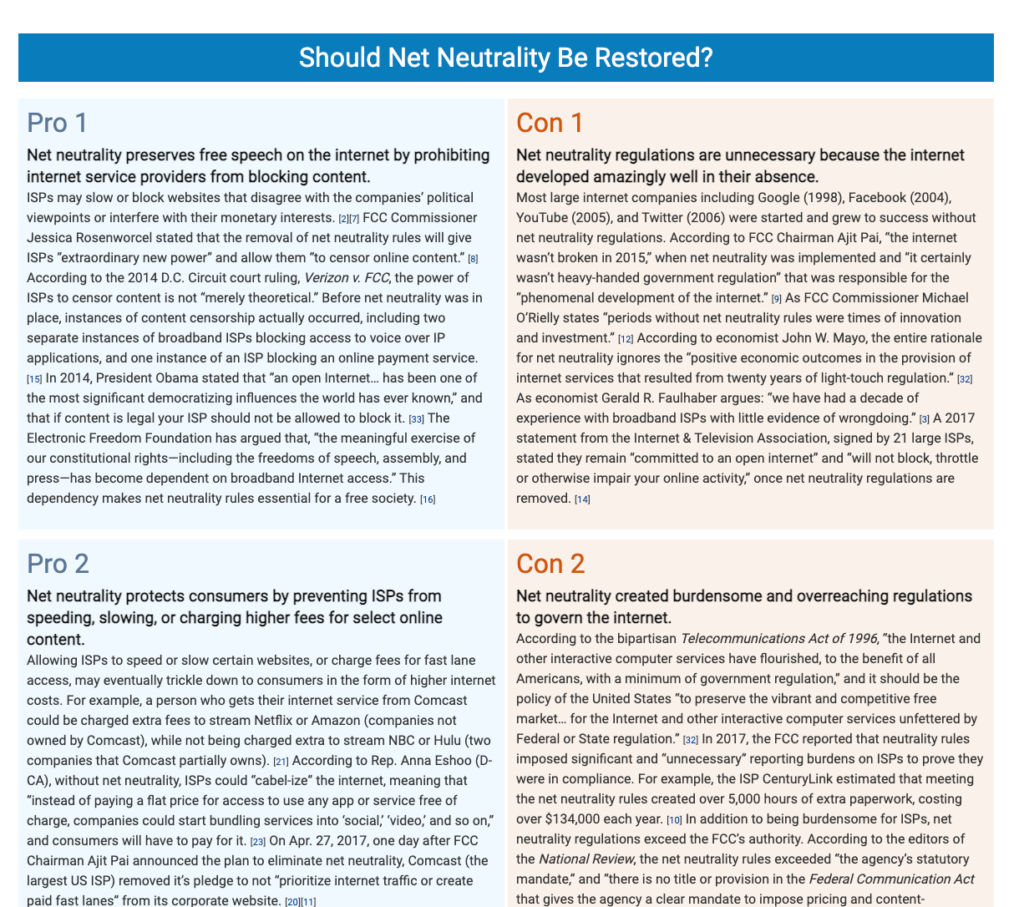
ProCon is my example of a site suited to provide the background for an efficient focus on argumentation,  I think about the site as being useful to educators in three stages – what are some topics suited to argumentation, what is the background for a specific argument, and what are pro and con points important to this issue. The following three images were selected to exemplify these three stages.


All Sides

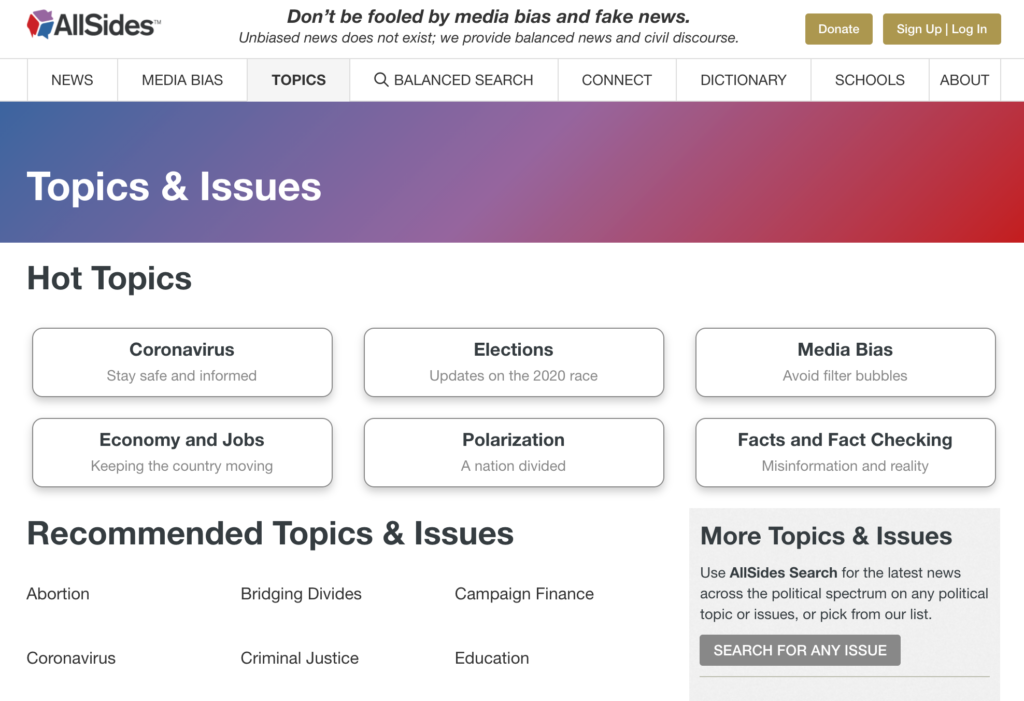
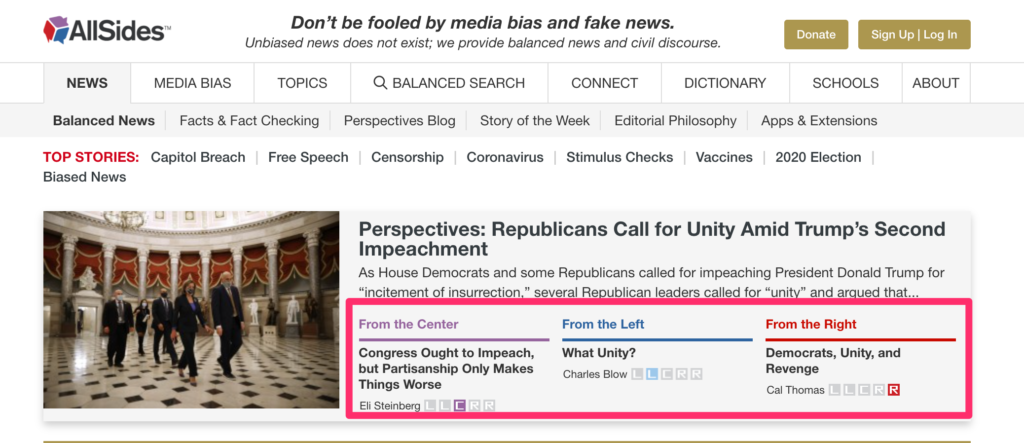
All Sides identifies current controversial topics and focuses on offering content sources that have been identified as providing a conservative or liberal bias on the controversy as well as a more centrist source. AllSides offers resources for educators related to how such content could be used. The following images offer an idea of how the content is organized.
Loading

A video playlist to understand the challenges of social media

I have been interested in the problems of social media for some time. I feel somewhat responsible because I was very excited by what was once called Web 2.0 or the participatory web. There seemed like so many opportunities for engagement and learning at that time for so many areas – politics, education, human interaction on a global scale. With cell phones being so ubiquitous, it seemed a reasonable way for nearly everyone to learn and communicate. I did my best to spread the glad tidings and offer suggestions for the use of technology in classroom settings. If you are reading this, you can assume I tried to influence you. Things have certainly not worked out in the positive way I anticipated. Social media and the Internet have obviously impacted us in many ways and have generated great amounts of revenue for some. However, there are serious problems that need to be recognized and addressed. 

My wife and I meet online with a group from our college days every two weeks. As part of these meetings after socialization and catching up, we have a topic for discussion led by one of the participants. It was our turn and I wanted to talk about surveillance capitalism. Several of the participants work in economics and finance with one being a college prof. By definition, we are all social media users as we are meeting with each other via Zoom. Issues with social media seemed to me to be an issue most should find interesting – the Pew Research Center in 2018 found that 68% of U.S. adults use Facebook, 35% use Instagram, and 24% report using Twitter. Even old folks like us are involved. I searched about for a short video I could offer to the group and I intended to generate a shortlist of questions that might guide a discussion. I found it difficult to find a single source that would include the multiple issues I see combining to produce the challenges I see so I picked one of the components I thought might offer a good activation. I was talked out of the idea as something that many folks may not think about and a kind of heavy talk ill-suited to casual conversation. 

However, once started I kept thinking about a way to offer others some insight into what might seem a troubling but opaque topic. I had decided I could not identify a single source that would accomplish what I wanted to accomplish so I tried to identify key elements of the online environment that are involved in determining what I think is our present situation. I decided to focus on video resources.

What follows is a list of videos that explain individual components that combine to produce the challenges and complexity of our present online social world. In an effort to identify what I see as the individual components, I have designated a term or phrase and you will find that term or phrase highlighted in the following list. In many cases, I came to these topics and individuals based on individual books that I read. My bias for exploring what I consider personally important topics is to read rather than watch, but I understand others don’t consume information in this way. Most of the names identified below are also authors and be could search for more detailed presentations. 

Components of the social media mess explained for those who don’t like to read

  • Filter bubble – what we want to see and not what we need to see – Pariser – TED talk 
  • Surveillance capitalism – Zuboff – Triangulation 
  • Section 230Wall Street Journal
  • Radicalization – austav Mukherjee – TED talk 
  • Confirmation and other biases – Shepard – TED talk
  • Spread of misinformation – Aral – TED talk  

Loading

Solar power continued

This is an update on my personal solar energy exploration. When the weather was warmer I have used a solar panel to power much of the writing I did in a gazebo located next to our house. I explain the project in previous posts (description, power saved).

While it is now too cold for me to work outside without running a space heater. I decided that I could continue to use the solar panel and just transfer power to my devices using a portable battery pack. This is not a very efficient system, but it works and keeps the project going.

I have always wondered how those with solar power deal with the accumulation of snow on their roof panels. I can’t say I know, but the sun does penetrate a thin layer of ice. Laptops and tablets don’t use much power. There must be some variant of this setup that would make a great classroom project.

Loading

Now Comment

NowComment is a free online service allowing multiple students to annotate and comment on content. NowComment has been around for some time and is now maintained by tech advocate and writing advocate Paul Allison. Unlike the way I use layering in my own self-defined technical sense, NowComment does not create a composite based on and continuing to draw on content from the server used by the content creator, but requires the host to first upload the content serving as the focus for activities or to create content on the Upload site. By my understanding, this would require copyright or fair use applications. If there is a unique advantage to NowComment in comparison to some of the layering tools I have already described, it would be the opportunity to engage others in threaded discussions. The annotations can not only be responses to a question or original comments, but reactions to previous comments provided by others. This threaded capability is what would differentiate NowComment from a collaborative use of a service such as Google docs which also allows comments.

Like Hypothes.is, NowComment could be either an opportunity for public discussions or private discussions in response to a given source. By public, I mean that any other user using could potentially see the document and existing comments you make available. Public groups have even been formed to address topics group members may have as a shared interest – e.g., climate change, poverty. Other NowComment users have posted content with some annotations that may be applicable to new users. Documents have been archived and organized for this purpose. In private mode, you can control who you invite to view and respond. An educator may want to limit access to students in a given class. Both options could be useful.

The content offered in NowComment could be text, images, or through the use of embed scripts a video as might be added from YouTube. A useful capability is the potential to differentiate when comments can be added and when comments can be viewed. This is a capability I have wanted for some of my own classes. When you want to grade comments, you really want students to post their comments based on their understanding of the content and not from their ability to integrate the comments provided by students who have already posted. In a discussion board, I controlled this using a feature that required moderation before visibility, but scheduling visibility by date would make the control of visibility much easier.

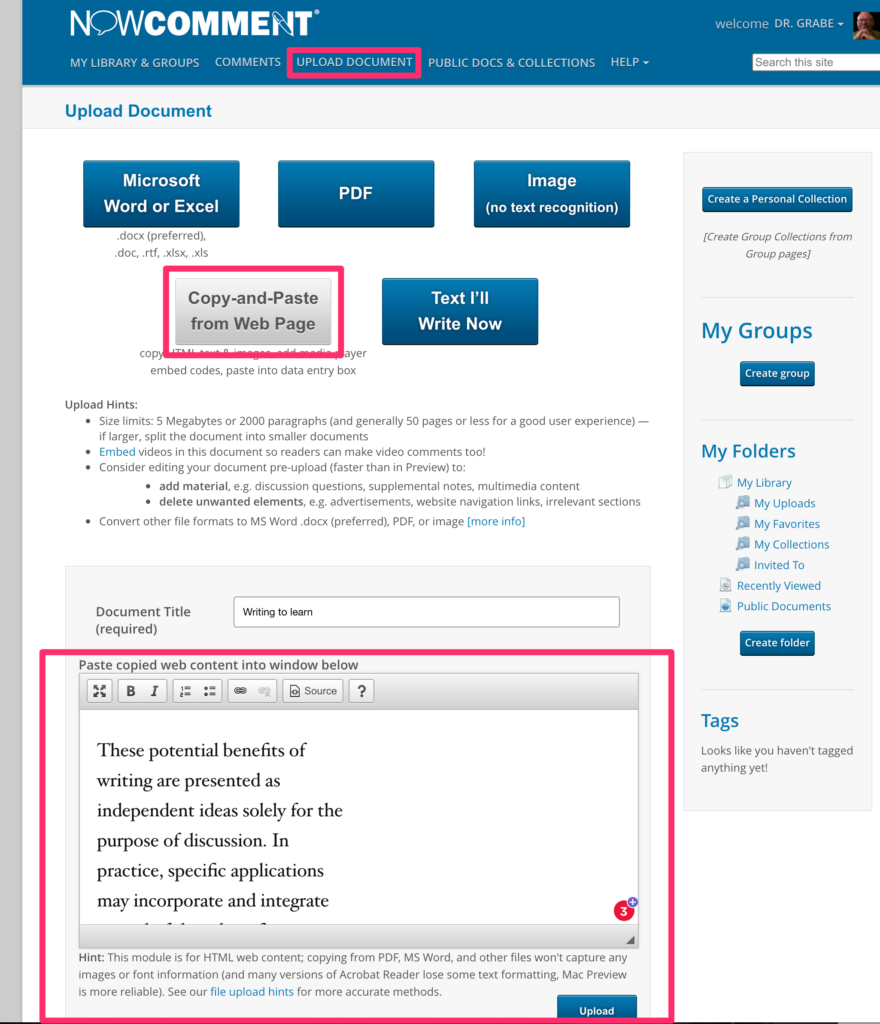
The following is not intended as a tutorial, but more to give you the basics and explain some of the core features. Once you have joined, the key capabilities of NowComment are available from the banner (the blue strip at the top). Upload documents (from the banner) brings up the following allowing content to be uploaded. The “copy and paste” option is the easiest and allows a general way to add content you can copy from something on your own computer.

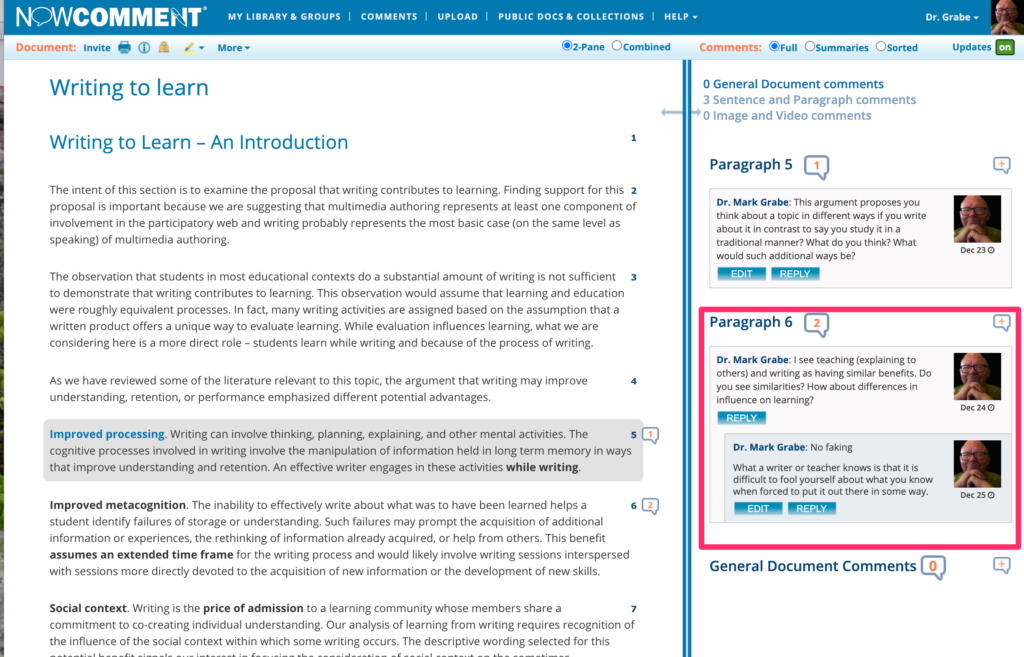
The display allowing interaction is divided into two panels. You select content (a phrase or a paragraph from the pane on the left) and then comment on the right. As you can see, comments can be added to comments created an opportunity for interaction among participants.

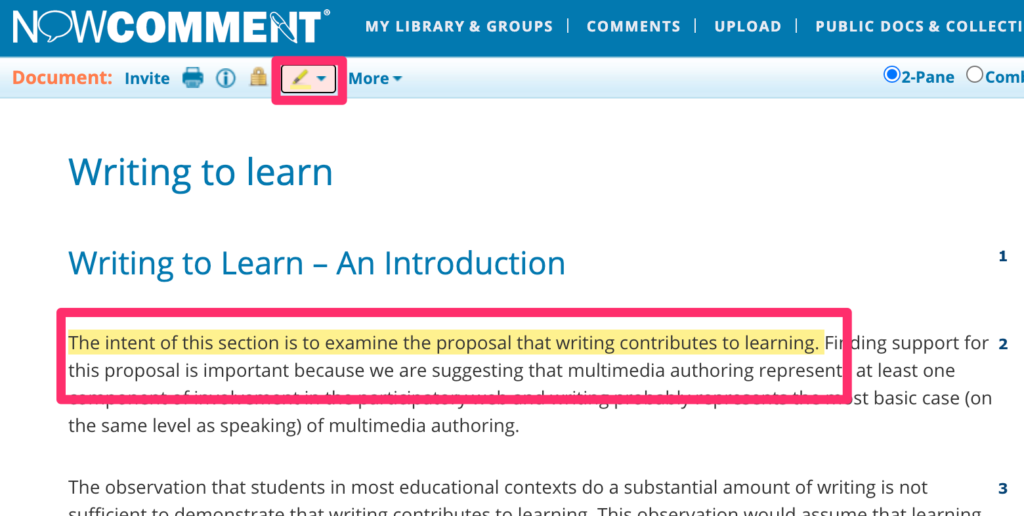
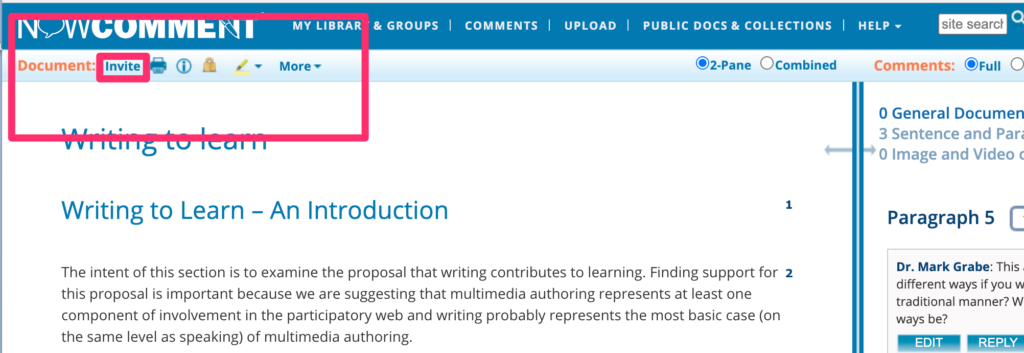
Content can also be highlighted. See my page for my more general take on layering. Another important capability from the area in the upper left-hand corner of the browser display allows other functions such as providing invitations.

The invitation process (individuals or a group you establish) allows you to control access (public or private).

The group option would allow a teacher to create a group once and then use this label repeatedly rather than add all student addresses for each project.

Loading

WordPress for design

I started blogging in 2002 using an early version of Blogger that I hosted on a server I ran myself. You may know that Blogger was purchased by Google and is still available as an outlet for the content creation of individuals. 

You are reading this on a WordPress blog. I switched to WordPress because I again could host it on a server I controlled. I switched to use a hosting option provided by BlueHost when I determined that I wanted to add Google ads to my blog and that I should probably not be doing this on a site I could control through the university where I worked. Just to be clear I have always paid far more for leasing part of a server than I ever generated in ad revenue. Running ads is kind of an experiment and a matter of principle. I believe content creators should be compensated for their efforts. Originally, I had to install and update WordPress myself, but BlueHost now offers a way to have the software installed and updated for you.

WordPress emerged in 2003 and has become more and more powerful since. There is still a simplified version of WordPress available at no cost and a more powerful version for $4 a month. If you have no other purpose for paying for space on a server you can use for multiple purposes and want a blog with more options, the $4 level is a good choice.

Blogging platforms have gradually become more and more powerful and can be used in other ways than offering the list of serial content posts familiar to all blog readers. The platforms allow both this familiar format (posts) and also pages that can be interlinked in much the same way as many web sites you may visit. The page approach starts from a home page and the connection among pages is changed by the effort of the content creator and not automatically by the addition of new material. 

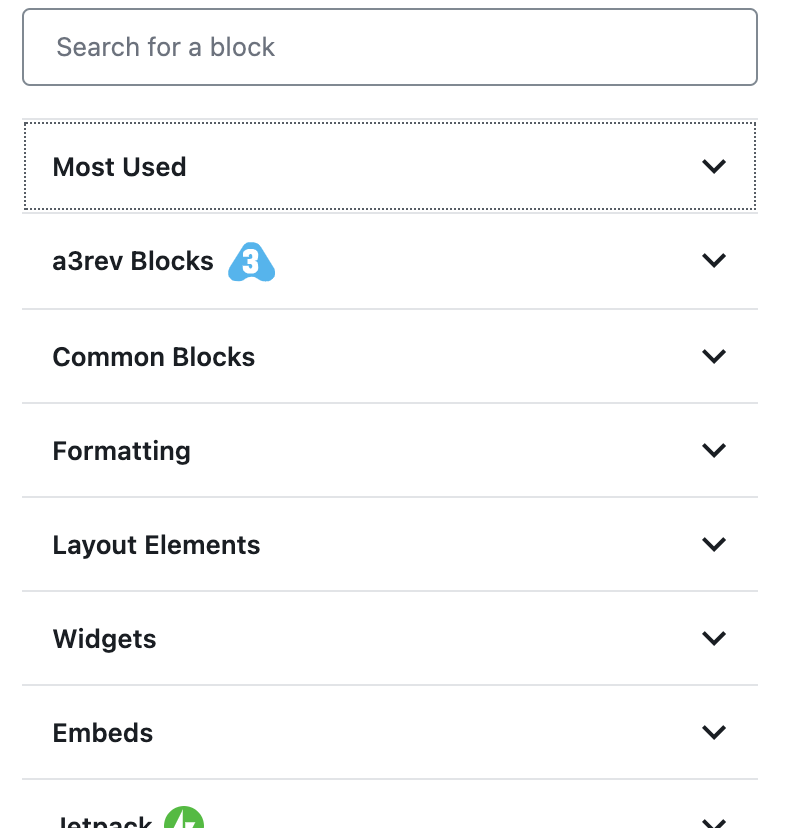
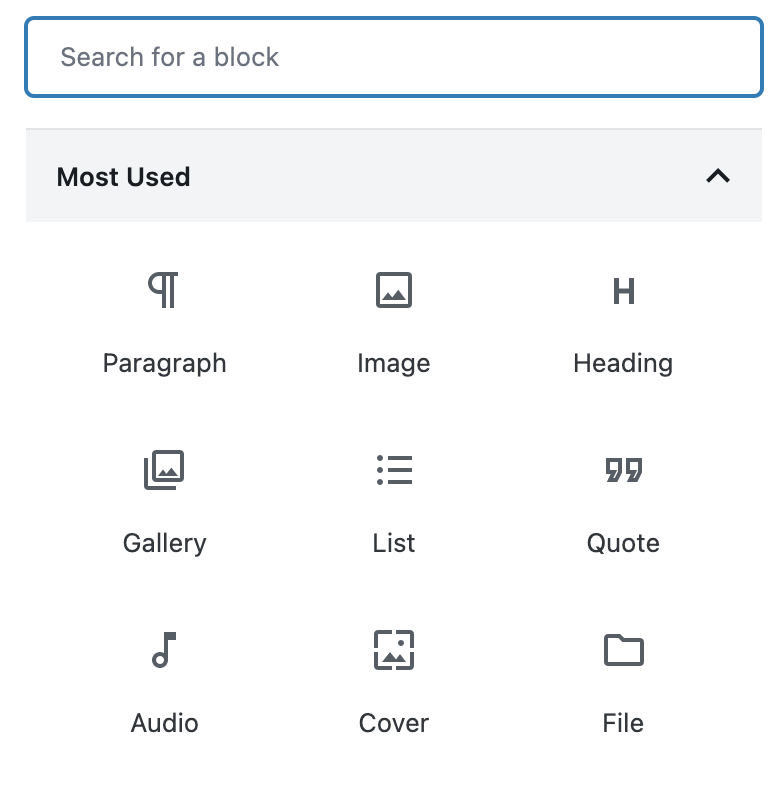
A blog platform may be your most efficient approach to creating a web site. The flexible page-based blogger sites are also improving providing those wanting to offer content as a web site greater and greater control over appearance and function. The sites generated do not have to resemble cookie-cutter simplistic offerings based on a common theme. WordPress has moved to an approach based on what are called blocks. For old folks like me who remember Hypercard, the multimedia construction kit, you might use Hypercard as a reference. Hypercard allowed the creation of a stack (which might be considered pages) and the addition of elements some of which were preprogrammed. So there were arrows that could take a user to the next card, the previous card, and the first card in the stack, You would add images and text to the surface of the card. You could also make use of the hypertalk coding language to add your own actions to elements (cards, buttons,, etc.). 

The block approach in blog platforms is beginning to approach the flexibility of hypercard in the online world, You can use preprogrammed blocks and for those who want the flexibility program your own blocks. Blocks can now be used to shape the appearance of the site in addition to controlling the content added to a page or post. 

Just to be clear. I don’t spend a lot of time on design. I consider myself mostly a writer.

Blogging platforms have evolved to meet the requirements of a “low floor and high ceiling” environments encouraged by edtech visionaries. The platforms can serve as a basic outlet for student writing or a creative environment for students interested in multimedia design options. There is now little need for expensive computer-based multimedia design software. Allow students who want to do more than write to become proficient with the advanced features of modern blogging (web design) platforms. 

This post was motivated by a State of the Word online presentation from Matt Mullenweg the founder of WordPress. The presentation has been archived on YouTube and offers an extended description of the present version of WordPress.

Loading

Online argumentation can be improved

I try to think carefully about practices I support professionally. Professionally, I am an educator and cognitive researcher. Even when a topic might be relevant to my profession I would not claim I think carefully about that issue. When it comes to social media and the acrimony that can sometimes result from social media interactions, I don’t think this is the case. I believe I can both suggest there is potential in social media interactions and claim that too many are doing it wrong. Personally, I don’t claim that I always do it right, but I do claim I think carefully about how it should be done. This is because I see the damage done, but don’t want the opportunity to be discarded.

I read a lot about arguing (perhaps debate would be a more familiar way to describe what I value) so I think I understand the skills required, the lack of these skills evidenced in so many interactions, and evidence for some of the reasons skills are not present. Like so many practiced skills, performance is a function of proficiency and motivation. One needs to be motivated to learn skills and to apply them. 

For educators whom I consider my primary audience and who may be interested in the development of such skills and dispositions as important goals, I have included a couple of resources at the end of this post. Mentioning experts by name in this post might make more sense if you take a look at my references.

In discussing the importance of teacher modeling, Kuhn notes that when it comes to interactions involving possible controversy what teachers model is very important and probably more important than modeling the skills involved. Kuhn describes the common justification for positions taken as “That’s just how I feel” as very common outside of school and what students encounter from peers and too many adults. Part of the benefit in learning argumentation skills is to recognize the inadequacy of this position. Reasons and evidence are important and being able to interact with a focus on reasons and evidence is essential when controversy is involved. Recognizing one has a responsibility to explain reasons and values and to request the same from others is what moves interactions forward. 

Kuhn suggests the expectation that others be responsible for explaining reasons and values applies to teachers and textbooks. I assume this applies especially when asked for such justification – why do I need to know this? This can be a challenge. Clearly, “because I say so” and similar appeals to the significance of authority are not sufficient. Some goals are kind of squishy, but still capable of being offered as reasons. Evidence may be more of a challenge. In some cases, the reason may sound something like – “one of the expected purposes of an education is to develop in everyone an understanding of how xxx works so that this common knowledge can be assumed” is the reason. Perhaps evidence might be to point to a relevant disagreement within the general population as an example that this common understanding does not exist. 

An important point in understanding argumentation is that even offering a reason with evidence is not equivalent to a resolution. Reasons and evidence for multiple positions exist and are of differing significance. Reasons and evidence can also be directly disputed as valid. Reaching an evaluativist level of knowing is advanced and includes both the recognition of both the subjective and objective. Translated it involves an understanding of what is meant by the commonly recognized phrase “everyone is entitled to their own opinion, but not their own facts”. Hence, it is possible to understand that different individuals have different opinions and also accept that some opinions are more valid than others. Accepting argumentation as valuable means accepting and being able to engage in the exploration of reasons and evidence for the collective purpose of moving understanding in all involved forward.

I don’t see argumentation as capable of resolving all differences of opinion. However, it is a process to see if these differences are well reasoned and backed by evidence. Some differences come down to core values, but it is important to determine if this is really the case and to recognize what these core values actually are. 

For deeper exploration and methods for skill acquisition, see the following:

Graff, G., Birkenstein, C. & Durst, R. (2018). They say, I say: Moves that matter in academic writing. Norton. 

Kuhn, D., Hemberger, L. & Khait, V. (2016). Argue with me: Argument as a path to developing students’ thinking and writing. Routledge.

Loading

Time-lapse video with iMotion

I am considering this to be the third contribution to my series on Classroom Gardens. It is related to the other two posts which concern indoor hydroponic gardening only in that time-lapse video is an interesting way to demonstrate plant growth and variations of such a project would be easy to implement

This is my setup for capturing the video of plant growth. The equipment toward the back of the image is the hydroponic garden and you can also see some young plants. Positioned in front and to the right of this garden is an iPad.

Time-lapse video requires a fixed location for the camera and steady control of the focus of the camera. This device (I wish I knew the name) holds an iPad. The video I provide was taken over a couple of weeks so you need to consider how you will create an environment allowing careful positioning of the camera. As long as no one bumps the iPad, this holder does the trick. A traditional tripod serves a similar purpose when time-lapse video is taken with a camera. It is also necessary to plug the iPad into a power source as the iPad remains active during this entire process so it would have run down the battery without being plugged in.

The app used for this process was iMotion for Schools. In the video tutorial that follows I incorrectly claim iMotion for Schools is the same price as iMotion Pro. I find different prices. I paid $3.99, but the iMotion for Schools page says $5.99

iMotion for Schools Tutorial

Here is the video created with iMotion.

The video you see here has been altered. The original video contained segments of black frames generated during the night when the lights for the hydroponic garden were off. One thing I do not explain in the tutorial which was already getting a little long was the opportunity to edit the video with the app (see tools when the completed video is open). There are tools for adding and removing individual frames. I used the delete frame tool to remove the blank frames. In the video, you see phases of smooth growth and then jumps. The jumps are caused by the growth that occurred during the night when the darkness prevented the recording of these changes.

One hint – you have to do this on the fly so I slowed during the frame rate to 1 frame per second to delete frames and speeded it back up to 16 frames per second before exporting the video. I don’t have an explanation for the flickering you see in the first section of the video. Because the growing lettuce fills the screen toward the end of the video and the flickering is no longer present, I assume the flickering was caused by the exposed lighting.

Loading