I recently generated a post expressing my frustration with Creative Commons photos. It wasn’t that there weren’t powerful ways to find CCd photos, it was that I could not recommend a way to share my photos under Creative Commons licenses. Actually, I have a great way to do this. A large number of Creative Commons licenses are shared through Flickr which I use (my collection of African wildlife is an example). The problem is that I pay $60 or so a year and many may find this cost-prohibitive. There seems no way to offer CC photos via Google photos. One might think so because Google does a good job of help folks find CC photos, but the company does not seem to see their photo tool as a way to share publically using CC licenses.
As things often seem to go, I have found a great way for those wanting to share their photos on a budget. I have used Pixelfed.social for quite a while and this service has just added a way to label photos as CC. Pixelfed is a federated service that is very similar to Instagram. Actually, the similarity to Instagram was what first attracted me to the service. I was looking for something to diversify my social media interests and get away from Facebook (Instagram is owned by Facebook and feeds into the same data-collection system). A federated site means that the software is open source and can be installed by multiple parties. Mastodon is another example if you want to try a Twitter alternative. As a user of a federated service you belong to the group using a specific server, but have access to the other federated content as well. It does help in getting started if you can convince a few friends to join the same instance so you have a way of sharing content within a small group and getting started.
Here is a way to get started with Pixelfed. You create an account and access from phone, tablet, or computer. I am interested in the public approach so to add a public image (not limited to my friends), you select the public option for a given photo.
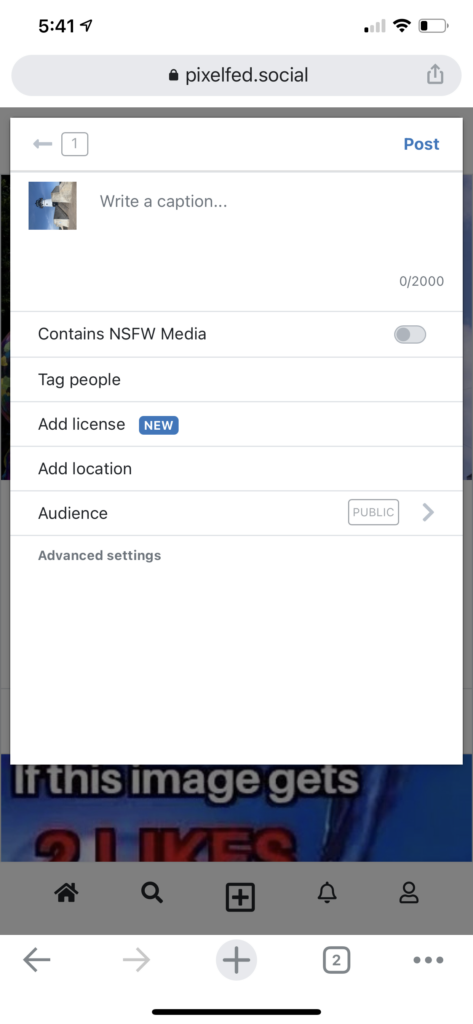
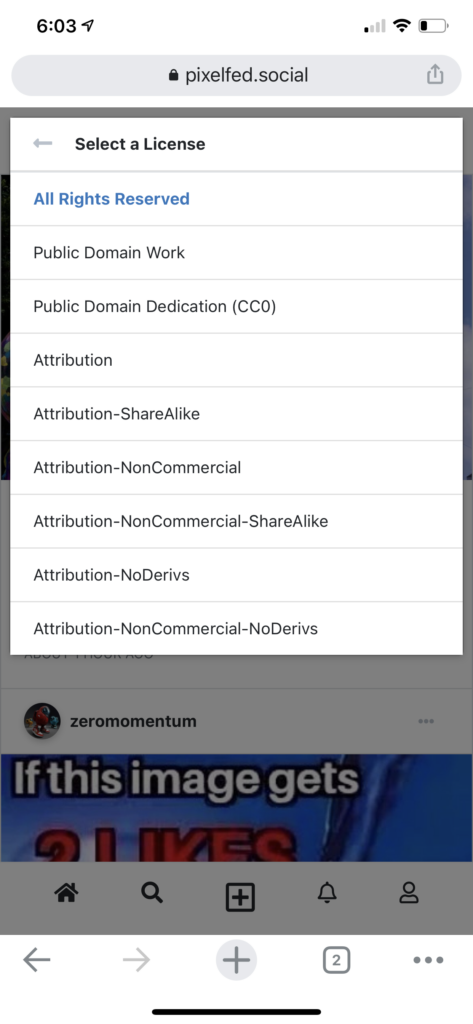
Once you have uploaded a photo, you have the opportunity to describe it, add a location, tag people AND now add a license.
The image should now be available with the CC licenses you have assigned. The designation appears below the image in the way Pixelfed displays the photo (see below).
I have been working on a revision of our textbook and every time I go through this process I consider what I think a textbook should be. As those who follow this blog would likely guess, we write a book focused on technology integration; I.e., the use of technology in support of learning. We have been working to keep our book current since it was first published in 1996. The book was originally imagined as a text for what I would describe as the undergraduate “technology for teachers course” although it has been assigned at other levels and purchased by individuals.
I have come to divide the books assigned to preserving and in-service teachers into two categories – textbooks and trade books. I am not certain what label should be attached to the second category of books, but I found a post by another author contemplating this same issue and she used trade book as the alternative category to textbooks.
I don’t have difficulty placing books into these two categories and I hesitate to list popular trade books as examples out of a concern that educators might be offended assuming I see these books in a lower category. This would not be my intention, but I do think it useful to explain how I think each book addresses a different goal. I see trade books as more opinionated, advocacy-based, and narrower. As a textbook author, I obviously have a perspective I want to pass on, but I feel a strong responsibility to communicate with accuracy the positions and research-based arguments of the advocates of what could sometimes be competing approaches. While the lack of a clear message on what to do and what not to do, I assume some looking for clear direction may end up frustrated. However, when I read the research to lack a clear consensus or to be based in different value systems, I see it as my responsibility to describe and not decide. The authors who offer trade books don’t hedge in this way.
Here is an example I am presently struggling to resolve. I have written about programming experiences in K12 classrooms since our first edition. What I find interesting is that this chapter was in the book and then not included and now included again as a result of editorial decisions reflecting priorities and the size/cost of the book. As an observer of these changes in priorities and as an individual who programmed as an important component of my “real job”, this vacillation is quite interesting. I wonder if anyone has thought of doing an analysis of multi-edition educational technology books to see if my own experience is typical. This is not the focus of this post, but I do find it intriguing.
I had no difficulty explaining programming in the early days and how it represented a great occupational opportunity. The focus has now become something different and I am struggling with the concept of “computational thinking” and how I should try to present it to others. I find the concept “squishy” and difficult to arrange among other higher-order thinking processes and skills. I understand the “think like a programmer” position, but at what level should I imagine this directive. Based in my personal experience programming, I can map some of the sub-skills advocates identify to personal practices of my own that were good or bad. It is when I try to move up my own hierarchy of thinking and reasoning practices that I have difficulty seeing computational thinking as distinct from aspects of problem-solving, problem-finding, critical thinking, and metacognition. In other words, is there something real here or is it just a new vocabulary for old concepts that is being used (perhaps in all sincerity) to push educators to devote time to short duration programming experiences across grade levels (hour of code) and the reconceptualization of experiences in a wide variety of areas without proven advantages in skill level. I want to get past the personal feeling that the examples I examine could not be adequately described as applying the scientific method, the writing process approach, problem-based learning, etc. Learning coding skills is great. It is this vague expansion of what has evolved into other areas of the curriculum as providing a perspective more useful to teachers I struggle to grasp. I keep wondering what teachers mean when they describe their interest in computational thinking.
End of rant.
For anyone interested in this topic, I will offer one example.
Arastoopour Irgens, G., Dabolkar, S., Bain, C., Woods, P., Hall, K., Swanson, H., Horn & Wilensky, U. (2020). Modeling and Measuring Students’ Computational Thinking Practices in Science. Journal of Science Education and Technology, 29(1), 137-161.
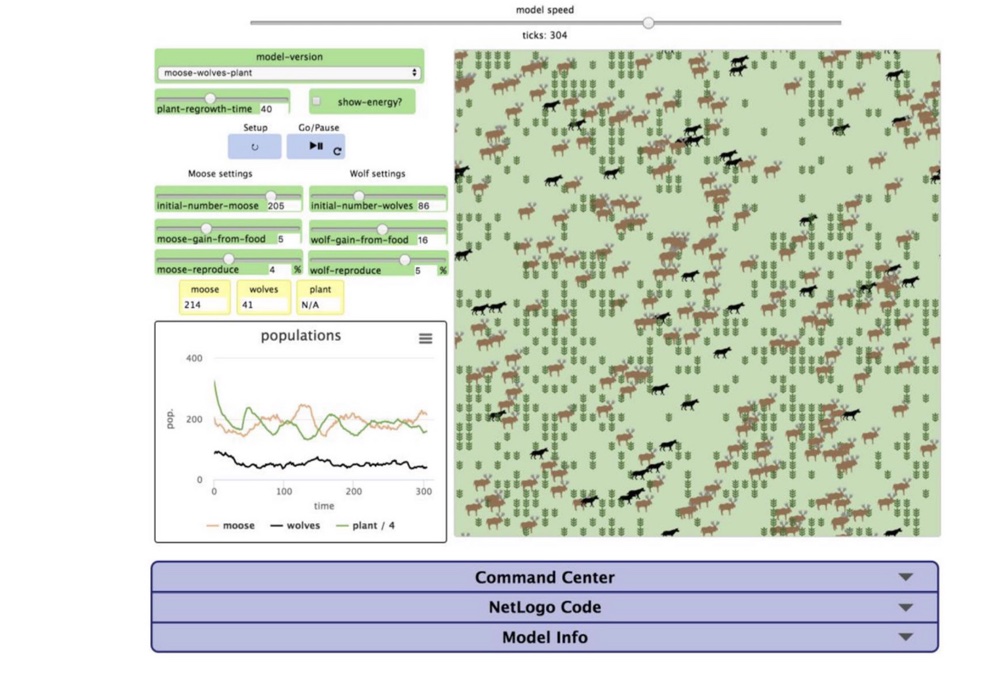
Arastoopour Irgens, et al, (2020) evaluated computational thinking within high school students studying what I would describe as the ecology of predator/prey dynamics. The study caught my attention because as an undergraduate I earned a degree as a biology major, was interested in what at the time was called ecology, and planned to be a high school biology teacher. The researchers suggest that the relationship between predator and prey (e.g.,wolves and moose) over time has traditionally been best represented through calculus (no way for me to evaluate this claim), but high school students might more productively appreciate this dynamic as the interaction between two agents each independently coded to “act” according to certain rules. So, to explain as I understand this, you can code independent agents to independently follow rules and then see what happens when the agents interact (see an example I created some years ago using an environment called AgentSheets to demonstrate the distribution generated over time by combinations of dominant and recessive genes). To be clear, in this study of the development of computational thinking the students are not coding the simulation. They are setting variables in an existing simulation and then viewing the consequences of these settings depicted in several ways (see the following image).
The cumulative action of these agents when graphed could represent the dynamic relationship and when this graphed representation matched data from the field insights gained from manipulating the coding of the agents would offer a way to develop understanding. The following image taken from the article shows the sliders used to set values for variables, a depiction of moose and wolves over time, and graphic representations of the same number of moose and wolves over time.
As the students explore this simulation to some extent guided by teacher suggestions, the research tracks observations the students make. Some students become capable of explaining relationships between different representations of the interactions of the agents and variables – changes in the frequency of predator and prey over time. One aspect of computational thinking is the representation of a phenomenon at different levels of abstraction (e.g., what a program is to do vs. the code). In response to manipulating this simulation, some students began to explain how the interaction of predator and prey were represented in multiple ways by the visual representations produced by the agents and verbal representations of the interdependencies depicted in these various ways.
So, you can describe the development of this descriptive explanatory capability as evidence of computational thinking. Has this experience with the agent-based simulation provided a different way to understand the phenomena? I think it does. However, what does this research tell us about learning and instruction? What aspects of the experience make this unique and valuable and would it be enough to just claim that the learner manipulation of simulations allows learners to develop insights not appreciated by direct instruction? Is it the opportunity to predict an outcome and then test this prediction that is the key? This happens in coding (does the program run as anticipated), but it is a consequence of experimentation more generally.
A little background on this post. I have never been a strong advocate for educational games. It is difficult for me to separate my personal from my professional reaction to these games. I am not a game player. I am that family member who will not participate in family board or card games. In analyzing my own behavior, there are some forms of competition I find enjoyable (sports) and there are other forms of experience involving competition that I just find irritating. Professionally as an educator, I find learning from games inefficient and when I want to learn something I would prefer a more direct approach.
I do try to understand the interest others find in games and often engage with advocates regarding their support (this may be my competitive side). Usually, these folks agree with my position on learning efficiency, but have some other reason they think games are useful. Perhaps in response to a request for examples of games they would recommend, some resources from iCivics were provided. I have been exploring some of the iCivics resources which include games among what the organization provides. My experience has not changed my mind about efficiency, but I do see the content within the games. The example I suggest here – Argument Wars – happens to hit two topics that interest me professionally (classroom games and argumentation skills) and represents a combination of what I would describe as a simulation and a game. Argument Wars would make a good case for the educators I work with to analyze as either a game or a simulation.
You can explore many of the iCivics resources at no cost. I would encourage you to play this game (simulation) yourself as a way to experience such activities and see what you think. The game (web-based or available as an app) will guide you through the experience and you can play against the machine or with an opponent. This would probably not be what I would recommend for classroom use, but it is a reasonable way to experience the activity.
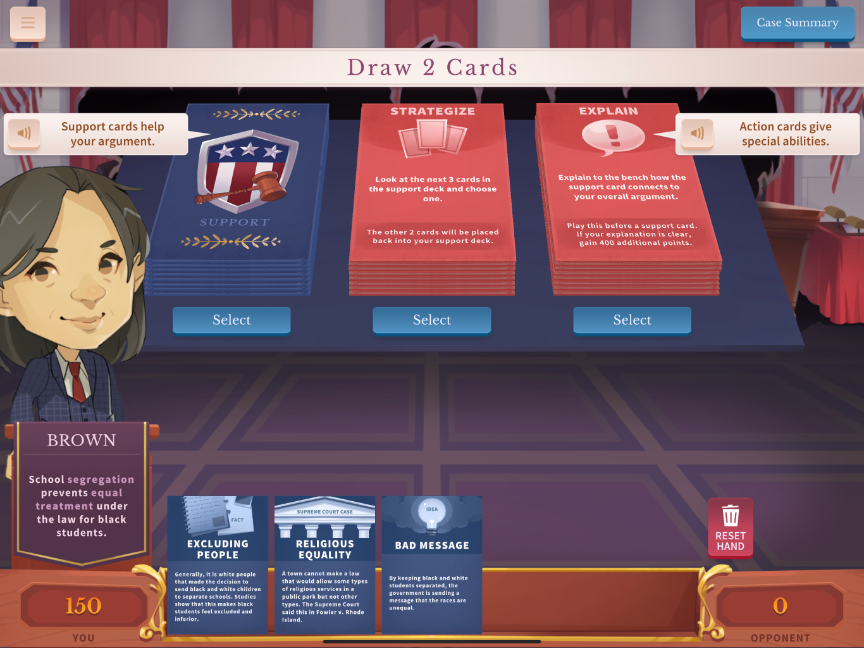
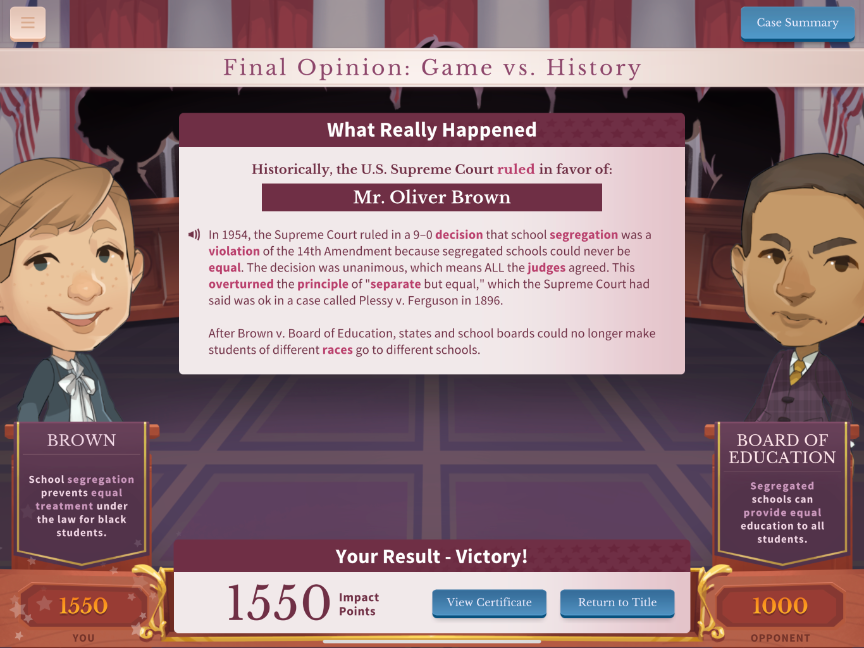
Here are few images to give you the flavor of the game. As I have already explained, the game will guide you so you give it a try without having to read a tutorial.
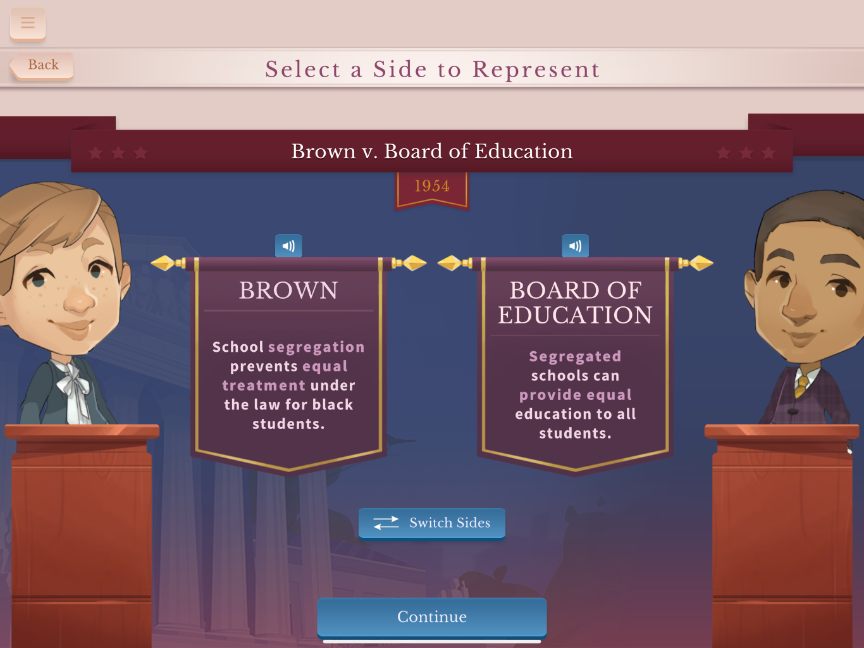
Argument wars examines key cases considered by the Supreme Court. Most educators are probably familiar with Brown v. Board of Education so selecting this game would be an interesting way to familiarize yourself with the activity. In the image below, you will see some of the embedded content explaining the case.
Again, you can argue either side of the case and for those interested in the process of argumentation it probably makes sense to try arguing both positions. You select an avatar and in the following image you are asked to select the side you want to take.
This image shows the basis for the game play. You are dealt three argument cards. You then fill out your hand by selecting two more cards – more arguments, strategies, or actions. You make an argument, attempt to refute a position taken by your opponent, remove a weak argument if you are down to only one and know you need a more substantial position, and more. The actions you can take are based on the action cards you have available so you must do the best you can with the arguments and the actions you have available. You earn points based on how the court judges the strength of your decisions. There are four rounds to the competition.
After four rounds, a winner is declared. The game/simulation then explains the outcome of the actual trial.
iCivics was founded by Judge Sandra Day O’Connor in 2009 based on her concern that citizens lacked sufficient understanding of how democracy works. iCivics offers various games among other resources devoted to this goal. [ description from Digital History]
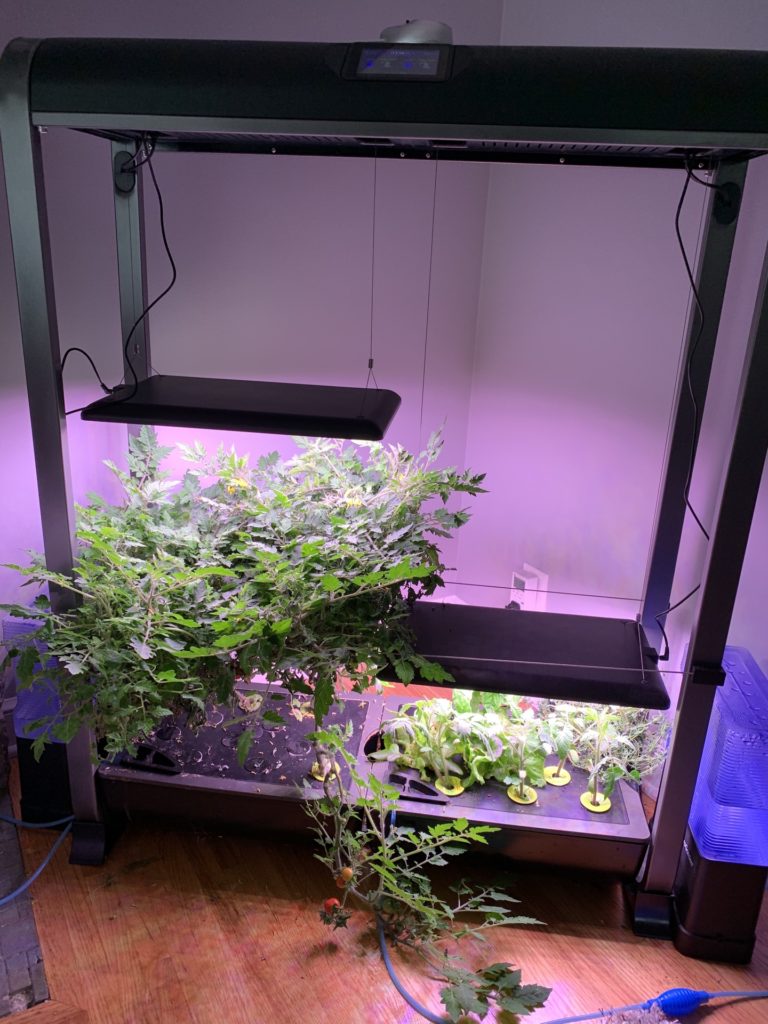
Like lots of other folks, I found new ways to occupy my time during the pandemic. One of the more unique things I tried was hydroponic gardening. This is not my first post on this activity, but I am declaring today the end of my initial experiment. Today marks 183 days since I first planted the garden.
The tomatoes (left) have been growing this entire time. I am on my third crop of lettuce and I started some new tomatoes (right) to replace those on the left. Indeterminate tomatoes just keep on growing, but I wanted to try a different variety that would bear fruit before my outside plants start to reach maturity.
The tomatoes I produce are cherry tomatoes and I wanted to try something a little larger. The issue inside is supporting the plants as they mature. The plants I have now have matted down into this thick layer and finding the ripe fruit can be a challenge. More pruning and rigging some type of trellis system would have made sense. I kept a spreadsheet to record my harvest – 309 to this point. I will take the original plants out this weekend and replace them with four new plants I have started.
I have had a long-term interest in school gardens and this most recent exploration was partly an effort to evaluate hydroponics as an option. One of the problems with outside school gardens in this area is most of the work and the reward in produce comes over the summer. Hydroponics would offer a version with unique learning opportunities and suited to an option for the winter months. We had intended to purchase a couple of comparable gardens to donate to local schools, but the pandemic pretty much meant the students would not be present to experience the process. Maybe next year.
Hydroponics (the approach I take) and aquaponics (a setting using waste from aquaculture to provide nutrients) are well established as science projects for classrooms. Online searches should generate plenty of background material. I encountered this detailed explanation of aquaponics that prompted another post focused on my own project. Search on the tag “garden” at the end of this post to find earlier content on this topic.
I have been exploring common interests for the last six months or so with Elliot Solloway from the University of Michigan’s Digital Curricula Project and I thought it about time I offer a post to describe what they are working on.
The Center has created both tools and curricula for the K12 environment and I am certain they would welcome your interest. I will include a recent pdf they have generated to explain the resources they offer.
I first became interested in a specific tool the Center had created. This tool was developed as a simplified writing tool I thought was perfect for a strategy for digital argumentation I have written about previously.
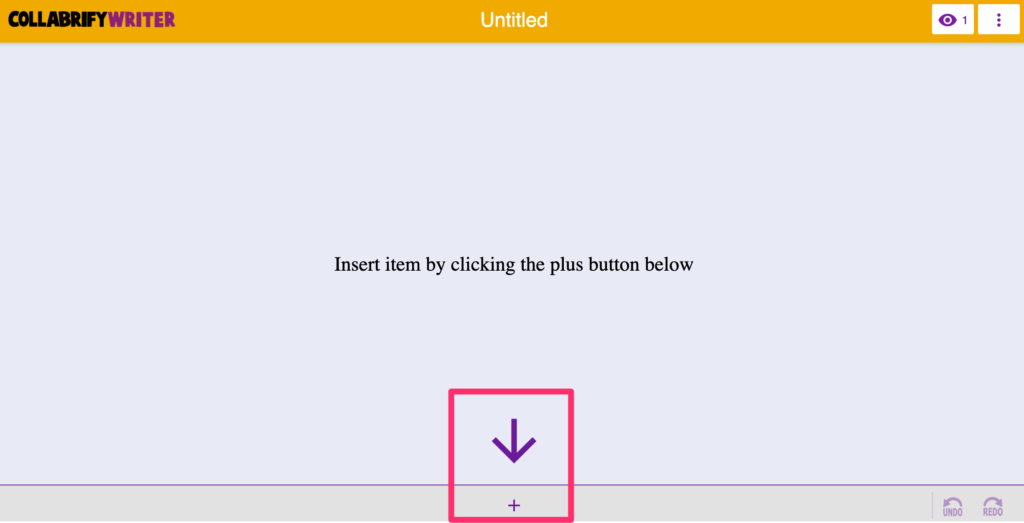
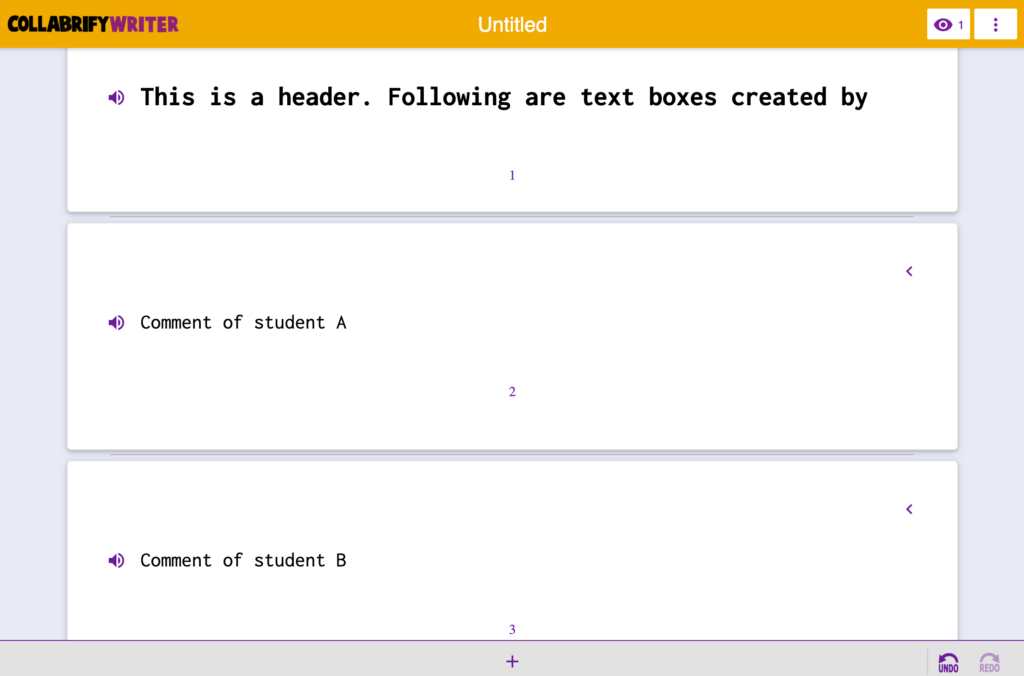
This writing tool is based on a “block” approach I now see in several different authoring environments (e.g., this WordPress blog platform). In a block approach, you add blocks that serve a specific function and build something more complex from these blocks.
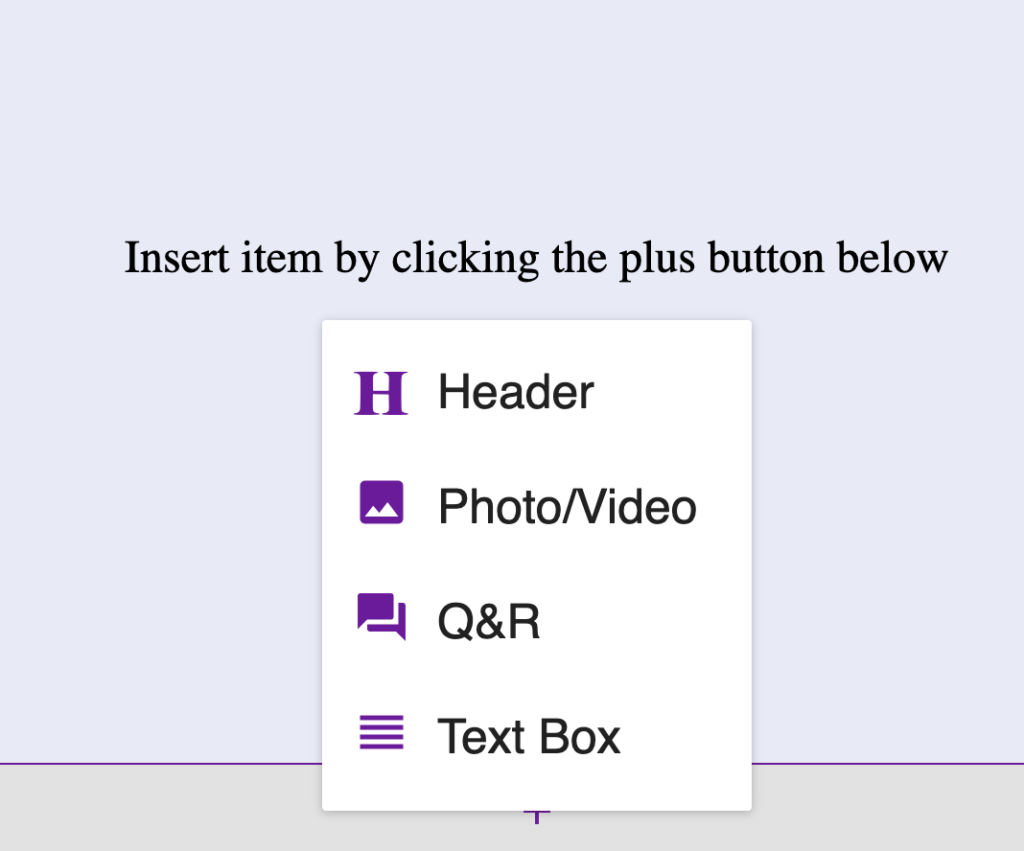
In the Collabrify Writer, you add one of a simple set of blocks (second image), add content to a block, and then combine blocks if the combination of blocks would produce a more desirable product. The application of this approach to argumentation (based on a texting strategy developed by Kuhn) would involve teams (usually two-person debate teams) connecting to the same Writer page and then taking turns to enter the elements of their argument as alternating blocks.
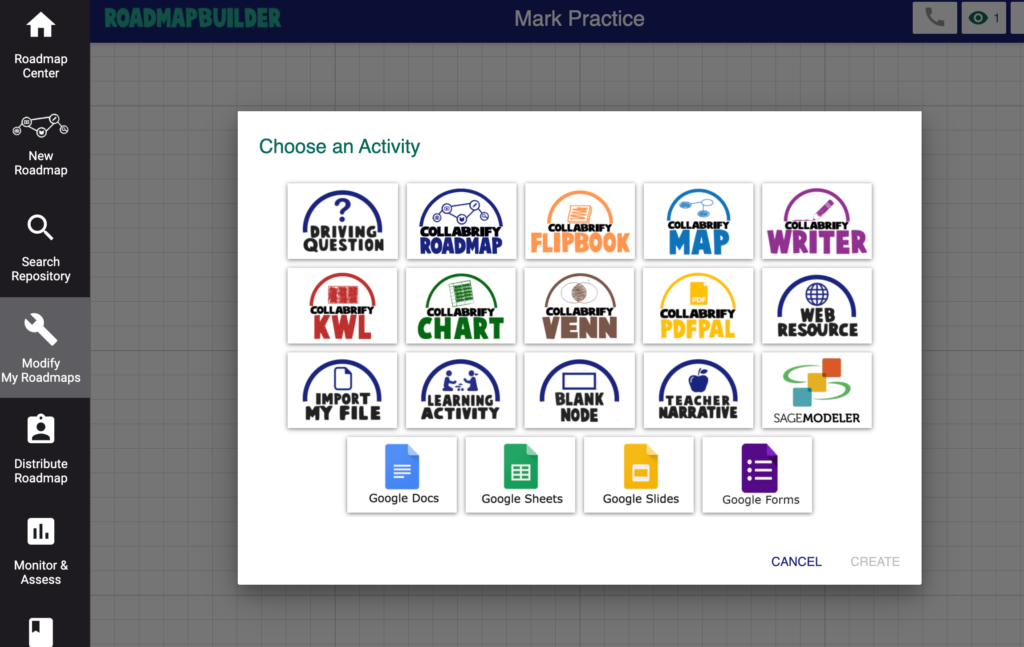
The Michigan Center has created multiple tools serving the functions of popular productivity suites (Google, MicroSoft 365), but is focused on how educators can tie content the application of these tools together in instructional activities they describe as RoadMaps. The teacher creates a sequence of instructions, content, and activities presented to students as one of these Maps.
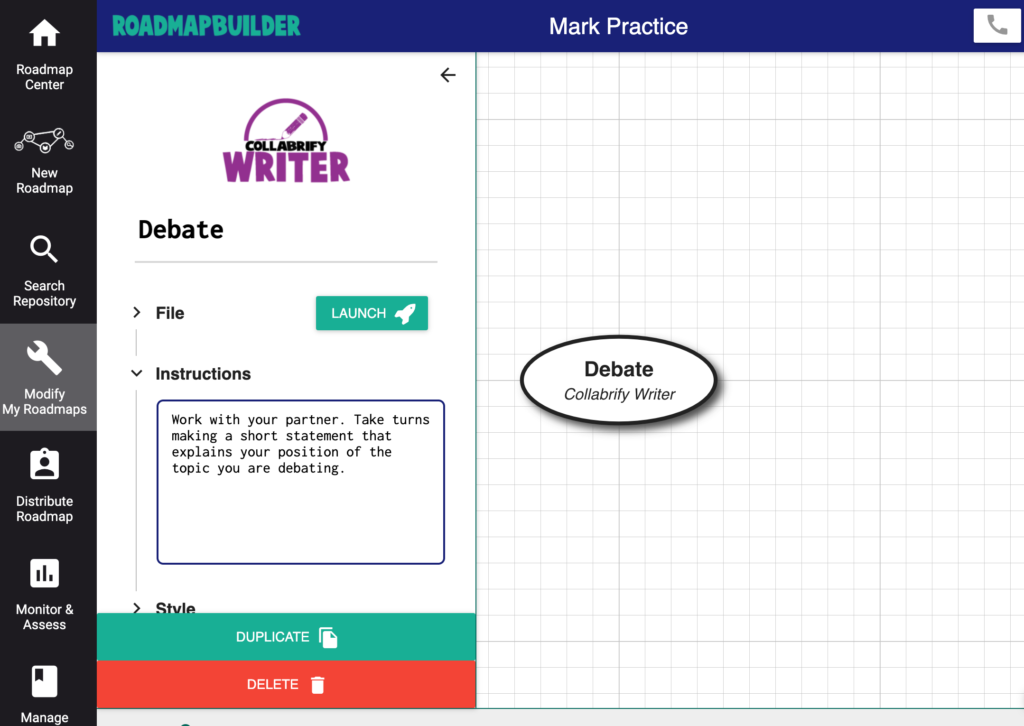
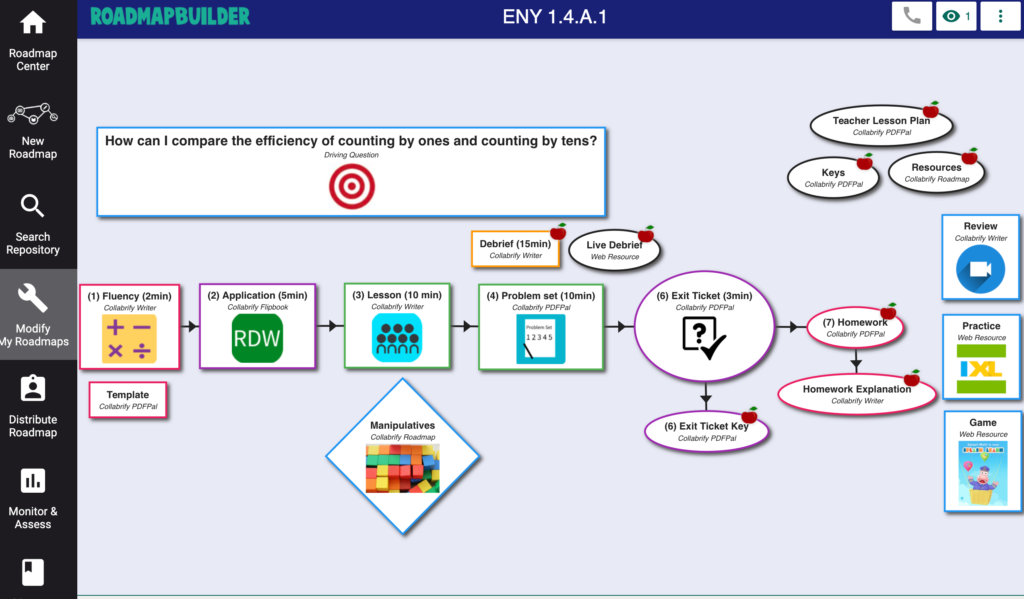
The following images show the full complement of tools, my simple map to launch the Collabrify Writer task, and a more typical map.
The Center has been working with K12 teachers to create curricula based on this online environment and is not ready to offer these tools and the curricula content to other schools. The following pdf explains their program.
The concept of collaborative writing as a method both for developing writing skills and for accomplishing professional writing tasks is not new (e.g., see citations below). Those advocated for this approach suggest both strategies for composition and for working collaboratively to accomplish a common task. The approach ends up resembling a combination of the writing process approach and some of the skills we describe in our description of cooperative learning (Projects for learning: Authoring and tutoring to learn). For example, suggestions from the Writing Center at the University of Wisconsin suggest the writing process be conceptualized as the stages of planning, drafting, and editing and the Center offers ideas for how individual and small teams might function to accomplish each stage. An individual approach to the editing stage is described as person A writes a section, the team meets to offer suggestions for improvements, and person B uses these suggestions to improve the draft. The same source suggests multiple interpersonal strategies for working collaboratively. For example, arguments are suggested to be useful because they bring strong beliefs into the open. When you believe strongly about a point, offer it respectfully and encourage others to share in a similar manner.
I have become interested in the role of collaboration in professional writing after discussions with our friend Stanley Trollip who writes crime novels set in southern Africa with a partner (see Michael Stanley). The way they have organized their collaboration improves the quality of their writing, but also the creativity they generate by the way they work together.
Like several educational strategies that have been developed and not really caught on, collaborative writing seems much more practical when reconsidered as based in an online writing environment. Online writing tools allow simultaneous construction or storage for asynchronous comment and editing.
Lunsford, A. A., & Ede, L. S. (2012). Writing together: Collaboration in theory and practice, a critical sourcebook. Bedford/St. Martins.
Dale, H. (1996). The influence of coauthoring on the writing process. Journal of Teaching Writing, 15(1), 65-80. (work with 9th graders)
Listening to podcasts has grown in popularity and there are podcasts for every taste. To subscribe to a podcast most of us use a “pod catcher”, this is software that allows users to subscribe to the RSS for a podcast and keeps a designated number of episodes until we can get to them.
This post describes an app that I don’t use on a regular basis, but I discovered it has one advantage over other pod listening apps. Because it is provided by Google, it takes advantage of Google search to locate podcasts you might miss on your own. You can search for the name of a podcast or you can search by topic and see what you can find.
The Google podcast service can be used from a desktop computer or from an app. The following description is based on the use of the iOS app.
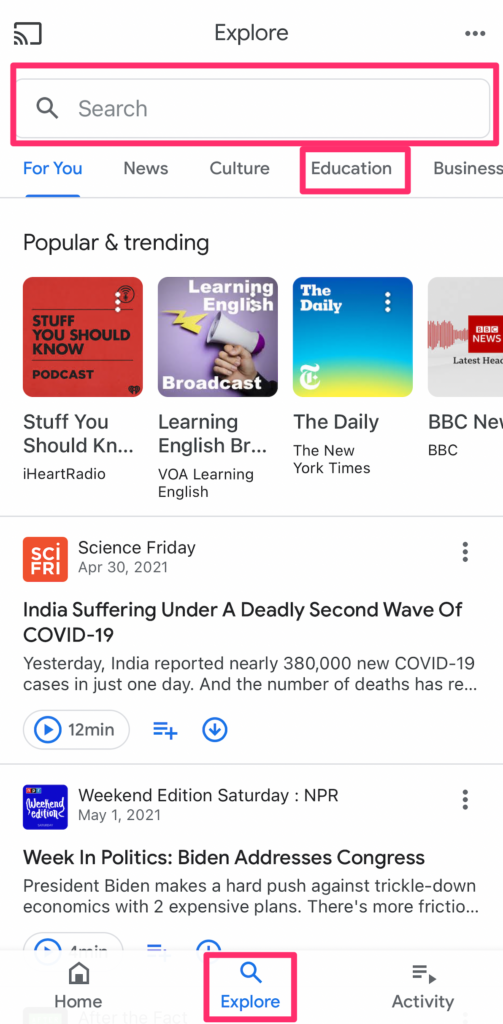
You populate your app with the feeds from the podcasts you want to follow. The Google app offers multiple ways to do this. The explore option (bottom of image) provides multiple opportunities – a search box, popular categories, and popular podcasts and episodes.
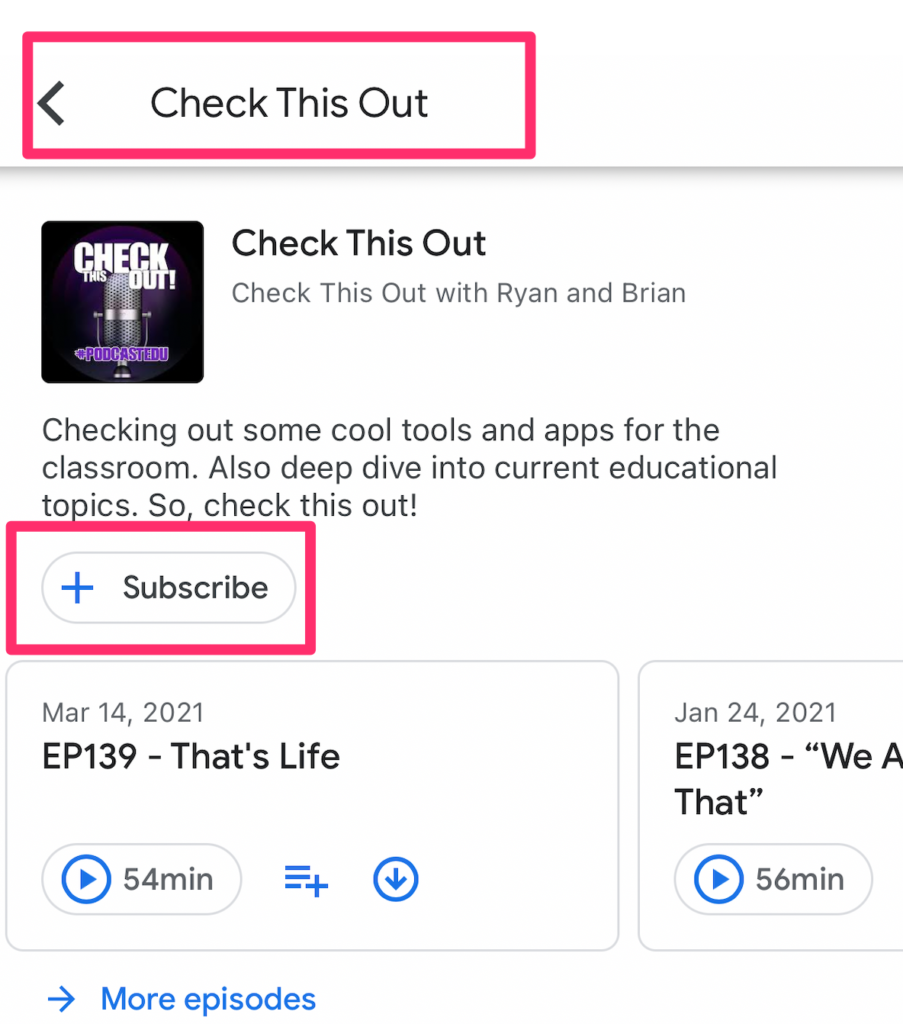
However you want to follow, you go through the same sequence to subscribe and then play. In the following image, I have used the search box to find a podcast called “Check this out.” The Google app has located this podcast and I then use the subscribe button.
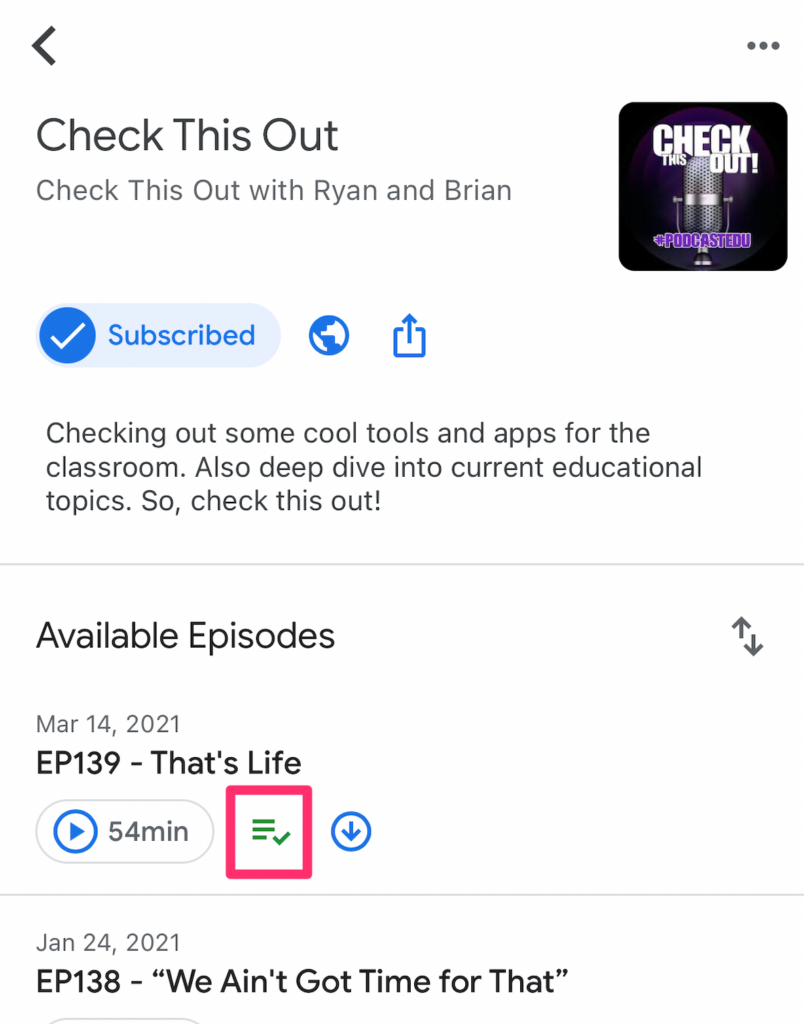
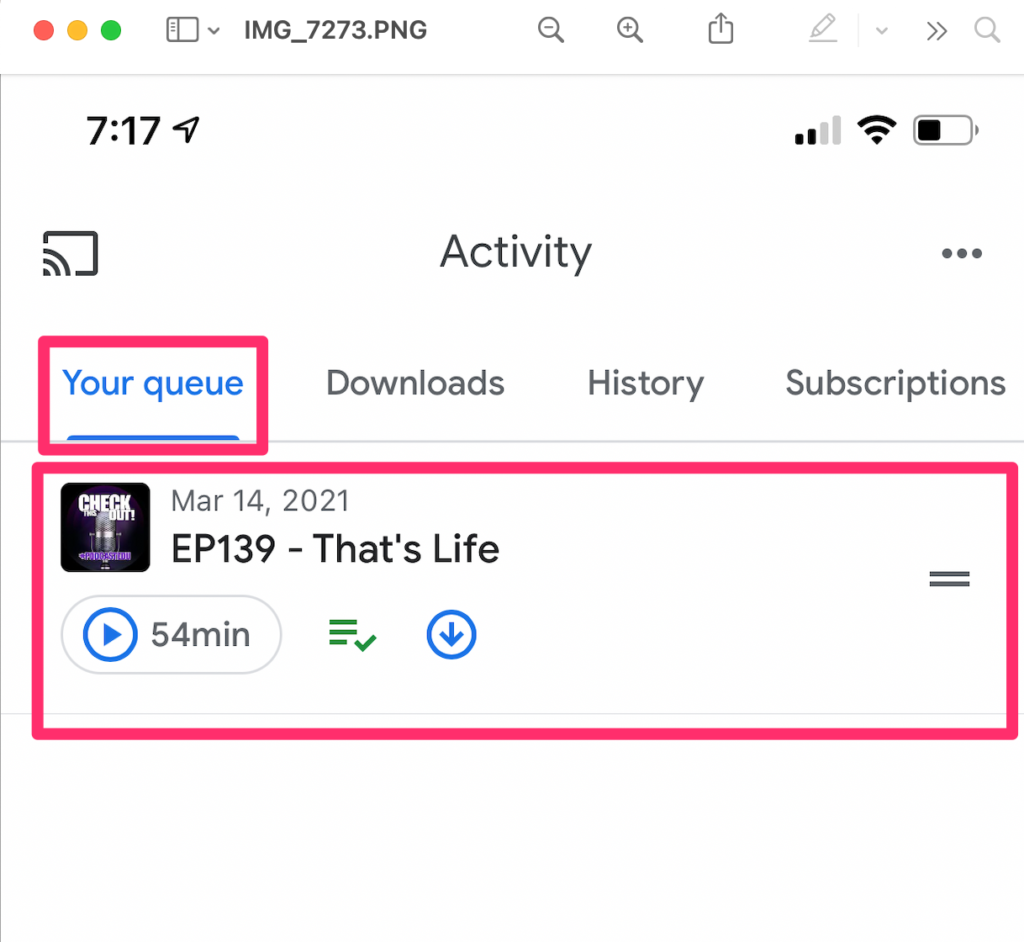
Once subscribed, episodes begin to appear. I can either play a specific episode or add an episode to my cue.
The capability of the Google pod listening app I find most powerful is the opportunity to search for phrases I generate rather than relying on the system provided by the app. In this case, I searched for the phrase “educational technology” and located several podcasts I could explore.







You must be logged in to post a comment.