Personalize lessons in Google forms

I have been exploring approaches that might be used by teachers and students to individualize student progress through a sequence of learning experiences. I am interested in approaches that might allow a mastery model; i.e., students move ahead at the rate they are able to demonstrate mastery of instructional goals. Recently, I have been exploring a model called the Modern Classroom Project and I have been thinking about some of the practical requirements for implementing this model.

Approaches that individualize student progress need a way to communicate the sequence of tasks to individual students and to locate competency checks within this sequence of tasks. If I were going to do this, I would probably create a document (probably Google docs) that linked to a series of web pages to present content and layer these content pages using InsertLearning. InsertLearning would allow me to add prompts, questions, and discussion items to the content pages (which would consist of text, images, and video). I could use the questions to encourage processing of the content and also as a competency check at the end of each content page. The nice thing about InsertLearning for this type of approach is that it collects student responses to questions and I would use these responses to evaluate understanding of the content presented within a page. These responses would enable me to provide feedback to students telling them if they can move on to the next unit and to identify students I might want to spend time with to help them sort out difficulties they seem to be having.

InsertLearning is not a free service ($8 per class per month or $40 a year) so how else might a similar goal of sequencing learning be accomplished. Many educators have probably heard of hyperdocs. The term hyperdoc was coined to refer to creative use of Google tools (docs, forms, sheets, and slides) to create content delivery, learning experience, and evaluation tasks by teachers for their students. Often, this would be done in place of traditional curriculum materials which I would describe as placing classroom educators into the role of an instructional designer. One of the challenges I see in this approach is creating a simple way to allow multiple students through the sequence of an instructional unit at different speeds. My guess is that the authors of the Hyperdoc Handbook would do this through a combination of Google docs and Google forms. You can do a lot with docs because you can both present content (text, images, video) and require responses within the same shared document. The problem for me if relying on docs would be individualization. You would possibly have to create a unique copy of each doc for each student if you wanted to evaluate performance on tasks with the material to be examined added within the doc. 

What follows is my attempt to use Google forms as an alternative. Forms are crude in comparison to docs, but forms have the advantage of writing the response to embedded questions to a spreadsheet. The collection of data is the primary function of a form. The link for the same form can be sent to many different individuals and inputs to questions in the form are stored separately in a spreadsheet. I think of trying to use forms for the task I am interested in as trading data collection for the sophistication of content presentation. I have come up with a few ideas in the use of forms others may find useful.

Here is a summary of the issues and my ideas. You can present text, images, video, and questions in forms, but to combine them you have to be creative. The biggest challenge is to combine text with anything else. I use WordPress as my blog platform (this blog) and WordPress now uses what are called blocks. There are blocks for lists, text, images, embeds, quotations, video, etc. and you create posts by adding blocks and then adding content to each block. Forms works in a similar way, but allows far less flexibility in how blocks can be combined.

With forms, it helps to think in terms of sections. There is the title section and sections that follow. Below each section heading, there is an opportunity to add text. You can add as much text as you want, but this is the only place within a section that text can be added. You can add multiple images, videos, and questions below this body of text. The questions are of many types, short answer, paragraph, multiple choice, etc. The responses to these questions are written to a spreadsheet that will appear in the same Google drive account that stores the form.

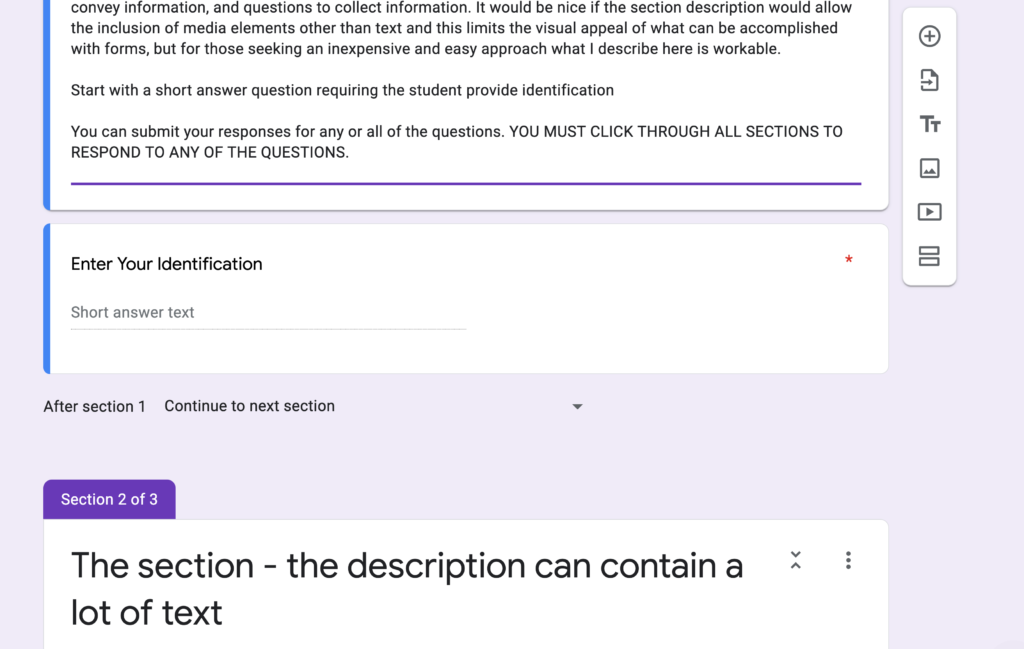
Here are a few images to give you an idea of what this looks like. The following image shows two sections – the title section and a second section. You can see text that has been inserted under the title. Again, this is the only place text can be added to this section. Below, the text you can see a question. You will need to associate an identification (name) with each response from students. So, the form I created begins with the request for a name. Questions either require a response or not. I want students to be able to complete parts of this unit (consisting of multiple sections) in stages and I want to record any input generated during that visit to the site. I require a response to the name question, but not to any questions that follow. A student can then respond to questions associated with other sections or not and I will also store these responses associated with the name or other form of identification. The student must move through all sections for the form to send any data added to the spreadsheet. This is not ideal and I am sure some students will forget to do this and no work they have completed will be recorded. There is no way to change this in a form with multiple sections. The image below shows the beginning of a second section with again allows a heading (title) and then the one opportunity to add text.
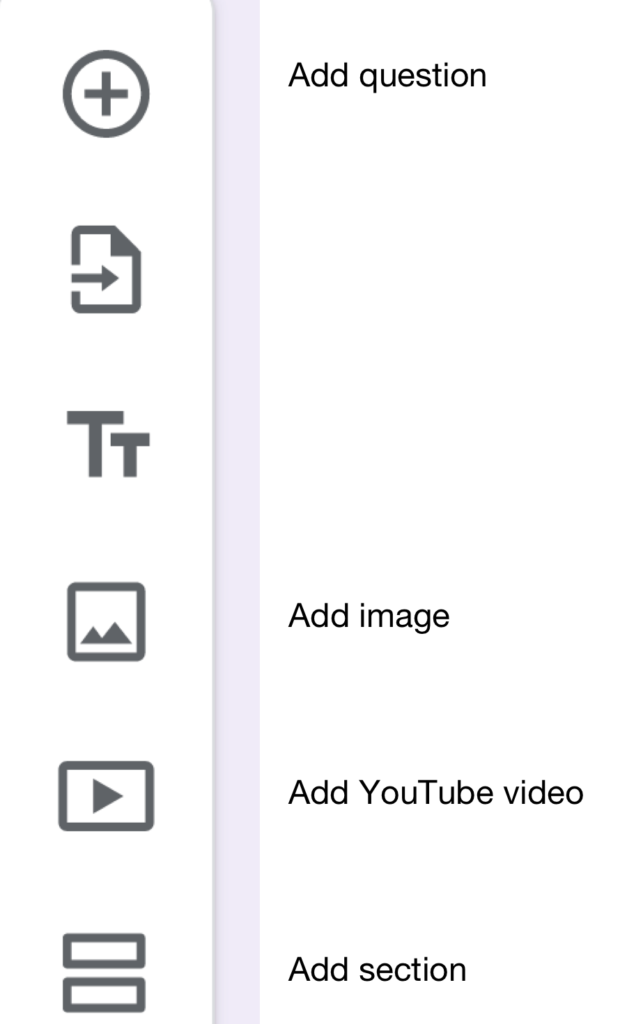
The following image shows the form tools. The tools have been labeled. There are options associated with the different tools (e.g., for questions – what type of question and will a response be required).
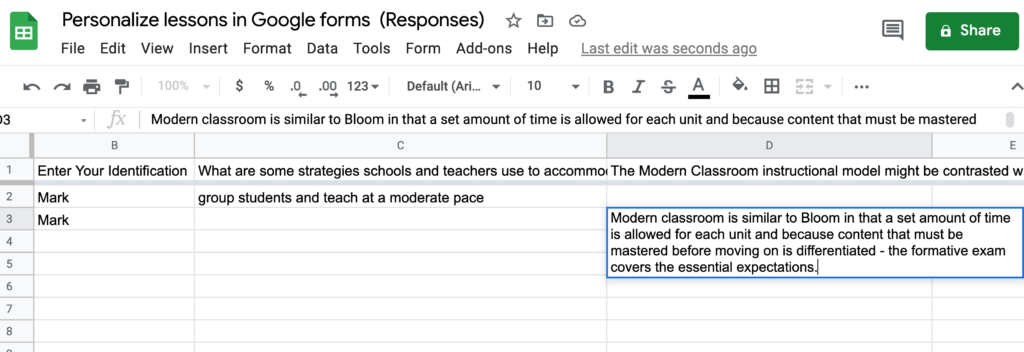
The following image shows what the spreadsheet with responses looks like. Long responses distort the shape of the spreadsheet, but clicking within a cell makes the content submitted far easier to read.
If you are interested in examining the demo form I created for this tutorial, you can view it using this link.

Loading

FCC Speed Test

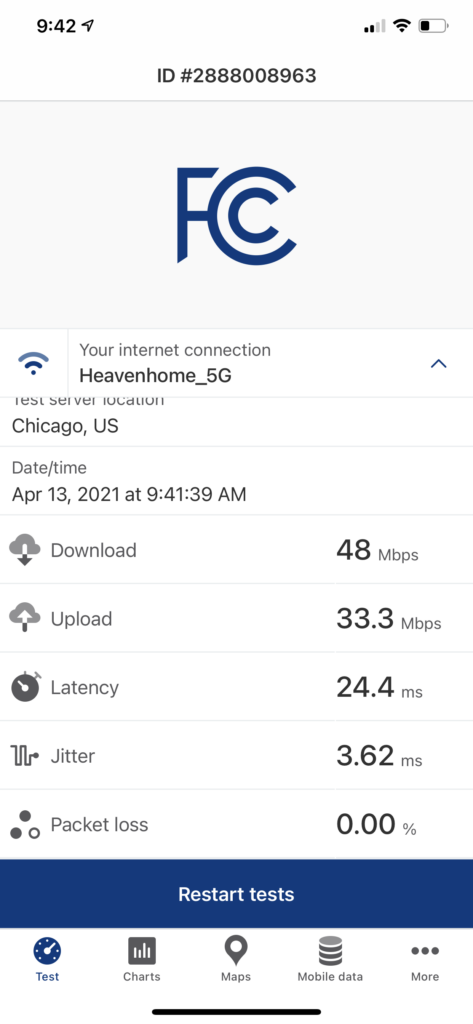
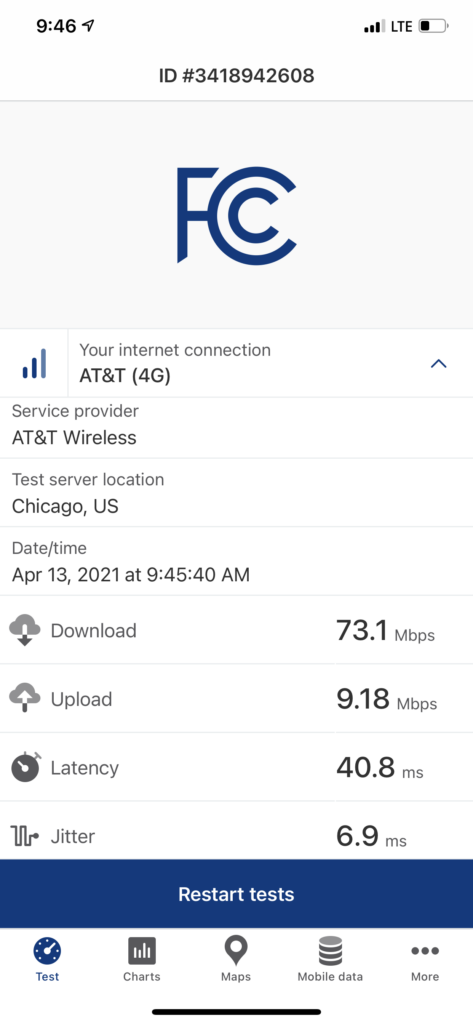
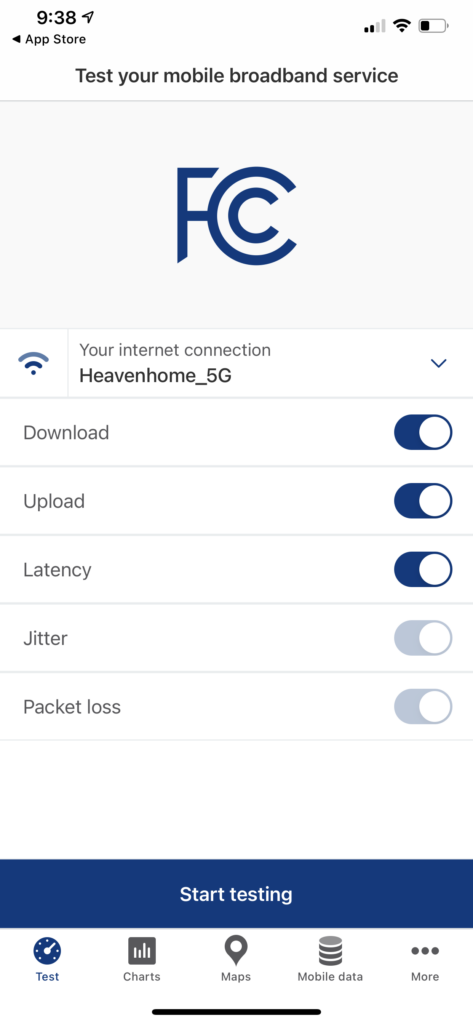
The FCC is offering an app for iOS and android to allow citizens to collect broadband access data for personal information and to support the government organization’s effort to better understand access issues (Verge article). Some screen captures follow. It was unclear to me when the term mobile broadband is used whether I am supposed to test the speed I get through my cable provider or through my phone company. Since the app recognizes both, I decided the FCC can sort out the data they want.

For the education community, I would think it would be very useful for these data to be differentiated by households with K12 students.

Loading

Blog searches

This blog has existed since 2002 which makes it about as old as a blog can be. The same goes for me. In this time, I have generated nearly 2000 posts. The oldest posts probably have little value for others unless you are interested in the history of educational technology. As I wrote about what interested me at the time, I was also documenting changes in what has become an important field within educational thinking and practice.

Most folks use blogs by reading content as it appears not making the effort to look at preceding posts unless the author purposeful links to this older content. Blogs provide several ways to explore the entire body generated by a blog author. I will explain the ways that come to mind as made available within this blog, but most of these options exist for other blogs as well.

If you look along the left-hand sidebar of this blog (unless you are reading this on a phone, then you will likely find an icon – three lines – that provide access to the sidebars and main window), you should find most all but one of these options.

First, most bloggers will display a link to the archive for their work. This should allow a user to identify the content published by year and month.

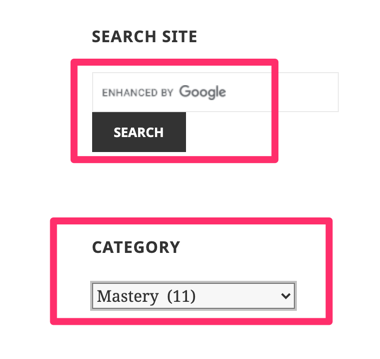
The other two opportunities that appear in the sidebar include search and categories. A blog author may or may not add these opportunities to his/her blog. Both options are identified below.

I use a Google search service that returns hits for a search term specific to my blog and also allows more general search for the same term

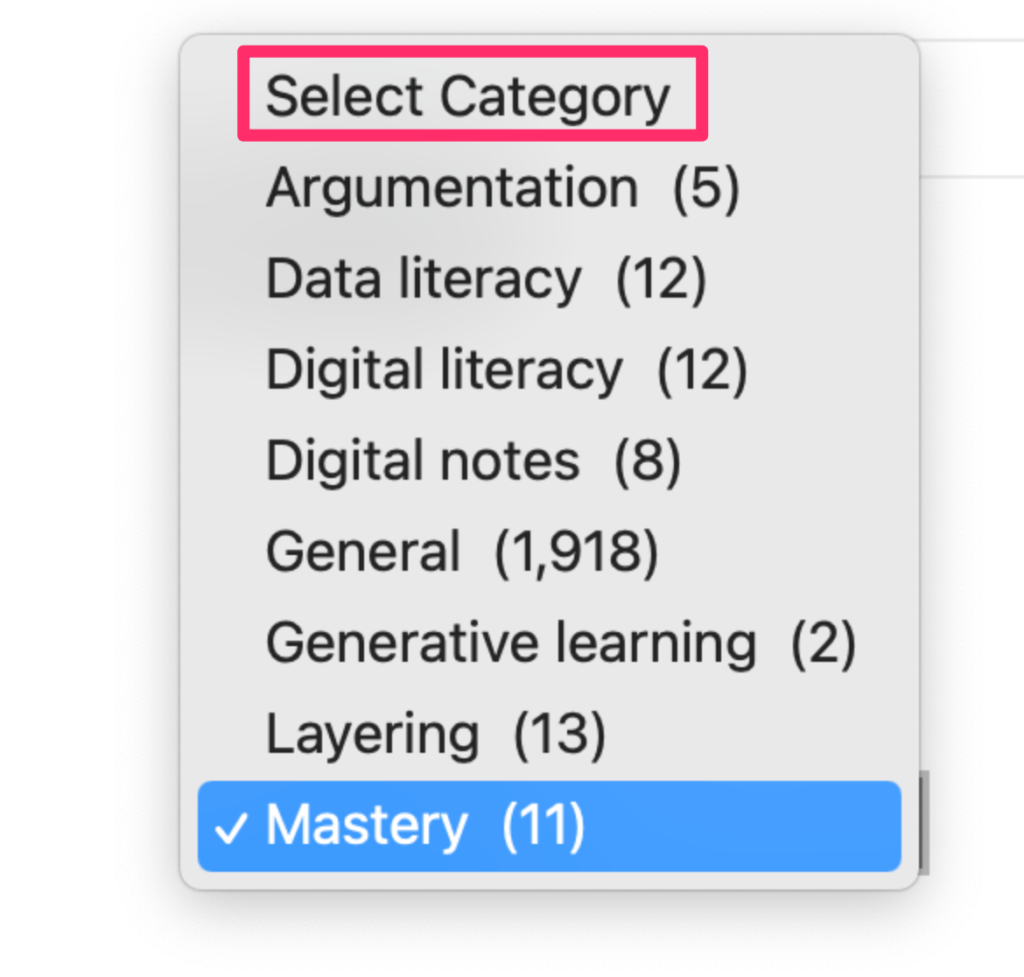
The second approach identifies categories the author has identified as areas of emphasis in posts. I started using this system recently and have applied the category labels to the posts generated for the past 3-4 years.

Selecting a category will provide access to all posts associated with that category and will provide the blog author’s explanation of what that category represents.

Finally, an author may “tag” individual posts. These tags appear at the bottom of posts. Clicking on a tag will general past posts that have been tagged with the selected tag. The success of this technique in locating related content depends on how systematically the author has added tags to identify topics.

I encourage your use of these search options in this blog and in others you visit. When you find a post that interests you, see what else the author has to say about the topic.

Loading

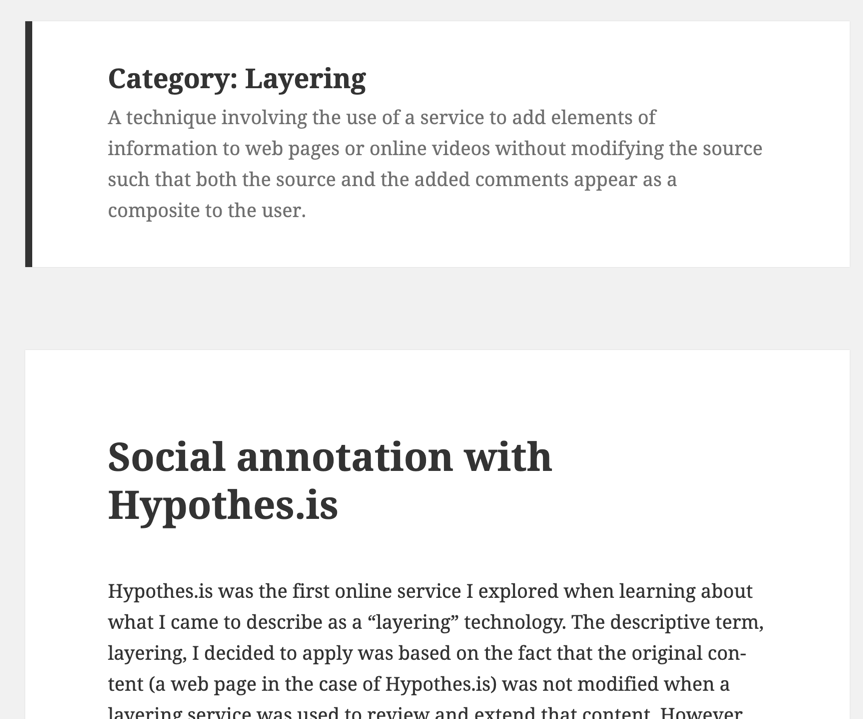
Social annotation with Hypothes.is

Hypothes.is was the first online service I explored when learning about what I came to describe as a “layering” technology. The descriptive term, layering, I decided to apply was based on the fact that the original content (a web page in the case of Hypothes.is) was not modified when a layering service was used to review and extend that content. However, the composite as experienced by the student is a combination of the content created by the author and the additions contributed by others (e.g., students, teacher). My interest in the benefits of generating and continuing to use these contextualized contributions. By contextualized, I mean that the original and added content is related in space unlike say notes taken in a notebook while viewing the same web content. 

Educators and researchers interested in the application of Hypothes.is offer various suggestions for those considering use of the service. Some of these efforts have resulted in a series of videos. The one I am focused on here considers social annotation. Most of us have long annotated as a personal study tool. We highlight and if we read digital content such as ebooks from Amazon we annotate as part of studying or preparing to use notes for writing. In contrast, social annotation involves sharing annotations with other students and possibly with a teacher. The author of the video talks about “making thinking visible” which I like. More traditionally, I would describe the likely benefits of social annotation as generative processing. 

The layering options in Hypothes.is include highlighting and note-taking. In a social situation, these additions can be used in many different ways. An educator can highlight for emphasis, add comments to extend the information provided by the original author, and ask questions. Students can answer such questions, ask questions of peers or the teacher, and make personal observations. The annotated material can make thinking visible as a source of modeling or as a type of “show your work” others can use to evaluate your understanding.

Look for these ideas and suggestions for application in this video.

Here is a video I created some time ago to describe the basics of using hypothes.is.

Loading

My Maps

My Maps is a Google service allowing users to add personal layers to Google maps. Google Map Maker was a popular and easy to use service educators and students used to create personalized maps, but Google discontinued Map Maker. My maps is a reasonable substitute.

I have offered a description of My Maps elsewhere. The purpose here is to include a short video that makes clear the technique of using the GPS data stored with a photo to locate an image on a Google map.

Loading

North Dakota will facilitate K12 mastery learning opportunities

My past couple of posts have returned to a topic I have addressed several times over the years – technology can made practical the benefits of personalized mastery learning. To conclude this focus and offer an example to justify my claim of practicality, I want to bring attention to legislation recently passed in the state of North Dakota. I spent a good part of my working life as an academic in North Dakota. I don’t regard North Dakota as a progressive state for educational innovation, but perhaps that is my point. Innovation can be a function of the efforts of individual innovators as administrators or educators with administrative support and such individuals can be quite influential. 

North Dakota just passed legislation makes it easier for districts wanting to institute personalized approaches to pace and the demonstration of competence in meeting graduation requirements. In addition, the state will facilitate the development of a learning continuum as a resource for those schools wanting to offer students an alternative to the more traditional time-based definitions of courses and progress.

Shall facilitate the development and implementation of a North Dakota learning continuum in collaboration with the department of career and technical education, upon the recommendation of the kindergarten through grade twelve education coordination council.

Here are a couple of resources explaining the intent of the legislation.

Statement from the Office of the Governor.

Wording of registrations

My point in this post is to offer the suggestion that the concepts and procedures identified in the two previous posts about standards for hybrid learning and plans for personalization instruction through what I refer to as mastery methods are being implemented in locations and this activity may not be familiar to many educators. 

Loading

Mastery Updated

Mastery learning is described in some detail in previous posts over the years. Here are a couple of important topics for this post. First students vary significantly in what might be called “learning rate”. The word “aptitude” would be my personal preference, but this term is less descriptive. While the origins of differences in learning rate are perhaps disputed (e.g., is it what was traditionally called intelligence), I don’t think any practitioner would dispute that students acquire knowledge and skills at different speeds. An important issue is whether the instruction that students receive accommodates these differences. If instruction moves on to new material before a student has learned the present focus of instruction, students at best would have a knowledge or skill gap and at worse would be missing the background to learn something new that is based on or assumes other learning has been accomplished. Over time, these gaps accumulate, increasing the variability of learning rate. The frustration students experience in dealing with demands they are ill-prepared to master only magnifies the problem.

There have been attempts to deal with the variability in the rate of learning through practices such as ability grouping (tracking) and tutoring. Ability grouping comes with multiple difficulties such as labeling and equity issues and tutoring while very successful is prohibitively expensive. 

Mastery instructional techniques have been investigated for years. My personal study of this topic begins with publications in 1968 – Bloom’s group based mastery and Keller’s personalized system of instruction (PSI). I provide greater detail on these approaches elsewhere. Interest in such approaches seemed to wane likely because of practical issues and because the systems required alterations in traditional educational practices rather than because of lack of effectiveness. The potential of technology for taking on some of the components of mastery instruction increasing efficiencies and changing attitudes of educational practice may encourage reconsideration of mastery approaches possibly with different terminology and different variations on the components of a mastery approach.

I consider the components of PSI and Bloom’s group-based mastery strategies to be – a) clearly stated and integrated objectives/goals, b) small units of instruction, c) mastery before progress, d) multiple, nonpunitive assessments, and e) remediation keyed to individual needs. When I work with graduate students on this topic, I typically ask them to explain how these components appear in PSI and Bloom’s group based mastery, but also in new instructional approaches that mention a commitment to typical mastery goals.

Briefly, here are a couple of examples of more recent instructional approaches with mastery characteristics. The Kahn Academy is a recent example of a technology-enabled approach that Kahn began to label as mastery (e.g., see One World Schoolhouse). My focus is not on the Kahn Academy here, but it seems to me to be similar to PSI when implemented as a full-blown system (using the short videos, competence checks, and hierarchical linking of learning units). 

A second example I want to highlight is called the Modern Classroom Project. The modern classroom model is based on three components – blended instruction, self-paced learning, and mastery evaluation. Blended instruction proposes that educators replace face-to-face lectures to a group with short videos – think flipping the classroom. The idea is lecture involves limited interaction so why waste valuable face-to-face instructional time when videos can be viewed whenever a learner wants. Keller had the same idea in 1968 which he captured in the title of his paper – Goodbye teacher …  The title might be misinterpreted if the paper is not actually read. What Keller noted was that lecturing to a group was not productive when students could read (back in the day when reading the textbook was assumed preparation for class). Reading could be completed whenever and to give Keller credit for an important insight reading was under the control of the learner – content could be reread if necessary and at the pace required by the learner. 

Self-paced learning in the Modern Classroom to me is similar to Bloom’s group-based method of instruction. Bloom did not employ a pure mastery system absolutely requiring mastery before progress, but divided content into units often of two weeks. At a point during this time, students completed a formative assessment (you may have heard this term – this is where it comes from) on essential content. Those who passed this check were often moved on to self-guided supplemental activities while the teacher worked on the most essential skills with those not meeting the expectations of the assessment. A summative unit concluded the unit and all moved on. The Modern Classroom includes content identified as must do, should do, aspire to do. Students have great flexibility when they attempt to demonstrate competence of the related skills with the instructor keeping an eye on things and working with the students most needing assistance. 

Mastery assessment is pretty much what it sounds like. Performing at the expected level of the knowledge/skill checks. While this is the only use of the work mastery in descriptions of the Modern Classroom, I hope that you can see the system applies other of the core mastery components I have identified under other labels. Technology plays a second role in the Modern Classroom in tracking goal accomplishments and helping the teacher identify those most in need of help. 

Advocates of the Modern Classroom urge creativity in educators applying the core concepts they have identified. So, examples of implementation come in many different shapes and sizes. 

The Modern Classroom Project is an organization offering resources and mentorship to interested schools. A free tutorial on the core concepts is available. 

Loading