This post may have a limited audience, but it explains a capability I thought added a great deal to my travel blog. My travel blog has the focus you might expect – I write posts based on the trips my wife and I take.
A travel blog by definition describes experiences at many specific places. The location is part of the context for each post. I use Blogger for this particular blog and after several years of writing posts about traveling, I finally noticed that Google allows the author to associate a location with each post. I am guessing few Blogger bloggers use this feature, but I thought it might be worth exploring.
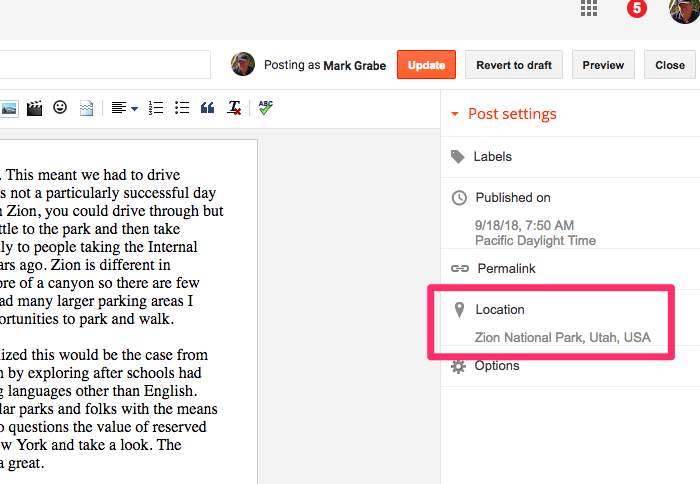
The text box to enter the desired location appears when you select the “Location” icon appearing in the right-hand column of the Blogger authoring page. What you enter here can be general (the name of a town) or more specific (a complete address). Because I try to include photos in most of my posts, if I use a photo captured with my phone, I use the location data stored by the phone in the EXIF data included in the photo file.
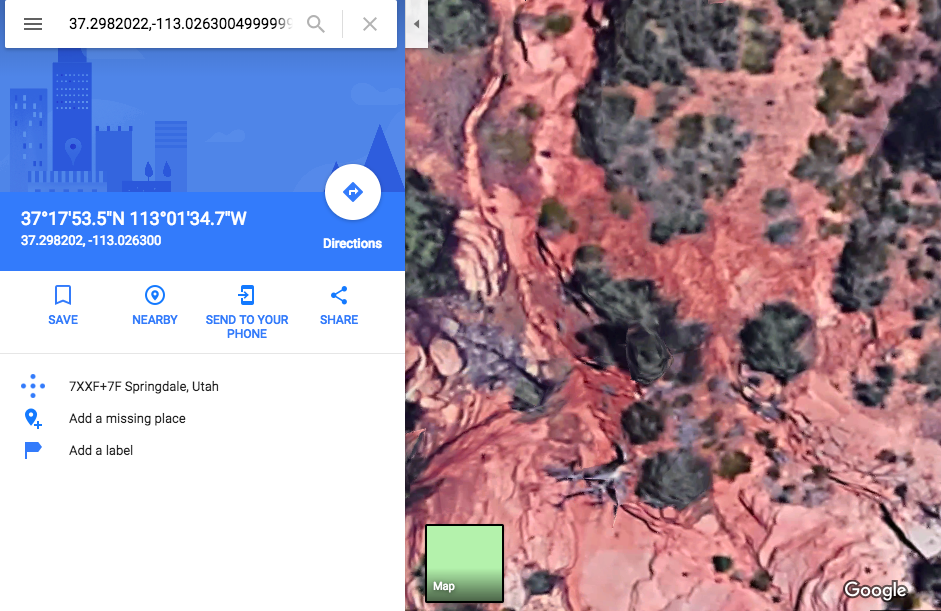
The location you enter will appear at the bottom of the post. This location is also a link that offers access to the location you specify as it appears on Google maps.
I enjoy exploring new services and products that have the courage to challenge well established existing companies. Brave is a new cross-platform browser available as an alternative to whatever you are using now. A classic tech business model seems to be doing what your competitors don’t and for alternatives to Google Chrome (Apple Safari, Firefox) this seems to be blocking ads and protecting against the collection of personal information. Brave is in this camp. This makes Brave very fast and it offers convenient controls for avoiding ads and cookies.
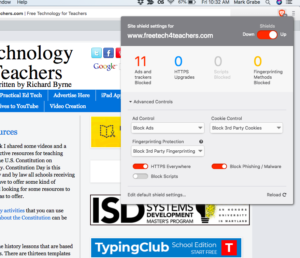
The image above shows the security controls and yes there are ads (I always use the Free Tech for Teachers site when I want to check for banner ads, but these are not the type of ad that is based on your browsing history).
I have mixed feelings about ads as a content producer. Users seldom click on the Google ads that accompany my posts so I make very little money from my offerings. This is not a concern to me, but I am interest in what this could mean to others committed to generating reasonable compensation for producing their content.
Brave has a plan for this situation. Brave intends to allow users to offer micropayment to the sites they visit. I have encountered this one time before. The idea is that as a user you commit a certain amount per month and this money is then offered to those you visit (and designate). I am interested in doing this as a consumer, but I am waiting to I am home and have access to my desktop machine because it appears that the synchronization of multiple platforms is yet quite primitive and the cross-platform payment option is not yet available. Payment and collection requires bit currency systems and I assume this will be an impediment until things are easier.
Reports I have read on the Brave business model have me confused. This ComputerWorld description seems to imply that Brave will partly fund itself by substituting its own vetted ads for existing ads. I read the Brave material as offering this as an option and not a requirement.
I promise a followup to this post as I have time to explore the funding model. For the time being, I think that Brave is worth exploring just for the speed advantage it offers. Note that many of the plugins you count on when using Chrome will not be available, but these enhancements will likely be coming if the company takes off.
Most educators interested in technology are too young to have been influenced by the era of innovation that made possible both the positive and negative uses of technology we experience today. Unless you were involved in the middle 1980s to the mid-1990s you missed out. This was a time of idealism and personal involvement that is mostly lacking today. Most folks are now willing to rely on existing platforms or the simplicity of coding without actual making. If you haven’t run your own server, you don’t understand. If you haven’t experienced the excitement of connecting your computer to a bulletin board for the excitement of connecting with individuals very different from yourself, you wouldn’t understand.
As an educational investment, coding without making misses the point. There are far more efficient and existing ways to practice problem-solving and a thoughtful methodological approach. Becoming part of a participatory technological enabled culture offers the opportunities of computational thinking and other opportunities that are far more important. Learn enough to install a service on a server that sits on your own desk and you have acquired more than the supposed benefits of computational thinking. You have created the opportunity to offer your ideas to the world and to engage with others. You have become a contributing part of a complex culture and made an investment in this culture.
I have had the opportunity to benefit from these experiences because at the time the investment in learning to code and learning the basics of operating a server were the price of admission. This is no longer the case. You need to know very little about technology itself to use Facebook or Twitter. I really don’t know if the problems now associated with how these services are used have anything to do with missing out on the original culture of the personal computer and the Internet. I blame the loss of that culture and the present problems on the take over of technology by commercial interests and what these interests have resorted to in order to make the money they make. In so many ways, it has become a race to the bottom. We want free, but we are unwilling to understand who free allows the investment and profit margin of the tech companies that dominate public technology use today.
Anyway, there are still ways to experience the educational benefits of the original PC and Internet culture. You and your students can still rent your own server space and install services that allow you to explore, communicate, and contribute. What I have in mind others have called the indieweb and there are some attempting to show the relevance of the indieweb for education.
My own efforts – I had the advantage of working at a university when I started my exploration in this area. This meant that I had access to a static IP for running a server. A static IP means that that the Interest address associated with your connection to the Internet The dotted quad or numerical representation of your web address xxx.xxx.xxx.xxx does not change each time you connect. A consistent online location is necessary for others to find you. I do admit that as the importance of the Internet became obvious the security types at the university regarded my activity with increasing skepticism. I had the advantage at the time of having accumulated a lot of experience and building a research program on software I wrote that could not be easily installed on university servers. All that aside, renting server space is now easy and fairly inexpensive. This is what I do now and this is the host for the content you are reading here.
Some examples of services I run on this server.
Blogs that make use of WordPress. This software can be installed using a script and embellished for different types of application (e.g., a blog versus an online book).
A wiki using the MediaWiki software (pretty much the same software as you would be accessing when you make use of Wikipedia). I used the software in a grad class I taught to have ed tech students create tutorials that were offered to educators.
A Drupal install that I used for a while with my students, but that I decided to deactivate when I taught less frequently in retirement and got tired of migrating to updated and more secure versions of Drupal.
HTML web content created with commercial web development software (DreamWeaver)
Are these services/content as sophisticated as one might find using services such as Facebook, Twitter, etc.? Of course not, but I understand how they work and I operate them myself. They offer the content I have created. This is a very different experience than adding my creative work to Facebook, Diigo, Instagram, or Twitter. I think it has been worth the effort in deepening my understanding and in being part of a different culture than most technology users experience. Just to be clear, I have never taken a computer science course. I taught myself to program and the other tech skills I needed. I am a psychologist, not a computer scientist or trained programmer. Doing it yourself offers a diversity of experiences that go far beyond writing code. How does the Internet work? What is a DNS? How do bad actors mess with your site? What does it take to attract others to your work? I believe that at least some of the experiences I have had are there at a low cost and offer students the opportunity to develop a depth of understanding that few now experience. If you want to be an innovator, consider indieweb experiences for your students. Encourage them to create something that is truly theirs.
I thought I would explain how Cindy and I came to write several textbooks for the higher education market. In my experience with publishing companies, our experience was unique and makes a story worth telling.
Most college profs who end up writing a textbook get their start in a specific way. The larger textbook companies have field reps who pitch textbooks to profs. We get free books and supporting tools and content (e.g., videos for class, question banks, ideas for class) to encourage the commitment of the students in our classes to an adoption. The money in the adoption is mostly in the first use. After that, used books take over and the companies make little money. This is why reps work hard to encourage new adoptions.
One of the other things these reps do is scout for new talent. Asking “have you considered writing a book” is a great way to play to the ego of the folks they are trying to get to commit to their existing books and getting profs to write a sample chapter or two and propose an outline and ideas for a new approach do result in a few new opportunities. Most who end up writing a book have also done some previous work for these companies. They may have been reviewing chapters from another book and offering related ideas or authoring the supplemental materials that accompany an existing book. Faculty members work really cheap, but we also know this is the way companies scout for talent. As an author of a book being edited, you can see this is the reviews written to offer you suggestions. Reviewers work hard to impress companies with their writing skill and knowledge.
Our book opportunities did not involve these traditional mechanisms. Our opportunities originated with coloring books. Cindy was working with teachers to find productive ways to engage students with technology when teaching traditional content and skills. Strange as it may seem today, her ideas and mine were not traditional. At the time, she was working with a program called Kid Pix and I happened to be heavily involved in creating study tools for college students using a Mac program called HyperCard. One of the tools available for the Mac was called ResEdit. This tool allowed the resources embedded in a Kid Pix file to be isolated, copied and pasted. When kids used Kid Pics they could use several Kid Pics tools to create drawings, import and modify images, and to add sound and eventually save the combination out as a single file. ResEdit allowed the image and sound to be copied from this file and added to a HyperCard stack. What we did with this capability was to create self-playing slide shows. There are so many ways to do this now, but our approach was original at the time. A typical strategy was to have individual students or student pairs create a Kid Pix file on a specific instance of a more general topic and then combine these individual creations into a slideshow on the topic. Apple showed our projects for years before companies figured out how to mimic this technique in an easier way (e.g., Kid Pix Companion).
Our interest in this technique led us to search for topics and materials that would be conducive to such an approach. Cindy and I were attending a conference in Chicago and were browsing a large bookstore during this trip. We came across a section that offered many thematic coloring books. You have probably encountered these coloring books without giving them much thought – e.g., Presidents of the United States, mammals, butterflies. You may know the expression – “discovery favors the prepared mind”. We immediately recognized a source for the projects we had in mind. I had a related idea. I wanted to digitize these coloring books and write a short “how to do it” manual a company could use to sell the combination as a product. I looked inside a coloring book from the giant collection in front of me and found that the coloring book was copyrighted by Houghton Mifflin.
I wrote up a proposal for Houghton Mifflin explaining the idea and describing some of our existing projects and techniques and sent it off. In a few weeks, the rejection letter came explaining that the division responsible for the coloring books did not do that kind of thing. End of dream? It turned out it was not the end. Weeks later we are notified by Houghton Mifflin and told that the education editor had heard about our proposal and would like to fly to Grand Forks, North Dakota, to visit us and see what we are doing. It is hard to explain just how unusual this situation was. This simply just does not happen.
Loretta Wolozin flew to Grand Forks from Houghton Mifflin headquarters in Boston and we showed her how we and the teachers we worked with did what we did. We owe much of what we eventually achieved to the early projects created by Pam Carlson and her second-grade students. The butterfly project resulting from what these students learned about butterflies, the life cycle of butterflies, and the butterflies of the United States by rearing monarchs and exploring books about butterflies were expressed as colored images of butterflies plus range maps, a song about butterflies, and other content available to all as a HyperCard slide show. It made an impressive demonstration.
Loretta offered us a contract to write a textbook for preservice educators wanting to learn what their students might do with technology. The offer required that we could expand the scope of the core ideas in our original coloring book proposal. Cindy and I came up with a concept we called “Technology Integration” to describe the most unique concept in our approach. I got the idea from a book by David Jonassen called “Mind Tools” which was about using technology productivity tools (word processing, databases, spreadsheets) as a way to explore the concepts and skills taught across the curriculum. The idea was to get beyond teaching the tools as computer literacy to using the tools in authentic ways to learn. We added our project approach, broadened the list of productivity tools available, offered a cognitive model of learning to explain the value of these activities, and explained related issues (cooperative learning, issues in the responsible use of technology). A book explaining how technology could be integrated in all classrooms was born.
Eventually, other opportunities followed. We had some success writing grants related to our ideas. We wrote a book extending integration themes to Internet activities (first as a separate book and later as content integrated into the original book). I develop content on technology integration to be included in textbooks for other college classes written by other authors.
Houghton Mifflin never did take advantage of our original suggestion, BUT I found another organization that would. My original career goal was to become a high school biology teacher. This was before I became interested in educational psychology. I did get an undergrad degree in biology and went through the teacher education program to become a biology teacher. My writing often contains references to this content and issues in teaching this content. My interests in technology and biology resulted in my collaboration with the Game and Fish Department in North Dakota. This state government department is called the Department of Natural Resources (DNR) in most states. These organizations are mainly interested in hunting and fishing, but also usually promote interest and education in natural resources including the development of resources provided to schools. I found a niche related to this mission.
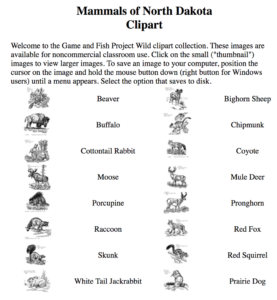
One of the ideas I promoted was the digitized coloring book project. Game and Fish had a simple coloring book mixing some North Dakota wildlife into a very coloring book. They were willing to commit to the development and distribution of a more complete and thematic collection of images of mammals, reptiles, birds, etc. This content was originally distributed as hypercard stacks, but eventually moved online as a component of other resources we offered through a server I managed for the department.
I still have these images on my server. They look primitive now and are less useful than the images available to teachers through services such as the Noun Project. My images are bitmapped and cannot be manipulated into different sizes as easily as images in a PNG or SVG file format (https://thenounproject.com/). However, the Game and Fish “coloring book” images still exist and are available (http://learningaloud.com/clipart/).
Yes, this is the kind of story an old guy tells. However, it is kind of story that also leaves you searching for the next great adventure.
I am reading a book that offers a solution to the frustration I have with two technology trends. The first is to treat older folks (I will be 70 in a couple of months) as ignorant to digital technology. The second is the negative consequences of the hyper-commercialization of online technology (e.g., net neutrality, selling user personal data as compensation for access to online services).
The book is Adam Fisher’s Valley of Genius. The book is a history of Silicon Valley and the creation of digital technology as told by those were the innovators and enablers. Fisher “wrote” this book in a very unusual style. He first interviewed a couple of hundred people. He printed the text generated by entering the words generated in these interviews. He identified themes which mainly represented the comments on key events or innovations. He then manually cut apart the printed pages of text to isolate the comments associated with these events. Finally, he pasted together the comments to tell the stories of these events. It does sound strange.
So this was not the isolated remembrances of 200 valley notables. It was the integrated remembrances as if the entire group engaged in a group storytelling session.
It took more than four years of work. I understand the process, but I cannot imagine having the patience or the broad view to make this work.
If you are interested in technology and really want to understand the backstory, I strongly suggest this book. If it sounds too weird or you are not up to reading 500 or so pages, I would recommend two interviews with Fisher conducted by Leo Laporte (session 1, session 2). The closest thing I can recommend to this book is a much earlier book by John Markoff – What the dormouse said.
What these sources capture is the culture of early technology innovation and how that culture is so different from the present culture surrounding technology. Fisher suggests we have moved from “a bicycle for the mind” to “rats in a social media maze”. I agree. This is what those who have lately to technology mostly fail to see this transition. They fail to see the negative consequences of unfettered capitalism as it has taken the innovation for all out of the culture.
Fisher proposes that perhaps by identifying the arc of the story of digital technology we might move forward in a more productive way.
I admit that when I read contentions that tech use during reading or lecture reduces learning I get a bit defensive. I see advantages in using ebooks and having access to tech devices during class that these negative claims contradict.
I just encountered a study that makes such a negative claim and that I expect to make the online rounds encouraging those who ban computers from their classrooms. I will provide a summary of the research and researcher interpretation, but I encourage you to read the article yourself (see link above) should you doubt my take.
The study was conducted in actual classrooms using actual classroom performance data (unit exams and the final). The instructor banned computers in one section and allowed computers in the other. The instructor added one other interesting dependent measure. Some typical examination multiple-choice items were also given at the end of class. The researcher found no difference in performance on the items used in class, but significant differences in performance favoring the no computer group in the unit and final exams.
I accept the data as described. Students allowed to use computers performed at a lower level on the delayed tests. It is the explanation provided by the researcher I believe could be flawed.
The researcher proposes that the processing demands for immediate recall and long-term retention are different. Of course, we are more concerned about the long-term impact of instruction because this seems more what we engage in formal education experiences to produce. Hence, it appears access to computers during class reduces what students take from a course.
The flaw I see in how the researcher interprets the data is the assumption that the processing for long-term retention in college courses happens during class. While this may be the case for some students, most of us who taught such classes assumed that students would study after class and these additional cognitive experiences would play an important role in both understanding and retention. When I think about my own research on reading, I differentiated reading comprehension from the study of written content. I think this same distinction might also be applied to the classroom information acquisition experience. The time spent in class is the beginning of the learning process.
Consider that most of us understand this distinction intuitively and probably recognize that we do things during the lecture recognizing this distinction. Most of us take notes. We take notes because we understand we must do more than listen and understand the lecture. We need to put in more time to optimize understanding and retention.
Research on note-taking reveals some interesting insights. Taking notes represents a second task beyond the primary task of listening and comprehending. In fact, some students are better off just listening if the only thing that matters is what they know at the end of class. However, unless complete lecture notes are provided, students must try to take or borrow notes to study before exams. My point is that students typically experience dual demands – comprehending and note-taking. If you add email or some other tech-based activity, you are actually attempting to add a third task.
My “what if” alternate interpretation
What if the detrimental impact of doing unhelpful things on the computer during class was not just the reduced deep processing of what was presented, but an activity that reduced the quality of the notes taken. What if most students don’t actually process information deeply during class? This situation would produce the same detriments in long-term performance (study effectiveness would have been less successful because the record examined while studying would not contain necessary content) with potentially the same level of immediate understanding. In other words, students with access to a computer spent their free cognitive capacity playing online rather than taking notes and it was the poor quality of these notes that produced the results the research study described found.
Pragmatically, it may not matter. However, I think the difference matters. The notion that deep processing happens during presentation is flawed and sends a seriously problematic message to both instructor and learner.
I think what I propose could be evaluated in several ways. For example, the researcher might have differentiated question type used during the end of class sessions. Comprehension and application questions should interact with treatment if the author’s explanation is correct. This seems to be what the researcher is actually proposing – the difference exists at the end of class.
I have been interested in tech-supported note-taking systems that link personal notes to the audio stored from a lecture. These tools allow a practical way for learners to replay during a study session the original lecture content that is associated with any segment of notes. The user clicks within a section of notes and hears the audio starting just before the note was taken. The system is really designed for learners who cannot understand during the presentation (just enter a ? mark in your notes) or cannot understand the notes they have taken when studying. Click on the problem area to get help – a second chance to listen to that segment of the presentation. If you decide to check your email during class and recognize that you have failed to write down something that seemed important (note the data indicates you have similar comprehension), the app I have just described would allow you to compensate and would also be helpful for times you were fully engaged but struggling to understand.
I think that studying behavior in naturalistic settings is a necessary addition to lab studies. For multiple reasons, far too little of this type of work is done. The researchers conducting the study described here have made this commitment. However, studies in naturalistic settings are prone to the introduction of variables that are not considered. I think this study provides a starting point, but more work will be required to determine just what goes wrong when tech is available. An accurate understanding is necessary before we give up on what could be an opportunity. I would hate to see benefits such as the note-taking app I have described rejected because many students are distracted by other ways they could use their computer. Will this type of situation eventually be addressed by granting some students an accommodation to use technology in classes that normally deny these devices. I hope it does not come to this.
As a retired academic, I must admit that I miss doing research. There is a certain agency, a sense of control, when you are investigating problems that you believe need solving. What I have decided I get in return is more time to think. Research tends to involve you in the demands for generating money and counting publication frequency which I have decided cut into important time for thinking.
So, I have been thinking about teaching and learning and how these processes fit together. It might seem that I as an educational psychologist should have been thinking about this before and to some extent I did, but I now have time to spend on the big picture. I am trying to build for myself and hopefully others a way to understand how teaching and learning fit together. All explanations and the related applications do not work at least in optimizing the experience for learners. Any teaching approach likely works to some degree. We have the capacity to make meaning from pretty much any life experience as long as we make some effort to think about the experience. The problem with this reality is that those on the teaching side can come to believe any approach that is in vogue works great. This is where the way learning works should be used to test such beliefs.
One approach I have been exploring as a way to communicate about teaching and learning focuses on the resources learners access. I describe what I see as an important difference in contrasting information and learning resources. I am attempting to differentiate these resources and to connect insights I think are there to how learners might benefit from what they can find or are assigned online.
I have found it helpful to interpret information in the way historians use the concept of primary source. Historians work with such primary sources, photos, news accounts, diaries, interviews, etc., to build a model of history. The methods resulting in the conversion folks who teach history describe as the “historians craft”. These are rules of thumb for avoiding bias in seeing what is really there and for combining what is really there with their existing knowledge to understand and share. The tactics they apply allow historians to make meaning from information.
I believe cognitive psychologists think about learning in a similar way because learners do pretty much the same thing. They take inputs (informal experiences in the world and formal experiences in the classroom) and act on these inputs to build personal models. Educators cannot do this for learners, but they can engage learners with external activities that potentially change important internal behaviors. The cognitive psychologists help at this point because they offer insights into what these important internal activities are – e.g., activating existing knowledge, connecting important elements from external experiences with this activated knowledge (models of how the world works), and testing whether these connections make sense and have been accomplished (most call this metacomprehension).
Educators might not think in these terms, but they have tactics for encouraging these important internal learner behaviors. They might encourage learners to consider a common experience or provide a common experience in order to encourage background activation. They might ask questions to encourage processing of inputs. Questions of a different type might be used to help learners self-test their understanding.
What teachers do during their time with students might be thought of as encouraging productive processing of carefully selected information, but it probably also should be thought of as developing productive, self-imposed learning tactics. I believe this role is often overlooked and I use the infrequent effort educators make to help students learn to study as an example. As adults independent learners, we learn best when we perform the same cognitive tactics and we may even use similar external behaviors. We may highlight to identify key ideas. We may take notes to process information. If our efforts at notetaking, maybe even in the margins of what we read, are unsatisfactory, we may realize that we really don’t understand and respond by rereading or seeking a different perspective from a different source or a more knowledgeable person.
So, I believe it helpful to attempt to understand the learning processes that are important and to consider how we as learners or we as educators might encourage these processes WHEN NECESSARY. This “when necessary” thing is very important. These add-on activities can be required when a learner does not need them to do important cognitive things (activate knowledge, identify important ideas, connect important ideas with the activated knowledge, etc.) and then the add-ons become busy work that just wastes processing capacity. It is always important to understand that learning is an individual thing and it is performed by the learner and not the external helper no matter how motivated this external person is to help.
To make this thinking I have been doing useful to myself and hopefully to others, I have attempted to identify a body of information (content) and to then explore what external tactics might be applied independently or encouraged by educators to facilitate learning of this information. I describe the combination of content and tactics as a learning resource. The body of information I have decided to focus on is online information in the form of web pages or video. I believe educators are using such content in place of traditional textbooks more frequently and this shift requires educators to do some things that were not as necessary when assigning content from textbooks. I have decided to focus on online tools that can be added to this online content to encourage effective cognitive processes. This focus has resulted in a Primer to provide an explanation of specific tactics and the rationale for these tactics and online tutorials for tools that learners can use and educators can assign to encourage these tactics. The Primer costs a few bucks and the online tutorials are free. If any of this interests you, I would suggest you take a look at the video tutorials and these tools seem to offer possibilities for your classroom to then put down your $3 and purchase the Primer.


You must be logged in to post a comment.