Read the Methods section

This citation has been circulated widely in the past week:

Urry, H. L., Crittle, C. S., Floerke, V. A., Leonard, M. Z., Perry III, C. S., Akdilek, N., … & Zarrow, J. E. (2019). Don’t Ditch the Laptop Just Yet: A Direct Replication of Mueller and Oppenheimer’s (2014) Study 1 Plus Mini Meta-Analyses Across Similar Studies. Psychological Science, 0956797620965541.

You get the idea from the title. The replication of a previous study showing that taking notes with pencil and notebook is not superior to taking notes using your laptop. This study challenged the results of an earlier study that was often cited by using a notebook and pencil while taking notes.

OK – it is now OK for tech folks to argue students can use their laptops during class to take notes.

I am not impressed by either study for this reason. Neither study offers a good model for note-taking as the first step in studying which is really what students are doing when taking notes.

Here is a key couple of sentences from the Abstract that explain the method used in this research:

participants watched a lecture while taking notes with a laptop (n = 74) or longhand (n = 68). After a brief distraction and without the opportunity to study, they took a quiz

This is really a method that would be appropriate to the generative function of taking notes. Do you understand better while taking notes and in this case do you understand better when taking notes longhand versus using a laptop. The results do not indicate that it matters, but this is not why you take notes anyway. You don’t take notes and then take a test. You take notes over a period of time, study your notes, and then take a test. The delay and the amount of material are the reality faced by students.

My recommendation goes further and involves a combination of recording and note-taking only available on a digital device (see my description of SoundNote). This app allows the taking of notes, but records the audio in the background and time stamps each note to a location in the audio. This combination makes it easy to listen to sections of the audio when the notes that exist are not adequate. This would work would also benefit from the research finding that laptop users take more notes.

Loading

Garden Update

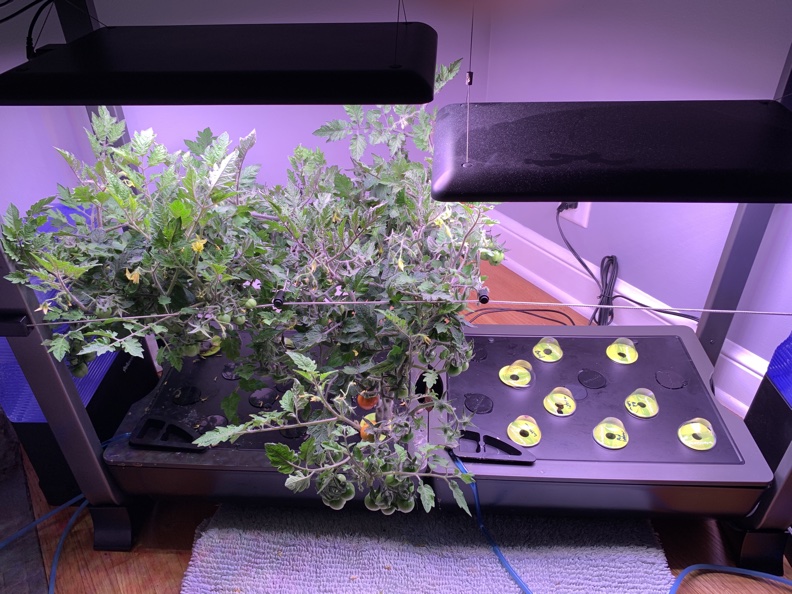
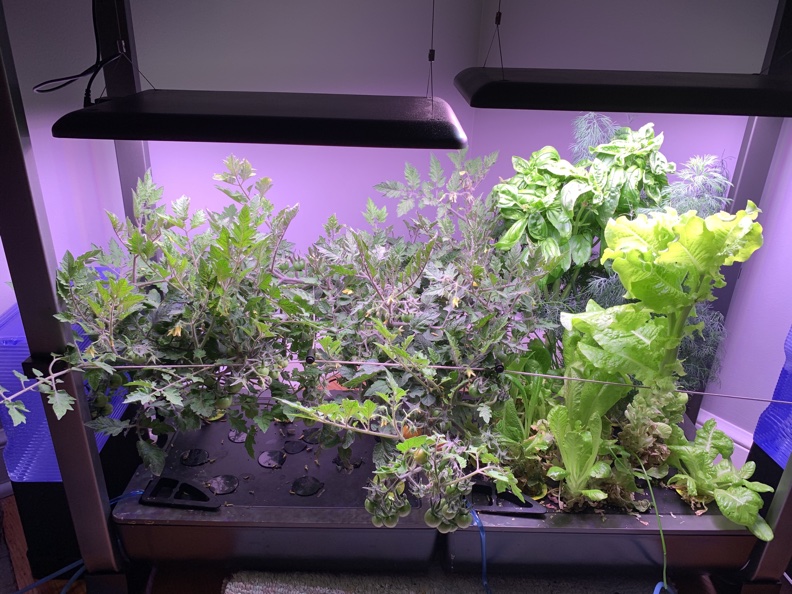
I started my hydroponic garden in early December and decided it was time for an update. The garden is 96 days old and just starting to provide cherry tomatoes. We have been eating the lettuce for some time now and I decided it was time to replant the side of the garden dedicated to lettuce. I am preparing my own lettuce “plugs” this time as I continue to experiment with modifying various components of the stock system. I decided I will keep a tally of the number of cherry tomatoes I harvest and I added a meter to measure the amount of power consumed. I am not under an impression that growing your own vegetables indoors is cost-effective, but some estimate of the on-going cost would be interesting.

The following images show the lettuce/herb side of the garden before replacement, the new setup, and the first cherry tomatoes.

Loading

Create a YouTube Playlist

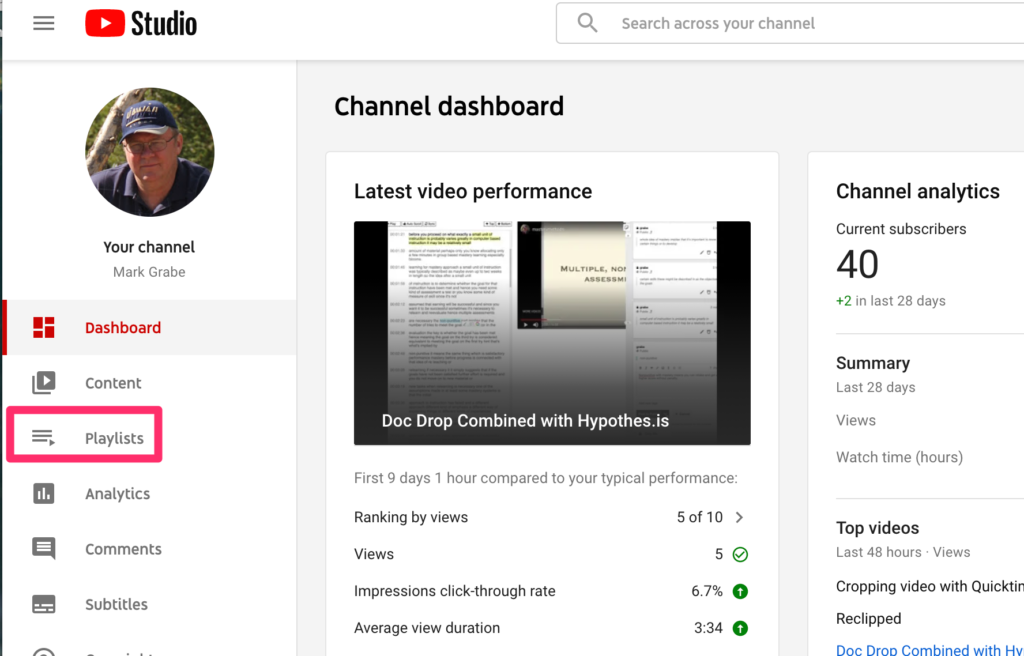
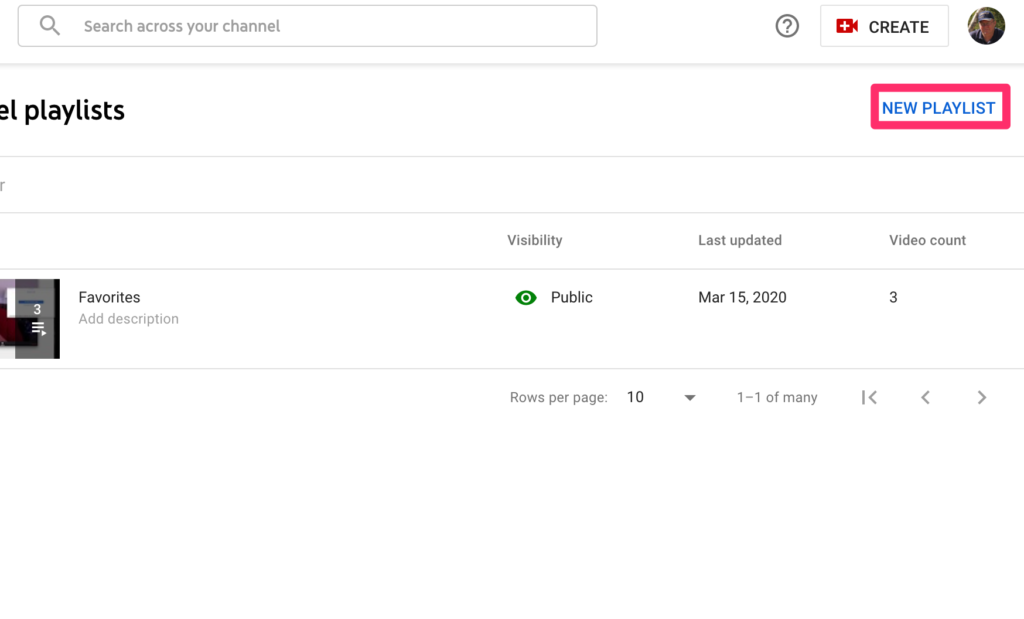
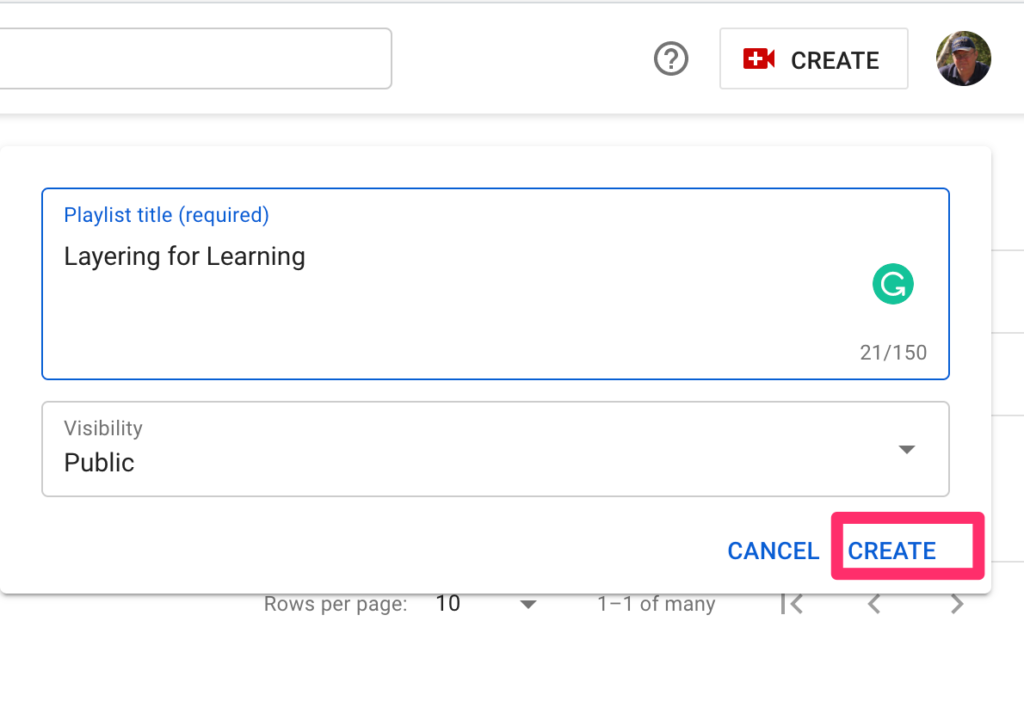
Educators may want to assign a collection of YouTube videos to students for a project or study assignment. This tutorial will explain how this is done and relies mostly on a series of images.

I see this process in three stages – create a playlist, add videos to the playlist, share the playlist with a specific audience. The process works a little differently depending on whether you want to use videos you have created or videos created by others.

Stages 1 and 2 using videos created by others.

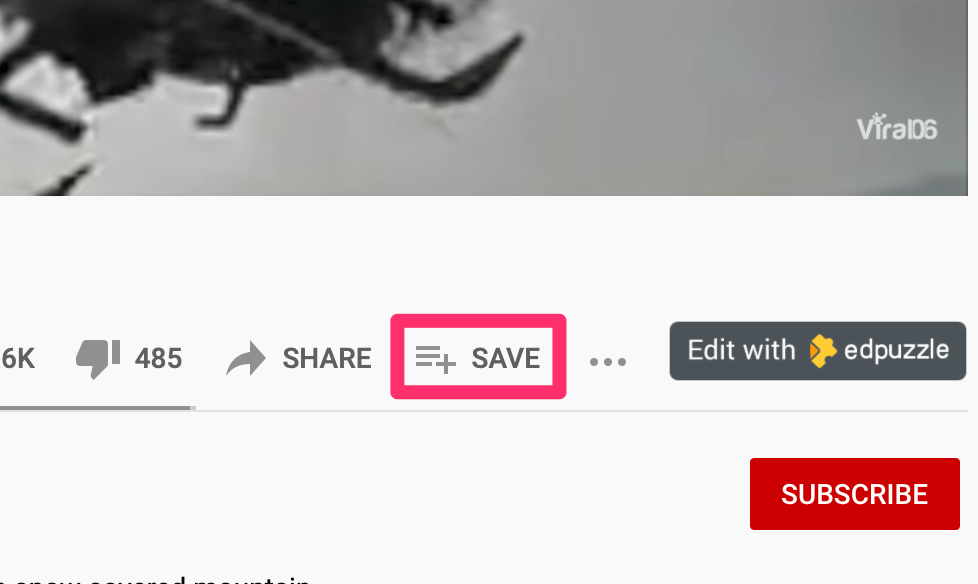
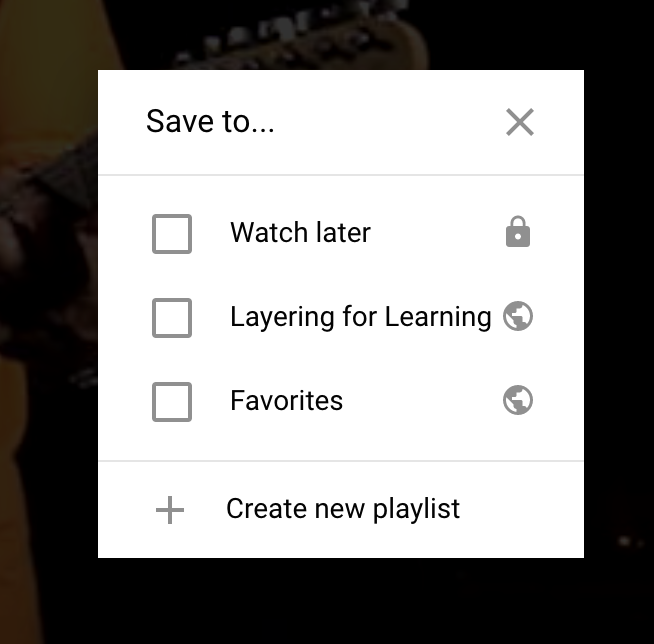
Beneath a video from another source, you will find this save icon. The save icon brings up the option of adding to an existing playlist or creating a new playlist. You would first create a new playlist with a video you wanted to use and then continue to add additional videos. The order of selection can be modified at a later stage so you don’t have to worry about the order when first creating the list.

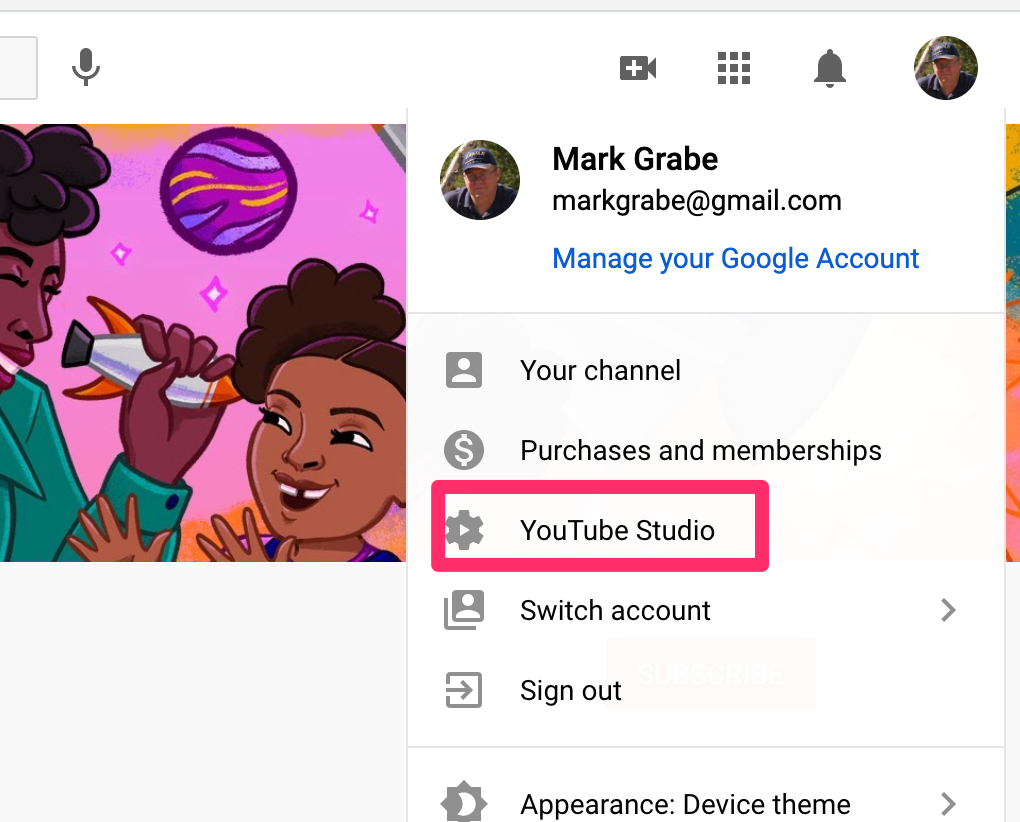
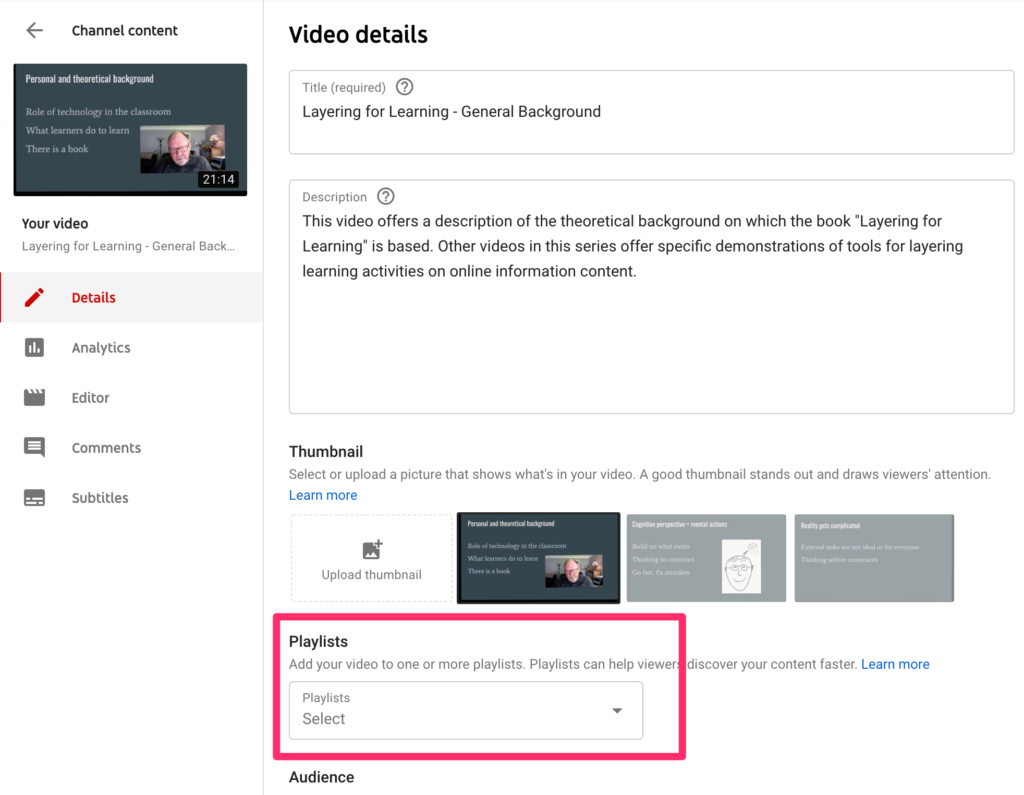
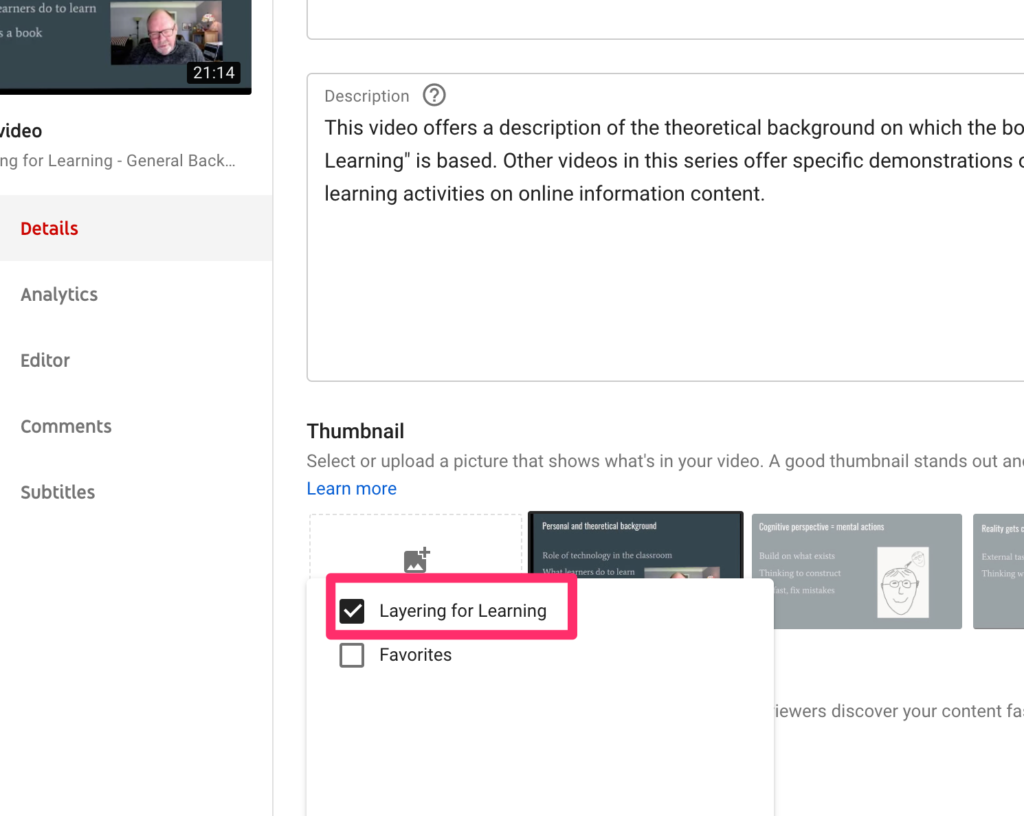
Working with your own videos or a mix of content from your own creations and existing videos seems to work a little differently. To create the list and add your own creations, work through the YouTube Studio.

Within the Studio, you can then identify a video you have created to be added, open the video as if to edit, and then use the playlist feature to add to an existing playlist.

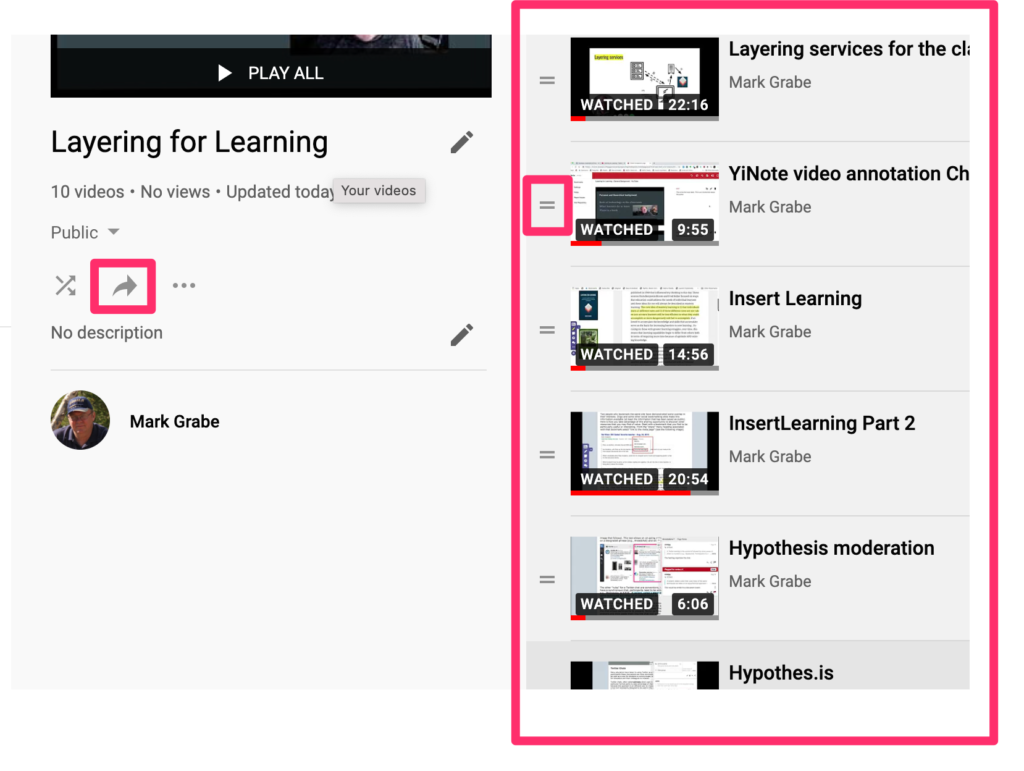
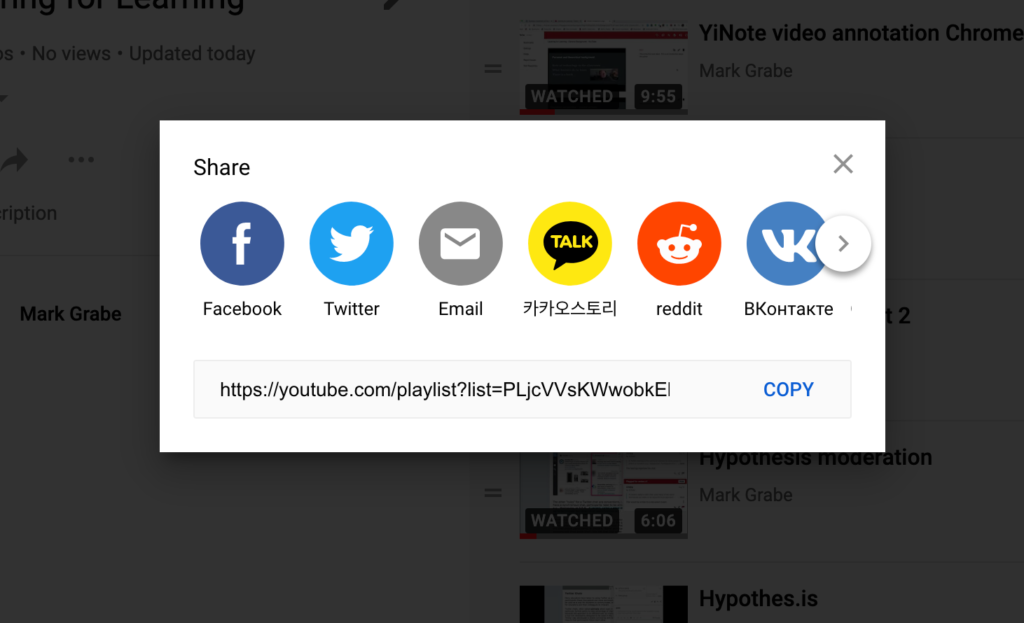
The final step is to share the list with students. Note in this image the share button (left) and the list of selected videos on the right. A key feature of this list of videos is the opportunity to reorder the videos. You drag the video with the small parallel lines icon to change the position. The share icon offers the opportunity to share to various outlets or allows the copying of the URL for sharing with specific individuals.

A sample playlist focused on my own efforts to explain Layering services was created using this process.

Loading

Thinking of a warmer place

This has been a very different winter for us. Since retirement, we have traveled during the worst months of the Minnesota winter and that is not possible this year. Temperatures that have reached -20+ this past week have eliminated most of our outdoor activity and being confined to the house gets old very quickly. I have decided to think warm even if I can’t experience warm.

In the summer of 2019, we were able to travel to southern Africa and among all of our opportunities to travel this had to be the most unique. We were familiar with the political history of South Africa because we have a good friend from there we have known for years. I have long been a fan of the music and incorporate the unique sounds into my regular playlists. Being there was all that we had imagined and more.

One of the things we did for ourselves and for others was to share some of the stories and pictures. On this cold day in Minnesota, I decided I would offer access to my annotated collection of African wildlife. I created a free to use collection of images as a Flickr album. The images are identified and a link to Wikipedia or some other source is provided for each image should you or a student additional information.

Images from southern Africa 


Loading

eSports in schools

I am not a gamer although I have tried. At first, the notion of school to school competitive gaming seemed strange. Things have certainly changed. But, I understand there are schools that fish for bass as a competitive activity, and of course there are chess, robotics, debate, and music competitions. North Dakota (the western part) had rodeo competitions.

The question about any school-related activity is what purpose does it serve. What purpose is there for football given all of the injuries that can result? Whatever reason comes to your mind, you can make the same argument for eSports. You learn life-long skills such as the value of teamwork, commitment, and winning or losing gracefully. Students find a way to connect with the school culture they may not find in the classroom or in traditional sports or art. Professional opportunities, scholarships, and career opportunities are there for the very best. Gaming can be a life-long recreational activity. The arguments used to justify any school activity seem to apply. I played the tuba probably because I am not pitch-perfect limiting my future as a trombonist and the band needed someone who would. This was not glamorous and there are featured notes rather than solos, but you are a necessary part of the group.

So, while not a participant, I am trying to understand new initiatives of this type. I recommend the eSports Playbook as a resource for any educator, school board member, or parent trying to understand the role eSports can play. The book does a nice job of addressing misconceptions about gaming (gaming leads to violence, screen time), identifying the skill set developed by gaming and the multiple roles students can take on related to an eSports team, coaching techniques, and sources for organizations promoting and supporting eSports. The one section of the book I admit I find pushing things a bit far promotes gaming across the curriculum. I see eSports as a meaningful extracurricular activity. You can probably take many academic or traditional extracurricular activities and expand the activity as the focus for broad topics of instruction, but that seems more a magnet school concept (e.g., schools for the arts, science) and not a practical direction for most schools.

If, like me, you are not involved as a gamer and you think eSports is some strange anomaly here is a little exercise I propose. Do a search for a past college you attended or maybe even a K12 school and see if they have an eSports program. I worked at the University of North Dakota and I retired only a few years ago. I had no idea there was an esports program.

University of North Dakota esports

Iowa State University

Loading

WordPress for design

I started blogging in 2002 using an early version of Blogger that I hosted on a server I ran myself. You may know that Blogger was purchased by Google and is still available as an outlet for the content creation of individuals. 

You are reading this on a WordPress blog. I switched to WordPress because I again could host it on a server I controlled. I switched to use a hosting option provided by BlueHost when I determined that I wanted to add Google ads to my blog and that I should probably not be doing this on a site I could control through the university where I worked. Just to be clear I have always paid far more for leasing part of a server than I ever generated in ad revenue. Running ads is kind of an experiment and a matter of principle. I believe content creators should be compensated for their efforts. Originally, I had to install and update WordPress myself, but BlueHost now offers a way to have the software installed and updated for you.

WordPress emerged in 2003 and has become more and more powerful since. There is still a simplified version of WordPress available at no cost and a more powerful version for $4 a month. If you have no other purpose for paying for space on a server you can use for multiple purposes and want a blog with more options, the $4 level is a good choice.

Blogging platforms have gradually become more and more powerful and can be used in other ways than offering the list of serial content posts familiar to all blog readers. The platforms allow both this familiar format (posts) and also pages that can be interlinked in much the same way as many web sites you may visit. The page approach starts from a home page and the connection among pages is changed by the effort of the content creator and not automatically by the addition of new material. 

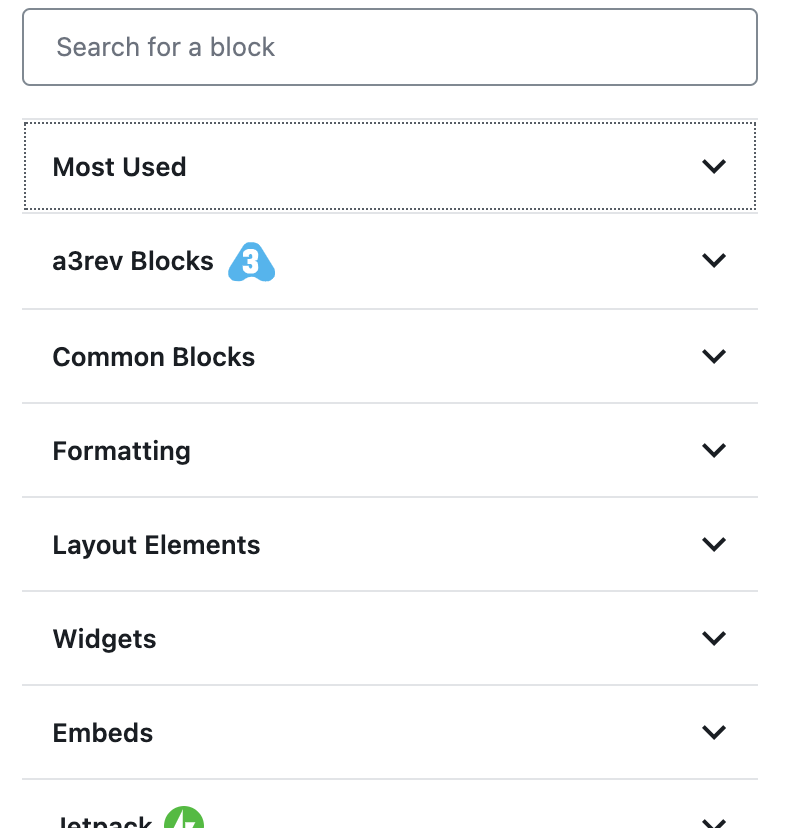
A blog platform may be your most efficient approach to creating a web site. The flexible page-based blogger sites are also improving providing those wanting to offer content as a web site greater and greater control over appearance and function. The sites generated do not have to resemble cookie-cutter simplistic offerings based on a common theme. WordPress has moved to an approach based on what are called blocks. For old folks like me who remember Hypercard, the multimedia construction kit, you might use Hypercard as a reference. Hypercard allowed the creation of a stack (which might be considered pages) and the addition of elements some of which were preprogrammed. So there were arrows that could take a user to the next card, the previous card, and the first card in the stack, You would add images and text to the surface of the card. You could also make use of the hypertalk coding language to add your own actions to elements (cards, buttons,, etc.). 

The block approach in blog platforms is beginning to approach the flexibility of hypercard in the online world, You can use preprogrammed blocks and for those who want the flexibility program your own blocks. Blocks can now be used to shape the appearance of the site in addition to controlling the content added to a page or post. 

Just to be clear. I don’t spend a lot of time on design. I consider myself mostly a writer.

Blogging platforms have evolved to meet the requirements of a “low floor and high ceiling” environments encouraged by edtech visionaries. The platforms can serve as a basic outlet for student writing or a creative environment for students interested in multimedia design options. There is now little need for expensive computer-based multimedia design software. Allow students who want to do more than write to become proficient with the advanced features of modern blogging (web design) platforms. 

This post was motivated by a State of the Word online presentation from Matt Mullenweg the founder of WordPress. The presentation has been archived on YouTube and offers an extended description of the present version of WordPress.

Loading

Time-lapse video with iMotion

I am considering this to be the third contribution to my series on Classroom Gardens. It is related to the other two posts which concern indoor hydroponic gardening only in that time-lapse video is an interesting way to demonstrate plant growth and variations of such a project would be easy to implement

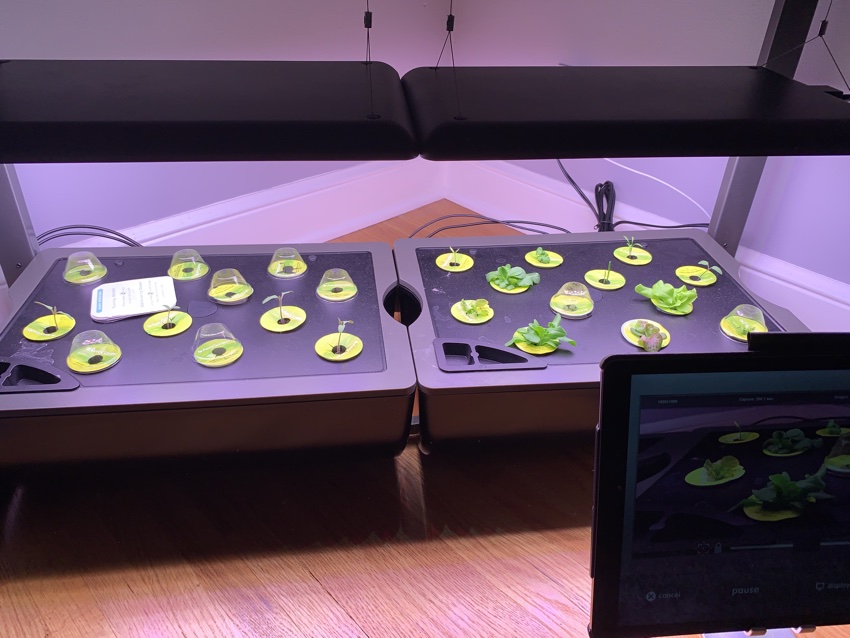
This is my setup for capturing the video of plant growth. The equipment toward the back of the image is the hydroponic garden and you can also see some young plants. Positioned in front and to the right of this garden is an iPad.

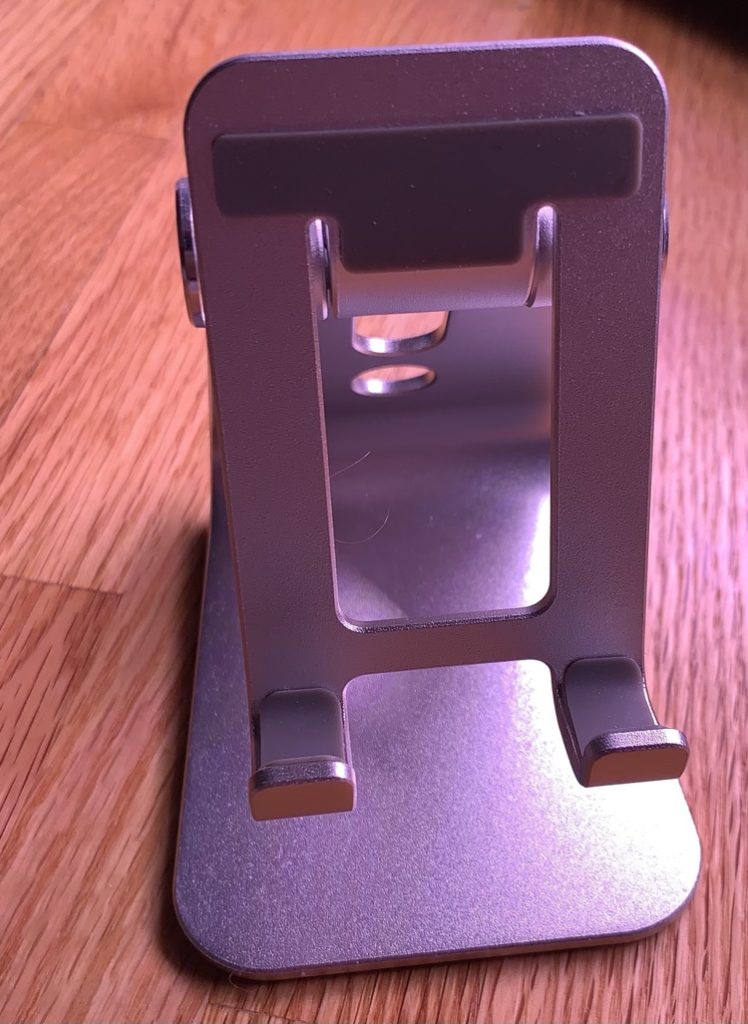
Time-lapse video requires a fixed location for the camera and steady control of the focus of the camera. This device (I wish I knew the name) holds an iPad. The video I provide was taken over a couple of weeks so you need to consider how you will create an environment allowing careful positioning of the camera. As long as no one bumps the iPad, this holder does the trick. A traditional tripod serves a similar purpose when time-lapse video is taken with a camera. It is also necessary to plug the iPad into a power source as the iPad remains active during this entire process so it would have run down the battery without being plugged in.

The app used for this process was iMotion for Schools. In the video tutorial that follows I incorrectly claim iMotion for Schools is the same price as iMotion Pro. I find different prices. I paid $3.99, but the iMotion for Schools page says $5.99

iMotion for Schools Tutorial

Here is the video created with iMotion.

The video you see here has been altered. The original video contained segments of black frames generated during the night when the lights for the hydroponic garden were off. One thing I do not explain in the tutorial which was already getting a little long was the opportunity to edit the video with the app (see tools when the completed video is open). There are tools for adding and removing individual frames. I used the delete frame tool to remove the blank frames. In the video, you see phases of smooth growth and then jumps. The jumps are caused by the growth that occurred during the night when the darkness prevented the recording of these changes.

One hint – you have to do this on the fly so I slowed during the frame rate to 1 frame per second to delete frames and speeded it back up to 16 frames per second before exporting the video. I don’t have an explanation for the flickering you see in the first section of the video. Because the growing lettuce fills the screen toward the end of the video and the flickering is no longer present, I assume the flickering was caused by the exposed lighting.

Loading