I think of myself as an education blogger, but I admit I have been preoccupied and less productive in generating content directly relevant to this field for the past two years. I feel a strong commitment to exploring the classroom integration of technology, but I don’t apologize for my recent neglect. I have only so much time and I regard my two-year foray into political activism as the response to a higher calling. Education is a broad topic extending beyond technology and beyond the classroom. What I see as systemic problems in the governance of this country have undercut the core mission of educators and have offered all learners flawed role models on which to base their character and priorities. I hope the future election provides a reversal of recent trends.
Mastery learning is one of those themes I have returned to throughout my career. It always seemed a great idea, well supported in the research literature, but only made practical by the wide availability of technology. Mastery would be my priority way of thinking about personalization.
I first explored mastery learning supported by technology in the late 1970s. I was a graduate student in the Psychology program at Iowa State and with fellow student Mike Latta we began working with biology professor Warren Dolphin. I had been an undergraduate in biology and was already interested in mastery techniques. I recognized that what Dr. Dophin was doing in his introductory biology course was a version of mastery learning. Yes, this was long before the availability of personal computer-based technology. The large-lecture, introductory course including bi-weekly exams completed on the “fill in the dot” answer sheets scored by computer. The way the exams worked the sequences of questions (1-20, 21-40, 41-60, etc.) corresponded to course units. A student could take an exam over any unit covered to that point with the highest score for each unit counting toward the final course grade. The technology made this system practical as multiple scores with hundreds of students were collected every other week.
Latta, R. M., Dolphin, W. D., & Grabe, M. (1978). Individual differences model applied to instruction and evaluation of large college classes. Journal of Educational Psychology, 70(6), 960-970. http://dx.doi.org/10.1037/0022-0663.70.6.960
Mastery learning remained a personal interest for more than 50 years and the role technology could play in individualizing learning only expanded beyond the initial focus on making the assessment component easier to implement.
I return to this topic again encouraged by a recent upgrade to the use of Kahn Academy resources as a mastery system. I think I recognized how such systems might be used for a mastery approach before those who design these systems. I first saw Salman Kahn describe his system as useful for mastery learning in his book – One World Schoolhouse. At that time, his way of describing mastery was fairly primitive. Still, I assigned this book in my grad course focused on technology integration and expanded the description in the textbook with my own explanations of what mastery systems are.
If you are unfamiliar with the free Kahn Academy web site or unaware of the basics of a mastery instructional system, I encourage you to take a look at my brief videos on these topics.
The Kahn approach has grown far more sophisticated and makes a great example of the role technology can play in individualization.
The changes to the Kahn Academy mastery system include:
Learners now reach 100% mastery from unit mastery alone. The Course Challenge no longer accounts for a separate 20% of mastery points.
Course Challenges remain on the site as an option for learners to accelerate their mastery progress, and an efficient way for a learner with lots of prerequisite knowledge to level up in a course.
Learners can now be moved down based on their performance on a practice exercise as well. If someone is at Mastered and gets between 70% and 99% on an exercise, they will move down to Proficient in that skill. If a learner is at Mastered and gets less than 70% correct, they will move down to Familiar. If a learner is at Proficient and gets anything other than a perfect score, they will move down one level to Familiar
The Kahn Academy makes no assumption that the online system will meet the needs of all. The data collected in student efforts and the efficient way of presenting these data to students and teachers allows the teacher to spot those students who are struggling and focus her/his attention more efficiently.
Kahn offers a sophisticated approach that includes the recognition that the teacher plays an important role and helps the teacher identify those students most in need of her/his assistance. Too often, when technology is used to fulfill part of the need for content presentation, it is assumed that the educator plays no meaningful role. When used appropriately, this assumption could not be further from the truth.
Apple CEO Tim Cook recently made the news for all by calling out other technology companies over data privacy. My immediate reaction to Apple talking about privacy is that this is an easy issue for them because they make their money selling hardware at inflated prices. However, concerns over privacy are very real and have created dangerous personal challenges and challenges to industries and national security.
The multifaceted nature of digital privacy makes the topic challenging to discuss. At one extreme, you have issues of espionage that involve stealing corporate secrets and attempts to manipulate elections. Somewhere in the middle, you have personal vulnerabilities involving issues such as stolen information because of negligence exemplified by things like users using common passwords across multiple services. Perhaps at the end of the continuum you might position issues such as services that rely on ads using personal information gleaned from cookies to use the record of your behavior to target you with ads and perhaps in the most negative case to share this information for profit with other companies. It is really this final category that Apple sees as an advantage as the rest of the continuum is hardware neutral.
Here is what I describe as the “elephant in the privacy room” problem. What I mean by this is that we are all complicit in this problem and ignore our involvement. We want what we want for free and refuse to have the empathy to recognize that companies that provide these services must pay their people, pay for their infrastructure, and provide a return to their stock holders. I would also argue that efforts to ignore the elephant by active tactics such as blocking ads (and data collection) are unethical. We somehow justify finding a way to make a service free by refusing to participate in the business model supporting those who create content and “free” online services. While it is true that ad supported services have become greedy (I see a difference between using information to target ads these companies provide and selling the information used to do so to other parties), using the greed of these companies as an explanation for flawed personal behavior is just a way to sooth personal guilt. I would suggest that there are open source alternatives to Facebook and Twitter that contain no ads and collect no personal data (Diaspora and Mastodon), but I am guessing that if you block ads and are aware of these alternatives, you will still not use the more popular services.
Before I offer alternatives, let me make one more point. Collection and sale of personal data does not end with Google, Facebook, and Twitter. Your ISP as a function of the FCC removal of net neutrality protections can sell the record of your online behavior. The ISP knows the sites you visit whether you use an Apple product or a Chromebook. You are far more vulnerable in this way because the record of all of your online activity rather than just your activity through separate services would be known.
I believe in controlled capitalism (unlike some Republicans). From this perspective, I see that something has to change if we expect quality online experiences and assume these experiences will be available without a viable revenue model for content and service providers. I believe the government may legislate privacy protections, but I don’t see these controls will be sufficient to solve the long-term issue of a reasonable return on the investment of providers. I
Suggestions and my own present activity:
View services and content allowing adds. I use Chrome when I browse and view adds. I do use an extension that blocks 3rd party cookies. These cookies move information from site to site. I feel no obligation to provide information to service X based on what I do when using service Y.
2. Use a service that blocks ads, but provides micropayments to subsidize the cost of providing these services and content. This may be a new concept for you and I admit that the process has yet to achieve much attention. I first tried Brave in 2016 and am now using it again in 2018. I explain Brave in another post. I have invested $50 and plan to spend about $5 a month. This is an experiment for me and my reasoning is that if everyone did this the income provided would be reasonable. Some of my reasoning is based on my experiences with ads on my own sites. I am guessing I earn $15-$20 a year for the thousands of pages I provide. The activity on the sites that support infrastructure and employees if far higher. My revenue per view may be much smaller than you expected. I use Google ads which generate revenue only when actually clicked and the vast majority of ad presentations even when viewed are not clicked. I position is that this click through rate presently supports the Internet and my responsibility for an alternative should be consistent.
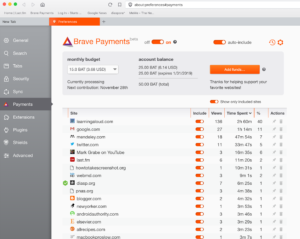
Brave takes the money you commit and returns it to providers in proportion to the time you spend on various sites. What follows is the time distribution I generated for my first month of use. My largest investment of time is in writing my own blogs so I would be returning some of my investment to myself.
Brave is somewhat limited at this point because my account is tied only to my desktop computer and cannot synch my activity from my phone, tablets, or laptops. I mostly write on my desktop and this is the reason my blog site is active for the most time in my payment commitments. Brave runs on all platforms, but has yet to implement a way to synch your activity to a single payment plan. I use Chrome and view ads on my other devices.
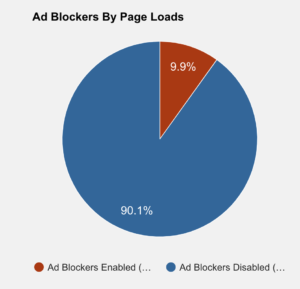
One more thing, I run a tool on one of my blogs just to gain some insight into how commonly my readers block the ads on this blog. The service would allow me to prevent those with an ad blocker from viewing the content I generate, but I do this more to investigate this user decision.
3. Use open source services (see above) should you not want to see ads or provide micropayments.
My guess is that in the long term things will work differently. If the micropayment model gains some traction, at some point it will morph into the type of subscription model that now supports online music. This might be a different way to understand how Brave works with the exception that you commit what you want to Brave. With a traditional subscription model, all will pay a fee for access and will be allowed to access the content and services that the subscription supports. Ad supported sites will continue to exist and if the ads are used as a business model by the provider, the provider will block browsers running ad blockers. Perhaps the subscription model and the ad model will operate in tandem with the subscription service allowed to block the ads. Google uses a system something like this blocking ads on YouTube for those paying for Google Music. Finally, the government will begin to set standards for user privacy and will eliminate the collection of certain categories of information. Third party cookies and the sale of data from one company to another will not be allowed.
I have been reading about paper vs. screen reading attempting to understand the research and related concerns about learning from on-screen content. Part of my reluctance to be concerned about the potential downside of reading/learning from content on a screen comes from my own experience. I know personal experiences can lead to biases and this is one of the important reasons to follow quality research. However, I am coming to think about the way I learn as perhaps a way to think about how students will learn if they can get past old habits and learn some skills that they traditionally have not learned for some obvious practical reasons.
I think a large portion of what was my job when I was still working was a knowledge worker. If you ignore the research expectation, the work of a college professor might be described as knowledge worker. We consume large amounts of content, mostly by reading, reflect on what we have encountered from multiple sources, and use the result to inform our teaching and guide our research. The input to this process are the books and the journal articles written by other scholars. These documents are not the only inputs, but even when we interact with others to work through ideas, the origins for these conversations are in documents of some type. To some extent, this is the case for all learners. Even through formal learning settings include presentations and discovery experiences, written information is typically present to offer extended information, different perspectives, and explanations for what has been experienced.
For a decade or more, I worked with documents on a screen. This was a matter of convenience. For example, there was no way I could personally afford all of the journals containing the articles I wanted to read, and it was far easier to use services available through my library to download pdfs of these articles than to walk to the library to see if I could make a copy of these articles. In many cases, my library did not even own journals containing articles I wanted and would have to contact another institution to have a copy of a desired article sent if I demanded a “hard copy”. The digital resources were a large step forward.
Convenience and cost aside, I think there is a far more important issue to be considered here. Work based on the review of documents requires far more than reading. A major portion of my researcher involved study behavior and I always liked to make a distinction between reading and studying. I liked to think of studying as what happens after initial exposure to content (reading). We learn from thinking about what we read to a far greater extent than would occur with a single exposure. We stop and think. We come back later to review. We take notes. We answer questions. We discuss. I believe I now study nearly everything I read from a screen because technology allows far greater efficiency and sometimes capabilities that have not been available with paper resources.
For example, consider that I highlight and annotate heavily as a read. This is a way for me to process the content, but these external strategies also allow me to access information more efficiently in the future. When I write or when I want to review a resource I first read a couple of years ago, highlights and annotations offer a very efficient way to review. It is true that one can do this with paper resources, but working from my computer at this moment, I can perform these processes with hundreds of documents and I can search for things I thought or highlighted when I can not remember the names of authors or the journal containing an idea I now want to use.
I tend to think of what I do as a combination of distilling and exploring. I bring together ideas from multiple sources, combine or at least cross-reference these ideas, and add my own thoughts. This is also an external representation of learning.
I think this would be a useful way to think about what students should be doing. Working with concepts externally to help develop internal representations or models has also been a useful way to think about what activities adds to information exposure. We can do some internal processing without these external tactics in some cases, but this is often only true for some learners and for most learners studying some content areas.
What always intrigued me as a researcher interested in study behavior was what students thought studying/learning was and how it happened. For example, so many students I encountered in lower level courses seemed satisfied if they were able to read the assigned material. Some might even make the effort to read the assignments twice. The core notion that you must find a way to think about this content was not appreciated. Even the notion that reading something multiple times rather than trying to focus second/third readings on sections that were important, but not understood had seemingly not occurred to many. The metacognitive capability of identifying priority ideas and important ideas that were not fully understood was either not considered or not possible. Evaluating and developing study skills became a personal interest.
Back to the role of technology. Consider my work flow. Would some of the tactics I described even be allowed of a high school student reading their biology or history text? I am guessing they would not be allowed to highlight or write their personal insights in the margins. It is not surprising that when they find themselves in a setting (college) when this is possible, they have little idea how to do these things in a productive way. Even more, access to digital resources offers additional opportunities beyond those that techniques that transfer from paper and these capabilities (e.g., the inclusion of self-generated questions) are often unknown or poorly developed when available.
Where do we expect students to learn these skills?
My present interest in layering as an instructional design process and as providing external study tactics for learners relates to these possibilities. I write about layering as something educators and learners can add “on top” of online resources, but many of these same ideas also apply to digital resources such as digital books (pdfs).
The capabilities of layering include the opportunity for educators to demonstrate and evaluate student study skills and for shared studying among students.
I tire a bit of the call for innovation when educators seem to mean add new areas to the curriculum (coding) or abandon materials designed to meet learning needs (abandon the textbook). First, these ideas are seldom new and, in addition, offer little to address the core cognitive demands for learning. I believe effective innovation will come from finding better ways to support the cognitive demands of learning and thinking.
I think it is time to consider teaching students how to “read/study” on digital devices recognizing that there are options not available when teaching students to “read/study” a traditional textbook. How do modern information workers (learners) actually work?
For a similar perspective, you might want to read (probably on a screen as the journal is not carried by most libraries) the following:
Gu, X., Wu, B., & Xu, X. (2015). Design, development, and learning in e-Textbooks: What we learned and where we are going. Journal of Computers in Education, 2(1), 25-41.
The world of computer services is cutthroat. There are only so many users and with some categories of online service it becomes very difficult to compete with an existing service even if your app is better. Everyone wants to be where everyone already. It is great that some are willing to keep trying new approaches.
Wakelet thought it found an opportunity when Storify decided to close up shop. Finding that services you think are useful are shutting down is also a reality. Just getting folks to use your service is only part of the challenge. At some point, you also must find a way to make money so you can pay for programmers, servers, and bandwidth. Anyway, Wakelet, not yet at that point where paying the bills was the primary problem, made an effort to attract Storify users by offering an easy way to transfer user content.
I wonder how Wakelet will monetize what seems like a powerful and intuitive service. Classifying many online services is sometimes challenging because others based on personal needs may see the service in a very different way.
I would describe Wakelet as a tool for curation. Some might use a curation tool to meet a personal need (Evernote, OneNote). As I write for other educators, my typical process is to review multiple online sources I might want to cite/link and I need a way to accumulate these sources before the writing process beings.
I see most educators using Wakelet more as a tool to organize resources for others. For example, an educator might come up with an interesting task, locate some great online resources appropriate to this task, and then share the task description and resources with the students. One educator might do something similar to share resources with colleagues – an introduction explaining the goal and then the collection.
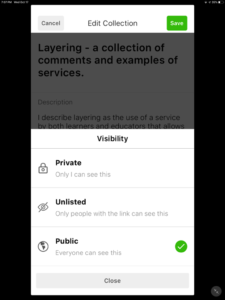
Wakelet would describe these curated resources as collections. What might differ from situation to situation is whether the curator wanted the collection to be private, shared with specific individuals, or available to the public. This is pretty much what Wakelet allows.
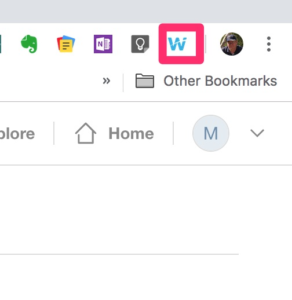
Wakelet can be used from various devices. The most general application I have in mind involves the collection and organizations of online resources. For this purpose, it is most convenient when Wakelet can be added to a web browser as a plugin/extension. I use it from the chrome browser. Find a useful resource, click the Wakelet icon that appears in the browser to bring up a dialog box to select the desired category from among those you have established. Or, just save the resource and worry about categorizing it later.
Wakelet icon allowing access to Wakelet extension in Chrome browser.
I admit to being a sucker for new social media services. I explore them to see what they offer so that I can inform others and I also keep looking for useful implementations of services I think have unique value. I am also just opposed to “natural monopolies” described by some as a result of the network effect. I would summarize a network effect as – people go where people are and once there accept the actual services as provided with all existing faults because coordinating a move to something better service does not seem practical. I should probably work on that description, but I assume you get the idea. So, Facebook is a natural monopoly. I liked Google+ and Diaspora better and thought the opportunity to control who you shared what with (circles in Google+ and instances in Diaspora) was a superior way of doing things. Google+ is shutting down soon and Diaspora has never attracted the critical mass I think is needed. I do encourage you to take a look at Diaspora.
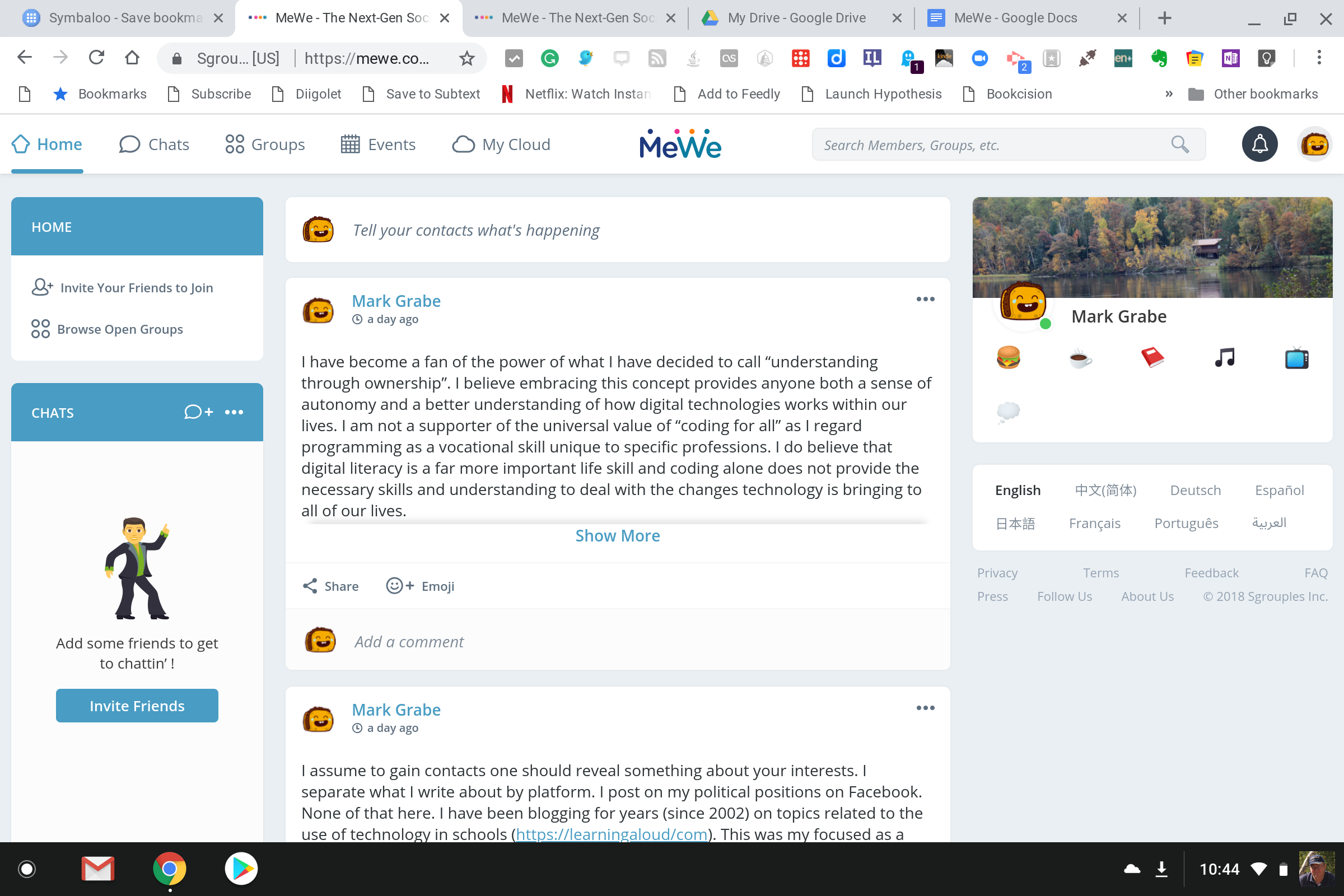
My new fascination is MeWe. MeWe is a collection of services – chat, groups, a personal timeline (like Facebook), and online storage (for files, images, etc.). It is free for basic services with a business model based on selling users extras – space for storage, pages, emojis, etc. If you won’t make money on ads and selling user information, you must have access to other revenue sources. I do not attempt to predict the success of online business models, but I do believe there must be an income stream of some sort to maintain infrastructure and support innovation. I wish MeWe success.
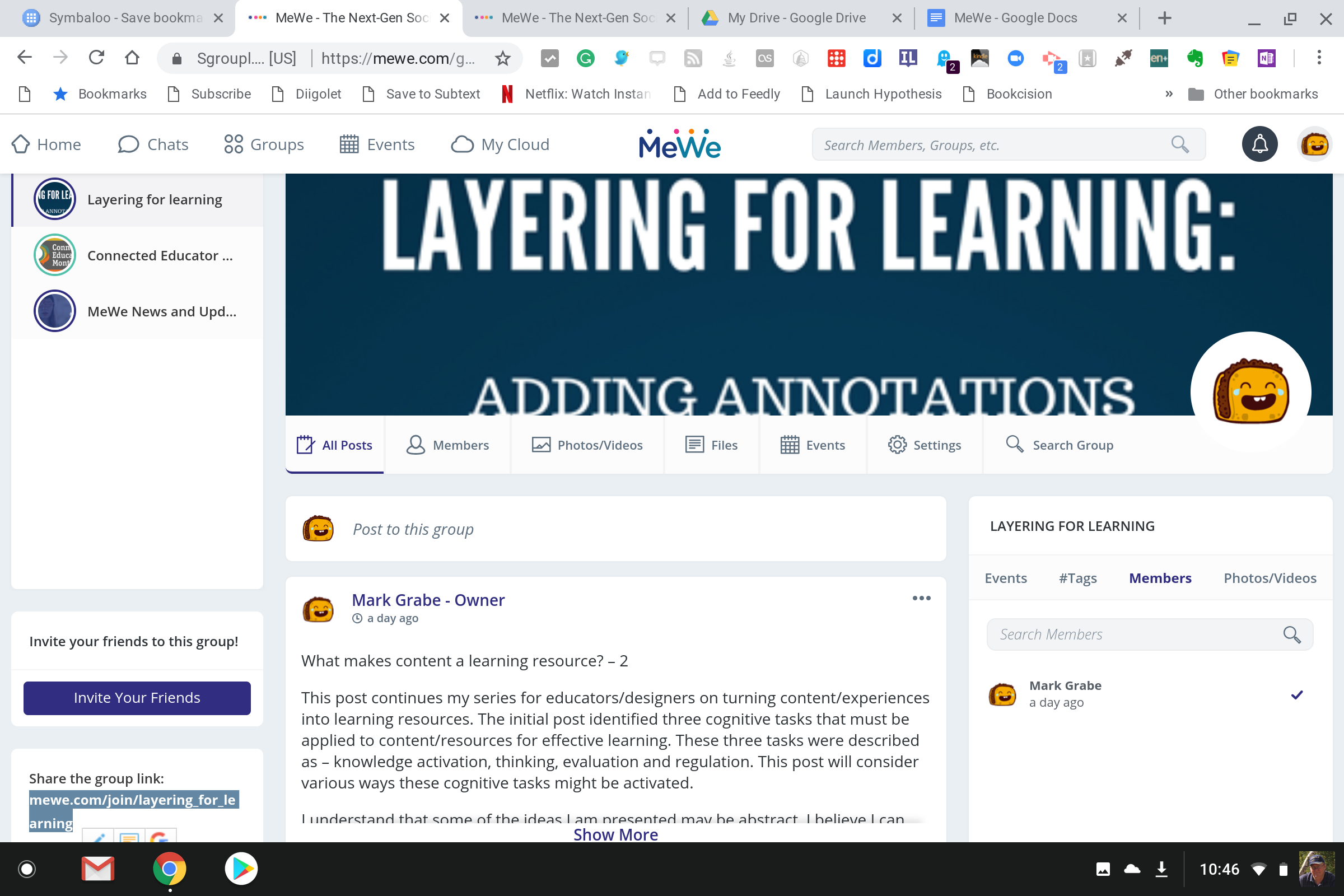
A feature I think should be of great interest to educators is the mechanism for control of access. In some ways, MeWe shares this perspective with Google+ and Diaspora. You make this decision for individual user experiences. For example, you can offer a public group or invite specific participants to a group. You can maintain multiple groups and set access opportunities for each depending on the audience you want to be involved.
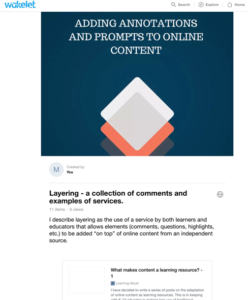
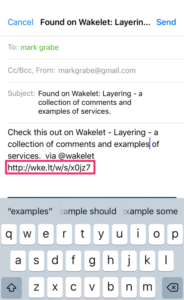
I have decided to create a public group focused on one of my personal interests. I describe this interest as “layering for learning”. This description is my way of identifying online services that allow educators to embellish existing online content to improve the potential of the original content sources as instructional resources. I argue that these services are consistent with the goals of those who want to use open access content rather than textbooks and with approaches that emphasize the role of “educator as instructional designer”. I have written a Kindle Primer on this topic, but I have also written many blog posts and created YouTube tutorials that are freely available. My hope is to seed the group with some this existing free content and invite insights and suggestions from educators who see something of interest in these ideas. I am uncertain how else to get a group started from scratch.
Getting a group started is a challenge. When I am teaching, I can show such resources to students. Now that I am retired, getting educators to take a look is much more of a challenge. This is bucking the network effect in action. I hope you will take a look.
I have become a fan of the power of what I have decided to call “understanding through ownership”. I believe embracing this concept provides anyone both a sense of autonomy and a better understanding of how digital technologies works within our lives. I am not a supporter of the universal value of “coding for all” as I regard programming as a vocational skill unique to specific professions. I do believe that digital literacy is a far more important life skill and coding alone does not provide the necessary skills and understanding to deal with the changes technology is bringing to all of our lives.
I have written previously about what might be described as the benefit those of us who participated in the emergence of personal computing have enjoyed. Those who have entered this revolution at some point along the way lack the understanding that comes from having experienced more primitive versions of things and having to do more for yourself. I miss the days I enjoyed being able to quickly convert any Mac I was working on into a working server. It is true that I enjoyed the advantage of working at a university which allowed me the advantage of a dedicated IP, but even a computer that assigns the IP as you connect would work as a server until you disconnected again. I understand the security issues in those with limited technical knowledge operating a server, but this understanding also illustrates the point. I understand security concerns because I personally had to deal with them. I am not advocating going back to this level of control, but having had such experiences has strongly influenced my thinking.
What I think makes sense for the educational setting is the purchase of shared server space. This is relatively inexpensive – I would budget the cost at about $10 a month. When you own a server, you can take risks and exercise control at multiple levels. Most hosting plans allow me to install tools by running host provided scripts. Anyone can do this. Push a button and follow instructions and you can set up a wiki, a WordPress blog, or a Weebly web site. You own the service and the content and the headaches. One of the realities of services is that flaws continually emerge and some flaws allow vulnerabilities. If you want, most services have mechanisms that will automatically update your installs. Middle school on, I think some students could manage such a site for their peers.
Just to be clear. You do this type of thing not because it provides you access to the most powerful version of services, but because it offers you greater control of versions of a particular service. I suggest that you use open source software when possible. Unless you install the open source software from a source external to the hosting site, you have some satisfaction in knowing that most groups providing this software are receiving some support through the stipend you pay to the hosting site. Dealing with how online experiences are funded is an important lesson for all to learn and learners are more likely to think about such issues when they are putting a little money into their experiences.
Manage Consent
To provide the best experiences, we use technologies like cookies to store and/or access device information. Consenting to these technologies will allow us to process data such as browsing behavior or unique IDs on this site. Not consenting or withdrawing consent, may adversely affect certain features and functions.
Functional
Always active
The technical storage or access is strictly necessary for the legitimate purpose of enabling the use of a specific service explicitly requested by the subscriber or user, or for the sole purpose of carrying out the transmission of a communication over an electronic communications network.
Preferences
The technical storage or access is necessary for the legitimate purpose of storing preferences that are not requested by the subscriber or user.
Statistics
The technical storage or access that is used exclusively for statistical purposes.The technical storage or access that is used exclusively for anonymous statistical purposes. Without a subpoena, voluntary compliance on the part of your Internet Service Provider, or additional records from a third party, information stored or retrieved for this purpose alone cannot usually be used to identify you.
Marketing
The technical storage or access is required to create user profiles to send advertising, or to track the user on a website or across several websites for similar marketing purposes.
 I think of myself as an education blogger, but I admit I have been preoccupied and less productive in generating content directly relevant to this field for the past two years. I feel a strong commitment to exploring the classroom integration of technology, but I don’t apologize for my recent neglect. I have only so much time and I regard my two-year foray into political activism as the response to a higher calling. Education is a broad topic extending beyond technology and beyond the classroom. What I see as systemic problems in the governance of this country have undercut the core mission of educators and have offered all learners flawed role models on which to base their character and priorities. I hope the future election provides a reversal of recent trends.


You must be logged in to post a comment.