Implementation Science

I would argue that not all research is given the same credit. While this may sound like sour grapes because I mostly worked on projects that tested ideas in applied settings, I still believe that basic research is often more respected and certainly easier than applied research. Certainly research that carefully controls all but a few variables and randomly assigns participants to treatments is the best approach for the discovery of new principles, this is not the situation practitioners face. I am guessing that many valid principles identify factors that even if addressed are not sufficient to overcome the variability in learner samples and messiness with which different application attempts create to produce consistent positive results. Investing your time evaluating “proven” principles in applied situations tends to mean you spend more time on a given project and have more frequent studies producing nothing of statistical significance. If this is your thing, you are simply less likely to generate the number of publishable studies in contrast to those who focus on cleaner controlled studies.

I have been reading a book (Everyday Chaos) that seems to me to take a similar position. The author, David Weinberger, uses examples from big data and A/B testing to argue that a focus on simple causes may be fruitless. Technological approaches allowing a search for patterns in large data sets can generate useful strategies that are very difficult and sometimes not possible to explain. Whatever works for a given large dataset may not work for a different dataset.

EdSurge offers a recent article describing a new Department of Education grant competition focused on the type of issue I have described here. What is described as implementation science involves the study of variations that impact the efficacy of applications

“The agency kicked off a new research competition to better understand how technology programs that IES previously deemed effective can perform in specific but varied settings, from different geographic regions to different populations of learners, educators and schools.”

Thinking about what it would take to achieve the goals of this grant program I can think of no way I would have been in a situation to participate in such research. On the surface at least, this work would seem to require access to a variety of settings and educators willing to attempt a similar tactic. Metaanalyses attempt to do this after the fact, but designing an approach up front will take programs with tremendous resources.

Loading

Digital Literacy Week Recommendation

Educators are designating this week for a special focus on digital citizenship. In keeping with the theme, it makes sense to offer a resource educators may find helpful. The News Literacy Project makes a variety of resources available including Checkology which provides a series of interactive lessons. Get Smart About the News includes individual lessons focused on specific skills such as reverse image search (see image below) as ways to investigate claims. The project seeks donations to supports its efforts.

Loading

Still good ideas

I have written several posts on my ideas for a new type of textbook. In retirement, some of these ideas make less sense for me to act on so I thought I would summarize them here.

There were basically three interrelated ideas. I will expound on the final of these ideas here.

  1. Textbook authors after proving themselves should write on a small retainer and continuously. The process of scrambling every three years to generate a new edition in a few months is not the best way to generate the best product. Content can be posted online as it is developed offering current work to those who purchase the present book and can be worked into the next edition when it is approved.
  2. A paper book is not the best way to get content to learners. It is important to remember I write books related to educational technology. Differentiating content that is basic and stable from content this is likely to change on a regular basis can be the basis for a shorter and less costly book in combination with online content. Placing some content online allows for the provision of current content intended for the next edition (see point one) AND resources that may be useful for some, but not all courses using the book. This second idea is a way to assure greater flexibility.
  3. Textbook users (professors and learners) have insights and experiences that should be shared as benefits to the author of the book they use and to each other.

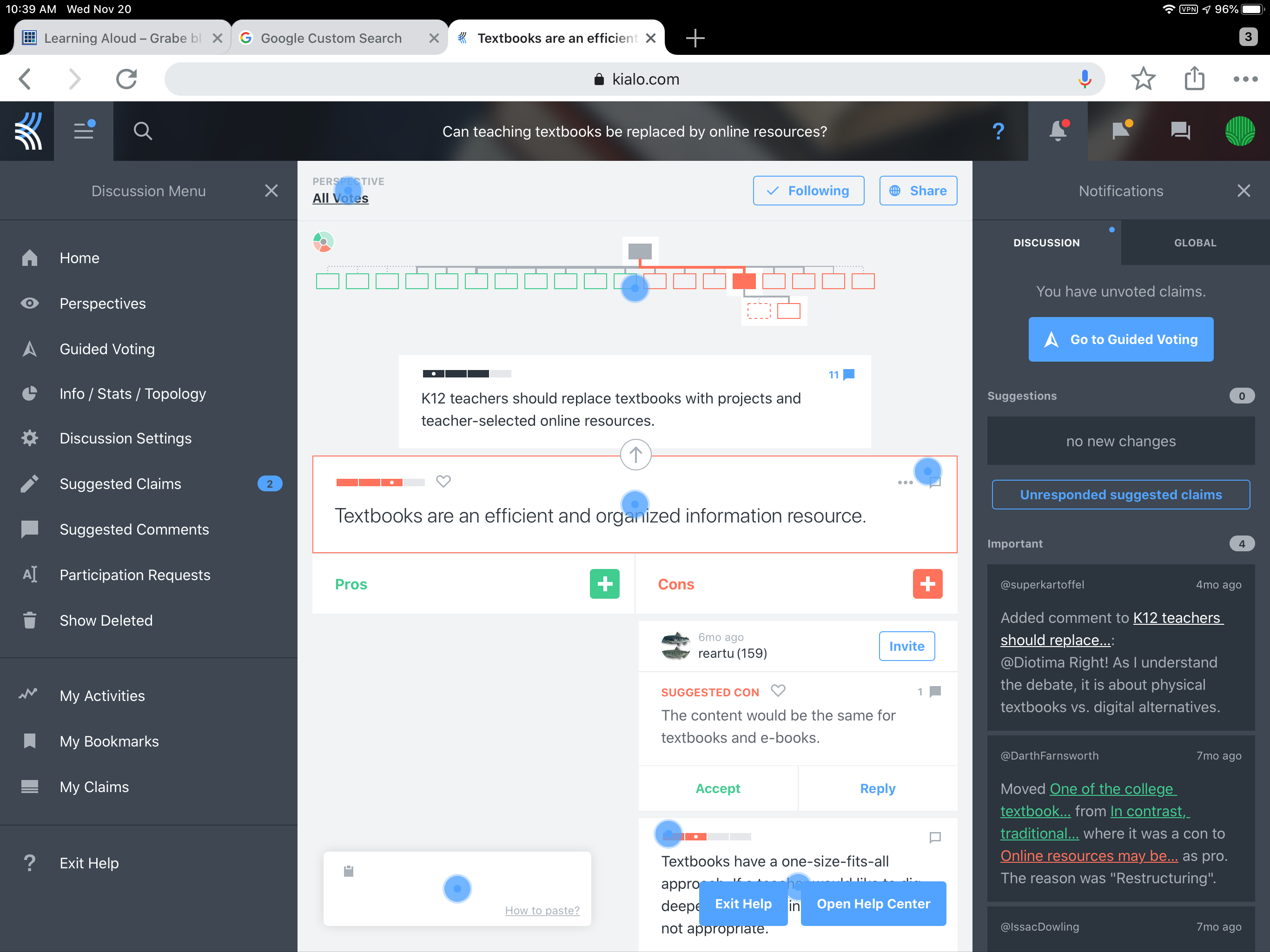
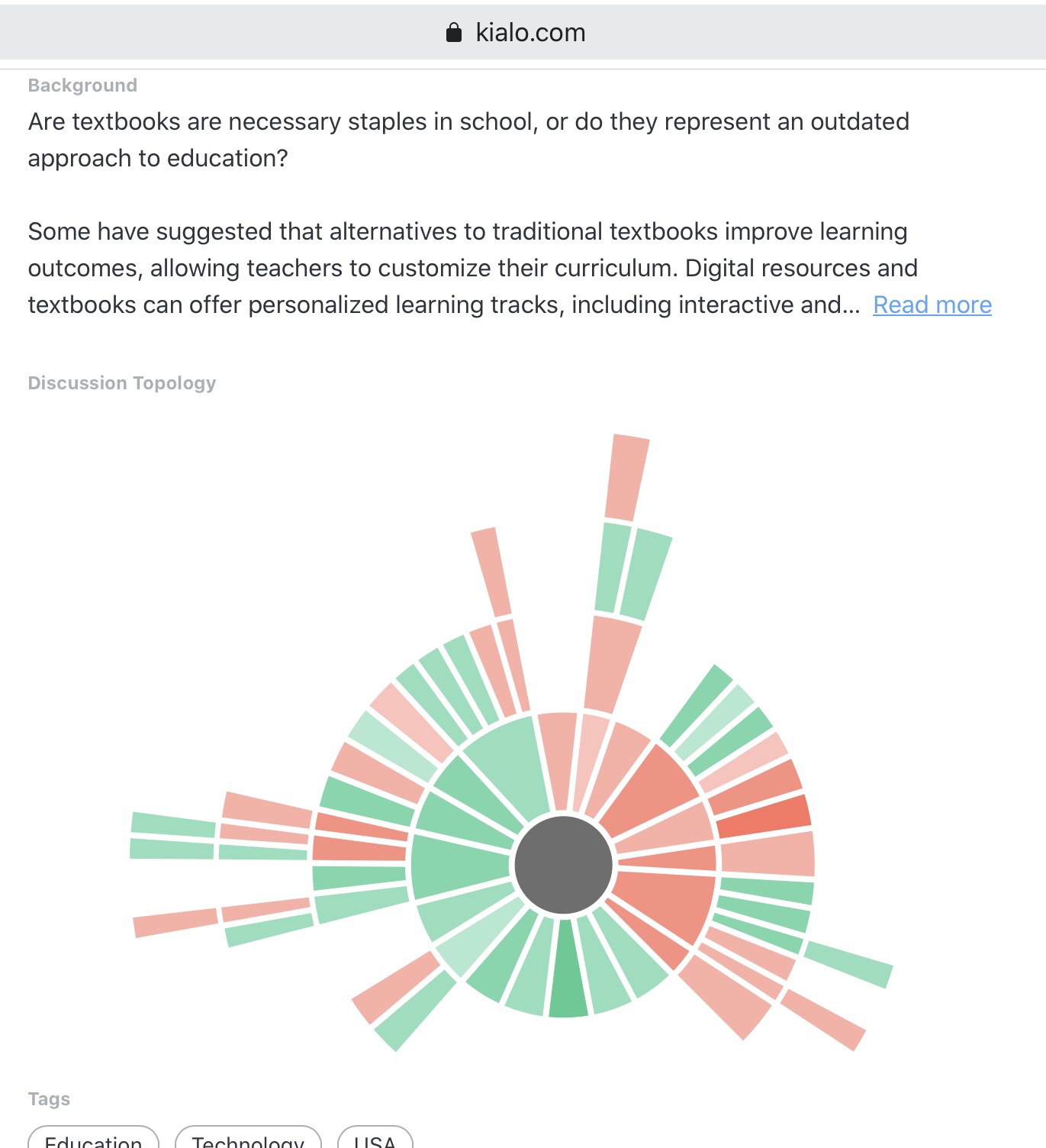
I decided to write this post when going through old content I had stored in Google docs. I found my original proposal and a couple of images. When I prepared to explain my ideas to the commercial publisher of our fifth edition, I made a couple of attempts to explain the third concept I list above as diagrams. I ended up using the second, but the first may make this third idea clearer.

The authors, instructors, and learners using a given textbook are connected. They share a common component of instruction whether they selected this component or not. What I was interested in based on my experience and our way of interacting with classroom educators was a way to take advantage of these connections. We worked with classroom teachers before and during our experience as textbook authors. We used projects with permission we observed in our writing. I used to search online for the title of our book and found some syllabi of instructors using this book. It was always interesting to see what other reading was referenced in these syllabi and what assignments were required of students. What seemed reasonable was to attempt to create such relationships on a larger scale. What if the hybrid system used to offer a textbook (book and Internet) also allowed teachers to share with each other (syllabi and perhaps examples of classroom assignments) and students could also share their projects with each other. These sharing would be voluntary and if monetization was involved it would be based on ads placed on the sources offered by teachers, students, and authors.

Our publisher decided they could not implement the first two of my ideas and we ended up writing a Primer and online content on our own (see the cover in the left-hand column of this web site). We now have less interaction with teachers because we are retired. I still think my ideas make some sense, but these ideas run contrary to the total ownership needs of publishing companies.

Loading

See you in your funny paper

This post originated in a way you may find unusual. My wife was reading our AARP magazine and came across an article about Bill Zimmerman. She remembered using the web site he had created and made sure I read the article. 

Bill Zimmerman decided when he retired that he wanted to learn new things. Among the new skills he took on were learning to sketch and new techniques for teaching. Bill worked as a professional editor, but became interested in teaching because he also had taken up teaching English to immigrants. Because he loved comics, he came up with the idea of using comics to teach reading and writing. Out of these beginnings came the Make Beliefs Comix site.

Make Beliefs Comix offers a wide variety of ideas for teaching writing in the classroom. Among this collection are the tools for creating comics and comic strips.

I had to give one of these tools a try. I can’t draw. Bill’s commitment to learning new things in retirement far surpasses my own so I was happy to use his create a comic strip tool. He has me by a few years (Bill is 78), but I will stick with my present set of hobbies. 

Here is what you do. You designate the number of cells in your strip. You add characters to the cells. You add balloon bubbles and text to the characters. You can actually add more elements, but you can use these basics to get started. Mail the final product to yourself or someone else.

Give this site a try. Even old dogs teach the young dogs a few things.

Loading

SeeSaw Class Blogs

I encourage teachers I work with to write, read, and make use of blogs in their classrooms. Typically, my recommended platforms are Blogger or WordPress. I recently became aware that SeeSaw includes an embedded class blog tool. This tool allows control of public access, teacher moderation, and control of commenting. The video that follows provides a simple description of this tool.

The public face of such a blog appears below.

Visit a SeeSaw blog.

Loading

Twitter Hide Reply

Social media has as a function of encouraging interaction can also invite inappropriate comments. Twitter is no exception. With Twitter, you can always block individuals who you feel go beyond what you consider an acceptable level of civility, but this still means others who follow your tweets would see the reply or replies that caused you to make the move to block. In reality, you may be more concerned with what others think than with your own reaction.

Twitter has a new approach. You can now hide a comment. This does not actually delete the comment, but readers would have to take the step of making the effort to “view hidden comments” if they wonder whether or not you have hidden responses.

The process works like this.

What you see here is the type of political comment I make that probably begs for an iffy reaction. So I had posted a link to a NYTimes article concerning Corey Lewandowski’s testimony before a congressional committee in which he had refused to explain comments he had made that had appeared in the Mueller report. I had suggested that refusing to answer a question from this congressional committee was an unlawful and obstructionist act as Lewandoski had no official standing allowing him to suggest he could refused to respond to questions based on this being a privileged conversation with the President. Someone (I have blurred the individual’s identify) did not address my argument, but made a blanket statement about the committee. What if I regard this is completely irrelevant and inappropriate.

As the author of the original post, I can access multiple options in reaction to this reply (see image). Among these options is “hide reply”. As I explained above, anyone examining my tweet and reactions would then not see this comment unless they opened the options available with my original tweet and selected the show hidden comments option. I am guessing Twitter is walking a fine line here and has decided this combination of hide reply and see hidden replies is a reasonable approach.

I would not actually hide the reply I used in this example. Knowing about this option I might hide responses that were a personal attack.

I have a mixed reaction to what Twitter is doing here. I think there are clearly inappropriate responses to social media posts that others should not have to read and this is one way of blocking these specific comments. Of course, the same feature could be used by the tweet author to hide appropriate counter arguments.

Perhaps are there are individuals with audiences (say in education) that have to worry about the responses made to their social media activity. In general, I think inappropriate responses are more a reflection on the poster than me or my argument and I am willing to allow others to see both my comments and responses that I assume should be an embarrassment to the poster. It is useful to know this capability exists and each of us have to make decisions about how it used.

Loading

Photo collection

We recently returned from a trip to southern Africa during which we had the opportunity to view and photograph the amazing wildlife of this area. I took hundreds and hundreds of photos and kept probably half. One task I took on as a project was to select from these images some I thought students might find useful. Yes, you could create a similar collection by going to the zoo and such a visit by students would be superior to looking at my pictures. However, what I have done is create a collection I am making available under creative common licenses. If you have a use for these photos, download them. I also linked the images to online content offering additional information.

For me, bird identification is not easy. I am not a birder and I easily forgot the identifications provided by our guides. I used several online tools to try to attach accurate labels to the photos I have. There are several African birding guides available online. I found one of the best tools was Google lens. This service required I download images I had taken with my camera to my phone, but once this was accomplished Google provided a best guess, images to compare, and links to additional information.

The photos are available through Flickr and you can take a look if interested.

Loading