In my previous post, I explained what I wanted to advise students who want to improve how they take and study lecture notes. I explained the techniques in the context of academic, large-lecture settings, but many would be relevant to those taking, storing, and using notes for self-directed learning. In that post, I divided the time between exposure to the application of information into three stages, which I labeled revisit, revise, and review. The quality of each stage in this sequence is limited by the quality of and access to the tangible products of the previous stage. My advice for students is not to focus on studying the night before the exam (i.e., review), but to recognize all stages in this sequence.
Information explicitly recorded in notes is significantly more likely to be retrieved and answered correctly on exams than information missed during lecture capture. Before you dismiss this observation as one of those obvious things researchers spend their time demonstrating, remember what I said about the stages of taking and studying notes being a feed-forward system. It is worth considering what we can do to avoid being limited from the start (e.g., Courtney and colleagues).
There are remedies students can apply. For example, students can compare what they have collected with what colleagues have collected, filling in gaps and correcting misunderstandings. An option I studied when I was involved in active research was described as “expert notes” – notes provided by the lecturer or perhaps a graduate student assistant required to attend large lecture classes. Both approaches have proven to be helpful (Kiewra, 1985). One issue I studied was whether offering a complete set of notes reduced lecture attendance (Grabe and Colleague).
I should make this point clear. None of the ways I propose to improve the use of notes are intended to reduce student note-taking. The generative effect of trying to generate a quality set of notes is a benefit no matter the quality of what you produce.
Do It Yourself
There are several ways you can use a digital device to address the predictable difficulty we all have in producing complete and accurate notes.
Here are some specific suggestions for tools and techniques related to the first or revisit stage.
Several apps allow you to synchronize the notes you take with recorded audio of the presentation. This means that if you tap a specific location in your notes, the app will replay the exact audio you were hearing when you took that note. So, if something doesn’t make sense, you can listen to that part of the presentation again. If you don’t understand and know you missed something, enter something like ??? in your notes and you can return when you have more time to more carefully process that information. Goodnotes and Notability are popular apps with this capability. Constant use requires a subscription plan. I have used SoundNote because it requires only an inexpensive, one-time purchase.
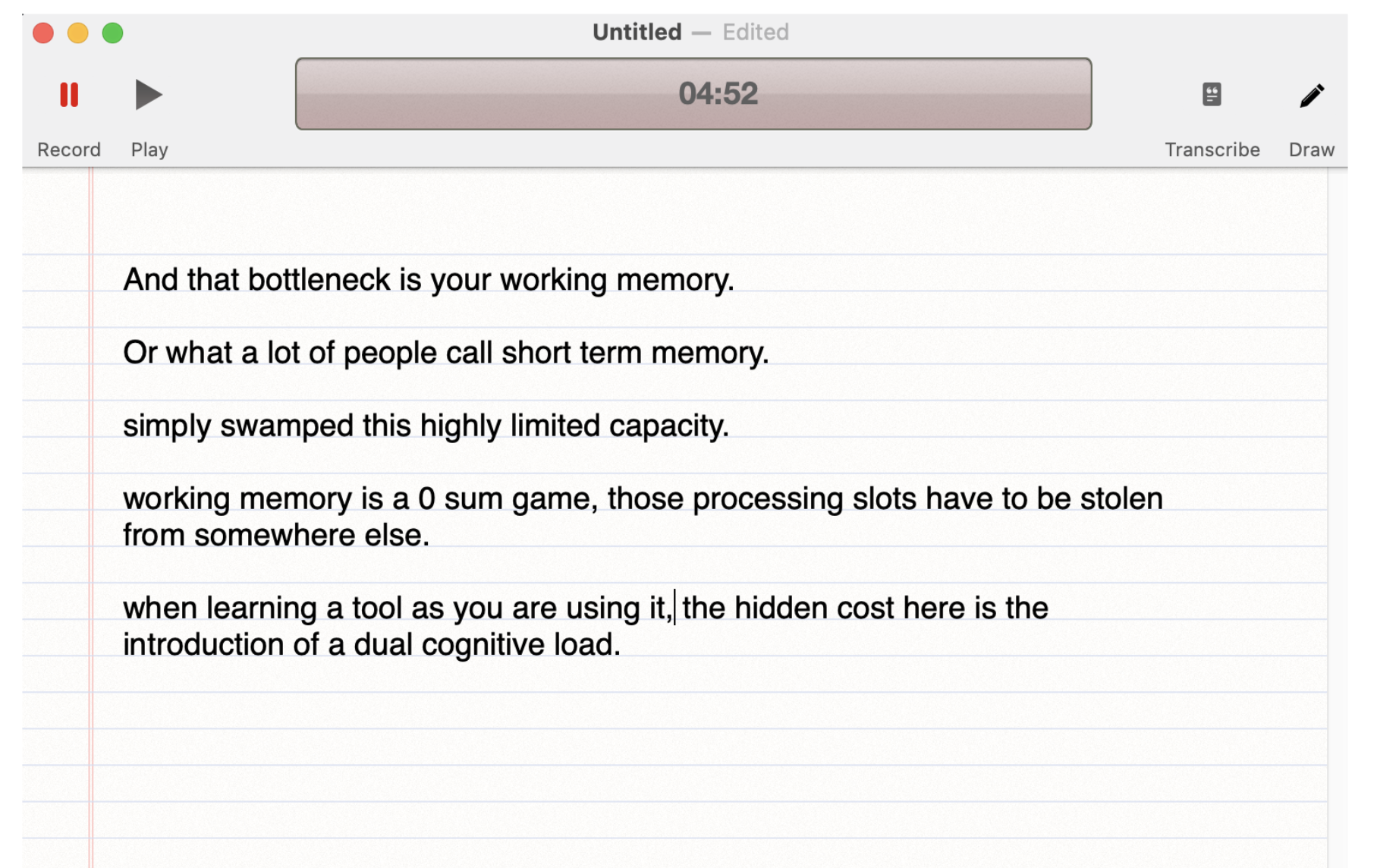
Here is a problem I can’t find a solution for and I wonder what others are doing as they must encounter the same problem. I use this app when I am working on my desktop machine and want to take notes from a podcast or similar presentation. When I try to use it on my laptop, which I assume most students have, the clicking sound I make while taking notes gets recorded along with the presentation audio, and I can’t really understand the resulting recording.
Just Transcribe The Audio
Here is an alternative that seems reasonable. Just use an app on your phone in a classroom setting that records audio and then generates a transcription. There seem to be hundreds of ways to do this, usually recommended for those who find a need to record “meeting notes.” These apps work the same in a classroom as long as the audio is loud enough to be picked up.
Take your own notes on a separate device. Use your phone only for the audio recording and transcription. This combination provides the benefits of generative note-taking and serves as a backup to your personal notes if you miss something or get confused when you review them. There is no direct link between your notes and the transcription, but it is easy to relate the two representations of the presentation and see where they match in each sequence. Skimming this section of the transcription works well.
My preference for going this way, because I use all Apple technology, is to use a feature of Apple Notes that many have likely ignored. After I use my phone to take and store the recording and transcription, I prefer opening the same note, automatically available on my iPad, to read and review the transcription.
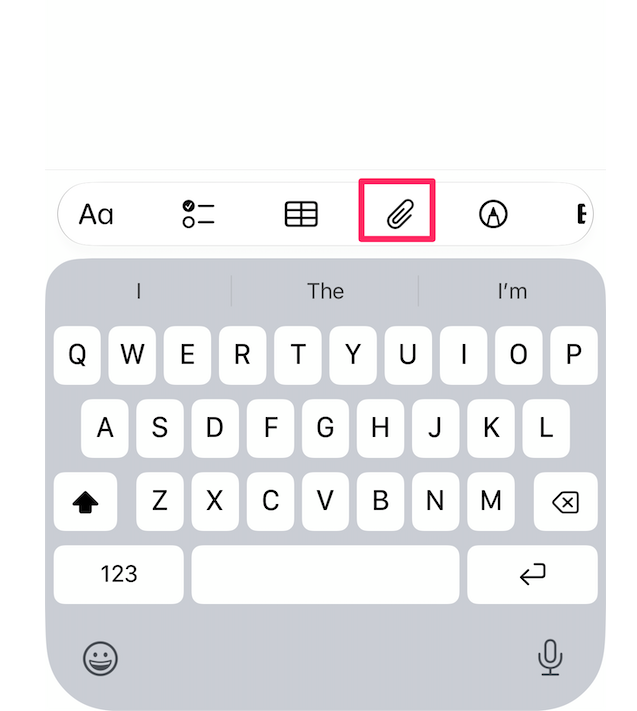
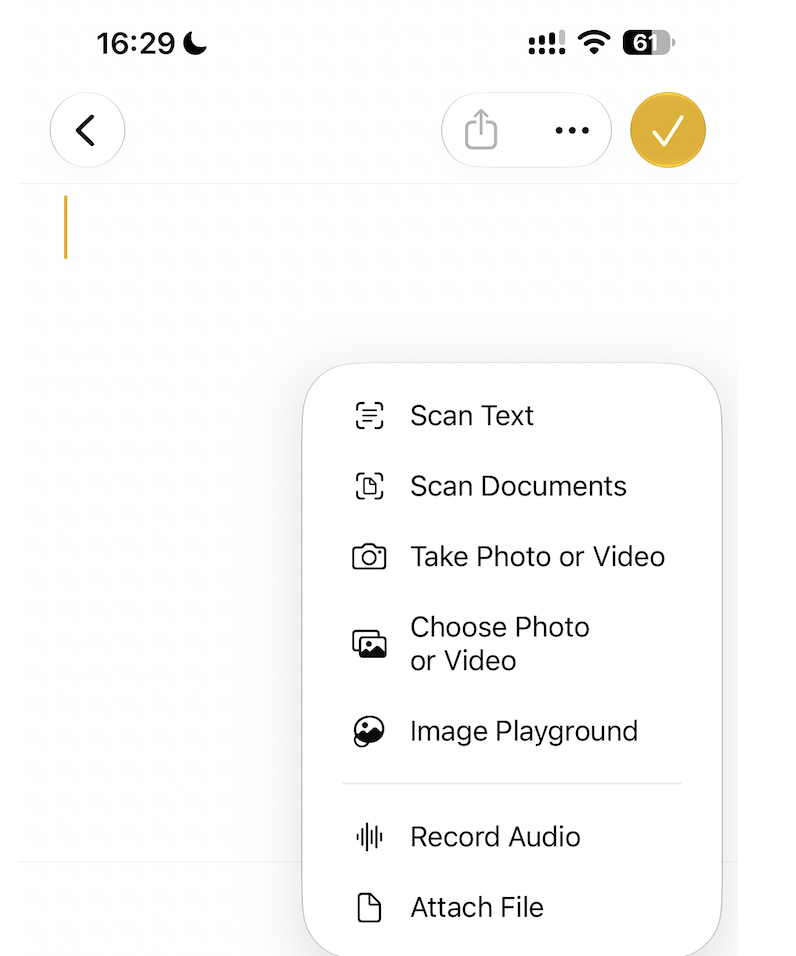
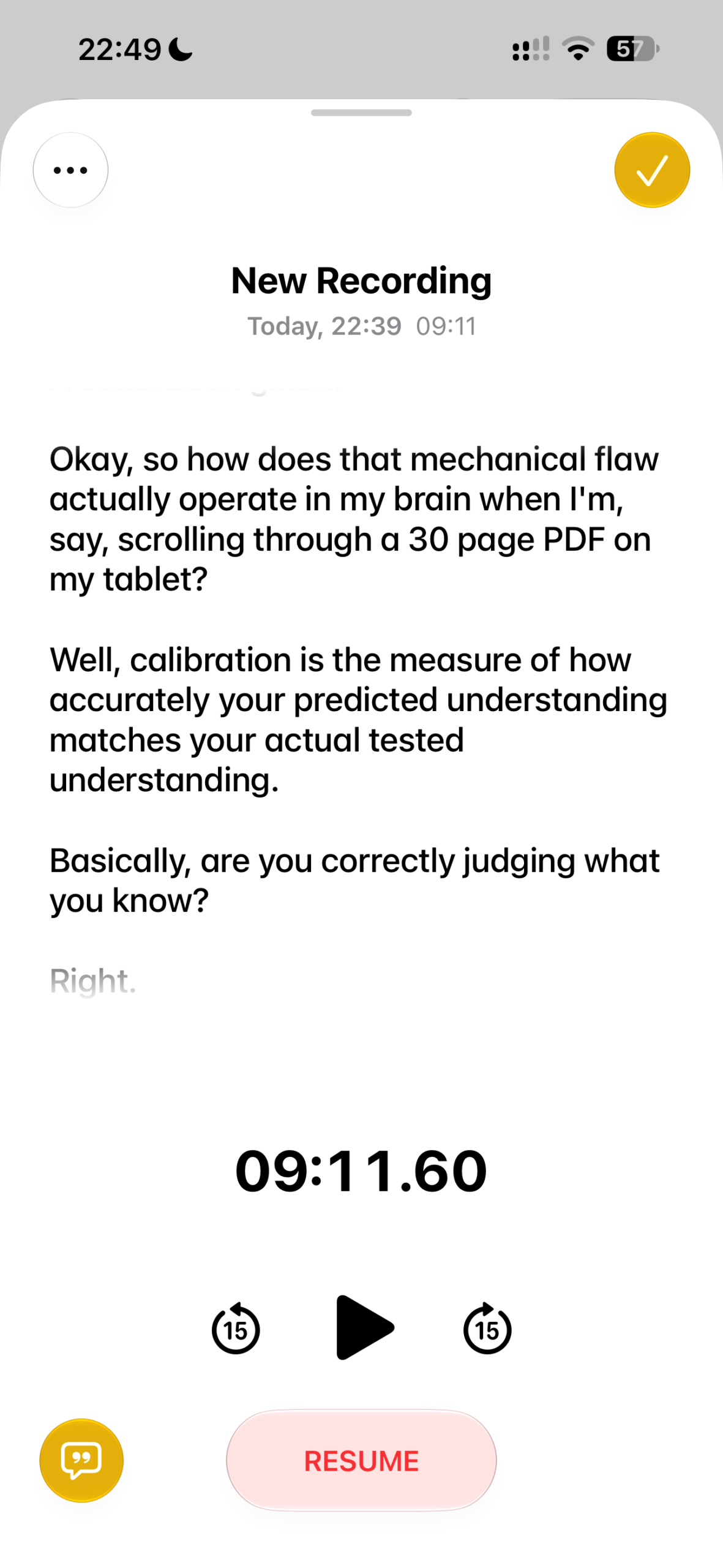
The following sequence of screen captures from my phone walks you through the steps to capture audio and generate a transcription. First, open a new note and select the “paper clip” icon, which opens a menu with the “record audio” option.
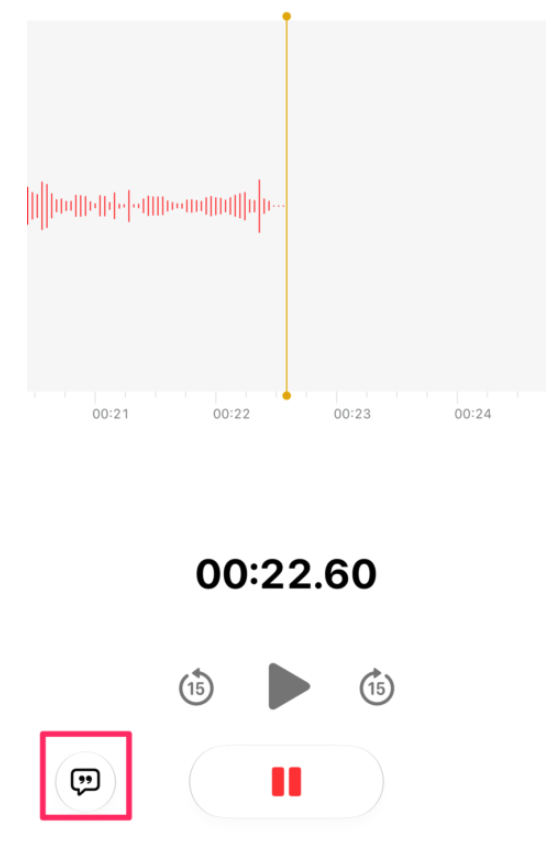
Once you are recording, or after you have finished, there is an icon in the bottom left-hand corner that will display the transcription.
Summary
Digital tools allow a note taker to revisit a presentation and check for missing information and misunderstandings. Two approaches are described in this post.
Resources
Courtney, M., Costley, J., Baldwin, M., Lee, K., & Fanguy, M. (2022). Individual versus collaborative note-taking: Results of a quasi-experimental study on student note completeness, test performance, and academic writing. The Internet and Higher Education, 55, 100873.
Grabe, M., & Christopherson, K. (2008). Optional student use of online lecture resources: resource preferences, performance and lecture attendance. Journal of Computer Assisted Learning, 24(1), 1-10.
Kiewra, K. A. (1985). Providing the instructor’s notes: An effective addition to student notetaking. Educational Psychologist, 20(1), 33-39.
Kiewra, K. A. (1987). Notetaking and review: the research and its implications. Instructional Science, 16(3), 233–249
