If you spend a great deal of time using GMail, you may want to take note of a new feature. This feature adds a simple to-do list (called tasks). TechCrunch provided the first description I read.
My experience in trying the feature was a little different so I will attempt to explain the activation procedure as I experienced it.

I found that the feature had to be activated from Settings (top of GMail screen). The beaker symbol did not appear for me until I had activated “Tasks”. I am guessing the beaker symbol does not appear until you experiment with one feature.
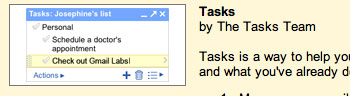
Under the settings heading, you want to activate “Tasks”. This is the to-do feature.

When tasks is activated, a link (Tasks) will appear in the left sidebar under contacts.
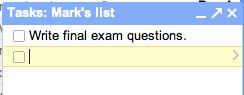
Selecting the “Tasks” link opens a window allowing the input, deletion, and prioritization of tasks.
